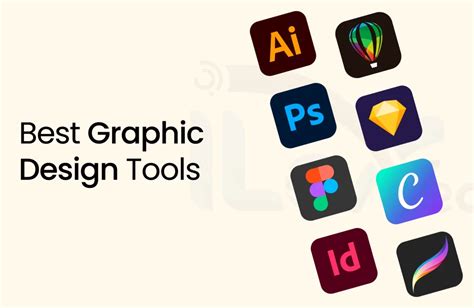
Navigating the territory of Graphic Design often leads to the pivotal choice between Adobe Illustrator vs CorelDRAW. These two titans, renowned for vector graphic excellence, have distinct offerings. Adobe Illustrator, a flagship in the Creative Cloud, stands synonymous with industry standards. In contrast, CorelDRAW presents an appealing alternative with its unique interface and versatile features. Both programs offer powerful tools and features for creating intricate designs, but they have distinct differences that make them suitable for different types of users.
The Core of Vector Creation: Fundamental Features and Functionality
Adobe Illustrator stands as an iconic vector Graphic Design software renowned for its precision and versatility in the creative world. At the heart of Illustrator's appeal is its robust set of vector drawing tools, enabling users to create scalable and high-quality artwork. Advanced typography features and text manipulation tools elevate Illustrator's capabilities, making it a go-to choice for crafting intricate, professional-looking designs. More importantly, the software's commitment to industry standards ensures seamless compatibility with various file formats, facilitating smooth collaboration and file sharing.
CorelDRAW, a flagship product of Corel Corporation, stands as a versatile and powerful vector graphics software that has impacted the design industry. At the core of CorelDRAW's appeal is its distinctive user interface, offering a customizable workspace that caters to individual preferences. This software seamlessly integrates with other Corel design products, fostering a cohesive ecosystem for creative projects. Its innovative features, such as Corel PowerTRACE, are unique to CorelDRAW, which facilitates seamless conversion of bitmap images into editable vectors. The software excels in text handling and shaping capabilities, providing designers with the tools needed to craft captivating typography. With broad file format support and collaboration features, CorelDRAW facilitates efficient workflows and ensures compatibility with various design environments.
Typography and Text Manipulation: Crafting Compelling Narratives
When it comes to typography, both Adobe Illustrator and CorelDRAW offer sophisticated tools to manipulate text and create visually appealing typographic designs.
Adobe Illustrator excels in advanced typography with features like the Touch Type tool, allowing individual characters to be moved, scaled, and rotated independently while still being part of a text block. It provides extensive control over variable fonts, enabling fine-tuning of weight, width, and other parameters. The software also boasts comprehensive character and paragraph styles, ensuring consistency and efficiency in managing text across complex documents. Its advanced text wrapping functionality allows text to flow around objects seamlessly, creating integrated layouts.
CorelDRAW also includes extensive typography tools, such as text wrapping, font management, and robust OpenType support. Designers can easily fit text to a path or a shape, offering creative freedom in typographic arrangements. CorelDRAW's capabilities in text shaping and manipulation allow for intricate visual treatments of text, making it a strong contender for designs where typography plays a central role.
Color Management: Achieving Visual Harmony
Effective color management is crucial for any graphic design project, and both Illustrator and CorelDRAW provide powerful tools to achieve accurate and consistent color representation.
CorelDRAW offers robust color management tools, including support for spot colors and customizable color palettes. Users can create custom color profiles, ensuring that colors appear as intended across different devices and print outputs. This is particularly beneficial for professional printing workflows where precise color reproduction is paramount.
Adobe Illustrator, on the other hand, provides advanced color tools like gradient meshes, which allow for complex and nuanced color transitions within objects. Its color blending capabilities enable seamless merging of colors. Furthermore, Illustrator's integration with Adobe Color (formerly Kuler) facilitates color exploration, creation, and sharing of color themes across the Adobe Creative Cloud ecosystem, enhancing collaborative color workflows.
Effects and Filters: Enhancing Visual Appeal
Both software packages offer a wide array of effects and filters to enhance designs and add unique visual flair.
CorelDRAW includes a variety of built-in effects and plugins, such as drop shadows, contours, and bevels, which are readily accessible for quick application. It also provides the ability to create bitmap effects within the vector environment, allowing for creative experimentation.
Adobe Illustrator offers a comprehensive range of effects, including sophisticated 3D effects, distortions, and blurs. Its extensibility through third-party plugins means that designers have access to an almost limitless array of creative possibilities, allowing for highly specialized and advanced visual treatments.
User Experience: Interface, Learning Curve, and Support
The interface and overall user experience can significantly influence a designer's workflow and preference.
Interface and Customization: Tailoring the Workspace
The user-friendly interface of Adobe Illustrator and CorelDRAW presents contrasting experiences for designers.
Adobe Illustrator’s interface is generally considered intuitive and well-organized, especially for users already familiar with other Adobe Creative Cloud applications. The workspace is customizable, and tools are logically grouped, contributing to a seamless workflow. This familiarity can significantly reduce the learning curve for new users entering the Adobe ecosystem.
CorelDRAW, in contrast, boasts a unique interface design that may initially feel distinct from other design software. While this can present a learning curve for those transitioning from Adobe tools, its workspace is highly customizable, catering to individual preferences and workflows. Many users find its layout efficient and well-suited for rapid design iteration.

Learning Resources and Community: Facilitating Skill Development
The learning experiences with Adobe Illustrator and CorelDRAW exhibit notable differences, impacting users' preferences and adaptability.
Adobe Illustrator benefits from an extensive online presence. Its vast user community, coupled with abundant online resources, tutorials, and forums, contributes to a well-supported learning environment. This makes it relatively easy for users to find answers to questions and learn new techniques. Adobe also offers official training and certifications.
CorelDRAW’s community support and learning resources are also valuable, though perhaps less globally pervasive than Adobe’s. Corel provides comprehensive customer support, including direct assistance and responsive channels, which can be a significant advantage for users seeking immediate help. The software's standalone nature may present a learning curve for those transitioning from Adobe tools, but its dedicated user base offers a wealth of shared knowledge. For those looking to develop their skills in CorelDRAW and Adobe Illustrator, the Milestone Institute of Technology offers comprehensive courses that cater to both beginners and advanced users. With experienced instructors and a hands-on approach to learning, students can gain practical knowledge and techniques to excel in graphic designing.
Workflow and Integration: Standalone Power vs. Cloud Ecosystem
The way these software packages integrate into a broader workflow and ecosystem is a key differentiator.
Cloud Collaboration vs. Standalone Functionality
When it comes to compatibility and seamless integration, Adobe Illustrator and CorelDRAW present notable distinctions.
Adobe Illustrator is deeply integrated into the Adobe Creative Cloud ecosystem. This seamless collaboration extends to cloud-based sharing and real-time collaboration features, making it ideal for team workflows. Designers can easily share files, access assets across Adobe applications, and work together on projects regardless of their physical location. This cloud-centric approach suits those prioritizing interconnected workflows and collaborative environments.
CorelDRAW’s independence from the Adobe family is advantageous for many. This autonomy means that users are not tied to a subscription-based model or must use multiple Adobe applications. CorelDRAW integrates smoothly with other Corel design products, fostering a cohesive ecosystem for creative projects, but it doesn't rely on a cloud-based infrastructure. CorelDRAW caters to those seeking a versatile, standalone solution, offering greater flexibility and autonomy in their creative process.
Unique Features and Industry Strengths
Both software packages boast unique features and have carved out specific niches within the design industry.
Standout Tools: PowerTRACE and Advanced Tracing
Feature-wise, Illustrator excels in advanced typography and image tracing, while CorelDRAW stands out with unique tools like PowerTRACE.
CorelDRAW’s standout feature, Corel PowerTRACE, facilitates seamless bitmap-to-vector conversion, providing a distinctive edge. This tool is highly regarded for its ability to convert raster images into editable vector graphics with remarkable accuracy, saving designers significant time and effort. CorelDRAW also produces smaller file sizes than Adobe Illustrator, which can be advantageous in various scenarios. The smaller file sizes contribute to faster loading times, improving overall performance and responsiveness, especially when working on complex designs.
Adobe Illustrator offers sophisticated image-tracing functionality through its Image Trace feature, which has evolved significantly over the years, providing precise control over the tracing process. While not as explicitly named as a distinct "utility" like PowerTRACE, Illustrator's tracing capabilities are deeply integrated and highly customizable for professional results.
Industry Adoption: Where Each Software Shines
CorelDRAW excels in print and package design, making it a preferred choice for professionals in the printing industry. The software's versatility allows designers to create intricate layouts, handle color separations, and manage complex printing processes efficiently. CorelDRAW has established itself as an industry-standard vector Graphic Design software widely used by professionals across diverse fields. Its reputation is particularly strong in the print, packaging, signage, and manufacturing industries. Many design professionals consider CorelDRAW an essential tool for creating precise and high-quality vector graphics. CorelDRAW excels in handling illustrations, making it a preferred choice for artists and illustrators. Its powerful vector drawing tools allow for precise control over lines, shapes, and details, facilitating the creation of intricate and visually appealing illustrations.
Adobe Illustrator stands as an industry standard for vector graphic design, making it more suitable for professional use in a wider range of applications, including web design, mobile app interfaces, and digital illustration, in addition to print. Its deep integration with other Adobe tools like Photoshop and InDesign makes it indispensable for many professional design studios.
CorelDRAW vs Adobe Illustrator | WHICH IS BETTER?
Pricing Models: Subscription vs. One-Time Purchase
The financial aspect of acquiring and maintaining design software is a significant consideration for many users.
Cost-Effectiveness and Ownership
Adobe Illustrator's and CorelDRAW's pricing structures diverge, reflecting different models to accommodate varied user preferences.
Adobe Illustrator operates on a subscription-based model as part of the Adobe Creative Cloud. This approach grants access to continuous updates, new features, and a suite of Adobe applications. While this ensures users always have the latest version and a broad range of tools, it represents an ongoing cost.
CorelDRAW offers a more flexible pricing structure. Users can opt for a one-time purchase, granting perpetual ownership of a specific version, or choose a subscription model. This appeals to those who prioritize cost-effectiveness and may not require constant access to the absolute latest features, or who prefer the asset of owning their software outright. CorelDRAW provides a cost-effective solution for designers and businesses, offering both one-time purchase and subscription options.
Ease of Use and Accessibility: Welcoming Newcomers
The learning curve and the overall ease of use can be deciding factors for individuals or teams new to vector graphics software.
Beginner-Friendliness and Transitioning Users
The user-friendly interface of Adobe Illustrator and CorelDRAW presents contrasting experiences for designers.
CorelDRAW’s user-friendly interface and intuitive tools make it accessible for beginners. The software offers a range of helpful tutorials and guides to assist newcomers in mastering its features. CorelDRAW's user-friendly interface is designed with accessibility in mind, making it an excellent choice for beginners and those transitioning into Graphic Design.
Adobe Illustrator, while powerful, can present a steeper learning curve for absolute beginners due to its extensive feature set and integration within the broader Adobe ecosystem. However, its vast community support and numerous tutorials make it manageable to learn.
Compatibility and File Formats: Ensuring Smooth Workflows
Seamless compatibility with various file formats is essential for efficient collaboration and integration with other software.
Interoperability and File Handling
Adobe Illustrator and CorelDRAW present notable distinctions in their compatibility and seamless integration.
Adobe Illustrator’s industry-standard file format support ensures seamless compatibility with a wide range of applications and workflows. Its native AI format is widely recognized, and it supports numerous other vector and raster formats, facilitating smooth collaboration and file sharing. Its cloud-centric collaboration features also enhance interoperability within teams.
CorelDRAW also supports a broad array of file formats, ensuring compatibility with various design environments. While it integrates smoothly with other Corel design products, its independence from the Adobe ecosystem means that direct file compatibility with Adobe formats can sometimes require specific import/export settings. However, its versatility and broad file format support facilitate efficient workflows.
Conclusion: Choosing Your Vector Champion
In Graphic Design, the choice between Adobe Illustrator vs CorelDRAW boils down to specific needs, priorities, and budget considerations.
Adobe Illustrator is the industry standard, favored for its deep integration with the Adobe Creative Cloud, extensive features, and robust community support, making it ideal for professional studios and collaborative environments.
CorelDRAW’s affordability, print design prowess, user-friendliness, and file size efficiency make it a compelling alternative, particularly for individuals, small businesses, or those focused on print-centric work. Its unique features like PowerTRACE and its perpetual license option offer distinct advantages.
Ultimately, the decision hinges on individual preferences, priorities, and budget considerations. Many design professionals find value in learning both CorelDRAW and Illustrator to leverage the strengths of each for different projects and workflows.
Join our Adobe Training to master essential tools and techniques! Become proficient in print and digital mediums by signing up for our CorelDRAW Training today! Whether CorelDRAW is better than Adobe Illustrator depends on the user’s needs and preferences. Adobe Illustrator is regarded as the industry standard for vector graphic design, making it more suitable for professional use. While it’s not necessary, learning both CorelDRAW and Illustrator can be beneficial.