The way creative professionals access and utilize powerful software like Adobe Photoshop has undergone a significant transformation with the advent of cloud-based licensing. This shift, primarily driven by Adobe Creative Cloud, introduces a new paradigm for software acquisition, deployment, and management. Understanding these licensing models is crucial for individuals, educational institutions, and businesses to effectively leverage Adobe's suite of applications. At its core, a license from Adobe represents your fundamental right to use their software and associated services.
Named User Licensing: The Default and Most Popular Approach
Named User Licensing stands as the default and most prevalent method for deploying and managing Adobe Creative Cloud and Document Cloud products. This model is meticulously designed for environments where users are connected to a network, and software licenses are allocated based on the individual needs of each user for accessing specific applications.
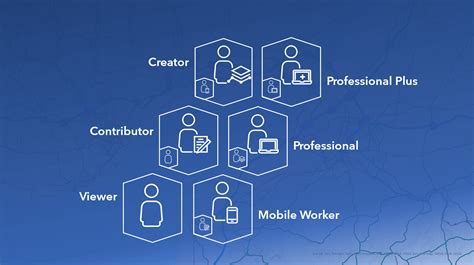
With Named User Licensing, organizations can empower their end-users with the complete spectrum of functionality offered by Adobe's software and services. The fundamental principle here is that the usage of Adobe apps and services is intrinsically tied to an individual user. This approach proves particularly effective when the software and service requirements are closely aligned with a particular user or a defined role within an organization. For IT administrators, Named User Licensing offers comprehensive control, allowing them to add or remove product licenses for any given user at any time.
A key characteristic of Named licenses is their requirement for periodic internet connectivity. While initial activation of the software necessitates a connection to Adobe's servers, subsequent usage demands that computers connect at least once every 30 days. This ensures that the license remains valid and that users are authenticated. End users facilitate this process by signing in with their unique credentials, which grants them access to the applications and services they are entitled to use. This sign-in process is a critical part of the licensing service, verifying a user's identity and associating it with their Creative Cloud membership.
The benefits of Named User Licensing extend beyond simple access. It provides users with entry to world-class creative and productivity applications, including the latest cloud-first innovations such as Adobe XD, Lightroom CC, and Adobe Dimension. Furthermore, it unlocks access to a suite of Adobe Cloud services. These services are designed to streamline workflows and enhance collaboration. Users can jump-start projects with anytime, anywhere access to assets stored in Creative Cloud Libraries, engage in collaborative work through Team Projects, and explore extensive font collections from Adobe Fonts.
A significant advantage for IT departments is that there is no requirement to pre-configure computers for Named User Licensing. Instead, Creative Cloud applications simply need to be installed or deployed on the end-user computers. The only prerequisite is that each computer intended to be licensed must have access to the internet. The authentication process, which verifies user identity and links it to their Creative Cloud membership, is a vital step. Following authentication, authorization takes place. This involves a review of the user's membership to ascertain its overall status, determine the specific applications and services accessible, and identify any restrictions or special permissions that may have been granted. It's important to note that while most licensing services operate on Adobe's servers, certain components, such as the Creative Cloud desktop app itself, are considered local licensing services by Adobe.
Applications can be downloaded and installed on client machines through a variety of methods, often facilitated by the Creative Cloud desktop app. This application acts as a central hub, enabling self-service workflows for users to download, install, and update their Creative Cloud applications. When users sign in with their credentials through the Creative Cloud desktop app, all eligible applications installed on their computer are automatically activated. Upon launching any Adobe application, a sign-in screen will typically appear if the user is not already authenticated.
Shared Device Licensing: Tailored for Educational Environments
Shared Device Licensing presents a distinct licensing method specifically designed with educational institutions in mind. In this model, software licenses are assigned to a specific device rather than to an individual user. This approach is particularly well-suited for scenarios where multiple users might access the same computer, such as in computer labs or classrooms.

A key distinction of Shared Device Licensing is that it does not inherently grant a user direct access to services like cloud storage, libraries, Adobe Fonts, or Adobe Stock. However, if an individual user account already possesses these entitlements separately, then these services will become available to them when they access the software on a shared device. For those new to Shared Device Licensing, Adobe recommends consulting their deployment guide for a smooth transition. This model is considered ideal for desktop computer labs and classrooms, where flexibility and broad access to software on a per-device basis are paramount.
IT administrators can leverage the Admin Console to seamlessly migrate from older Device Licensing models to the more current Shared Device Licensing. This transition is made straightforward, allowing institutions to adapt to evolving technology and licensing structures.
Device Licensing: An Older Model for Specific Scenarios
Device licenses represent an older licensing method, primarily available to institutions enrolled in Adobe's Value Incentive Plan (VIP). This model allows for the licensing of software to a specific computer. However, it's crucial to note that application versions CC 2019 and later no longer support traditional device licensing.
Creative Cloud for education device licenses offered the capability to license software to a particular machine, bypassing the need for named users or serial numbers. A significant benefit of this model was that users never had to sign in or enter a serial number to utilize the software, simplifying the user experience in shared environments.
Creative Cloud for Teams: Enhanced Collaboration and Management
Plans such as Teams Single App and {{cc-pro}} offer access to the same powerful applications found in individual plans, but with the added advantage of features specifically designed to support business growth and operational efficiency. Creative Cloud for teams is engineered to provide access to Adobe's creative applications and services, complemented by features that enhance collaboration, streamline administration, and help organizations maintain control over their intellectual property.

A cornerstone of Creative Cloud for teams is the provision of 1TB of cloud storage per user. This substantial storage capacity is instrumental in powering advanced collaboration features, including Creative Cloud Libraries for asset management and sharing, Share for Review for streamlined feedback cycles, and Coediting for real-time collaborative document work.
For organizations where members already possess individual Creative Cloud memberships, there's a straightforward upgrade path to Creative Cloud for teams. Team members with existing individual memberships can transition to a team plan without incurring any cancellation fees. To facilitate this upgrade, users are advised to contact Adobe directly via phone at {{phone-number-cct}} or through their chat support service.
The overarching benefit of Creative Cloud for teams lies in its integrated approach to creative workflows. It provides access to Adobeâs cutting-edge creative applications and services, while simultaneously embedding features that foster teamwork, simplify IT management tasks, and ensure robust control over digital assets and intellectual property. The journey to utilizing these benefits typically begins with installing the Creative Cloud Desktop app or by logging into Creative Cloud Home via the web. From these login interfaces, users can effortlessly download their chosen Creative Cloud applications for desktop, web, and mobile use.
Photoshop and the Cloud: Empowering Small Businesses
Within the Creative Cloud for teams ecosystem, Adobe Photoshop plays a pivotal role. It is recognized as the industry standard for precise, AI-powered image editing, making it an exceptional tool for small businesses aiming to accelerate their image creation processes. This AI capability is not limited to image editing; with Creative Cloud for teams, small businesses also gain access to Adobe Firefly, a powerful generative AI tool. Firefly offers a great option for text-to-video generation. The Firefly AI Video Generator empowers teams to instantly produce high-quality video clips suitable for social media or digital marketing campaigns, resulting in significant savings in both time and financial resources.
The integration of Photoshop and other Creative Cloud applications within these licensing models underscores Adobe's commitment to providing flexible, scalable, and feature-rich solutions that cater to a diverse range of user needs, from individual creatives to large enterprises and educational institutions. The cloud-based licensing model not only democratizes access to professional tools but also introduces advanced management and collaboration capabilities that are essential in today's dynamic digital landscape.