For many photographers and digital artists, Adobe Photoshop is an indispensable tool. The performance of this powerful software is heavily influenced by the graphics processing unit (GPU) within a computer. As Adobe no longer provides explicit recommendations for video cards, users are often left to navigate a complex and rapidly evolving market. This article aims to demystify the choices available, focusing on finding the best graphics card for Photoshop, considering performance, reliability, and budget.
The Evolving Role of GPUs in Photoshop
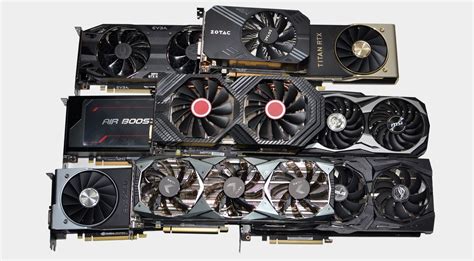
Historically, the GPU's role in Photoshop was primarily for accelerating specific features like zooming, panning, and applying certain filters. However, the advent of AI-powered tools, such as Adobe's Denoise, has significantly elevated the importance of the GPU. These advanced features leverage the parallel processing capabilities of modern GPUs, particularly their Tensor Cores, for complex computations. This means that the "goalposts have changed quite a bit," and a powerful GPU is no longer just a nice-to-have but increasingly essential for optimal performance, especially with newer AI features.
NVIDIA vs. AMD vs. Intel: A Competitive Arena
The choice between NVIDIA, AMD, and Intel for a Photoshop-centric build is a frequent point of discussion. While both NVIDIA and AMD GPUs can be utilized effectively with Adobe's software, historical context and technological advancements play a role in user perception and software optimization.
NVIDIA's Dominance and CUDA Architecture
NVIDIA has long been perceived as the preferred choice for Adobe applications. This stems from a closer historical partnership and the widespread adoption of NVIDIA's proprietary CUDA architecture. CUDA is a parallel computing platform and programming model that offers significant advantages for tasks like GPU acceleration in video editing, rendering, and machine learning. For Photoshop, this translates to smoother performance in many operations, particularly those that benefit from highly parallel processing. The presence of Tensor Cores, found in NVIDIA's RTX series (rather than GTX), is becoming almost essential for AI-driven features like Denoise, with "the more the better."
AMD's Growing Competence and OpenCL Support
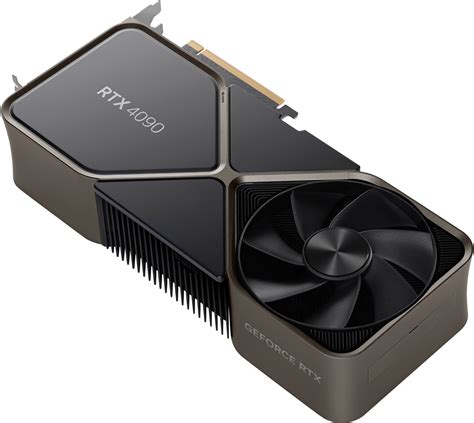
While NVIDIA has historically held an edge, AMD has made strides in improving compatibility with Adobe's software. Adobe has introduced support for AMD's OpenCL architecture, allowing AMD GPUs to contribute to acceleration in their applications. While the deep integration with CUDA might still give NVIDIA an advantage in certain highly optimized workflows, AMD cards can still offer excellent performance for Photoshop users, often at a more competitive price point. However, it is important to note that currently, Intel Arc GPUs do not work with Adobe's Denoise feature.
Intel Arc: An Emerging Contender
Intel has entered the discrete GPU market with its Arc series. While the Intel Arc B580 was mentioned as a potential option, its compatibility with Photoshop, particularly its newer AI features, is less established compared to NVIDIA and AMD. Information suggests that Intel Arc GPUs do not currently support Adobe Denoise. This lack of support for a critical AI feature would make it a less ideal choice for users who rely on or plan to utilize such functionalities.
Key Considerations for Photoshop GPUs
When selecting a graphics card for Photoshop, several factors beyond raw processing power come into play. These include VRAM, power consumption, connectivity, and overall value.
VRAM: The More, The Better
Just as with the CPU's RAM, the Video RAM (VRAM) on a graphics card is crucial for handling large image files and complex operations. For Photoshop, "as much VRAM as you can afford is also" a key consideration. More VRAM allows the GPU to store more data and textures directly, reducing the need to constantly access slower system memory. This leads to smoother performance, especially when working with high-resolution images, multiple layers, and demanding filters. While 8GB of VRAM is often considered a good starting point, 12GB or more is increasingly recommended for professional or enthusiast use.
Power Consumption and PSU Requirements
The power consumption of a graphics card is an important factor, especially when upgrading an existing system or building in a compact case. Newer generations of GPUs, while more powerful, can also be more power-hungry. This is particularly relevant for users with older homes or limited electrical circuits. For example, a user noted that the circuit in their office can only handle about 1500 watts at max for everything, making power efficiency a significant concern.
When considering a GPU, it's essential to check its power requirements and ensure your Power Supply Unit (PSU) can handle it. A 650W PSU is generally considered sufficient for cards like the NVIDIA RTX 3060 Ti, while a 550W might suffice for the non-Ti version. However, it's crucial to use online PSU calculators to determine suitability based on your specific CPU, other components, and peripherals. The quality and reliability of the PSU are paramount; opting for a reputable brand is strongly advised.
🛑STOP🛑 Buying BAD PSUs! Best Power Supply for PC 2025 | Best PSU 2025
Connectivity: Ports and Monitors
Modern graphics cards typically feature a combination of DisplayPort and HDMI outputs. While HDMI has been standard for a long time, DisplayPort is increasingly favored for professional applications, especially in photo editing. A YouTube interview with a BenQ monitor engineer strongly advised using DisplayPort over HDMI for "colour range and accuracy in photo editing etc." When looking at cards like the NVIDIA RTX 3060 12GB, some configurations might have only one HDMI port, which could be a limitation if you have multiple monitors that rely on HDMI. It's important to check the specific port configuration of any card you consider and ensure it meets your monitor setup. If your monitors lack DisplayPort inputs, you might need to consider new monitors or adapters, adding to the overall cost.
Recommended Graphics Cards for Photoshop
Based on user experiences, professional recommendations, and the evolving demands of Photoshop, several graphics cards stand out.
NVIDIA GeForce RTX 30 Series: Proven Performers
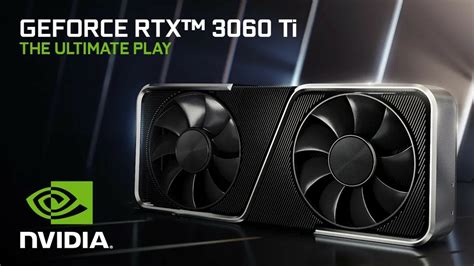
The NVIDIA RTX 30 series, particularly the RTX 3060 and RTX 3060 Ti, are frequently recommended for Photoshop. The RTX 3060 is available with 12GB of VRAM, offering a good balance of performance and capacity for handling large files. The RTX 3060 Ti, while often having 8GB of VRAM, provides a performance uplift over the standard 3060. The "good thing about its release is that price of the RTX3060TI has fallen significantly," making it an attractive option for those looking for a strong performer at a reduced cost. These cards offer a solid foundation for most Photoshop tasks, including AI features, provided they have sufficient VRAM.
NVIDIA GeForce RTX 40 Series: The Latest Generation
The RTX 40 series represents the latest generation of NVIDIA GPUs, offering improved performance and power efficiency. However, some models, like the RTX 4060 Ti, have received mixed reviews, with some noting an "uninspiring improvement in performance over the RTX 3060Ti" despite a "substantial power saving." The RTX 4070 Ti, on the other hand, is offered as a higher-end upgrade, providing more VRAM (12GB) and superior performance, though at a significantly higher price point (around 1000€ in some markets). While the RTX 40 series is powerful, users should carefully weigh the performance gains against the cost and consider the specific needs of their Photoshop workflow. The RTX 4060 (non-Ti) is also an upcoming option, but early indications based on its Ti sibling's reviews suggest it may not be a revolutionary leap.
Budget-Friendly Options
For users on a tighter budget who may not require the absolute cutting edge of performance, older but still capable cards can be considered. The NVIDIA GeForce GTX 1660 Super or the AMD Radeon RX 5700 XT are mentioned as less expensive options. While these cards might not excel with the newest AI features, they can still provide adequate acceleration for more traditional Photoshop tasks. When considering these, compatibility with your motherboard and power supply remains crucial.
Beyond Gaming: Understanding Workstation GPUs
It's important to distinguish between gaming GPUs and professional workstation GPUs. The extremely high-priced graphics cards seen in some online searches (e.g., $80,000 and $30,000) are typically workstation-class cards. These are designed for specialized fields like Computer-Aided Design (CAD) and require extreme accuracy, pixel perfection, and unwavering reliability, justifying their premium cost. For gaming and general photo processing, such extreme levels of accuracy are generally not required. The inherent inaccuracies from noise and lens resolution in photography are often orders of magnitude greater than any minor GPU inaccuracy. Therefore, standard gaming GPUs, which are manufactured at a much lower cost, are perfectly suitable and provide excellent value for Photoshop users.
The Importance of Real-World Data and Testing
While performance comparisons are plentiful online, most are based on gaming benchmarks. "Performance comparisons are plentiful on the web, however these are all based on gaming. I'm a bit wary of using these comparisons in relation to what we do but we have little choice." This highlights the need for data specifically tailored to creative applications.
Websites like Puget Systems provide valuable insights by testing hardware configurations with professional software like Adobe Lightroom Classic (LRC). Their current recommended configuration for an LRC workstation often includes the NVIDIA GeForce RTX 3060 Ti 8GB, with the GeForce RTX 4070 Ti 12 GB offered as an upgrade. However, it's noted that even these tests may not fully address the impact of newer features like Adobe Denoise. The acknowledgment that "it was planned to test GPUs with Denoise later in the year" indicates a dynamic landscape where continuous updates and testing are necessary to stay informed.
Conclusion: A Balanced Approach
Choosing the best graphics card for Photoshop involves balancing performance, budget, and evolving software demands. While NVIDIA's CUDA architecture and Tensor Cores offer distinct advantages, particularly with AI features, AMD remains a viable and often more budget-friendly alternative. The RTX 30 series, especially the RTX 3060 12GB and RTX 3060 Ti, represent strong, proven options. The RTX 40 series offers the latest technology with improved power efficiency, but users should carefully evaluate the performance-to-cost ratio. Ultimately, investing in a card with sufficient VRAM, ensuring compatibility with your power supply, and considering the specific needs of your Photoshop workflow will lead to the most satisfying upgrade.