Photopea stands as a remarkable web-based image editor, offering a suite of advanced features that rival those found in industry-standard software like Adobe Photoshop. This online photo editing software is meticulously designed to match the capabilities of popular, often costly, desktop solutions available today. A significant advantage of Photopea is its accessibility; users need not install or download any product, as it operates entirely as a web-based system, eliminating installation and compatibility concerns across various operating systems.
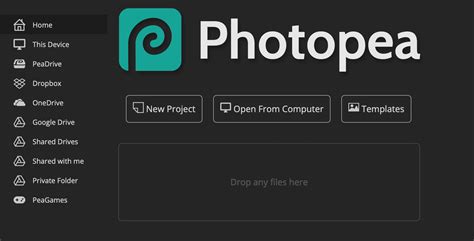
The platform boasts extensive support for a multitude of file types, including but not limited to PSD, XCF, Sketch, XD, and CDR. This broad compatibility makes Photopea particularly suitable for users who frequently work with Photoshop files. They can effectively avoid significant software expenses while still accessing robust editing functionalities. For individuals already familiar with Adobe Photoshop's interface, Photopea offers an immediate sense of familiarity, as its layout closely mirrors that of Photoshop, facilitating a smooth transition and reducing the learning curve.
The creation of new designs and the modification of existing images are managed through sophisticated tools such as layers, masks, and smart objects, complemented by a diverse array of filter and adjustment options. Photopea delivers a crucial benefit through its advanced PSD file editing capabilities, a feature that is notably absent in most other free image editing programs.
Expanding Horizons: Beyond Still Images
Photopea's utility extends beyond the realm of static image editing. The platform provides comprehensive support for vector graphics, making it a valuable asset for designers who need to manage both raster and vector formats within a single application. Users are empowered with a range of drawing instruments, detailed selection methods, and versatile brush options, allowing them to initiate new graphic designs or refine existing ones with precision and creative freedom. The ease with which Photopea can be bookmarked for quick access, coupled with its robust photo editing capabilities and user-friendly interface, makes it an attractive option for maintaining system performance while achieving professional-level results.
The true power of Photopea lies in its universal accessibility. Functioning completely online, it transcends the limitations of device and operating system. Users can access the tool from virtually any machine, rendering installation hassles and compatibility issues obsolete. This makes it an excellent tool for complete PSD file management without the prerequisite of owning Adobe Photoshop. For individuals who interact with PSD files infrequently or are disinclined to subscribe to Adobe Creative Cloud, Photopea presents an exceptional value proposition, offering a full spectrum of Photoshop-like functionality. The performance of Photopea remains solid even when handling complex projects, a testament to its efficient design. The interface adheres to professional editing software standards, providing a familiar and intuitive arrangement for all users accustomed to such applications. The ability to work seamlessly with layers, blending modes, and adjustment layers within this browser-based tool, without experiencing noticeable delays, is a particularly impressive feat for an editor of its kind.
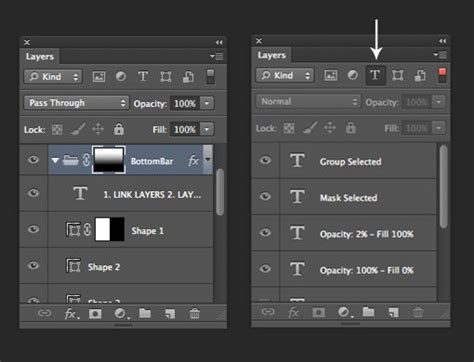
Unparalleled Accessibility and Collaboration
Photopea truly shines due to its extensive accessibility options. Operating as a web application, it liberates users from concerns about software update requirements and operating system compatibility issues. The tool functions effectively across a broad spectrum of operating systems, including Windows, macOS, and Linux, as well as mobile operating systems. This cross-platform compatibility ensures that users can access and utilize Photopea regardless of their chosen device.
Furthermore, Photopea provides an excellent solution for collaborative projects. Its project sharing features encompass both file export in a wide array of formats and direct access via project links. This facilitates seamless collaboration for teams operating remotely and for freelancers who require swift project display. In addition to these sharing capabilities, Photopea offers the convenience of saving creations directly to preferred cloud-based storage solutions, including Dropbox, OneDrive, and Google Drive.
The Free-to-Use Advantage
A significant draw for many users is the fact that Photopea is free to use. Users can access the entire functionality of Photopea through its online version, which displays only limited advertisements between projects. Those who opt for the free version will find that the editing features are comparable to premium offerings, making functionality a non-issue for a vast majority of users. The inherent flexibility of Photopea, stemming from its browser-based operation, allows users to bypass the often cumbersome downloading and installation procedures associated with traditional software.
Photopea Basics for Beginners (2025) | The Only Beginner’s Guide You’ll Need
While Photopea's feature set is impressive, it's important to acknowledge that the "best" features are subjective and depend on individual user requirements. Among the most widely recognized alternatives to Photopea is Adobe Photoshop, the industry-standard professional tool for digital art creation and image post-processing. Photoshop offers a comprehensive toolkit with powerful features that extend beyond conventional editing, including 3D design options, complex layer control, and a vast array of brushes and filters. However, the significant subscription cost associated with Photoshop often presents an obstacle for casual users and budget-conscious individuals seeking access to its capabilities.
Another popular free alternative is GIMP, a free, open-source application that mirrors many of Photoshop's functionalities through its layer systems, mask functionality, and extensive plugin capabilities. GIMP caters to users willing to invest time in mastering its robust features. It is compatible with Linux, macOS, and Windows. Despite an interface that some users find outdated, GIMP maintains powerful functionality that can be customized to individual needs.
For Windows users seeking high-quality, yet more streamlined, computer software, Paint.NET stands out as a strong contender. This application offers essential features such as layer support and blending modes, alongside various effects, all within an easy-to-use, lightweight environment that is less demanding than both Photoshop and GIMP. Paint.NET perfectly bridges the gap for users who find MS Paint too basic but do not require the full complexity of Photoshop. Unlike some other alternatives, Paint.NET is free, though users can support the developer team through donations.
Photopea's Unique Position in the Editing Landscape
Photopea is fundamentally a free, web-based photo editor that empowers users to edit images, apply effects, and manage graphics in various formats directly within their web browser. It is a versatile online photo editing software designed to equip users with a comprehensive set of tools for managing and enhancing their photographs. Its familiar interface, reminiscent of Adobe Photoshop, ensures accessibility for both novice and seasoned professionals.
Key features include robust support for layers, masks, and smart objects, alongside a broad spectrum of file formats such as PSD, XCF, Sketch, XD, and CDR. A particularly noteworthy aspect of Photopea is its ability to run locally on devices without necessitating file uploads to remote servers, thereby ensuring user privacy and enabling offline functionality. Users can import custom brushes in ABR format, a feature that significantly benefits those accustomed to utilizing specific brush sets within Photoshop.
Photopea also integrates AI-powered tools, such as smart selection and content-aware fill options, which are accessible through its premium features. These advanced tools streamline the editing process, enabling users to execute complex tasks with remarkable ease.
Photopea, pronounced FOH-tÉ-PEE, is an online image editor developed by Ivan Kutskir. It serves a wide range of purposes, including image editing, illustration creation, web design, and format conversion between different image types. Photopea operates as free, advertising-supported software, with an optional premium ad-free subscription for individuals and teams. Additionally, a corporate-focused, self-hostable version of the application is available. It is compatible with all modern web browsers, including Opera, Edge, Chrome, and Firefox. The application handles both raster and vector graphics, supporting popular formats like Photoshop's PSD, as well as JPEG, PNG, DNG, GIF, SVG, PDF, and others.
Photopea is equipped with various image editing tools, including a spot healing brush, a clone stamp healing brush, and a patch tool. For project file storage, Photopea offers cloud storage through a feature known as PeaDrive. Free users are allocated 500 MB of storage, while premium subscribers receive 5 GB. The platform also incorporates AI features such as background removal, image replacement, and image generation, leveraging various AI generation models like Stable Diffusion. Free users can utilize these AI features once per day, whereas premium subscribers receive 3,000 AI credits monthly.
Photopea provides an ad-free premium subscription service catering to individual users and teams of up to 50 users. For larger organizations requiring more extensive premium access, a self-hosting option for Photopea is available for a fee. This subscription service not only removes all advertisements but also expands the editor to utilize the full width of the user's screen, increases PeaDrive storage from 500 MB to 5 GB, doubles the length of the edit history, and grants users additional AI credits. While Photopea can be self-hosted, this service incurs a monthly fee, with prices ranging from $500 to $2000 per month, depending on the program's usage.
Performance and Practicality
While Photopea offers an impressive array of features, some users have reported experiencing performance issues during specific tasks, such as background selection, which can appear somewhat "janky" during testing. However, other editing operations tend to run smoothly. The extent to which performance varies can be attributed to individual hardware configurations. Nevertheless, some users find that editing in Photopea is not as fluid as using dedicated desktop applications like Affinity Photo.
Despite these potential performance nuances, Photopea is not a lightweight editor. It provides a comprehensive toolkit with powerful features that extend beyond conventional editing, incorporating 3D design options, advanced layer control, and a variety of brushes and filters. For professional users, Photopea may not entirely replace Photoshop, which is a significant expectation for a free application. Instead, it serves as an excellent companion for photo editors who need to perform edits on machines other than their primary workstations.
For prosumers and casual editors, Photopea is likely to meet a wide range of demands. Its unique nature as a progressive web app, its ability to function on virtually any platform, and its strong support for PSD files and other common formats make it a compelling choice. It is a valuable asset for professionals needing to make quick edits on the go and a robust editor for those seeking more than basic editing capabilities.
Photopea's progressive web app (PWA) nature allows it to be used directly within a normal browser interface or "installed" as an application via browsers like Google Chrome or Microsoft Edge. Crucially, even when "installed," no actual download is required; the application resides within the browser, and the editing process occurs on the user's local machine. All work is stored locally, ensuring that no data is transferred to servers or the cloud unless explicitly chosen by the user for cloud storage integration. This architecture ensures that Photopea can be opened instantly on almost any machine, including PCs running Windows 10 in S Mode or Chromebooks. Its strong compatibility with PSD files, including layer editing and saving, further enhances its utility. The ability to take a file from cloud storage, a USB drive, or any device and make quick edits without downloading anything is a significant selling point.
Photopea represents a unique editing application, offering a Photoshop alternative that operates directly within a web browser. Its interface and feature list are immediately recognizable to anyone familiar with Photoshop. While it may not encompass every single feature of Adobe's flagship photo editor, Photopea is far from a basic tool. It stands as a powerful photo editor that resides within the browser, offering a familiar environment for creators and a robust set of tools for both global edits (like adjusting HSL or brightness) and more specific tasks (such as background selection). Its capacity to work with both raster and vector images and its support for numerous file formats further solidify its position as a versatile and accessible image editing solution.