Photoshop is such a big name in the photography and graphic arts industries that its name is often wielded as a verb. For decades, it has been the undisputed industry standard, a groundbreaking software introduced in 1990 that set the benchmark for photo manipulation and graphic design. However, the landscape of creative software is constantly evolving, and while Photoshop may have been a singular force for many years, it is far from the only option when it comes to choosing an app for adjusting photos or creating designs from scratch. With Adobe’s increasing costs and a growing demand for more flexible and accessible tools, many artists are actively searching for a viable Photoshop alternative.
The decision to look for a different software often stems from several factors. For some, it's the increasing financial commitment. Adobe's pricing structure, particularly the shift towards subscription models, has become a point of contention. The 2025 price hike for Adobe’s photography apps, which effectively doubled the cost of Photoshop for new users and presented a smaller increase for existing ones, may be the last straw for many. For others, the inability to purchase a perpetual license rather than being tied to a recurring subscription, or simply the high overall cost, is too much to bear. This has spurred a significant migration towards more budget-friendly, user-friendly, and sometimes even more specialized, applications.
The challenge in finding a true Photoshop alternative lies in its sheer breadth of functionality. It’s a program that stretches across multiple industries, from high-end portrait retouching to intricate graphic design. Some programs aim to be a direct replacement, while others can serve as both a Photoshop and a Lightroom alternative, consolidating workflows. The choice of operating system also matters, as some powerful applications are exclusive to Windows or macOS. Yet, out of the myriad of photo and graphics apps available, a select few stand out with feature lists robust enough to potentially replace Photoshop for the right user, depending on their specific needs and budget.
GIMP: The Open-Source Powerhouse
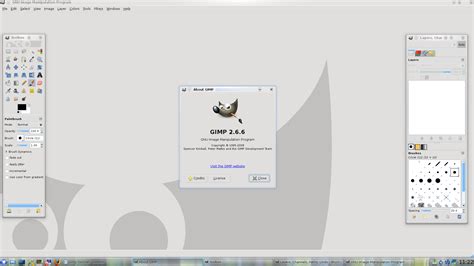
GIMP, which stands for GNU Image Manipulation Program, is a long-standing, free, and open-source rival to Photoshop. It's a professional-grade software that works across Windows, macOS, and Linux, making it an excellent free alternative. In our review, we championed the fact that GIMP comes with an absolutely huge range of pro-grade tools for editing images, drawing, and more. If you're already familiar with Photoshop, it won't take too long to get to grips with the interface, as it shares many similarities. For those new to image editing, a vast community of developers and artists have created a wide array of plugins, making this a highly adaptable program. If you desire a specific feature, there’s likely an add-on for it. The interface is highly customizable, allowing users to pare things back or leverage multiple windows and toolbars as needed.
GIMP still includes many of Photoshop’s essential features, including layers and masking. However, it does lack some of the more advanced, integrated features found in the latest versions of Photoshop. Features like Content-Aware Fill aren’t in the default download, though a similar effect can be achieved with a plug-in. As a free software, GIMP can sometimes feel a few editions behind Photoshop, currently lacking generative AI fill and generative expand capabilities. A personal annoyance for avid Photoshop users can be that many tools are named differently or located in unexpected places, requiring a period of relearning. Despite these minor drawbacks, GIMP remains a powerful and completely free option, combining photo editing, vector design, and page layout capabilities. It also offers advanced features like HDR Merge, panoramas, focus merge, and astro stacking. The only caveat is that its AI tools require a subscription, and it lacks off-the-peg effects or inspiration, as well as image cataloguing tools.
Specifications:
- Operating system (PC): Windows (64-bit)
- Operating system (Mac): Catalina 10.15 or later
- PC processor: Intel, AMD or ARM64 processor
- Mac processor: M-Series chip or Intel processor
- Hard drive: 1GB (PC), 2.8GB (Mac)
- RAM: 8GB
- Minimum screen resolution: 1280x768px
Affinity Photo: The Subscription-Free Contender
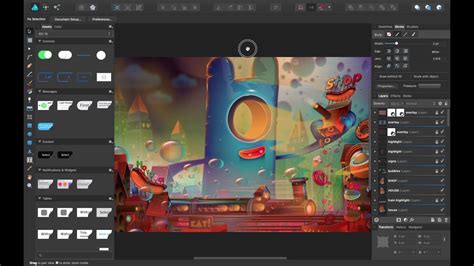
Affinity Photo, from Serif, has long been a top choice for Photoshop alternatives, and its appeal has only grown. In October 2025, Canva shocked the photo-editing world by launching an Affinity rebrand and revealing that it would be entirely free to download and use. The only small catch is that you’ll need a premium Canva account if you want to access Canva’s AI features through Affinity. Otherwise, it’s the full-fat version of Affinity Photo 2 with a modern facelift. Affinity also combines Affinity Photo, Affinity Designer, and Affinity Publisher under one roof, creating a free, one-stop-shop for digital creatives. This unified approach allows users to seamlessly switch between raster, vector, and publishing layout modes within the same file, a significant advantage over the traditional workflow of exporting between separate Adobe applications.
Affinity Photo is positively packed with professional tools, making it a genuine rival to Photoshop for both Windows and macOS, with a tablet version also available. During testing, an impressively clean interface was noted, although it can be occasionally glitchy. The sheer number of useful tools, including PSD file support, RAW Support, masking, layering, retouching, blemish removal, curving, and a full set of 16-bit filters, is remarkably extensive, capably rivalling the professional feature-set of Photoshop. For those who have used Photoshop before, navigating Affinity’s traditional layer-based workflow will feel familiar and comfortable. This layer-based approach is crucial for making serious, complicated edits, including composites, multiple masks, and heavy-duty cloning tasks. Best of all, there are no endless subscriptions; it's a one-off cost, making it ideal for those working to a budget. While it boasts an impressively large toolkit, this sheer volume might overwhelm new users, and some interface choices can be a bit annoying.
Specifications:
- Platforms: Mac, Windows, iPadOS
- Processor: Four-Core Intel or AMD processor with 64-bit support; 2 GHz or faster processor with SSE 4.2 or better or Apple Silicon. ARM processors are not supported.
- RAM: 8GB (16GB if shared with the GPU)
- Hard disk space: 6GB
- Display: 1920x1080 resolution
Capture One: The Professional's Lightroom Alternative with Photoshop Capabilities
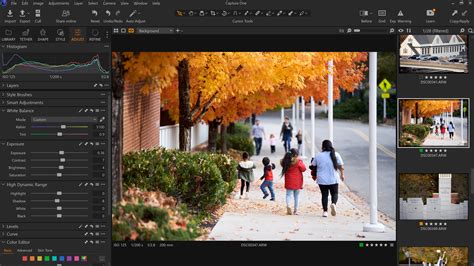
Capture One is often positioned as more of an alternative to Lightroom than a direct Photoshop replacement. However, its robust layer-based and local editing tools mean that photographers who don’t engage in intense composites or retouching can potentially manage their entire workflow within a single application. Capture One’s cataloging tools are excellent for organizing photos, and in many ways, the program’s RAW processing can deliver superior results compared to Lightroom. While its organizational tools feel like a Lightroom rival, it incorporates several editing capabilities that Adobe users would typically need to move to Photoshop for. For instance, Capture One supports layers, opening up more editing possibilities beyond basic RAW processing. Its clone and heal tools are proficient for removing minor imperfections like blemishes or power lines, but anything more advanced would necessitate a program more akin to Photoshop.
While Capture One is a favorite among many professional photographers, these advanced features come at a cost. A subscription is slightly higher than a Lightroom-only subscription and does not include cloud storage. However, it is more affordable than a combined Photoshop-Lightroom 1 TB subscription. The program's RAW processing is superb, complemented by excellent color adjustment tools and support for adjustment layers and masks. It offers both session and catalog workflows, providing flexibility for different user preferences. For those who don’t need the full depth of Photoshop but find Lightroom’s workflow slightly limiting, Capture One presents a compelling option.
Specifications:
- Operating system (PC): Windows 10 (64-bit) 22H2 or Windows 11 23H2 or later
- Operating system (Mac): macOS 14 or later
- PC processor: Intel Core i3 or AMD Jaguar CPU
- Mac processor: Apple Silicon (M-Series)
- Hard drive: 10GB
- RAM: 8GB
- Minimum screen resolution: 1200x800 pixels (1920 x 1080 recommended)
Luminar Neo: Fun, Powerful, and AI-Driven
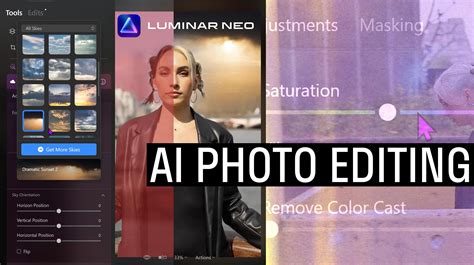
Luminar Neo is a software that is simply fun and powerful, making it a great choice for beginners or prolific image editors. It's often considered more beginner-friendly than even Photoshop Elements, largely because it doesn't require users to grapple with a layer-based workflow. Luminar Neo can be thought of as a more feature-rich version of Camera RAW (which is included with Photoshop) rather than a direct, out-and-out Photoshop alternative. This software excels at fast-tracking inexperienced photo editors to producing pro-grade edits with a gentle learning curve, while also allowing prolific photographers to process their libraries at blistering speeds. This is all made possible by Luminar Neo’s easy-to-use design and an abundance of AI-powered tools.
By tweaking just one or two sliders, users can radically change an image. The software also features an AI Assistant, allowing beginners to use text-based prompts to both learn and edit. Luminar’s AI tools are not always consistent; some work better than others, and at times, the layout can feel a little unintuitive. As such, it's not the software recommended for professionals and serious amateurs. However, beginners, casual, or prolific photo editors will find a great deal to enjoy with Luminar Neo. Furthermore, you don’t get locked into a subscription; plans are perpetual, although update support lasts for a year, after which an upgrade fee is required for the latest updates. Luminar Neo integrates an image catalog and boasts generative AI features, along with numerous AI-powered enhancements. It's available as a 'perpetual' license, which is a significant advantage for those avoiding subscriptions. However, users might encounter workflow inconsistencies and varying results from generative AI, alongside uninspiring presets.
Specifications:
- Operating system (PC): Windows 10 (64-bit) v1909 or higher
- Operating system (Mac): macOS 12.0 or higher
- PC processor: Intel i5 8th gen or better, AMD Ryzen 5 or better
- Mac processor: Intel i5 8th gen or better, Apple Silicon
- Hard drive: 10GB
- RAM: 8GB (16GB recommended)
- Minimum screen resolution: 1280×768px
On1 Photo RAW: The All-in-One Affordable Editor
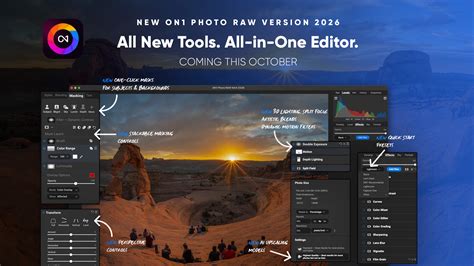
On1 Photo RAW is a photo editing app that, much like Capture One, could potentially replace both Lightroom and Photoshop, provided you don’t require the absolute most advanced tools within Photoshop. However, while Capture One might be preferred for its RAW processing and seamless user interface, On1 Photo RAW is significantly more affordable, often priced at a third of the cost, making it a strong contender for those seeking software under the $100 price point. On1 Photo RAW functions as an organizer, RAW processor, and editor all in one. The program’s use of layers and masks allows for local edits beyond the typical RAW processing, including the ability to build composites. Unlike Photoshop, On1 Photo RAW is not dual-purpose for both graphic design and photography; it is primarily designed for photographic work.
During testing, the customizable presets were a highlight, offering thumbnail previews to inspire creative possibilities. The all-in-one design and the option to choose either a one-time purchase or a subscription provide flexibility. The software includes new generative AI features, offers an all-in-one organizing, editing, and effects suite, and provides a choice between a subscription or a one-time price. While its RAW processing could be improved, and some AI masking and generative AI tools can be glitchy, On1 Photo RAW remains a good option for photographers looking for a comprehensive yet affordable solution.
Specifications:
- Platforms: Mac, Windows
- Processor: Intel 6th Generation or newer processor or AMD equivalent with SSE4.2 support, Apple M1 or newer
- RAM: 8 GB
- Hard drive space: 10 GB
- Minimum screen resolution: 1280x800 pixels
Photoshop Elements: A Familiar Face, Simplified
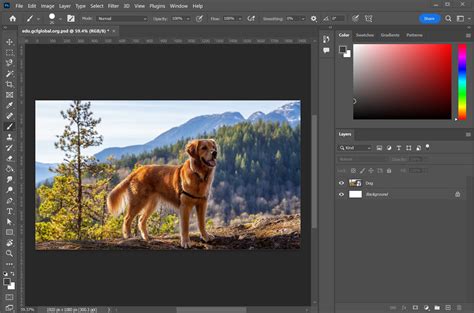
Photoshop Elements, while showing its age a little, remains a brilliant buy for anyone put off by Photoshop's professional austerity and its subscription fee. Although made by the same company behind Photoshop, Photoshop Elements is an entirely different software designed with beginners in mind. For example, a Guided mode, featuring an ever-expanding list of effects, walks users through each step of the editing process. It also includes an Expert mode with a full range of tools. However, those who have already experienced the full version of Photoshop might be disappointed by the more limited advanced tools and the somewhat old-school user interface.
Photoshop Elements can be purchased on its own or bundled with Adobe Premiere Elements, which serves a similar purpose for video editing as Photoshop Elements does for photography. New AI features have been introduced, and guided edits are particularly easy to learn. However, RAW processing requires a plugin, and there are limitations on non-destructive RAW edits. It's not as advanced as Photoshop and is offered with a 3-year license. For users seeking a simplified, more accessible version of the industry-standard without the high cost or complexity, Photoshop Elements offers a familiar entry point.
Specifications:
- Platforms: Windows, Mac
- Processor: Intel 6th Generation or newer processor or AMD equivalent with SSE4.2 support, Apple M1 or newer
- RAM: 8 GB
- Hard drive space: 10 GB
- Minimum screen resolution: 1280x800 pixels
Pixlr: Browser-Based Editing with Layer Support
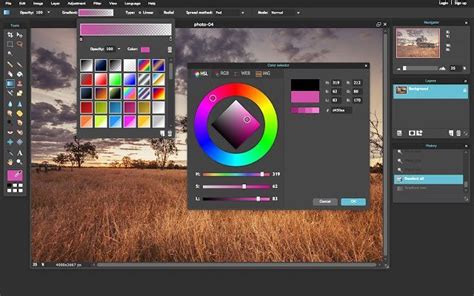
Pixlr is one of the best free Photoshop alternatives available online, and its strength lies in its accessibility as a web app. During reviews of the HTML5 photo editing software, it was found to be impressively feature-rich compared to many downloadable software options. Often, Pixlr is the tool of choice for quick image edits and compositions when there’s no need to launch the more intensive Photoshop. The interface is more spartan than either Photoshop or GIMP, which can be an advantage, streamlining the workflow and making it intuitive. Users can drag-and-drop a photo from their computer or add a URL, and then begin adjusting images with familiar one-click filters and sliders.
Given that it’s a web app, Pixlr has surprisingly robust layer support, a key reason for its consideration as a top Photoshop alternative. However, some important features are still missing. Custom brushes, for example, are slated for future development but are not yet available. Overall, Pixlr provides a super clean and intuitive interface for basic to medium-complexity photo editing. It offers layer support and is available as a web app, accessible from any browser, with a clean design and an intuitive workflow. However, it is missing some features, such as custom brushes, and has limited filetype compatibility, notably lacking PSD support.
Specifications:
- Platform: Windows, Web
- Processor: (Browser-dependent)
- RAM: (Browser-dependent)
- Display: (Browser-dependent)
ACDSee Photo Studio Ultimate: The Middle Ground for Intermediates
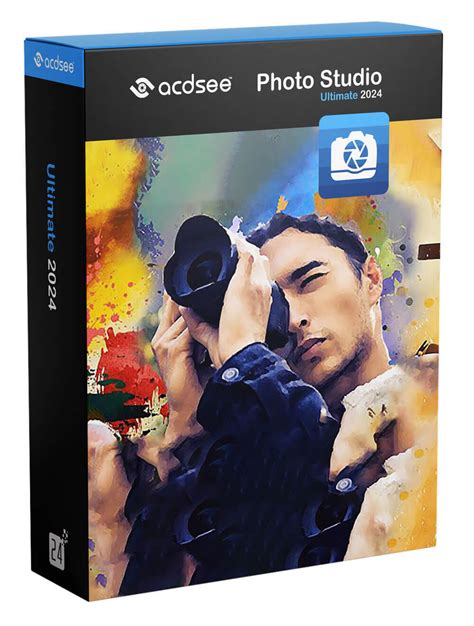
ACDSee Photo Studio Ultimate is an image manipulation tool that, like any good Photoshop alternative, allows users to perform many of the functions found in Adobe's popular photo editor, but at a fraction of the cost. This app is found to be an ideal middle-ground for users who are not quite beginners but not yet seasoned professionals. During testing, ACDSee Photo Studio Ultimate proved to be a versatile alternative to Photoshop. While it may not match every powerful feature in Adobe’s top tool, it delivers most of the essential tools for the majority of photographers and designers, including layers and RAW file editing. As expected, AI tools are also part of its offering. For many, this makes it an ideal Photoshop alternative for intermediates, rather than full professionals.
A particularly appealing aspect is the option to purchase a perpetual license, which is excellent for those looking to avoid Adobe subscriptions or any other recurring fees. However, it can also be acquired through a monthly or annual fee, with various cloud storage options depending on the chosen plan. Overall, it's considered one of the best Photoshop alternatives for creating professional-looking content while adhering to a budget. It offers great image management, impressive RAW processing, and a single interface split by different modes. However, the Edit Mode might require additional functionality, new AI features produce mixed results, and as a whole, it may not be suitable for absolute professionals.
Specifications:
- Platforms: Mac, Windows
- Processor: Four-Core Intel or AMD processor with 64-bit support; 2 GHz or faster processor with SSE 4.2 or better or Apple Silicon. ARM processors are not supported.
- RAM: 8GB (16GB if shared with the GPU)
- Hard disk space: 6GB
- Display: 1920x1080 resolution
Krita: A Top Tool for Artists and Illustrators
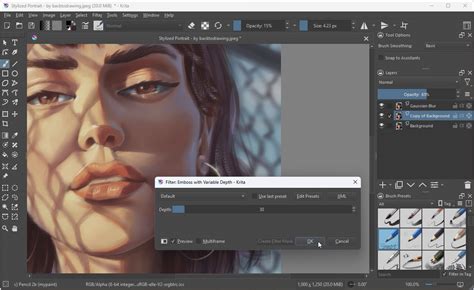
Krita is an open-source and free alternative to Adobe Photoshop, backed by a huge community of developers and talented artists who share artwork and methods. If you’re looking for an active user base invested in discussing and sharing art, Krita is a great Photoshop alternative for drawing. Beyond the community, Krita is an incredibly powerful photo editing software, boasting hundreds of brushes and a brush customization engine, vector and text capabilities for comic strips, a wrap-around mode for seamless repeating images and patterns, and a powerful resource manager for importing tools from other artists. The interface is intuitive and familiar, with minor functions like the ability to scroll sliders with the trackpad and helpful tooltips that guide users to the right tool.
Krita excels as a drawing tool rather than purely a photo editor, which means certain features are missing, such as fewer photo filters and no automatic heal tool. However, it offers excellent tablet support for drawing, a highly customizable brush engine, and both vector and raster capabilities. Its large community provides a wealth of shared resources. For artists and illustrators seeking a free, powerful, and community-driven platform, Krita is an outstanding choice.
Specifications:
- Platform: Windows, Mac, Linux
- Processor: 1 GHz or faster
- RAM: 2 GB (16 GB recommended)
- Memory: 400MB
- Display: 1024x768
Choosing the Right Photoshop Alternative
When deciding which alternative to Photoshop is best for you, the first consideration should be the scope of your image editing needs. If you are primarily focused on making simple edits to existing image files, a free software program might suffice perfectly. However, if your workflow involves developing files from scratch or making a series of complicated edits using advanced photo-editing tools and filters, it may be more beneficial to aim for one of the higher-range, more feature-rich, and potentially more expensive programs on the market.
It is also crucial to check your current computer specifications. While photo editors often have low minimum requirements, a more seamless workflow, especially with complex projects, may necessitate a higher-powered device. For professionals, selecting the best monitors for photo editing is also a key consideration for accurate color representation and detailed work.
The testing process for these alternatives involves setting up an account with the relevant software platform, whether as a download or an online service. Each service is then tested using a handful of images to assess its capabilities for editing and developing content. The aim is to push each software platform to determine if it can not only edit a range of content types but also do so faithfully and consistently without introducing formatting issues or other problems.
RAW Photo Editing Basics: Pro Tips I Wish I Learned Sooner
Ultimately, the "best" Photoshop alternative is subjective and depends entirely on individual requirements, budget, and preferred workflow. Whether you prioritize cost savings, ease of use, specific advanced features, or a subscription-free model, there are compelling options available that can meet and even exceed the needs of a diverse range of creative professionals and enthusiasts.
tags: #alternative #software #to #photoshop