The allure of the past, with its distinct aesthetic and nostalgic charm, continues to inspire contemporary design. In the digital realm, Photoshop serves as a powerful tool for recreating and reimagining these vintage vibes. Whether you're drawn to the vibrant energy of the 1980s or the subtle elegance of earlier eras, mastering retro textures in Photoshop can significantly enhance your creative toolkit. This guide delves into various techniques and approaches to imbue your digital creations with an authentic "old-fashioned" look-and-feel, drawing inspiration from poster art, collages, graphical elements, and iconic design trends from the 1900s to the 1980s.
The Foundation: Understanding and Applying Textures
Textures are the bedrock of any convincing retro design. They add depth, character, and a tangible quality to flat digital artwork. Understanding how to source, create, and apply these textures is paramount.
One effective method for creating an "old-fashioned" look involves working with paper textures. You can craft a paper texture overlay from scratch by utilizing everyday materials like paper and coffee, combined with a scanner. The process begins with preparing your paper. To make the paper look old, you can cover it with coffee. Experiment with creating a few different papers, and don't hesitate to crumple them once you achieve the desired texture. After the paper dries, scan it to capture its unique characteristics. This process yields a tangible, handmade texture that can be applied to your digital projects.
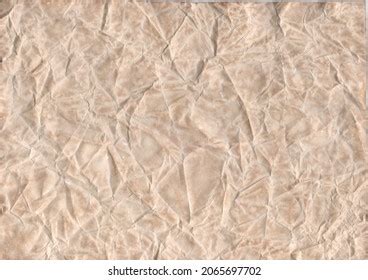
For those seeking a more immediate solution, curated collections offer high-quality paper textures. Platforms like Envato Elements provide a wide array of textures, overlays, and backgrounds. For instance, a "30 Vintage Paper Textures Pack" offers highly detailed old paper scans, ready to be incorporated into your designs. Similarly, a hi-res folded paper texture package can be a valuable asset. These pre-made resources simplify the process of achieving a paper texture overlay Photoshop effect using hand-crafted textures or specialized texture packs.
Beyond paper, other textures can contribute to a retro aesthetic. Combining textures with subtle shading and highlights is a key technique to add depth to flat-looking digital artwork. This approach allows for a more nuanced and believable vintage presentation.
Recreating Vintage Aesthetics: Specific Techniques
Photoshop offers a vast array of tools and filters that can be leveraged to achieve specific retro looks. From vintage poster art to comic book styles, the possibilities are extensive.
Vintage Photo Effects and Color Manipulation
Transforming a modern photograph into a vintage piece often involves subtle color shifts and the introduction of imperfections. One method to convert an image using the Threshold adjustment can make vintage art from any image. This 12-minute video tutorial reveals how to use masks and adjustment layers to lighten and darken areas of an image, achieving great results.
How to make threshold images in Photoshop
Another approach to give photos a retro comic book effect involves using a couple of filters and some additional decorations. This technique can imbue your images with the bold lines and halftone dots characteristic of classic comic art.
Applying a quick vintage look in Photoshop can be achieved in as few as four simple steps by altering colors within an image. This method focuses on broad color adjustments to achieve a generalized retro feel.
Text Effects and Typographic Treatments
Typography plays a crucial role in retro design, and Photoshop provides numerous ways to replicate historical text styles.
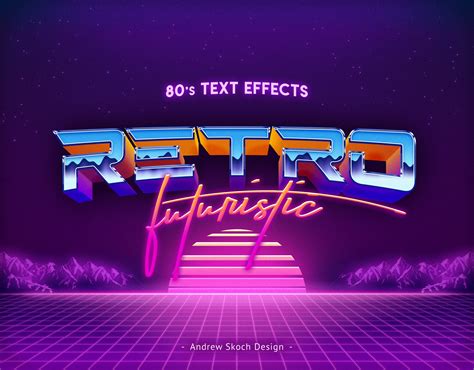
You can create an Outrun-style retro-futuristic text effect from scratch. This style, popular in the 1980s, is characterized by neon colors, geometric shapes, and a sense of futuristic optimism.
For a more classic feel, you can nail the basics and create stunning, vintage hand-lettering. This easy-to-follow tutorial guides you through the process of achieving an authentic handmade lettering look.
Recreating the line gradient effect, often seen in wood engravings and sign lettering, can be achieved through a 10-step vintage text tutorial. This technique adds a distinctive etched or stamped appearance to your text.
To create elegant 3D type, Photoshop's built-in 3D tools can be utilized. Experimenting with an object’s material and having full control over a scene’s lighting allows for sophisticated retro 3D text.
The trashy glamour of the 80s can be combined with Photoshop's powerful toolsets to create 1980s type effects. This often involves vibrant colors, bold outlines, and a sense of playful excess.
A funky retro wavy text effect can be designed by first creating a retro-colored psychedelic background and then adding vintage text. This style is reminiscent of 1960s and 70s psychedelic art.
A retro style typographic poster design often features distressed textures and a muted color scheme. Learning how to create this involves mastering the application of various textures and color palettes.
Illustrative and Graphic Styles
Beyond photos and text, Photoshop can be used to create entire graphic elements and illustrations with a retro flair.
Transforming a photograph into a classic, pop art-style comic page is achievable through best-practice techniques. This method often involves simplifying colors, adding bold outlines, and mimicking the printing techniques of the era.
How to make threshold images in Photoshop
Creating a 3D Retro Strip, inspired by 1960s poster designs, can be done in a series of simple steps. This often involves layering and applying specific layer styles to achieve a dimensional look.
Designing a rockin' 80s party poster involves creating textures for the background and manipulating a photo to give it a stylish look. This era's posters were often characterized by bright colors, geometric patterns, and dynamic typography.
A WWII Airplane graphic can be created by using noise and blur filters to achieve a brushed metal effect, followed by layer styles for a polished finish. This taps into the aesthetics of mid-20th-century military graphics.
To create a retro background, you can take a regular photo and liven it up using effects to give it more of a retro feel. This might involve desaturation, grain, or color tinting.
Designing a music poster with Photoshop, potentially using a public domain photo from WWII, allows for the creation of a vintage gig poster. This often involves a blend of illustration, photography, and typography.
A retro cosmic design can be recreated using various Photoshop techniques, often involving gradients, space imagery, and futuristic typography reminiscent of vintage sci-fi art.
Creating an ordinary photo and turning it into an old picture with faded colors and torn edges is a common goal for achieving a vintage look. This involves manipulating color levels, adding textures, and simulating damage.
Adding textures to your work to give it a handmade feel, and combining these with shading and highlights to provide extra detail, is a fundamental technique for retro illustration.
Learning how to use photos to create surreal montages that have that authentic washed-out vintage look falls under retro collage techniques. This involves blending multiple images and applying filters to unify their appearance.
Creating retro poster effects involves designing a vintage-style poster with great type, a main character, and decorative elements. This often requires a careful balance of graphic components.
To create a retro photo collage illustration, brushes can be used to replicate elements like clouds, dust, and grime. Adding foreground blur to objects can also give the impression of depth, enhancing the vintage feel.
Creating dynamic art using glows and lighting effects, drawing on traditions of sci-fi art, can be achieved using adjustment layers, blending modes, and even external software like Illustrator. This is particularly relevant for retro-futuristic themes.
Low-poly art in Photoshop, using faux 3D modeling and texturing, can result in striking vintage-style artwork. This technique offers a stylized, geometric interpretation of retro aesthetics.
Giving illustrations a retro look in Photoshop often involves using textures to create a vintage aesthetic. This is a versatile technique applicable to a wide range of illustrative styles.
Making a worn vintage beach ad in Photoshop involves creating a worn-out, low-saturation-colored advertisement. This requires techniques such as using brushes, editing colors, applying filters, and masking.
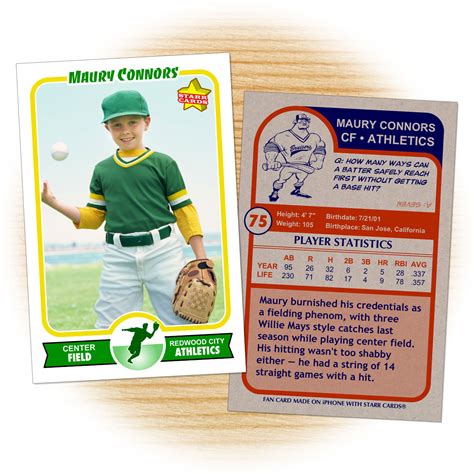
Designing a vintage baseball card involves creating a realistic replica. This includes adding color to black and white photos, reproducing illustrated effects, and creating an "old print" effect.
Recreating the look and feel of old VHS movies involves capturing that distinct visual artifacting, color degradation, and aspect ratio associated with VHS tapes.
Creating a trendy retro landscape design involves manipulating a landscape photo with various color adjustments and laying out a typographic quote to achieve a retro style.
Designing a retro postcard with 3D text can be a collaborative effort between Illustrator and Photoshop. This allows for the creation of a retro style postcard with text and different images embedded within each letter.
Creating a retro style race poster often involves using Photoshop to assemble the poster layout with various textures and brushes, while switching to Illustrator for typographic elements.
Mastering Photoshop layer effects can add a bold, pop culture retro flair to a striking model. This technique focuses on using layers to build up complex, stylized appearances.
Bringing nature’s random variations into digital creations can help create a retro urban gig poster. This approach emphasizes organic imperfections and textures.
Embracing Nostalgia: The Enduring Appeal of Retro
The fascination with retro and vintage aesthetics in modern design is a testament to their timeless appeal. These styles evoke a sense of nostalgia, authenticity, and a connection to the past. Whether you're aiming for the gritty realism of old photographs, the vibrant energy of 1980s graphic design, or the handmade charm of early illustrations, Photoshop provides the tools to bring your vision to life.
The key lies in understanding the specific visual cues of different retro eras and learning how to replicate them using Photoshop's extensive capabilities. This includes mastering techniques for texture creation and application, color manipulation, typography, and illustrative styles. By combining these elements, designers can effectively transport their audience back in time, creating designs that are both visually striking and emotionally resonant.
How to make threshold images in Photoshop
Ultimately, there’s no time like the present for learning new skills and finding new Photoshop ideas. By exploring the diverse range of tutorials and techniques available, you can start adding new strings to your creative bow. Whether you're a seasoned professional or a budding enthusiast, investing time in mastering retro textures in Photoshop will undoubtedly enrich your design skill set and open up a world of creative possibilities. Remember to bookmark this page for when you're next able to invest a little time into growing your skill set and expanding your design repertoire.