The XPPen Artist Pro 16 (Gen 2) emerges as a significant contender in the competitive landscape of pen display tablets, offering a compelling blend of advanced features and a mid-range price point. This review delves into its design, performance, user experience, and suitability for various creative professionals, drawing upon extensive testing and user feedback.
Design and Build Quality: A Sleek and Functional Aesthetic
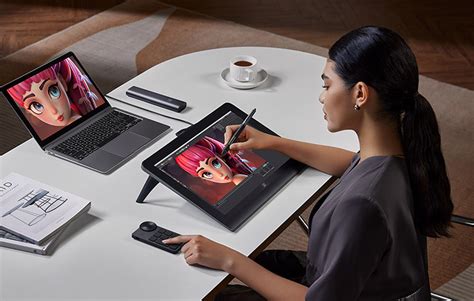
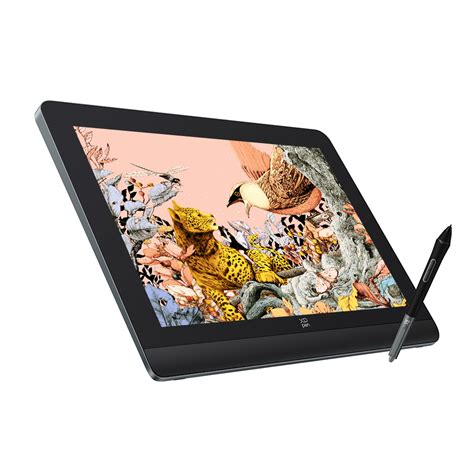
The second-generation Artist Pro 16 sports a notably refined design, moving away from the built-in buttons and embracing a sleeker, button-free black finish. The XPPen logo has been downsized, allowing the screen to take center stage. The tablet's construction feels robust, featuring a sturdy metal frame and a smooth, fully laminated screen. Beneath the display, a wrist-rest area provides some ergonomic comfort, though its effectiveness diminishes when working on the upper half of the screen.
A key design evolution is the relocation of physical buttons to a separate, wireless accessory: the X-Remote Control. This device, roughly the size of a compact smartphone, boasts 10 customizable shortcut buttons and a responsive circular dial, ideal for tasks like adjusting brush size. This separation of controls effectively frees up the tablet's workspace, a design choice that mirrors approaches seen in other high-end devices. The remote's placement can be adjusted to suit both left- and right-handed users, enhancing its versatility.
The tablet itself features two USB-C ports on its upper edge, supporting either a single USB-C to USB-C connection for power and data (if your device supports it) or a more traditional 3-in-1 cable setup. On the rear, rubber feet provide stability, and integrated kickstands unfold to prop the display at a fixed 19-degree angle. While this built-in stand offers a welcome elevation, the lack of adjustability is a point to consider for users who prefer more control over their working posture. The device's dimensions are approximately 405.11 x 291.37 x 20.23 mm, with an active drawing area of 344.68 x 215.42 mm. It weighs a little over 3 pounds, making it substantial yet manageable for transport.
Display and Color Accuracy: Clarity and Precision with Caveats
The Artist Pro 16 (Gen 2) features a 15.9-inch display with a 2560 x 1600 resolution, offering a 16:10 aspect ratio. This resolution provides a crisp visual experience, particularly for detailed artwork, and is a significant upgrade from the 1920 x 1080 resolution of previous models. The screen is fully laminated, minimizing parallax - the perceived gap between the stylus tip and the cursor on screen - resulting in precise stroke placement.
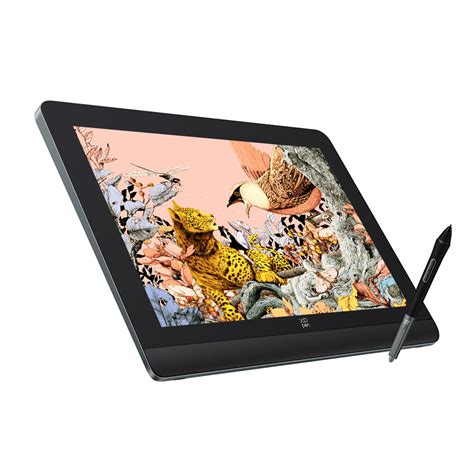
Color reproduction is generally strong, with the manufacturer claiming 99% sRGB coverage. This is more than sufficient for most hobbyists and many professionals. However, tests indicate that Adobe RGB and DCI-P3 coverage may fall short of professional-grade demands, reporting around 75% coverage. While the display is capable of switching between different professional color spaces (sRGB, Adobe RGB, DCI-P3, and a user-defined mode) via the driver settings, users requiring absolute color fidelity for print work or demanding color-critical applications might find it slightly lacking compared to more expensive alternatives. The display also boasts a low blue light certification from TÜV SÜD, enhancing eye comfort during extended use.
Brightness control is precise, operating on a 100-point scale. While the maximum brightness is around 200-206 nits, which is adequate for most environments, some users have noted that running at 100% brightness can generate noticeable heat. A setting around 75-78% brightness has been found to offer a good compromise, achieving approximately 170-180 cd/m² without excessive heat. The anti-glare, etched glass surface provides a pleasant "X-Paper Surface" feel, offering tactile feedback similar to drawing on paper, while also reducing smudging and fingerprints. However, a slight "film grain" effect can be noticeable when viewing the screen from a distance, particularly when used as a secondary monitor.
The Stylus: Pushing the Boundaries of Pressure Sensitivity
The star of the show for the Artist Pro 16 (Gen 2) is undoubtedly its X3 Pro Smart Chip Stylus. This pen boasts an industry-first 16,000 pressure levels, a substantial leap from the 8,192 levels found in many competing tablets, including its predecessor. While differentiating between such high pressure levels can be subtle, the increased sensitivity allows for incredibly nuanced line variations, from hairline thin to broad strokes, with greater precision and responsiveness. This translates to a more natural drawing experience, especially for detailed work, and can also contribute to reduced wear on the screen and nibs due to the lesser need for forceful application.
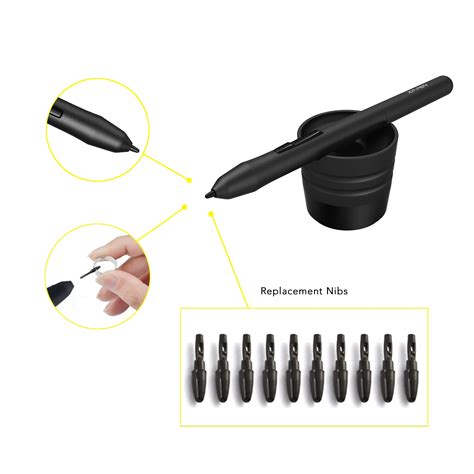
The stylus itself is ergonomically designed with a comfortable rubber grip. It features two customizable shortcut buttons and a digital eraser at its tip, mirroring the design of some Wacom pens and offering a convenient way to quickly correct mistakes. The pen comes housed in a sleek black case that also stores the included nibs - four standard and four felt alternatives for a different tactile feel. The case cleverly integrates the nib replacement tool. The stylus has an initial activation force of just 3g and a reported response time of 90ms, contributing to a virtually lag-free drawing experience.
Performance and Connectivity: Versatility Across Platforms
The XPPen Artist Pro 16 (Gen 2) demonstrates broad compatibility, supporting Windows 7 and later, macOS 10.10 and later, Android (USB3.1 DP1.2), Chrome OS 88 and later, and Linux. Connectivity is flexible, with the option of a single USB-C to USB-C cable (requiring a compatible port on the host device) or the included 3-in-1 cable (HDMI + USB data + USB power). Testing has confirmed the success of the single USB-C connection on modern systems running GNU/Linux distributions like Fedora with KDE.
For users operating on GNU/Linux, specific configurations might be necessary to ensure full functionality. This can involve setting up udev-hid-bpf rules to correctly map stylus buttons and enable tilt functionality. Commands like lsusb are crucial for identifying the device (e.g., 28bd:095b), and custom scripts using xrandr for display ratio adjustments or xsetwacom for tablet mapping can be created and automated to run at startup. Ensuring a compatible kernel version for eBPF programs is also a consideration.
Setting up XP Pen Tab on Linux (Drivers & Configuration)
The X-Remote Control connects wirelessly via a USB dongle or Bluetooth. While the dongle is included, some users have reported pairing issues with the dongle over time, though direct Bluetooth connection is generally reliable. The remote's functionality, combined with the stylus's capabilities, allows for a streamlined workflow, minimizing the need to constantly switch between keyboard and tablet.
Software and Customization: Tailoring the Experience
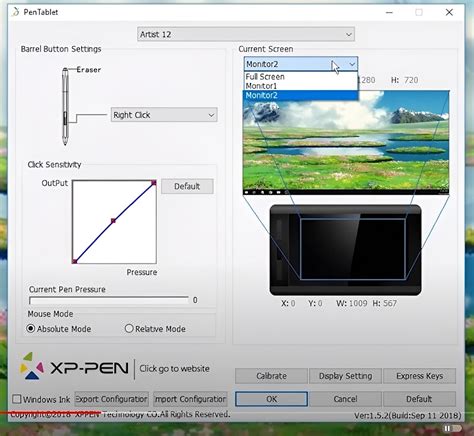
The XPPen software allows for extensive customization of the stylus buttons and the X-Remote Control. Users can assign various functions, macros, or even mouse events to these controls, tailoring them to specific applications. The software also facilitates screen calibration, ensuring accurate cursor placement across the display.
For Linux users, advanced customization is possible through command-line tools. For instance, setting a specific display ratio for a 16:9 clone of the 16:10 tablet can be achieved using xrandr commands within a startup script. This might involve creating a letterbox effect by sacrificing some of the tablet's vertical resolution to match a desired output.
A hidden "SelfTest" menu can be accessed by powering off the tablet and holding the Brightness+ button while pressing the Power button. This menu offers options for color temperature presets, channel adjustments, and a factory reset. These settings can also be controlled programmatically on GNU/Linux systems.
User Experience and Ergonomics: Comfort and Workflow
The overall user experience with the Artist Pro 16 (Gen 2) is largely positive. The low parallax, responsive tilt, and high pressure sensitivity contribute to an intuitive drawing and illustrating process. The tactile "X-Paper Surface" enhances the drawing feel, and the inclusion of felt nibs offers an alternative for those seeking a more paper-like friction.
While the built-in stand provides a fixed 19-degree angle, many users find this sufficient for comfortable use. For those who prefer different angles, custom solutions like wooden easels or stacks of books can be employed. The ability to push the tablet aside to free up desk space for traditional art or other projects is also a practical benefit.
The heat generated by the device, particularly around the USB-C connector at higher brightness settings, is a minor consideration. As mentioned, reducing brightness to around 75% mitigates this issue.
Value Proposition: High-Spec at a Competitive Price
The XPPen Artist Pro 16 (Gen 2) presents a strong value proposition, especially when considering its advanced features against its price point of approximately $599.99 / £529.99. Compared to similarly specified pen displays from competitors, particularly those with lower pressure levels, the Artist Pro 16 (Gen 2) stands out as a budget-friendly yet high-performance option.
While it may not match the absolute color accuracy of top-tier professional displays or include premium accessories like a dedicated stylus holder on the tablet itself or an adjustable stand, the core functionality and performance are exceptional for the price. The included accessories, such as the X-Remote Control and a comprehensive pen case, further enhance its value.
Conclusion: A Capable Tool for Creatives
The XPPen Artist Pro 16 (Gen 2) is a well-rounded pen display tablet that successfully balances advanced technology with affordability. Its industry-leading 16K pressure levels, fully laminated screen, and versatile connectivity make it an attractive option for hobbyists, students, and early-career professionals. While seasoned professionals might seek even greater color accuracy or more integrated ergonomic solutions, the Artist Pro 16 (Gen 2) delivers a high-quality, responsive, and feature-rich drawing experience that is difficult to fault at its price point. It represents a significant step forward for XPPen and offers a compelling alternative to more expensive offerings on the market.