The way we capture and share our world has been dramatically reshaped by the ubiquity of smartphone cameras and the pervasive influence of social media. While hardware capabilities of mobile devices have advanced at a breakneck pace, the software magic that elevates smartphone photography has often lagged behind. Adobe, a company with a storied legacy in empowering creatives, has stepped in to bridge this gap with the introduction of Adobe Photoshop Camera. This innovative, AI-powered mobile application promises to redefine what's achievable with smartphone photography by embedding Photoshop's renowned creative capabilities directly into the point of capture.
The Power of AI: Introducing Adobe Sensei
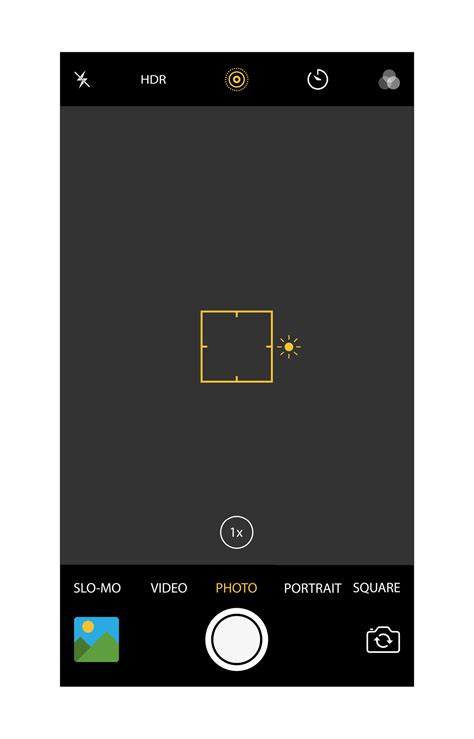
At the heart of Photoshop Camera lies Adobe Sensei, the company's advanced artificial intelligence (AI) platform and framework. For years, Adobe has leveraged Sensei to deliver groundbreaking features to its creative community. Photoshop Camera is a testament to this ongoing commitment, built as a "Sensei-first" application, signaling Adobe's expanding mission to make powerful creative tools, including the iconic Photoshop, accessible to everyone. This intelligent app is designed to understand and enhance your photos in real-time, offering a seamless blend of capture, editing, and sharing.
The AI intelligence embedded within Photoshop Camera allows it to instantly recognize the subject matter of a photograph. Whether it's a portrait, a sweeping landscape, a casual selfie, or a delectable food shot, the app can provide intelligent recommendations and automatically apply sophisticated, unique features. This happens at the very moment of capture, ensuring that the creative magic is integrated from the outset, all while diligently preserving the original, unedited shot for maximum flexibility. Beyond subject recognition, the app also possesses the ability to understand the technical aspects of an image, further refining its automated enhancements.
Unleashing Creative Expression with Real-Time Magic
Photoshop Camera empowers users to capture, edit, and share stunning photos and moments, catering to both naturalistic and highly creative aesthetics. The magic of Photoshop is no longer confined to desktop software; it's now accessible directly from your smartphone's viewfinder. This real-time, Photoshop-grade editing capability frees users to concentrate on the art of storytelling, armed with powerful tools and effects.
The app's intelligent nature means it can suggest the most fitting lenses and filters for your photos even before you press the shutter button. Users can scroll through an array of visually appealing "insta-worthy" lenses and camera effects, applying them either before or after taking a shot. The ease with which these can be swapped in and out alleviates any concern about changing one's mind, and users can favorite their preferred options for repeated use. The result is a dynamic and intuitive creative process, allowing for spontaneous artistic exploration.
A Curated Feed of Artistic Lenses
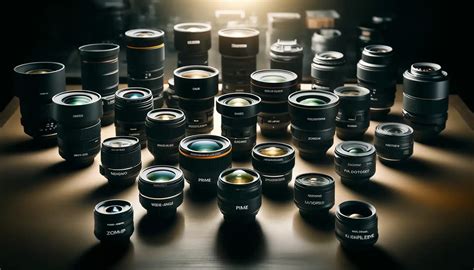
Beyond its core AI-driven enhancements, Photoshop Camera unlocks the collective power of the creative community. Users gain access to a curated feed of "lenses" - unique filters and effects - crafted by renowned artists and influencers. This collaborative approach brings a fresh and diverse range of creative styles to the app.
A notable collaboration highlighted is with chart-topping artist Billie Eilish. Believing that creativity is central to her endeavors, Billie has inspired a collection of limited-edition lenses, drawing from her songs and music videos. These lenses offer a glimpse into her unique artistic vision, allowing users to infuse their photos with a similar creative flair. This partnership exemplifies Adobe's commitment to broadening the Adobe Creative Cloud as a comprehensive creativity platform for all.
Democratizing Creativity for the Next Generation
Photoshop Camera represents a significant step in Adobe's ongoing effort to democratize creativity. The company is dedicated to investing in accessible tools like Photoshop Camera, specifically designed for the next generation of consumers and creatives. Innovation and the relentless pursuit of pushing the boundaries of creative expression have always been intrinsic to Adobe's identity. The company thrives at the intersection of deep scientific understanding and the art of storytelling, and Photoshop Camera is a prime example of this philosophy in action.
The app is packed with amazing, AI-powered features designed to help users capture gorgeous selfies, mouth-watering food shots, breathtaking scenery, and much more. It allows individuals to showcase their unique style through lenses created by featured artists and influencers, including the distinctive aesthetic of Billie Eilish. This democratization extends to the very nature of the app's availability; Photoshop Camera is offered completely free of charge for both iOS and Android users, meaning there is no direct tie-in to Adobe's Creative Cloud subscription plans.
This AI Video Animation Transforms Any Room (Real Estate Video Tutorial)
Features and Functionality: Beyond Basic Editing
While Photoshop Camera offers capabilities that might initially seem akin to those found in standard social media apps, its underlying technology and creative potential set it apart. Adobe's objective was to "bring the magic of Photoshop directly to your camera's viewfinder," a goal that is largely realized through its sophisticated AI integration.
AI-Powered Subject Recognition and Enhancement
Leveraging Adobe Sensei, the app excels at instantly recognizing subjects within a photo. This allows for the automatic application of sophisticated and unique features tailored to the specific content. For portraits, this might mean enhanced skin smoothing or improved lighting. For landscapes, it could involve more dynamic sky replacements or enhanced color saturation. Food photography benefits from adjustments that make dishes appear more appetizing, while selfies can be transformed with artistic flair. Crucially, these enhancements are applied in real-time, and the original shot is always preserved, providing a safety net and the option for later, more nuanced editing.
Dynamic "Lenses" for Creative Transformation
The "lenses" in Photoshop Camera are more than just simple filters. They are complex creative effects that can drastically alter the look and feel of an image. Some lenses are designed to be subtle, offering gentle color grading or exposure adjustments. Others are far more dramatic, capable of transforming a mundane scene into something fantastical.
Examples of these transformative lenses include:
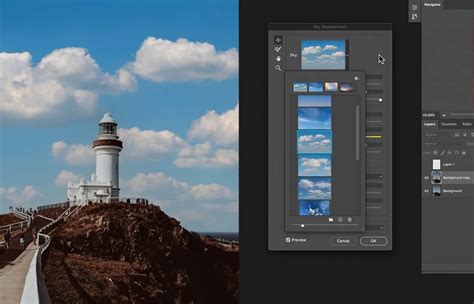
- Sky Replacement: Several lenses are capable of identifying the sky in a photograph and replacing it with perfectly rendered clouds, a mystical moon, or even a swirling galaxy.
- Artistic Styles: Filters can render images in the style of comic books, complete with bold lines and vibrant colors, or create a glitchy, "Black Mirror"-esque aesthetic.
- Thematic Effects: Collaborations, such as the one with Billie Eilish, introduce unique themes, like adding angel or demon wings with corresponding backdrops, or raining down her signature Blohsh logo.
- Portrait Enhancements: Lenses like "Portrait" and "Studio Light" use AI to artificially soften backgrounds or mimic professional studio lighting, even without dedicated depth-sensing hardware.
- Specialized Adjustments: For specific genres like food photography, dedicated lenses offer a range of automatic adjustments optimized to make food look its best.
The ability to preview these lenses in real-time within the viewfinder is a significant advantage, allowing users to experiment and find the perfect look before capturing the moment.
User Interface and Workflow
Photoshop Camera's interface is designed for simplicity and ease of use, making it accessible to users of all skill levels. When the app is opened, it defaults to selfie mode, and upon detecting a face, a strip of relevant portrait lenses appears along the bottom of the screen. For the rear-facing camera, a dedicated icon provides access to a wider array of filters and suggestions.
The workflow is designed to be intuitive:
- Capture: Users can either shoot a photo directly with a lens applied or capture a standard image.
- Apply/Swap Lenses: Lenses can be applied before or after capture. Swiping left or right on the image preview allows users to cycle through different versions of a selected lens or explore entirely new ones.
- Edit: Beyond the lenses, basic editing tools are available, including adjustments for contrast, exposure, saturation, and clarity. A "magic wand" button offers one-tap automatic enhancements. For more in-depth editing, users can seamlessly send their photos to Photoshop Express or Lightroom.
- Share: Once satisfied, users can share their creations directly from the app, with options for adjusting aspect ratios to suit various social media platforms.
The app also facilitates integration with other Adobe services. Images can be imported from Lightroom or the device's Photos library, allowing users to apply Photoshop Camera's unique lenses to existing photos. This flexibility ensures that the app can be a part of a broader creative workflow.
Technical Considerations and Compatibility
Photoshop Camera is available for free on both iOS and Android platforms. However, official support for Android devices is more specific, generally recommending recent Pixel, Galaxy, and OnePlus models. While the app may function on other devices, users on unlisted models might not find it available through the Google Play Store, and APK installations may not always be successful.
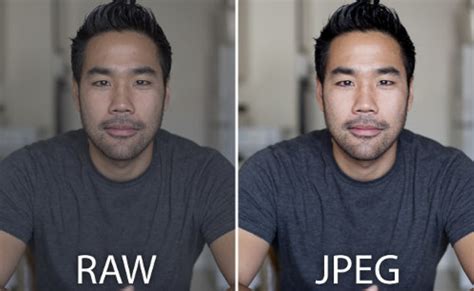
A notable limitation on some Android devices is that the app primarily utilizes the main rear and front-facing cameras, often bypassing additional specialized lenses (like ultrawide or telephoto) or unique software features (such as advanced night modes) found on some smartphones. This means that users might not be able to leverage the full photographic hardware capabilities of their devices when using Photoshop Camera. Furthermore, the inability to save photos in RAW format on certain platforms can limit advanced post-processing options in applications like Lightroom.
The app's reliance on automatic adjustments means that manual controls, often found in "pro" modes of native camera apps, are limited. While exposure can typically be adjusted, Adobe's software may sometimes skew towards brighter images, necessitating manual darkening to retain detail. This can be a challenge for low-light photography, where the app might struggle to mask imperfections through editing alone and relies heavily on filters to compensate.
Competition and Future Potential
Adobe acknowledges that the market for filter-heavy camera apps is crowded, with established players like Instagram, Snapchat, Snapseed, and VSCO offering a wide array of creative tools. However, Adobe's strategy is not to directly compete with social media apps but rather to integrate its unique "magic" into the capture process. The company has even hinted at future partnerships to embed its filters directly into other applications or even native phone camera software.
The potential for Photoshop Camera is significant. Adobe intends to continuously add new lenses over time, many of which will be collaborations with artists and creators. There's also a vision for future monetization, where specific lenses could be developed and sold for events or venues, creating new avenues for creators to be compensated.
For Adobe, Photoshop Camera serves as an accessible entry point into its ecosystem. By offering a free, user-friendly application, the company hopes to introduce new users to its creative tools, potentially converting them into subscribers of its professional software like Photoshop and Lightroom in the long run. This strategy aligns with Adobe's broader mission to expand its creative platform for everyone.
Should You Use Adobe Photoshop Camera?
Adobe Photoshop Camera presents a compelling proposition for a specific segment of mobile users. Its strengths lie in its AI-powered real-time effects, the curated collection of artistic lenses, and its user-friendly interface. The app is particularly well-suited for:
- Users who enjoy creative filters and effects: If you frequently use filters to enhance your photos and are looking for unique, artistic transformations beyond what typical social apps offer, Photoshop Camera is worth exploring.
- Existing Adobe users: Individuals already invested in the Adobe ecosystem, such as those using Photoshop Express or Lightroom, will find Photoshop Camera a natural extension of their workflow.
- Users with compatible devices: For those whose phones are officially supported, the app offers a smooth and optimized experience.
- Patient experimenters: As the app continues to evolve with new lenses and features, users willing to explore its capabilities and provide feedback will benefit the most.
Conversely, Photoshop Camera might not be the ideal choice for:
- Users without compatible phones: If your device is not on the official compatibility list, you may encounter performance issues or be unable to access the app.
- Users who prefer utilizing all native camera features: If you rely heavily on specialized lenses or advanced modes (like night photography) offered by your phone's native camera app, Photoshop Camera's limitations in this regard may be a drawback.
- Purists who dislike filters: For photographers who prefer unaltered images and focus on traditional editing techniques, the heavily filter-driven nature of Photoshop Camera might not appeal.
- Low-light photographers: The app's current limitations in handling low-light conditions without significant reliance on filters can be a deterrent.
In conclusion, Adobe Photoshop Camera is a promising application that successfully brings a degree of "Photoshop magic" to the smartphone camera experience. While it has limitations and areas for improvement, its free availability, AI-driven features, and commitment to expanding its creative offerings make it a noteworthy addition to the mobile photography landscape, poised to empower a new generation of visual storytellers.