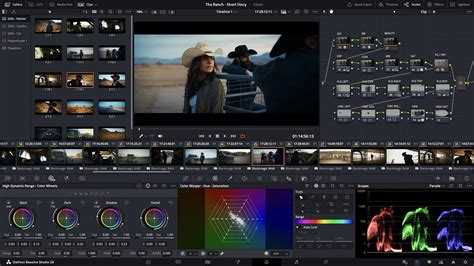
In the dynamic realm of video post-production, two titan software suites consistently emerge as industry benchmarks: Adobe After Effects and DaVinci Resolve. Both offer powerful capabilities, yet they cater to distinct aspects of the creative workflow, possessing unique strengths that appeal to different user needs. After Effects has long been the undisputed champion for motion graphics and visual effects, empowering creators to elevate animations, titles, and dynamic visuals to unparalleled levels of professionalism. Conversely, DaVinci Resolve has carved its niche with its advanced editing prowess and exceptional color grading tools, making it the premier choice for projects demanding intricate detail and sophisticated visual enhancement. This in-depth comparison will dissect the core features of each software, illuminating what makes each ideal for various tasks, whether your goal is crafting breathtaking motion graphics, refining color palettes, or simply identifying the perfect fit for your unique editing style and project requirements.
Understanding the Core of Each Software
Adobe After Effects: The Motion Graphics and VFX Powerhouse
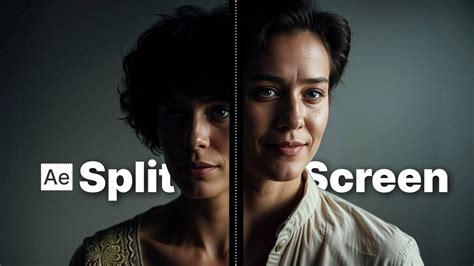
Adobe After Effects is widely recognized as the professional standard for motion graphics, visual effects (VFX), and compositing. It's an indispensable tool for animators, designers, and VFX artists, essential for projects requiring dynamic visuals and engaging animations, ranging from simple titles and lower thirds to complex 3D effects.
Key Features of After Effects
- Animation and Keyframing: After Effects provides highly precise animation tools with customizable keyframes. This allows users granular control over every aspect of movement, from object trajectory to opacity, enabling the creation of intricate and fluid animations.
- 3D Space and Camera Tracking: The software supports working within a 3D environment, including robust camera tracking capabilities. This feature is crucial for seamlessly integrating animated elements with live-action footage, adding depth and a compelling sense of realism.
- Plugin Integration: A vast ecosystem of third-party plugins, such as the Trapcode Suite and Element 3D, significantly expands After Effects' functionality. These plugins enable users to create advanced effects, including complex particle systems and sophisticated 3D modeling, often without the need for separate specialized software.
- Motion Graphics and Text Animations: After Effects boasts an extensive library of presets and templates, simplifying the creation of unique, eye-catching motion graphics and dynamic text animations. For those looking to optimize their workflow, resources like "Must-Know After Effects Tips" and "Adobe After Effects Keyboard Shortcuts" are invaluable for increasing speed and efficiency.
After Effects: Pros and Cons
- Pros:
- Industry Standard for Motion Graphics and Effects: Trusted by professionals across numerous industries, After Effects is lauded for its unparalleled versatility in motion graphics and VFX creation.
- Rich Plugin Ecosystem: The extensive support for powerful plugins like Trapcode and Element 3D allows users to push the boundaries of what's possible, expanding the software's capabilities for highly complex effects.
- Advanced Animation Control: Its sophisticated keyframe and animation capabilities offer users granular control, which is essential for achieving detailed and nuanced animations.
- Cons:
- Not Ideal for Full Video Editing: While specializing in effects and animations, After Effects lacks the streamlined editing workflow characteristic of dedicated video editing software.
- Steeper Learning Curve for Beginners: Due to its extensive feature set and complex interface, new users may find the initial navigation and mastery challenging.
- Resource-Intensive: After Effects demands substantial computing power, particularly for complex animations and 3D effects, which can lead to slower rendering times and workflow impediments on less powerful machines.
Overall, After Effects stands as an exceptionally useful tool for any project prioritizing motion graphics or visual effects, offering unmatched flexibility for those seeking to animate and inject dynamic visuals into their videos. For common troubleshooting needs, users can refer to "After Effects Common Issues and Fixes."
DaVinci Resolve: The All-In-One Post-Production Suite
DaVinci Resolve is a comprehensive, integrated post-production package that encompasses editing, color correction, visual effects, and audio post-production. Its holistic environment has made it a highly popular choice within the filmmaking and broadcasting industries.
Key Features of DaVinci Resolve
- Advanced Color Grading: Resolve is renowned for its powerful color correction tools, featuring highly detailed color wheels, curves, HDR grading capabilities, and built-in scopes that provide professionals with precise control for sophisticated color adjustments.
- Multi-User Collaboration: The software facilitates collaboration by allowing multiple team members to work on different aspects of a project simultaneously, significantly boosting productivity and streamlining team-based workflows.
- Full Video Editing Suite: DaVinci Resolve offers a comprehensive suite of editing tools that support both short-form and long-form projects, boasting advanced trimming, effects, and transition capabilities.
- Fusion for Visual Effects: Integrated within Resolve, the Fusion page provides a robust set of tools for compositing, 3D modeling, and motion tracking, effectively extending its editing capabilities into the realm of visual effects.
DaVinci Resolve: Pros and Cons
- Pros:
- Robust Color Grading Tools: As a leading platform in color correction and grading, DaVinci Resolve offers tools that provide professionals with the precise control needed for high-quality color adjustments.
- All-in-One Solution for Post-Production: By integrating tools for editing, color grading, VFX, and audio, Resolve eliminates the need for multiple software programs, simplifying the overall post-production workflow.
- Multi-User Collaboration: Its collaborative features are ideal for studios and team-oriented projects, enabling simultaneous work on different project components.
- Cons:
- Less Specialized for Motion Graphics: While the Fusion page offers visual effects capabilities, Resolve is not as specialized for motion graphics as After Effects. Users requiring highly advanced animations might find its motion graphics tools somewhat limited.
- Complex Interface for Beginners: The all-in-one nature of DaVinci Resolve results in an extensive interface that can be intimidating for new users unfamiliar with its layout.
- High System Requirements: Similar to After Effects, Resolve can be resource-intensive, particularly when working with high-resolution files or complex color grading processes.
DaVinci Resolve is an excellent choice for projects that prioritize editing, color grading, and seamless team collaboration. With its advanced color tools and integrated effects suite, it stands as a top-tier tool for professional video post-production. For those experiencing performance issues, a guide to "rendering faster in DaVinci Resolve" offers key settings and workflow tips to significantly improve speed.
Head-to-Head: Comparing Key Features
Motion Graphics & Animation
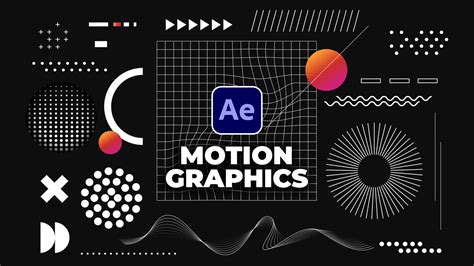
After Effects reigns supreme in motion graphics and animation. Its intuitive timeline, extensive library of presets, and powerful plugins make it ideal for creating complex, multi-layered animations. It's particularly well-suited for designers who require meticulous control over detailed visuals.
While DaVinci Resolve's Fusion page is a capable compositing environment with some motion graphics tools, it generally lacks the high-end animation capabilities found in After Effects. For anything beyond simpler animations or compositing tasks, After Effects typically offers a more robust and efficient solution.
Video Editing Capabilities
DaVinci Resolve excels as a comprehensive editing platform. Its multi-track editing, advanced trimming tools, and seamless transitions make it ideal for a complete and efficient editing workflow, from ingest to final export.
After Effects, on the other hand, has limited native editing capabilities. It's most effectively used in conjunction with a dedicated NLE like Adobe Premiere Pro, where the primary editing is performed, and After Effects is brought in for specific motion graphics or VFX work.
Color Grading and Correction
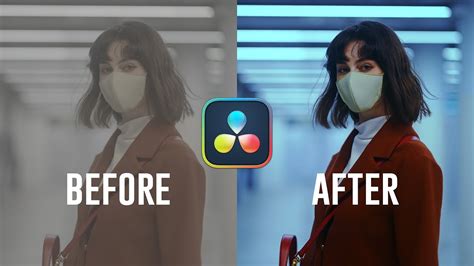
DaVinci Resolve is the undisputed industry leader in color grading and correction. Its advanced suite offers unparalleled tools, including HDR grading and precise scopes, making it perfect for projects demanding the highest level of color accuracy and cinematic quality.
After Effects provides basic color correction tools, but it lacks the depth, precision, and professional-grade features that are the hallmark of Resolve's color grading capabilities.
Visual Effects (VFX)
After Effects shines in VFX creation, leveraging its vast plugin library and features like motion tracking and compositing to empower artists to integrate effects creatively.
DaVinci Resolve's Fusion page offers strong compositing and VFX tools. However, it often presents a steeper learning curve and a smaller plugin ecosystem compared to After Effects, which has a more established and extensive offering in this domain.
Performance and System Requirements
DaVinci Resolve is highly optimized for GPU acceleration, making it exceptionally well-suited for handling high-resolution projects and demanding color grading tasks.
After Effects relies more heavily on CPU and RAM. This can lead to slower rendering times for effects-heavy projects, especially when working with 4K footage or complex 3D elements.
Workflow and Ease of Use
After Effects, being part of the Adobe Creative Cloud, offers seamless integration with other Adobe applications like Premiere Pro and Photoshop. This familiarity can ease the transition for users already invested in the Adobe ecosystem, promoting consistent workflows.
DaVinci Resolve provides an all-in-one environment, allowing users to manage multiple aspects of post-production within a single platform. This integrated approach is particularly beneficial for team collaboration and simplifies project management by reducing the need to switch between different software.
After Effects vs. DaVinci Resolve – Which Software Should You Choose?
For those looking to create motion graphics and visual effects while on the go, exploring options like running After Effects on an iPad can provide access to its full power in mobile environments.
Pricing and Licensing
After Effects operates on a subscription model. It can be subscribed to as a standalone application for $20.99 per month or as part of the comprehensive Creative Cloud All Apps package for $54.99 per month.
DaVinci Resolve offers a highly capable free version that includes a vast array of features. For users requiring the most advanced capabilities, DaVinci Resolve Studio is available as a one-time purchase of $295, granting a lifetime license.
Who Should Choose Which Software?
The Case for After Effects
After Effects is the ideal choice for users whose primary focus lies in motion graphics, animation, and visual effects. This includes:
- Motion Graphic Designers: For creating dynamic animations, titles, and kinetic typography that demand intricate control and visual flair.
- Animators: For crafting detailed 2D and 3D animations with full keyframe control and access to specialized animation tools.
- VFX Artists: For integrating effects such as particles, explosions, and digital compositing, often enhanced by a wide array of plugins.
- Content Creators: For adding creative effects, transitions, and animated elements to enhance short-form and long-form videos.
If your creative output leans heavily towards visual effects and intricate animations rather than extensive color grading or primary video editing, After Effects is likely the right tool for your needs.
The Case for DaVinci Resolve
DaVinci Resolve is perfectly suited for users seeking a comprehensive, all-in-one editing and color grading suite. It is particularly beneficial in scenarios such as:
- Filmmakers: For managing complete editing workflows, leveraging advanced trimming, timeline tools, and integrated effects.
- Colorists: For achieving professional-grade color correction and grading with unparalleled precision for cinematic quality.
- Editors: For those who desire a single platform that covers editing, VFX, and audio post-production seamlessly.
- Studio Teams: For benefiting from robust multi-user collaboration features, which are essential for team-based projects and efficient workflow management.
If your priority is a professional-grade editing and color-grading solution packed with robust post-production tools, DaVinci Resolve stands out as an excellent choice.
Summary of Strengths and Weaknesses
| Feature | Adobe After Effects | DaVinci Resolve |
|---|---|---|
| Primary Strengths | Motion graphics, animation, visual effects | Video editing, color grading, all-in-one post-production |
| Key Features | Advanced animation tools, 3D space, camera tracking, extensive plugin support | Comprehensive editing suite, industry-leading color grading, Fusion for VFX, multi-user collaboration |
| Best Use Cases | Motion graphic designers, animators, VFX artists, content creators | Filmmakers, colorists, and editors requiring a complete editing and grading solution |
| Main Weaknesses | Limited editing capabilities; subscription-based pricing | Less specialized motion graphics tools; steeper learning curve for Fusion VFX |
| Performance Focus | CPU and RAM intensive; some GPU acceleration | Optimized for GPU acceleration, especially in color grading |
| Pricing | Subscription only ($20.99/month standalone) | Free version available; Studio one-time purchase ($295) |
| Workflow Integration | Seamless with Adobe Creative Cloud | All-in-one standalone suite, suited for team collaboration |
| Ease of Use | Intuitive for motion graphics; learning curve for beginners | Complex interface for beginners; excellent for comprehensive post-production |
Making the Right Choice for Your Creative Workflow
Both After Effects and DaVinci Resolve are incredibly powerful, each with distinct functionalities tailored to specific post-production needs. After Effects excels in motion graphics and effects, making it the perfect application for animators, VFX artists, and content creators who prioritize dynamic visual storytelling. DaVinci Resolve, with its expert editing and unparalleled color grading capabilities, is ideal for filmmakers, colorists, and studios seeking a comprehensive, integrated solution.
The future of video editing is constantly evolving, and understanding the strengths of each platform is crucial. Your decision should ultimately be guided by the primary focus of your projects and the specific tools required to bring your creative vision to life. Trying the free versions or trials of each software is highly recommended to experience their unique features firsthand.
Frequently Asked Questions
Can After Effects be used for video editing?
While After Effects offers basic video editing capabilities, its primary strength lies in motion graphics and visual effects. For comprehensive video editing, it's best used in conjunction with a dedicated NLE like Adobe Premiere Pro, where the main editing is performed, and After Effects is utilized for adding advanced effects and animations.
Is DaVinci Resolve good for motion graphics?
DaVinci Resolve does possess motion graphics functionality within its Fusion panel. However, it is not as specialized or intuitive for complex motion graphics creation as After Effects. Its strengths in Fusion lie more in compositing and simpler animations rather than intricate motion graphics design.
What are the system requirements for After Effects and DaVinci Resolve?
Both After Effects and DaVinci Resolve are known to have high system requirements, especially when working with large projects. After Effects relies heavily on the CPU and RAM, while DaVinci Resolve is optimized for GPU-based performance, particularly for high-resolution editing and color grading.
Is After Effects harder to learn than DaVinci Resolve?
The learning curve for both After Effects and DaVinci Resolve is significant, and the perceived difficulty often depends on the user's focus. After Effects' extensive animation and effects tools can be overwhelming initially. Conversely, Resolve's all-in-one approach, especially its Fusion and color grading panels, can also feel daunting for new users.
Can After Effects and DaVinci Resolve be used together?
Yes, After Effects and DaVinci Resolve can be effectively used in tandem to leverage the strengths of each. Many professionals edit and color grade their footage in Resolve, then export specific segments to After Effects for advanced motion graphics and visual effects work, creating a powerful hybrid workflow.