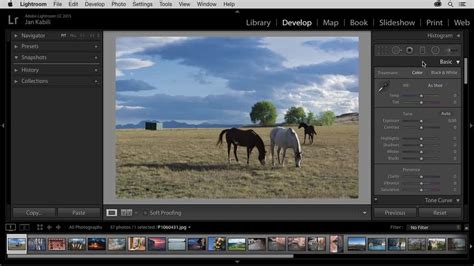
The world of digital photography, while offering incredible creative freedom, often comes with a recurring cost. For many, Adobe Lightroom Classic has become the industry standard for photo editing and management. However, the subscription-based model, while offering continuous updates and access to a vast ecosystem, can be a significant barrier for some. This has led to a growing interest in alternatives, particularly those that offer a one-time purchase or, even more appealingly, are free and open-source. The open-source movement, fueled by a community of developers and enthusiasts, has produced some remarkably capable software that can rival, and in some aspects even surpass, the functionality of paid applications. This article delves into the landscape of photo editing software, exploring powerful alternatives to Adobe Lightroom Classic, with a particular focus on the burgeoning potential of open-source solutions.
Understanding the Open-Source Ethos
Not familiar with the open-source software movement? Simplifying greatly, the open-source community creates and maintains software as a labor of love and a gift to the community. Not only is open-source software free to download and use, but the underlying source code is also available to modify yourself, should you have the requisite skills. Like anything free, though, open-source software can span a very wide quality gamut. Some apps are much more actively-maintained than others, and some have much stronger and more supportive userbases. With all of that said, the open-source software movement continues to thrive. Indeed, these days much of the commercial software we spend our hard-earned cash on builds upon the work of open-sourced developers. Clearly, open-source software is capable of big things when done right. So, can it defeat the likes of Adobe's Lightroom Classic?
RawTherapee: A Deep Dive into Comprehensive RAW Processing
RawTherapee made its debut in 2005, but it wasn't until 2010 that its original creator, Hungarian PhD student Gábor Horváth, open-sourced the project. Initially started as a hack of Dave Coffin's dcraw, it is still based on that open-source and platform-agnostic command-line raw converter to this day. There's no overall image database used here, equivalent to a Lightroom catalog; instead, RawTherapee stores its edits in sidecar files you place on your drives.
Raw support is surprisingly good, as long as your camera is more than a few years old. Even tricky sources like Fujifilm X-Trans and Sigma Foveon sensors are supported, as well as Canon's Dual Pixel Raw and the resolution-enhancing multi-shot modes from Olympus/OM System, Pentax, Sony, and others. While the development pace is also fairly good - there are typically 2 to 4 updates per year - things have been stalled ever since the start of the pandemic.
RawTherapee also includes support for lens corrections, which can be achieved in a couple of different ways. Firstly, if your lens is supported by the third-party Lensfun library, then lens defects can be corrected automatically. Alternatively, if your camera corrects lens defects before creating the preview embedded within the raw image, RawTherapee can detect and mimic that correction during raw conversion. Although there's no overarching "Auto" function in RawTherapee, it will attempt to match the tone curve of the embedded preview, and users often find that their images mostly show reasonable exposures and good color by default, with plenty of detail, too. And there are a truly staggering number of manual controls with which to adjust your images.
So what are the weak spots? The user interface can be pretty intimidating with so many tools on offer, some of them with names like "Retinex," "Wavelet Levels," or "Impulse Noise Reduction" that may leave you scratching your head. There's also no support for camera tethering, and no map view for geolocation fans. You can only export raster images too, so there's no support for printing, slideshows, and book or web gallery creation. Performance can also be a concern, with RawTherapee taking around 3.5 to 4 times as long as Adobe Lightroom Classic to render final versions of images.
Darktable: The Feature-Rich Open-Source Contender
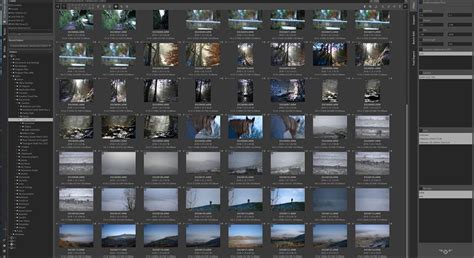
The main open-source rival to RawTherapee is Darktable. Created by another PhD student, Germany's Johannes Hanika, it hit the scene in 2009 and has averaged an impressive 6-8 updates per year ever since. Darktable's biggest selling point is its proprietary RawSpeed processing engine. It isn't used for every camera - if a given model isn't supported by RawSpeed, Darktable will fall back to relying on a newer dcraw fork called libraw - but for supported cameras, processing performance is well over double that of RawTherapee.
Like its rival, Darktable has surprisingly good, multilingual documentation, but it goes one better by also offering up a lengthy list of supported cameras. While RawTherapee is totally reliant on sidecars, Darktable stores your edits in a database and uses sidecars only as a supplemental way of communicating its edits to third-party apps. Lens corrections are also supported, again via the Lensfun library, so the list of supported lenses should be much the same. At the same time, though, it happily read several images from the Panasonic ZS70, Canon T8i, and Canon SL3 which RawTherapee had some issues with. Overall, neither app is clearly better than the other in terms of camera and lens support.
There's a noteworthy difference between the two apps' features, at least if you're a MacOS or Linux user, as Darktable offers printing and tethering functionality on those platforms - sadly, the Windows version doesn't get them. And while all versions also include a map view for geotagged images, users have reported that this can sometimes crash the app. All of its extra functionality makes Darktable a more realistic alternative to Lightroom than RawTherapee (especially for Mac and Linux users). The really big feature is available regardless of platform and works just fine, though. Unlike RawTherapee, Darktable's current release allows not just global, but local editing. And while for global editing there aren't anywhere near as many tools on offer as in RawTherapee, all the basics are there to give you plenty of control over your images. As well as the omitted tethering and printing functionality on Windows, Darktable forgoes Lightroom's ability to create photo books and web galleries. And while it does have a slideshow tool, this only runs locally and can't export a shareable slideshow.
LightZone: A Nod to the Zone System
Where RawTherapee and Darktable started off as side-projects for PhD students, LightZone had a very different genesis. Originally launched as a commercial app exclusively for the Mac in 2005, it was withdrawn from sale by 2011. But while historically it's been one of the top three open-source Lightroom alternatives for years, of late it seems all is not well for the project. It was never the most active, with typically as few as 1-3 updates per year. Still, despite the program's user interface feeling a bit dated too, its key "selling" point remains quite interesting: a spin on Ansel Adams' famed Zone System. But where Adams' system had 10 zones, LightZone opts instead for 16. As you mouse over each zone in the ZoneMapper tool, a preview indicates which areas of the image are covered by that zone. You can then adjust the positions of each zone compared to the others to get luminance where you need it.
Camera and lens support can be noticeably more limited than in LightZone's nearest rivals, although a full list of supported cameras or lenses is not always readily available. Its image quality at default settings was also the weakest of the trio, with images being quite soft and the exposure frequently out by a fair way. Although it is built on a combination of the raw engines powering both RawTherapee and Darktable, it's nowhere near as swift as the latter, let alone Lightroom Classic. LightZone also has the most limited selection of global editing tools of the bunch, and lacks Lightroom features like map view, tethering, slideshows, or web galleries. Also, while it never crashed, LightZone can give users headaches in other ways, such as an issue with touchpads where scrolling might reset.
How To Measure Exposure For Film Photography - The Zone System (Ansel Adams)
Other Notable Mentions in the Free and Open-Source Space
While RawTherapee, Darktable, and LightZone represent significant open-source efforts, other projects have aimed to provide Lightroom-like functionality. Two other apps were considered but ultimately dropped due to significant unresolved issues. One showed initial promise with a feature set mirroring Darktable but was completely unable to write files to disk. Another, Filmulator, launched in 2017 with the goal of mimicking film photography's look, based on libraw. However, its "Organize" tab was deemed largely unusable due to its restrictive monthly view and awkward scrolling, making it not a viable Lightroom rival at this point.
Beyond Open Source: Powerful Paid Alternatives
While the allure of free software is strong, several paid alternatives offer compelling features and a one-time purchase model, appealing to those seeking to escape subscription fatigue.
On1 Photo RAW: The All-Encompassing Suite
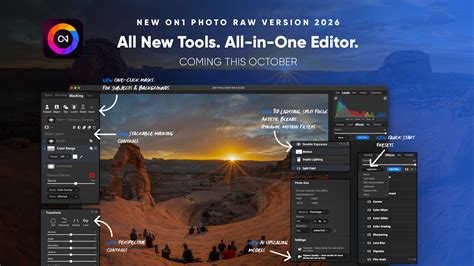
On1 Photo RAW is often cited as one of the most direct Lightroom alternatives available without a subscription. It includes a map view similar to Lightroom, showcasing GPS-tagged images on a map, and an advanced search tool for extensive image filtering. In terms of editing, On1 Photo RAW offers detailed basic controls, excellent masking capabilities, a full layer editing system, the ability to add text, HDR and panorama merging, focus stacking, and a detailed portrait retouching tool. A vast library of filters and presets allows for quick application of specific looks, which can also be stacked and selectively applied. In many ways, the features of On1 Photo RAW exceed Lightroom and extend into Photoshop territory. The sheer number of features can make it a little more intimidating to use for beginners, but for those migrating from Lightroom or seeking a similar experience without a subscription, it's an excellent choice. It's available for Mac and Windows for a one-time price that includes lifetime use.
Skylum Luminar Neo: AI-Powered Simplicity
Launched in early 2022, Skylum Luminar Neo offers a wealth of features within a relatively easy-to-use interface. While it doesn't possess the sheer depth of filters for photo management found in Lightroom, its editing capabilities are where it truly shines. Basic editing controls are readily available, with more fine-grained manual controls accessible for precise adjustments. Standout features include an excellent sky replacement tool, which was a first for Luminar and has since been adopted by others. Luminar Neo offers a one-off purchase option, which includes a number of extensions. Its strength lies in delivering a good set of features within an accessible interface. While the price has increased over time, it remains a viable option for those seeking an all-in-one solution with impressive AI-driven tools. It's available for Mac and Windows for a one-time price or via subscription.
Capture One Pro: The Professional's Choice for Color
When photographers discuss replacing Lightroom, Capture One is frequently mentioned. It offers a distinctly different look and feel, and its approach to editing can be an adjustment for those coming from Lightroom. However, Capture One provides a powerful set of photo editing and management tools with extensive customization options. Its feature set covers most essential needs. For those looking to save money, Capture One's long-term cost with a one-off purchase can be advantageous over a subscription, though it takes several years to recoup the initial investment. It's a strong option for those seeking something completely different from Lightroom, offering similar and in some ways more advanced functionality. Phase One Capture One Pro is available for both Mac and Windows, either as a one-time fee or a subscription.
DxO PhotoLab: Superior Noise Reduction and Optics
DxO PhotoLab is renowned for its incredibly effective de-noise algorithm, Prime, which can significantly clean up noisy images. Beyond its stellar noise reduction, DxO PhotoLab boasts a full feature set, including photo editing and management capabilities. Its photo management includes keyword and rating support. From an editing perspective, it balances automatic and manual tools, with helpful smart lighting tools for quick exposure correction across different image areas. Its local adjustment tools, based on technology acquired from the NIK Collection, will be familiar to users of mobile editing apps. Notable omissions include HDR merge, panorama support, or focus stacking. DxO PhotoLab is available for Mac and Windows for a one-time price including lifetime use.
Exposure X7: A Film Emulation Specialist
Exposure X7, while not seeing as many recent updates, remains a solid alternative to Lightroom. It has a strong focus on film emulation, a legacy from its plugin origins. It's a catalog-based system, similar to Lightroom, and offers genuinely good film presets that go beyond simple Instagram filters, with competent photo management. It allows direct editing of photos from your desktop without importing and offers smart collections based on criteria. Various printing options are also included.
The Future of Photo Editing: Balancing Cost, Features, and Workflow
The quest for the ideal photo editing software often involves a careful balance of cost, feature set, and personal workflow. For those seeking to break free from subscription models, both open-source and paid alternatives offer compelling solutions. Open-source software like RawTherapee and Darktable provide immense power and flexibility at no financial cost, though they may require a steeper learning curve and can have limitations in areas like user interface polish or certain advanced features. Paid alternatives like On1 Photo RAW, Luminar Neo, Capture One Pro, and DxO PhotoLab offer different strengths, from comprehensive feature sets and AI-driven tools to unparalleled noise reduction and color control, all while providing a one-time purchase option.
Ultimately, the "best" alternative to Lightroom Classic is subjective and depends on individual needs and priorities. Whether you are a seasoned professional or an enthusiastic beginner, the landscape of photo editing software is richer and more varied than ever, offering powerful tools to help you realize your creative vision without necessarily breaking the bank. Exploring these options can lead to a more flexible and cost-effective workflow, empowering photographers to focus on what truly matters: capturing and crafting stunning images.