The pursuit of pristine audio quality is a constant endeavor in the world of recording, whether for professional productions or personal projects. Unwanted background noise, a ubiquitous challenge, can detract significantly from the clarity and impact of any audio or video recording. Fortunately, a range of sophisticated tools and techniques exists to combat this issue, transforming noisy recordings into polished, studio-quality productions. From the subtle hum of electronics to the intrusive sounds of everyday life, understanding how to identify and remove these sonic intrusions is paramount.
The Ubiquitous Challenge of Background Noise
In today’s increasingly digital landscape, audio and video recordings are created by a diverse range of individuals, from seasoned professionals in sophisticated studios to casual users with smartphones. This proliferation of content creation, however, has also led to a rise in compromised recordings. Factors such as human error during recording, unexpected electrical or mechanical interference, and external intrusions like aircraft, cell phones, pets, or even ambient weather conditions can negatively impact even the most meticulously planned sessions. This is particularly true when re-recording is not an option, such as during live event coverage or when working under strict budget and deadline constraints.
The problem of background noise is not monolithic; it manifests in various forms. Steady background noise, often referred to as ambient noise, is consistent and unchanging. This category includes the persistent hiss of fans, the low hum of refrigerators or electrical grids, and the subtle whine or buzz of electronic equipment. Removing this type of noise can dramatically improve the overall listening experience, enhance the intelligibility of dialogue, eliminate distracting interferences in musical performances, and facilitate the seamless integration of different audio files when synchronizing sound with picture.
In contrast, sudden background noise is intermittent and unpredictable. This encompasses sounds like coughs, the ringing of cell phones, beeps, alarms, or dogs barking. These sudden or intermittent noises can be particularly jarring, completely pulling a listener out of the intended experience. Gaps, dropouts, and short segments of corrupted audio also fall into this category, often caused by issues as simple as a loose cable or more complex digital errors. These sudden intrusions, by their very nature, differ from the constant ambient noises discussed previously.
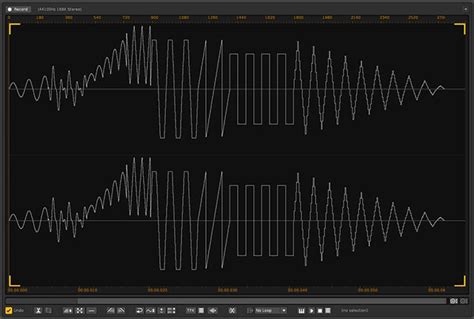
Foundational Tools for Noise Reduction
Several software applications and online services offer powerful tools to tackle background noise. Audacity, a popular free and open-source audio editor, provides a suite of effects designed for noise reduction.
The Noise Reduction effect in Audacity is particularly effective for combating constant sources of noise. To utilize this tool, the first step involves isolating a section of the recording that consists solely of the background noise. This "noise profile" serves as a blueprint for the software to identify and subsequently remove the offending sound. Once this profile is captured, the user selects the entire portion of the audio requiring cleanup and reapplies the Noise Reduction effect. Careful adjustment of settings is crucial, as overly aggressive reduction can lead to artifacts - undesirable bursts of random tones. The "Residue" toggle is a valuable feature, allowing users to preview the sound that will be removed, ensuring that the desired audio is not compromised. For efficiency, once the noise profile is established, pressing Ctrl+R (or Cmd+R on Mac) can instantly apply the effect to the selected audio.
Another essential tool in Audacity is the Noise Gate. This effect works by attenuating any sound that falls below a predefined threshold, effectively silencing quieter passages while leaving louder sounds unaffected. The process typically begins by analyzing a section of pure background noise to determine the optimal threshold level. This threshold is then applied to the entire track. The Noise Gate is often best used after noise reduction techniques have been applied, as it allows for more subtle noise reduction settings, potentially yielding a cleaner final result.
For specific, narrow-frequency noises like hums or whistles, the Notch Filter is invaluable. This effect allows users to target and remove a sound at a precise frequency. The user specifies the frequency to be eliminated and the Q-value, which determines the bandwidth of frequencies affected by the filter. The Q-value dictates how narrow or broad the filter's impact will be; a higher Q-value results in a more focused removal, affecting fewer surrounding frequencies. Identifying the precise frequency of the offending hum can be aided by using Audacity's "Analyze > Plot Spectrum…" feature. It's also important to be aware of common frequencies, such as the 50Hz or 60Hz mains hum generated by electrical grids, which vary by geographical region.
Advanced Techniques and AI-Powered Solutions
Beyond traditional software tools, the advent of Artificial Intelligence (AI) has revolutionized audio cleanup. Online services and dedicated applications now offer sophisticated AI-driven noise reduction that can handle a wider array of noise types with remarkable efficiency.
Platforms like Cleanvoice and VEED leverage AI to automatically detect and remove unwanted background noise, including wind, traffic, AC hums, and even vocal artifacts like "uhms" and "likes." These services often operate on a "drag and drop" principle, allowing users to upload their audio files and have the AI process them automatically. The results can be dramatic, making recordings sound as if they were captured in a professional studio environment without the need for manual editing or complex software knowledge.
Best 3 FREE AI Tools to Turn Trash Audio to Studio Sound!
These AI solutions are particularly beneficial for podcasters, streamers, journalists, transcribers, and musicians. For podcasters, they can eliminate distracting cafe noise, traffic, or white noise, ensuring a clear and engaging listening experience. Streamers can remove background music to avoid copyright issues, while journalists can clean up interviews for enhanced clarity. Transcribers benefit from clear dialogue for accurate speech-to-text conversion, and musicians can remove microphone noise and other extraneous sounds from vocal or instrumental recordings.
Some AI tools, such as NoiseLab, offer a comprehensive suite of audio enhancement features beyond simple noise reduction. These can include voice enhancement, normalization, echo and reverb removal, and even the ability to extract vocal or instrumental tracks from existing recordings. The versatility of these AI-powered solutions means that users can achieve professional-sounding results with minimal effort, regardless of their technical expertise. The integration of Dolby technology in some platforms further ensures broadcast-quality audio enhancement.
The Importance of Spectrograms and Visual Analysis
Understanding the visual representation of audio, particularly through a spectrogram, is crucial for advanced audio cleanup. A spectrogram displays audio information in three dimensions: time, frequency, and amplitude. This detailed visualization allows audio engineers to pinpoint specific unwanted sounds with remarkable accuracy. For instance, a distinct line on a spectrogram might indicate a persistent hum, while a cluster of dots could represent a series of clicks.
Tools like iZotope RX are renowned for their powerful audio repair capabilities, utilizing spectrogram displays alongside familiar waveform editing tools. This combination enables users to perform intricate edits, such as removing sudden intrusive noises by visually selecting and attenuating them on the spectrogram. The goal of such advanced repair is to achieve the best possible sonic result with minimal audible intervention, ensuring that the cleanup process itself does not introduce new, distracting artifacts.
Understanding Different Noise Types for Effective Treatment
When approaching audio cleanup, a critical first step is to accurately identify the type of unwanted noise present.
Steady Background Noise: As mentioned, this includes consistent sounds like HVAC systems, traffic, or electrical hum. Tools like RX Spectral De-noise or Voice De-noise are effective for these types of issues. The "Order of Operations" tutorial within iZotope RX, for example, details how to clean up podcast recordings specifically addressing fan noise.
Sudden Background Noise: This category encompasses transient sounds like alarms, beeps, or animal noises. RX Spectral Repair is a powerful tool for these situations, capable of pushing unwanted audio events into the background or even replacing damaged audio segments.
Room Tone: This refers to the natural ambient noise of a recording environment. While seemingly a noise, its absence can be noticeable and make edits sound artificial. Maintaining consistent room tone, or adding a layer of it from a separate recording, helps to disguise edits and create a more seamless listening experience.
Clicks and Pops: These are often caused by digital errors or physical imperfections in recordings. De-clicker tools are specifically designed to reduce or eliminate these intrusive sounds.
Clipping: This occurs when an audio signal exceeds the maximum level a system can handle, resulting in distortion. De-clip tools are used to repair these artifacts.
Sibilance: This refers to the harsh "s" sounds in speech or singing. De-essers are used to reduce the intensity of these frequencies.
Best Practices for Optimal Results
Regardless of the tools employed, certain best practices can significantly enhance the effectiveness of background noise removal:
Preventative Measures: The most effective approach to noise reduction is to minimize noise at the source. Recording in a quiet environment, using appropriate microphone techniques, and ensuring equipment is in good working order are foundational steps.
Selective Application: Apply noise reduction effects only to the parts of the audio that actually require it. Over-processing can degrade the quality of the desired audio.
Iterative Refinement: Noise reduction is often an iterative process. Start with subtler settings and gradually increase the intensity, listening carefully for any introduced artifacts.
Understand Your Tools: Familiarize yourself with the specific controls and parameters of the noise reduction software or service you are using. Experimentation with settings like threshold, sensitivity, and reduction amount is key.
Consider the "Residue": When using noise reduction tools, always check what sound will be removed. This helps prevent the accidental removal of desired audio elements.
Order of Operations: For complex audio issues, the sequence in which effects are applied can matter. Generally, noise reduction precedes other processing like EQ or compression, as these can amplify remaining noise. Using a noise gate after initial noise reduction can further refine the sound.
Leverage AI Wisely: AI tools offer incredible efficiency, but understanding their limitations is important. While they can handle many common noise types automatically, complex or highly specific noise issues might still require manual intervention or specialized plugins.
By understanding the nature of background noise and employing the appropriate tools and techniques, creators can significantly elevate the quality of their audio and video productions, ensuring that their message is delivered with clarity and impact.