Adobe Photoshop is an indispensable tool for photographers, designers, and digital artists alike, offering a vast array of features to transform ordinary images into extraordinary works of art. This extensive collection of Photoshop tutorials caters to users of all skill levels, from absolute beginners to seasoned professionals. By delving into these tutorials, you will acquire a wide range of techniques applicable to numerous design projects, particularly when editing portrait shots. Beyond mastering specific effects, you will gain invaluable insights into the broader fields of graphic design and image editing. The solid foundation provided by these resources will empower you to expand your Photoshop knowledge, explore advanced concepts, and ultimately create even more stunning and impactful designs. Furthermore, access to a huge library of design resources, from Photoshop brushes to vector elements, will significantly enhance your creative workflow.
Transforming Portraits: From Realistic to Fantastical
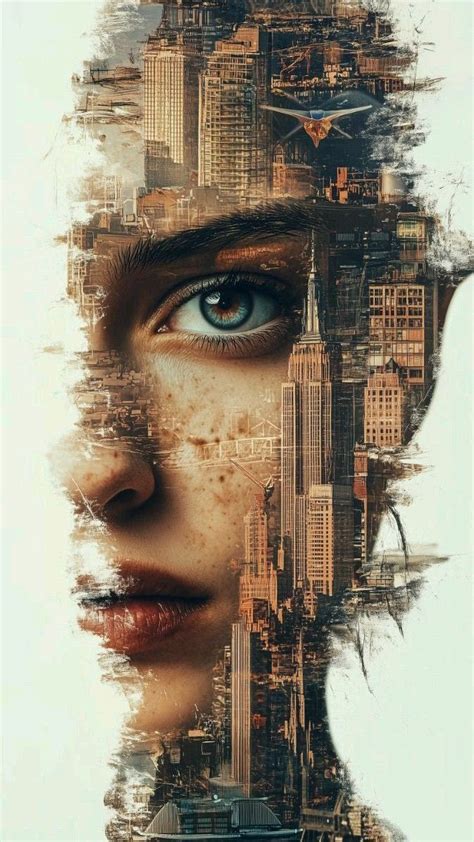
Portrait photography offers a rich canvas for creative exploration in Photoshop. You can elevate a standard portrait into something truly captivating by applying a variety of effects. For instance, you might have seen the intriguing effect of two or more overlapping photos on music album covers, in contemporary magazines, and in advertisements. This technique, known as double exposure, can be learned through dedicated tutorials, allowing you to blend multiple images seamlessly to tell a story or evoke a specific mood.
For those seeking dramatic and otherworldly transformations, tutorials exist to turn your photos into frozen winter images, inspired by the ethereal "white walkers" from the Game of Thrones TV series. This effect often involves manipulating color tones, adding frost textures, and enhancing atmospheric elements to create a chillingly realistic or stylized winter scene.
Another fun and engaging application of Photoshop for portraits is caricature creation. Have some fun transforming yourself, your family members, or your work colleagues into bobblehead-style caricatures with step-by-step tutorials designed for Adobe Photoshop. These often involve distorting proportions, exaggerating features, and adding playful textures to achieve a whimsical and recognizable likeness.
For a more vibrant and modern aesthetic, you can learn to create a neon rainbow portrait effect. This technique involves layering luminous colors and glow effects to make the subject’s features pop with an electric energy. Similarly, you can dive into the 1980s aesthetic by converting the colors of modern photographs into oversaturated fluorescent-style hues, creating intense and sensual images. This trend, popular for its bold and energetic visual appeal, relies on manipulating color channels and applying specific blending modes.
The quest for flawless skin in portraits can also be achieved through Photoshop. Creating a stunning porcelain skin effect is often easier than one might expect, involving careful retouching, smoothing, and subtle color adjustments to achieve a refined and idealized look.
Photo manipulations, photo art, and photo composites are all powerful methods artists employ to reimagine photography and craft entirely new visual narratives. These encompass a wide spectrum of techniques, from subtle enhancements to radical transformations, allowing for boundless creative expression.
Unleashing Textual Creativity: From Basic Styles to Artistic Typography
Text effects in Photoshop are a cornerstone of graphic design, offering endless possibilities for making words visually compelling. Text effects are really cool things to do in Photoshop, allowing you to convey messages with flair and style. They are expressive, dynamic, and communicative.
Before diving into complex text effects, it is crucial to learn the basics of Photoshop. Even the most intricate digital artworks are built upon a foundation of simple actions. For beginners, a free course on how to use Photoshop from the ground up is highly recommended. Certified Adobe instructors often provide tutorials that cover essential tips and tricks, serving as a great entry point into features like Layer Styles.
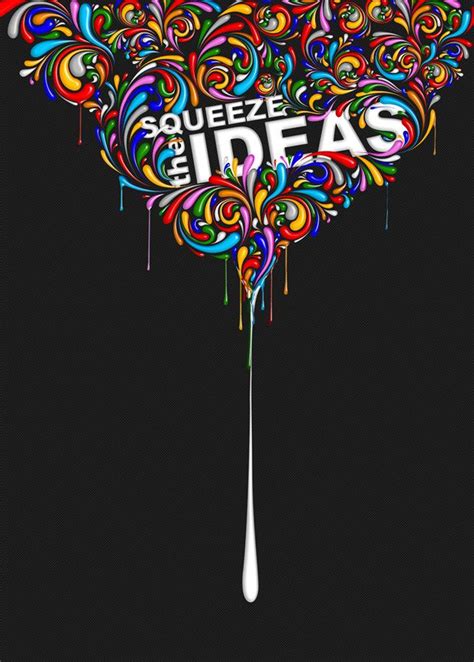
One fundamental skill is learning to create 3D text. This opens up a world of depth and dimension for your designs. You can then explore specific thematic text effects, such as creating text inspired by the Disney movie Frozen, or crafting a realistic embroidery text effect using stitch brushes and layer styles. The ability to create a completely custom font effect from scratch, easily and quickly, is another valuable skill.
Water and clouds often serve as inspiration for beautiful and ethereal text effects. You can learn how to make cloud shapes, cloud text, and even cloud brushes, quickly and easily. Layering glow and gloss effects can help create nice, shiny objects, and using multiple layer styles can help achieve a more detailed and 3D-looking effect.
For those who enjoy a touch of fantasy, creating a text effect inspired by the Frozen Disney movies can be a delightful project. Similarly, you can learn how to create a realistic embroidery text effect using specialized brushes and layer styles.
The versatility of Photoshop allows for a wide range of creative text applications. You can learn how to create a graffiti text effect, perfect for urban-inspired designs. Layering glow and gloss effects is key to achieving that desirable shiny appearance, while multiple layer styles can add depth and a 3D quality.
When it comes to text styles, the options are vast. You can learn to create a glass text effect using a couple of layer styles. For those interested in historical aesthetics, mastering stylish medieval lettering is also possible. Creating your own natural-looking text effect using layer styles with the power of patterns offers a unique approach.
Further textual explorations include:
- Fake 3D Photoshop Actions: Automate the creation of 3D-like text effects.
- Cartoon Text Effect: Achieve a fun, illustrated look using patterns and layer styles.
- Stitched Felt Text Effect: Create a tactile, fabric-like appearance in a few easy steps.
- Floral Typography: Combine floral elements with bold typography for elegant designs.
- Sweet and Tasty Text Design: Craft edible-looking text for a playful aesthetic.
These tutorials not only enhance your Photoshop techniques but also provide inspiration for various design needs.
Beyond Portraits and Text: Exploring Diverse Photo Effects and Manipulations
Photoshop's capabilities extend far beyond portraits and text effects, offering a playground for diverse image manipulations and creative outcomes.
Transformative Effects:
- Mirror Image: Learn how to flip the script on your images by mirroring them.
- Comic-Look Image: Transform a regular photo portrait into a stylish comic book panel.
- Glitch Art: Emulate the grunge, glitched look of old VHS tapes, even creating animations from static photos. This often involves manipulating RGB channels to mimic scan lines, tracking errors, and static.
- Splatter Paint and Drip Effect: Manipulate a portrait photo to create a dynamic splatter paint and drip effect, incorporating techniques like overlay painting, blending, and coloring.
- Snowflakes: Add falling snowflakes to make winter photography more interesting, especially when the weather doesn't cooperate.
- Futuristic Collage: Create a colorful, futuristic collage featuring a subject.
- Isometric Icons: Learn to create an isometric perspective grid, a fundamental for isometric design.
- Angel Photo Effects: Create dramatic and cinematic angel photo effects using a handful of images.
- Surreal Creations: Bring fantastical visions to life, such as a giraffe as large as a house, using a variety of photo manipulation techniques.
- Artistic Styles: Merge different art styles, like Afrofuturism and Japanese art, to create unique compositions.
- Superhero Transformations: Learn to create designs inspired by superheroes, offering new ideas for Photoshop projects.
- Vaudeville Poster: Recreate the uniquely appealing style of advertisements popular in the late 1800s and early 1900s.
- Movie Posters: Design impressive movie posters, a technique applicable to your own photos, allowing you to become the hero of your own saga.
- Contemporary Posters: Combine different Photoshop filters to create contemporary poster designs, perhaps inspired by ballet aesthetics.
- Bitmap Mode Effects: Explore interesting effects achievable in Photoshop's Bitmap mode.
- Pop Art: Recreate the enduringly modern and fresh pop art style of Roy Lichtenstein.
- Digital Drawing: Learn cool things to do in Photoshop by trying digital drawing.
- Icon Design: Discover what it takes to create your very own glossy icon.
- Character Design: Engage in the fun of character design, learning to draw side views and then incorporating perspective for more dynamic presentations.
- Emotive Lips: Capture the expressive power of lips in human portrayal.
- Historical Styles: Travel back in time by tapping into the styles and techniques of other historical periods.
- ASL Alphabet Art: Create digital paintings inspired by the American Sign Language alphabet.
- Cartoon Zodiac Icons: Learn the inspiring process of creating funny cartoon zodiac icons.
- Mascot Design: Draw cute mascots for specific themes or events.
- Gradients: Become a pro with Photoshop Gradients for backgrounds and other elements.
- Rubber Stamp Effect: Turn any photo into a rubber stamp in just a few quick steps.
- 3D Anaglyph Images: Create images with a 3D effect using red and cyan filters.
- Tattoo Font: Easily create stylish tattoo lettering.
- Abstract Backgrounds: Generate abstract background images with cool, wavy patterns and interesting lighting effects.
8-Step GUIDE: Blend Images and Create Composites Like a Pro with Photoshop ✅🔥
Advanced Techniques and Creative Applications:
- Double Exposure: Create the popular effect of two or more overlapping photos.
- Sand Effect: Give your pictures a dramatic sand effect.
- Retro Look: Apply filters or brushes to achieve a vintage aesthetic.
- Dispersion Effect: Dissolve and disperse parts of your photo for a dynamic disintegration effect.
- Painting Effect: Create professional-looking watercolor and vintage effects.
- Doctor Strange Shield: Learn to create the magical Doctor Strange Shield.
- Placing Text Behind Objects: Master the technique of seamlessly placing text behind any element in an image.
- Blurring Backgrounds: Easily blur a background using the Depth Blur Neural Filter for enhanced focus.
- Color Correction and Matching: Discover hidden algorithms for precise color correction and matching.
- Light Effects: Brighten family photos or design professional logos and posters with light effects.
- Retouching Photos: Utilize tools for perfecting images.
- Sky Replacement: Transform gray skies into vibrant blue using AI-powered Neural Filters.
- Classic Art Styles: Recreate the look and texture of classic art styles, from watercolors to spray paint, using custom brushes.
- Vintage Filters: Apply retro filter templates or fine-tune adjustment layers to achieve a throwback look.
- Typography Customization: Explore fonts and apply effects like gradients, drop shadows, and embossed textures to text layers.
- Compositing Images: Bring together multiple images to tell a story or celebrate a memory using layer masks to control visibility.
- Liquify Filter: Morph images like wet clay to create trippy effects.
- Posterize Option: Transform photos into cartoon creations.
- Colorize Filters: Change the hue of a picture for artistic effect.
Resources for Continuous Learning and Inspiration
The journey of mastering Photoshop is ongoing, and a wealth of resources are available to support your learning. Beyond individual tutorials, books by renowned Photoshop experts like Scott Kelby offer comprehensive guidance. For those short on time, Photoshop actions and Lightroom presets can provide quick results, but for true creative freedom and mastery, understanding the software's underlying principles through tutorials is essential.
The Discover panel within the Photoshop application itself is another valuable resource, offering tips, video tutorials, and workflows to help you work more efficiently. Behance, Adobe's social media platform for creators, is an excellent place to showcase your projects, gain inspiration, and connect with other artists.
Photoshop tutorials are often categorized to help users find specific techniques. Common categories include:
- Color & Lighting Effects: Adjusting tonality, creating sunset effects, and adding glowing lights.
- Effects Using the Curves Adjustment: Mastering the Curves tool for soft, matte effects.
- Tilt-Shift / Depth of Field Effects: Simulating the miniature effect of tilt-shift photography or adjusting the depth of field.
- Cinematic Effects: Achieving movie-like tones and atmospheres, or creating cinemagraphs.
- Vintage / Black & White Effects: Recreating old film looks, grain, and specific printing styles.
- HDR / Digital Blending Effects: Working with high-dynamic-range imagery.
- Instagram Hacks: Recreating popular social media filters and effects.
- Fun Effects for Inspiration: Exploring creative and playful manipulations for artistic growth.
Whether you are aiming to add a starry night sky, blend text into clouds, achieve a rainbow eye color effect, or simply learn the fundamentals of design, the vast landscape of Photoshop tutorials provides the tools and knowledge to unlock your creative potential. The key is to practice, experiment, and let your imagination guide you through the endless possibilities of this powerful software.