Adobe Photoshop, a name synonymous with professional image manipulation, has been the gold standard for creative professionals since its exclusive launch on Macintosh in 1990. While it has since expanded to numerous platforms including macOS, iOS, iPadOS, Windows, Android, and the web, its core appeal for advanced editing remains strong. For Mac users, understanding the cost and various acquisition methods for this industry-defining software is crucial for both aspiring artists and seasoned professionals.
Accessing Photoshop on macOS: Beyond the App Store
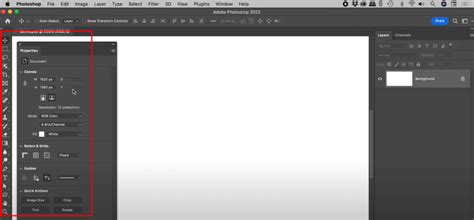
Unlike many other applications, Photoshop is not available through the Mac App Store. To install the macOS client, users must first download the Creative Cloud app launcher from Adobe's website. This launcher then facilitates the installation of Photoshop and, as noted by some users, can also install a multitude of other Adobe applications for maintenance purposes. This approach can lead to a proliferation of icons in the user's App Library and background processes that may impact system performance and battery life. Despite these potential drawbacks, Photoshop has been observed to perform fluidly on M2 MacBook Airs running macOS Tahoe. While the native Mac client's user interface might appear somewhat dated compared to its web counterpart, it remains functional, offering customization options for themes and preferences, though a modern redesign is often considered overdue.
The AI Revolution: Adobe Firefly Integration
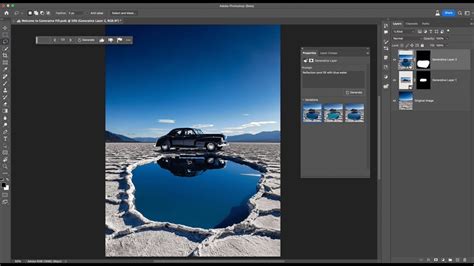
A significant evolution in Photoshop has been the integration of Adobe Firefly, the company's proprietary AI engine. This AI technology enhances existing features and introduces powerful new capabilities. For instance, traditional tools like noise reduction and blemish removal have been upgraded, offering superior output. AI-powered features allow users to select intrusive objects and have the AI generate a suitable background that seamlessly blends with the rest of the image. This extends to upscaling or expanding photos while minimizing pixelation. More creatively, Photoshop enables users to generate entirely new images from text prompts and integrate them realistically, complete with shadows, into their projects. The AI can also isolate subjects within a shot, allowing for the generation of new backgrounds or sky styles, a feature particularly beneficial for marketers creating product shots. While AI-generated outputs can occasionally be unpredictable, they have generally proven reliable and more precise than attempting similar edits through text-based AI models like ChatGPT. It's important to note that certain generative AI features consume Adobe Firefly credits.
Core Photoshop Features: The Pillars of Professional Editing
Even before the widespread adoption of AI, Photoshop's dominance was built upon its robust and advanced capabilities. The software's longstanding layering system is fundamental, allowing for isolated edits and modifications without altering the original image. Beyond AI, a comprehensive suite of tools is available, including diverse brush styles for creative doodling, a powerful cloning tool for seamless image repair, extensive font options for text insertion, precise cropping and blending capabilities, detailed color balance adjustments, smudging, masking, healing, distorting, and warping tools. An edit changelog provides a history of modifications, and numerous export options cater to various output needs. Furthermore, support for third-party plugins allows users to extend Photoshop's functionality with specialized tools not natively offered by Adobe.
In terms of performance, many users report a smooth experience without significant bugs or lags, even on demanding tasks. Should the software feel sluggish, users can adjust settings within the app to optimize performance. This includes selecting between on-device and cloud processing for certain AI features, offering a degree of control over resource allocation.
Understanding Photoshop's Subscription Model and Pricing Tiers
Access to Photoshop on macOS and other platforms necessitates a subscription following a 7-day free trial. Adobe offers several pricing structures, which can sometimes appear complex, leading some to believe the Photography bundle offers the best overall value, even for those primarily interested in Photoshop itself.
Photoshop: The Standalone Offering
The basic Photoshop subscription provides access to the software across all platforms and includes 100GB of cloud storage. This tier is priced at $34.49/£32.98 per month with the option to cancel anytime. For users with long-term editing needs, an annual plan is available, billed monthly at $22.99/£21.98. It is important to note that early cancellation of the annual plan may incur additional fees.
Photography Plan: A Bundled Advantage
The Photography Plan offers a compelling value proposition, bundling Photoshop, Lightroom, and Lightroom Classic (for desktop), along with 1TB of cloud storage. This package costs $29.99/£28.99 per month, with an option to cancel at any time. An annual plan is also available, reducing the monthly cost to $19.99/£19.97.
Creative Cloud Pro Bundle: The All-Inclusive Solution
For users who rely on a wider array of Adobe's creative software, the Creative Cloud Pro bundle is an option. Priced at $104.99/£99.89 per month (cancel anytime), this comprehensive package includes Photoshop, Lightroom, Acrobat, Illustrator, and over a dozen other Adobe applications. An annual plan is available at a monthly rate of $69.99/£66.49, with a further discount if paid upfront for the year at $779.88/£773.86.
How Much Does Adobe Photoshop Cost (2023) | Which Plan is Right For You?
Exploring Trial Periods and Alternative Acquisition Methods
Adobe provides a 7-day free trial for Photoshop, allowing users to experience its full capabilities before committing to a subscription. However, some users have noted that by canceling within 14 days of the initial order, a full refund can be obtained, effectively extending the trial period. Theoretically, combining a trial with a subsequent cancellation could yield up to 21 days of free access, though missing cancellation deadlines can lead to significant charges.
For those seeking flexibility without long-term commitment, a monthly subscription is available. This offers access to all features on a shorter-term basis. Adobe presents subscription options through "Annual - Billed monthly," "Monthly," and "Annual - Billed upfront." The "Monthly" option provides the greatest flexibility, allowing cancellation without penalty.
Photoshop Elements: A Lighter, One-Time Purchase Option
An alternative for users who do not require the full professional suite is Photoshop Elements. This version is designed for amateur photographers and offers a substantial set of editing features. A key distinction is that Photoshop Elements is available as a one-time purchase, although Adobe has updated its licensing to a 3-year term, meaning the app will cease to function after this period, though existing work remains accessible. This outright purchase model can be appealing for users who prefer to avoid recurring subscription fees. However, those accustomed to the full Photoshop experience may find Elements to be missing essential advanced tools.
Considering the Used Market and Educational Discounts
For individuals looking to acquire Photoshop without a subscription and finding Photoshop Elements insufficient, the used software market or purchasing an older Mac with Photoshop pre-installed might be considered. It is crucial, however, to verify the software license's transferability, as these are often non-transferable.
Educational institutions and their students may qualify for discounts on Adobe software. It is important to note that these discounts typically apply to the entire Creative Cloud suite rather than solely the Photoshop tier.
Free and Paid Alternatives to Photoshop
For users who find Photoshop's subscription model prohibitive or its features excessive, a robust ecosystem of alternatives exists. Adobe Express offers a free, web-based application with essential editing tools for cropping, reshaping, flipping, and recoloring images, along with features for adding text, creating collages, and making backgrounds transparent. For more advanced features, including Generative AI, one-click resizing, and expanded stock image libraries, Adobe Express Premium is available for $9.99/£9.98 per month.
Beyond Adobe's offerings, several third-party applications provide powerful image editing capabilities with different pricing structures. GIMP (GNU Image Manipulation Program) is a popular, free, and open-source alternative that offers an extensive range of tools and features, though its interface may require an initial learning curve. Other highly regarded paid alternatives that offer one-time purchase options include Pixelmator Pro and Affinity Photo, both of which provide professional-grade features comparable to Photoshop. These alternatives can be particularly attractive for users seeking to invest in software without ongoing subscription costs.
The cost of Photoshop for Mac users is multifaceted, encompassing various subscription tiers, trial periods, and alternative software solutions. While the professional-grade features and AI advancements of Photoshop continue to set industry standards, understanding the available options-from comprehensive bundles to more focused plans and outright purchase alternatives-is key to making an informed decision that aligns with individual needs and budget.