In the digital age, where online presence dictates consumer engagement, the visual appeal of car imagery is paramount. Whether for e-commerce listings, marketing campaigns, or personal portfolios, a clean and professional presentation can significantly influence perception and drive interest. Removing the background from car images is a key technique that elevates a vehicle's visual narrative, directing focus to its design, features, and overall allure without the distraction of cluttered or inconsistent surroundings. This comprehensive guide delves into the intricacies of car background removal, from understanding its importance to mastering various techniques, including those offered by advanced software like Adobe Photoshop and innovative AI-powered solutions.
The Crucial Role of Background Removal in Automotive Visuals
The automotive industry, particularly in sales and marketing, relies heavily on compelling imagery. In a competitive online marketplace, the first impression is often the only impression a potential buyer has. A car image with a distracting or unprofessional background can detract from the vehicle's appeal, leading to missed opportunities.
Why Remove the Background?
- Draw Attention to the Car: A busy or irrelevant background can steal focus from the main subject - the car. By removing it, the spotlight is firmly placed on the vehicle's design, lines, and details.
- Boost Professional Appeal: Images with clean, consistent backgrounds exude professionalism and quality. This polished look instills confidence in potential buyers and elevates brand perception.
- Ensure Brand Consistency: For dealerships with multiple listings or ongoing marketing efforts, uniform backgrounds create a cohesive and visually appealing inventory. This consistency is vital for brand identity and a streamlined browsing experience.
- Enhance Editing Versatility: A transparent background acts as a blank canvas. It allows for the seamless integration of the car into any desired backdrop, whether it's a simulated showroom, an outdoor scenic route, or a minimalist studio setting, aligning with specific marketing goals or brand aesthetics.
- Improve E-commerce Performance: For online retailers, high-quality, distraction-free images are crucial. They lead to increased click-through rates, longer engagement times, and ultimately, higher conversion rates. Studies show that visually appealing listings significantly impact purchasing decisions.
Achieving Flawless Results: Best Practices for Car Photography
Before even considering background removal, the quality of the initial photograph plays a critical role. High-quality images are the foundation for excellent results.
- High-Resolution Images: Always start with high-resolution images. The more detail the tool has to work with, the more accurately it can detect and isolate the car from its surroundings. Blurry or low-quality photos often lead to unsatisfactory outcomes with jagged edges or missed spots.
- Proper Lighting: Ensure the car is well-lit when the photo is taken. Good, even lighting helps the software or editor distinguish between the car and the background more effectively, reducing the chances of shadows or poorly defined edges. Avoid harsh shadows that can obscure details.
- Clear Backgrounds: While background removal can handle complex scenes, using images with minimal clutter or strong contrast between the car and the background makes the isolation process significantly easier and more accurate. A simple, contrasting background is ideal for automated tools.
- Consistent Angles: When photographing multiple cars for a consistent look across listings, maintaining a consistent angle and lighting setup is beneficial. This uniformity simplifies the editing process and ensures a cohesive visual presentation.
- Review and Edit: After the initial background removal, always review the image for any imperfections. Zoom in to check intricate areas like mirrors, grilles, and wheels.
Mastering Background Removal in Adobe Photoshop
Adobe Photoshop, a leading industry standard for image editing, offers powerful tools for sophisticated background removal. While its capabilities are extensive, recent updates have made the process significantly more accessible, even for beginners.
Automated Removal with AI
Photoshop 2020 introduced AI-powered features that can automatically detect and remove backgrounds with just a few clicks.
- Open the Image: Launch Photoshop and open the car image you wish to edit.
- Select Subject: Navigate to
Select > Select Subject. Photoshop's AI will analyze the image and attempt to automatically select the main object (your car). - Refine the Selection: While AI is advanced, it's not always perfect. For more complex images or to ensure precision, use the
Select and Maskworkspace (Select > Select and Mask). Here, you can use tools like the Refine Edge Brush to meticulously clean up edges, especially around intricate details like antennas or wheel spokes. You can also use the Quick Selection Tool or Magic Wand Tool for initial selections based on color similarity.
Manual Background Removal in Photoshop
For situations requiring absolute precision or when dealing with very complex images, manual selection tools offer greater control.
Choose a Selection Tool:
- Pen Tool (P): For well-defined edges and maximum precision, the Pen Tool is the professional's choice. Carefully trace around the car, creating anchor points. Once the path is complete, right-click and choose "Make Selection."
- Lasso Tools (L): The Polygonal Lasso Tool (for straight lines) or the Magnetic Lasso Tool (which snaps to edges) can be useful for simpler shapes or to quickly rough out a selection.
- Quick Selection Tool (W): This tool allows you to "paint" a selection based on color and texture. It's intuitive and often a good starting point.
Isolate the Background: Once the car is selected, you need to select the background to remove it. Go to
Select > Inverse. This will flip your selection, so the background is now selected.Remove the Background: With the background selected, press the
Deletekey. This will reveal a transparent checkerboard pattern, indicating that the background has been removed.Turn Selection into a Layer: To work non-destructively, it's recommended to duplicate the background layer (
Layer > Duplicate Layer) before deleting. Alternatively, after making a selection, you can copy and paste it (Edit > Copy,Edit > Paste), which will automatically create a new layer with just the car. You can then hide the original background layer by clicking the eye icon next to it in the Layers panel.Refine and Polish: Use the Eraser Tool for manual cleanup of any remaining imperfections. The
Select and Maskworkspace is also invaluable here for smoothing edges, feathering selections for a softer transition, or adjusting transparency. Pay close attention to transparent areas within the car itself, such as windows or gaps in the wheels, ensuring they are also clear of the background.Save Your Image: To preserve the transparency, save your image in a format that supports it, such as PNG. Go to
File > Export > Export Asand select PNG. Saving as JPEG will reintroduce a solid background (usually white), losing your transparency.
Quick Way to Remove Complex Background in Photoshop 2024
Leveraging Online and AI-Powered Background Removers
For those seeking speed and simplicity, numerous online tools and AI-powered platforms offer automated car background removal. These are particularly useful for bulk processing and for users who may not have access to or extensive experience with professional software like Photoshop.
How Online Tools Work
These platforms typically operate on a simple principle:
- Upload Image: You upload your car image to the tool.
- Automatic Processing: The AI analyzes the image and automatically detects and removes the background.
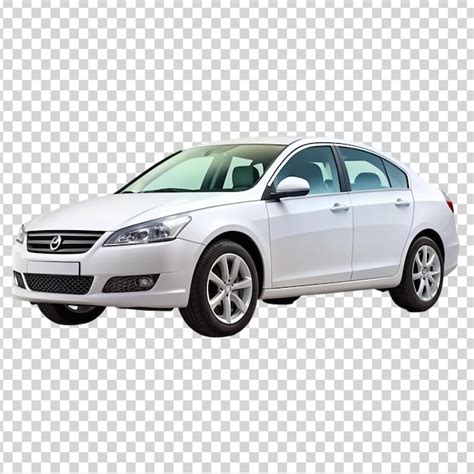
- Download: Once processed, you can download the image with a transparent background, often in PNG format.
Popular Options Include:
- Remove.bg: A widely recognized AI tool that provides very fast and accurate background removal for a variety of subjects, including cars. It offers both free and paid options with different resolution limits.
- Car Studio AI: Specifically designed for automotive dealerships, this platform offers automated background removal along with features like batch editing and customizable backgrounds, aimed at streamlining inventory management.
- Spyne: Another AI-powered platform focused on automotive retail, Spyne offers automated background removal, custom background options, and other editing features to enhance car listings.
- Canva Pro: While a broader design tool, Canva Pro includes an automatic background remover that can be effective for car images.
Getting Good Results with Automated Tools
Even with automated tools, certain practices can lead to better outcomes:
- High-Quality Input: As with Photoshop, starting with high-resolution, well-lit images with clear backgrounds is crucial for the AI to perform optimally.
- Review and Minor Edits: Many tools offer basic editing capabilities. Review the result and use any available tools to clean up minor imperfections or refine edges.
- Choose the Right Tool: Some tools are more specialized for automotive imagery and may handle complex car details better than general-purpose removers.
Alternatives to Photoshop for Manual Editing
If Photoshop is not an option, other software can achieve similar results:
- GIMP (Free): A powerful open-source image editor that offers robust selection tools (like the Path Tool and Fuzzy Select Tool) for manual background removal.
- Affinity Photo: A professional-grade photo editor that offers a strong alternative to Photoshop at a one-time purchase price, featuring sophisticated selection and masking tools.
Beyond Removal: Enhancing Your Car Images
Once the background is removed, the possibilities for enhancing your car images are vast.
- Adding New Backgrounds: Place your car on a studio backdrop, a scenic landscape, or a city street to create a specific mood or context.
- Creating Realistic Shadows and Reflections: To make the composited image look natural, adding subtle shadows and reflections beneath the car is essential. Many AI tools and Photoshop can simulate these effects.
- Color Correction and Enhancement: Adjust brightness, contrast, saturation, and sharpness to make the car's paintwork and details pop.
- License Plate Masking: For privacy or aesthetic reasons, you might choose to mask or replace license plates.
The Business Impact of Professional Car Imagery
For dealerships, especially those operating in competitive markets or focusing on used cars, professional image presentation is not merely aesthetic; it's a strategic business imperative.
- Increased Sales and Conversions: High-quality, consistent visuals lead to more inquiries and higher conversion rates. Buyers are more likely to trust and engage with listings that appear professional and well-maintained.
- Building Trust and Credibility: A polished online presence signals a reputable business. This is particularly important for "Buy Here Pay Here" dealerships where buyers need to assess vehicle condition visually before visiting.
- Standing Out in a Crowded Market: Platforms like Hertz used cars or local dealerships in areas like Bellflower, CA, face intense competition. Professional imagery, achieved through effective background removal, helps vehicles stand out.
- Efficiency and Scalability: For large dealership groups managing hundreds or thousands of listings, manual editing is time-consuming and costly. AI-powered solutions offer the scalability and efficiency needed to maintain a high standard across an entire inventory.
- Brand Storytelling: Whether showcasing affordable second-hand cars or luxury models, the background can be used to reinforce brand messaging and appeal to specific demographics.
Conclusion
Mastering car background removal is an essential skill in today's visually driven automotive landscape. From the intricate controls of Adobe Photoshop to the rapid automation of AI-powered tools, the ability to present cars with clean, professional, and contextually relevant backgrounds can significantly impact sales, brand perception, and overall marketing success. By understanding the principles of good photography and leveraging the right tools, automotive businesses and enthusiasts alike can transform ordinary car images into compelling visual assets that capture attention and drive engagement.
tags: #car #background #removal