Filmora has established itself as a popular and accessible video editing software, lauded for its user-friendly interface and comprehensive feature set. While its initial pricing might appear attractive, a closer examination of its various plans, particularly the Perpetual Plan, reveals a more nuanced picture regarding ongoing costs and access to features. This article delves into the specifics of Filmora's licensing, subscription models, and the true value proposition of its Perpetual Plan, aiming to provide clarity for both novice and experienced video creators.
Understanding Filmora's Licensing Structure
Filmora offers a range of licensing options designed to cater to different user needs, from individuals to businesses. At its core, the software can be accessed through a free trial, which provides access to all basic editing features and allows for video export, albeit with watermarks on the final output. This trial serves as a gateway to understanding Filmora's capabilities before committing to a purchase.
The paid versions of Filmora generally fall into two broad categories: subscription-based plans and a one-time purchase Perpetual Plan. Subscription plans, whether monthly or yearly, grant ongoing access to the software for the duration of the payment period. These are typically single-user licenses, intended for individual use and are not transferable or shareable among multiple individuals. This model ensures continuous access to the latest features and updates as long as the subscription is active.
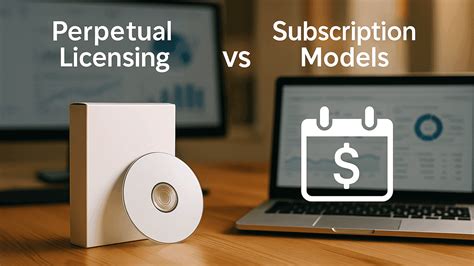
Conversely, the Perpetual Plan represents a different philosophy, offering a one-time payment for lifetime access to a specific version of the software. This plan is often marketed as a more cost-effective solution for users who prefer not to deal with recurring fees. However, it's crucial to understand the limitations and specific terms associated with this type of license.
The Filmora Perpetual Plan: What it Entails
The Filmora Perpetual Plan is characterized by a single, upfront payment, granting users perpetual access to the version of the software for which the license was purchased. This means that once you own the license, you can continue to use that specific version of Filmora indefinitely. This model appeals to users who value ownership and want to avoid the ongoing financial commitment of subscriptions.
However, the "perpetual" aspect of this plan primarily applies to the version of the software acquired. It's important to note that the Perpetual Plan does not automatically include future versions of Filmora. For instance, if you purchase a perpetual license for Filmora 11, you will have lifetime access to Filmora 11 and any minor updates or tweaks released for that version, often used to repair the product. However, you will not automatically receive Filmora 12, Filmora 13, or any subsequent major releases. To access these newer versions, a separate purchase or upgrade fee would typically be required.
The license acquired through the Perpetual Plan is also device-specific. This means a Windows license will only work on Windows devices, and a Mac license will only function on Mac devices. There is no cross-platform compatibility for a single license. If a user switches from a Windows PC to a Mac, or vice versa, they will not be able to transfer and activate their existing perpetual license on the new operating system. This is a significant consideration for users who utilize multiple operating system environments or anticipate changing their primary device in the future.
When you run Filmora for the first time with a purchased license, you will be prompted to activate it. This process links the license to your device, ensuring its legitimate use.
Subscription vs. Perpetual: A Comparative Look
The choice between a subscription plan and the Perpetual Plan often boils down to individual usage patterns, budget preferences, and long-term software needs.
Subscription Plans (Annual/Monthly):
- Pros: Access to the latest features and updates as they are released. Predictable ongoing cost.
- Cons: Continuous payments are required to maintain access. If payments stop, access to the software is lost.
Perpetual Plan:
- Pros: One-time payment provides lifetime access to a specific version. No recurring fees for that version.
- Cons: Does not include future major versions. License is device-specific and not transferable between operating systems. May require additional purchases for certain advanced features or add-ons.
Understanding AI Features and Add-Ons
Filmora has been increasingly integrating AI-powered tools into its editing suite. These features aim to streamline complex tasks and enhance creative possibilities. When discussing AI features, it's important to distinguish between "normal mode" and "high-speed mode." In normal mode, AI tasks are processed through standard channels. However, users can opt for high-speed mode, which processes AI tasks with faster speeds and gives them priority. This often involves a credit system, where users receive a certain amount of high-speed mode credits each month. These credits are consumed when using AI features in the accelerated mode. If you run out of credits, you will need to purchase more to continue using the high-speed processing for your AI tasks. Processed through a high-speed channel, it is faster than normal AI features.
The question of whether Filmora subscription plans include Filmstock Standard assets and AI Portrait Add-On usage rights is also pertinent. Typically, Filmora annual and perpetual plans may include a limited period of usage for these add-ons, often for one month, when they are specifically checked or bundled at the time of purchase. After this initial period, these add-ons can usually be renewed for a separate fee. The AI Portrait Add-on, for instance, can be found under the Effects tab in Filmora, offering several effect templates that can be dragged onto the timeline for preview. Standard Assets are generally available on Filmora (for Windows) version 10.5 and later, with users recommended to update to the latest version for full access.
Navigating Potential Hidden Costs and Upsells
A common point of discussion and often a source of user frustration surrounding Filmora's pricing is the perception of "hidden costs" or upsells. While the initial price of a plan, especially the Perpetual Plan, can seem very attractive, users may discover that certain advanced features, effects, or add-ons require separate purchases.
For example, while the Perpetual Plan grants lifetime access to a specific version, it does not inherently include access to all premium effects or AI functionalities. Many of these advanced tools, such as AI Background Removal, Motion Tracking, or Speech-to-Text, might be tied to an AI credit system or a separate subscription to an effects store. These AI credits are consumed with each use, and once depleted, users are prompted to purchase more to continue utilizing these features. This can transform what appears to be a one-time purchase into an ongoing expense for users who rely heavily on these advanced capabilities.
Furthermore, access to Filmstock Standard assets, which include a library of stock media, templates, and effects, may also be an additional cost or a limited-time inclusion. Users seeking a broader range of creative assets beyond the basic offerings may find themselves needing to subscribe separately to Filmstock.
The notion of "buying" Filmora, particularly with the Perpetual Plan, can be misleading if not fully understood. It is less about a complete, all-encompassing purchase and more about acquiring a license for a specific software version with potential additional costs for advanced features or future upgrades. This pricing strategy has led some users to describe it as "nickel-and-diming," where seemingly small additional costs accumulate over time, making the overall expense higher than initially anticipated.
Device Specificity and Transferability
A critical aspect of Filmora's licensing, particularly for the Perpetual Plan, is its device and operating system specificity. A Windows license is strictly for use on Windows PCs and cannot be activated on a Mac. Similarly, a Mac license is exclusively for Apple devices. This limitation means that if a user transitions from a Windows computer to a Mac, or vice versa, they cannot simply transfer their existing perpetual license to the new machine. They would need to purchase a new license for the appropriate operating system. This is a significant factor for users who work across different platforms or frequently upgrade their hardware.
The Basic and Advanced subscription plans are also single-user licenses, meaning they are intended for use by one individual only. These licenses are not transferable or shareable among multiple people. If a team or business requires multiple users to access Filmora simultaneously, they are advised to consider purchasing additional licenses or opting for the dedicated Business Plan, which is structured to accommodate multiple users.
Key Features and Their Accessibility
Despite the complexities of its pricing models, Filmora continues to attract users due to its robust feature set, catering to a wide spectrum of editing needs.
User-Friendly Interface
One of Filmora's most significant strengths is its intuitive and user-friendly interface. The drag-and-drop functionality makes it accessible to beginners with no prior editing experience. Importing media, arranging clips on the timeline, and applying effects are straightforward processes, reducing the learning curve associated with professional video editing software. This ease of use allows creators to focus on their content rather than struggling with complex software.
AI-Powered Tools
Filmora leverages artificial intelligence to enhance the editing workflow. Key AI tools include:
- AI Background Removal: Allows for the quick removal or replacement of video backgrounds without the need for a green screen.
- Speech-to-Text: Automates the conversion of audio to subtitles, simplifying the process of adding captions.
- Motion Tracking: Enables users to track moving objects within a video to apply effects or make adjustments.
As previously mentioned, the accessibility and extent of these AI features can be influenced by the chosen plan and the availability of AI credits or separate subscriptions.
Pre-Made Effects and Templates
Filmora offers an extensive library of pre-made effects, transitions, and templates. These ready-to-use elements, ranging from smooth scene transitions to artistic filters and dynamic animations, allow users to enhance their videos with professional flair with minimal effort. The availability of these assets can also be tied to specific plans or additional purchases.
Basic and Advanced Editing Capabilities
The software provides a solid foundation for both basic and advanced editing tasks. Basic editing functions include trimming, splitting, and merging clips. For more advanced control, Filmora offers features like keyframing, which allows for precise customization of motion and effects, and speed control for creating slow-motion or time-lapse sequences. These features offer a balanced approach for users who need more than basic editing but do not require the full complexity of industry-standard professional software.
While Filmora's feature set is commendable, it's crucial for potential buyers to thoroughly research the specific plan they are considering to understand which features are included and which might require additional investment. The "hidden catch" of needing to pay extra for many advanced tools can be a significant drawback for users expecting a comprehensive suite of features within their initial purchase.
Conclusion: Weighing the Value of the Perpetual Plan
The Filmora Perpetual Plan offers a compelling proposition for users seeking a one-time purchase for lifetime access to a specific version of the software. Its appeal lies in avoiding recurring subscription fees, which can be a significant factor for budget-conscious individuals or those who do not require constant software updates. The ability to own a version of the software indefinitely is a tangible benefit.
However, potential buyers must approach this plan with a clear understanding of its limitations. The perpetual access applies only to the purchased version, meaning future major releases will likely require additional expenditure. The device-specific nature of the license necessitates careful consideration for users who work across different operating systems. Furthermore, the reality of additional costs for advanced AI features, premium effects, and creative assets means that the initial one-time payment may not represent the total cost of ownership for users who wish to leverage the full spectrum of Filmora's capabilities.
For those who primarily need the core editing functionalities of a specific Filmora version and are not heavily reliant on the latest AI innovations or extensive asset libraries, the Perpetual Plan can indeed offer excellent value. It provides a stable, owned version of a capable video editor. However, for users who anticipate needing the newest features, cross-platform flexibility, or a comprehensive suite of advanced tools without further investment, a subscription model or a more professional-grade software solution might be a more suitable long-term choice. Thorough research into the specific inclusions and potential future costs associated with any Filmora plan is paramount to making an informed decision that aligns with individual creative needs and financial expectations.