In today's visually driven digital landscape, a static logo can feel like a missed opportunity. First impressions are paramount, and a dynamic, animated logo can capture attention, convey personality, and significantly boost brand recognition. Fotor AI offers an innovative and accessible solution for transforming traditional branding into vibrant, moving visual experiences. This tutorial will guide you through the process of creating captivating logo animations using Fotor's powerful AI tools, making professional-grade animation achievable for everyone, regardless of their design expertise.
The Power of Animated Logos
A logo is more than just an image; it's the visual cornerstone of a brand's identity, encapsulating its essence in a single glance. Imagine scrolling through social media and encountering a logo that seamlessly animates, drawing you in with fluid movements and engaging transitions. This is the power that Fotor AI harnesses, offering a revolutionary way to elevate your brand's presence.
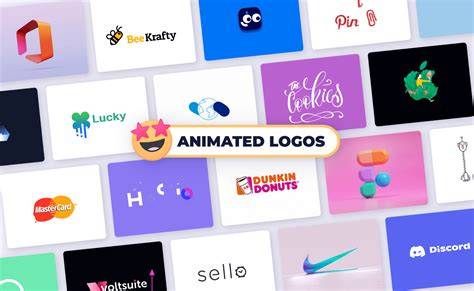
Animated logos are inherently more eye-catching and memorable than their static counterparts. They possess the ability to grab attention instantly and leave a lasting impression on potential customers. Whether you're launching a new product line, refreshing your brand identity, or simply aiming to enhance your social media impact, an animated logo can be a game-changer. It adds personality and warmth that resonates deeply, fostering a stronger connection with your audience.
Why Choose Fotor for Logo Animation?
Fotor's AI logo animation maker stands out due to its user-friendliness and efficiency. You don't need to be a seasoned graphic designer or grapple with complex software like Adobe After Effects. Fotor streamlines the entire process, allowing you to transform your static logo into a dynamic animation in just a few clicks.
The core of Fotor's innovation lies in its artificial intelligence. Users can upload their existing logos and select from a diverse range of templates, meticulously designed for various industries - from cutting-edge tech startups to charming artisanal crafts. This intelligent approach ensures that your animated logo aligns perfectly with your brand's unique aesthetic and industry.
Furthermore, Fotor's AI logo animation maker provides unparalleled flexibility. You can freely customize every detail of your animation, including colors, backgrounds, fonts, movements, and special effects. This level of control allows you to craft animated logos that precisely match your brand identity and messaging, ensuring a cohesive and impactful visual representation.
Effortless Creation with AI
The process is remarkably simple: describe your desired logo animation in text, and Fotor's AI intelligently interprets and animates your logo according to your specifications. This text-to-animation capability revolutionizes logo creation, enabling you to transform a still logo into a moving masterpiece in no time. The result is professional-grade logo animation effects, achievable by anyone, effortlessly.
Diverse Animation Styles and Effects
Fotor offers a wide spectrum of animation styles to suit any brand's personality and tone. You can create:
- 3D Logo Animations: Give your logo depth and a professional, high-tech feel.
- Spinning Logos: Add a dynamic element that draws the eye.
- Logo Reveals: Create anticipation and a dramatic introduction for your brand.
- And much more: Explore a plethora of effects like popping, bouncing, fading in and out, glowing, fire flaming, and unveiling.
With Fotor, the possibilities for creating unique and engaging moving logos are virtually endless.
How to Animate Your Logo with Fotor AI: A Step-by-Step Guide
It has never been easier to animate logos with Fotor. In just a few simple steps, you can transform your static logo into an animated version that looks like it was crafted by a professional.
Step 1: Access Fotor's AI Logo Animator
Navigate to Fotor's website and locate the AI Logo Animator tool. You can often find this within their suite of AI-powered creative tools.
Step 2: Upload Your Logo
Begin by uploading your existing logo file. Fotor supports various common image formats, so you can use your current brand assets.
Step 3: Describe Your Desired Animation (Text-to-Animation)
This is where Fotor's AI truly shines. Instead of manually manipulating keyframes, you can simply describe the animation you envision. Be as descriptive as possible! For instance, you might type: "Make my logo spin clockwise with a subtle glow effect and then fade out."
Prompt Formula Tip: To get the best results, consider using a structured approach for your prompts: Subject + Scene + Atmosphere + Art Style + Shooting Method. For logo animations, this might translate to: "My company logo [Subject] appearing from a burst of light [Scene] with an energetic and modern feel [Atmosphere] in a clean, digital art style [Art Style] with a smooth zoom-in effect [Shooting Method]."
Step 4: Select an Animation Style and Template (Optional but Recommended)
Fotor provides a variety of pre-set animation styles and templates. You can choose a style that best complements your brand, such as:
- Modern & Sleek: For tech or corporate brands.
- Playful & Energetic: For startups or consumer goods.
- Elegant & Sophisticated: For luxury or service-based businesses.
These templates can serve as excellent starting points, and you can further customize them.
Step 5: Customize Animation Details
Once the AI has generated an initial animation based on your input, you'll likely have options to fine-tune the results. This is where you can adjust:
- Movement Speed: Control how fast or slow the animation plays.
- Colors: Ensure the animation's colors perfectly match your brand palette.
- Effects: Add or modify effects like glows, blurs, or particle systems.
- Backgrounds: Choose a background that enhances your logo.
- Duration: Set the overall length of the animation.
Fotor's AI logo animation maker gives you the flexibility to make your dream animated logo. Freely customize every detail of your logo animation - colors, backgrounds, fonts, movements, effects, and more. There are endless possibilities for making moving logos. Easily craft logo animations that perfectly align with your brand identity and messaging.
Step 6: Preview and Generate
Before finalizing, preview your animated logo to ensure it meets your expectations. Once you're satisfied, click the "Generate" or "Export" button.
Step 7: Download Your Animated Logo
Fotor allows you to download your animated logo in high-quality formats, typically MP4 for video usage or GIF for simpler web animations. This ensures your animated logo is ready to be used across all your digital platforms.
Applications of Animated Logos Created with Fotor
The versatility of Fotor's AI logo animation extends to numerous applications, empowering creators and businesses to enhance their visual communication.
YouTube Intros and Outros
Transform your YouTube channel logo into a unique, dynamic intro or outro. A custom logo animation adds a professional touch, immediately elevating your channel's recognition and visibility. It's a fantastic way to create a memorable brand identity for your video content.
Edit EVERYTHING with Fotor's AI: Complete Tutorial (10 Mins)
Branding and Marketing Materials
Animated logos are invaluable for marketing campaigns. They can be used in:
- Social Media Posts: Capture attention in crowded feeds and increase engagement.
- Website Headers: Make a strong first impression as visitors land on your site.
- Video Advertisements: Add a professional and dynamic element to commercials.
- Presentations: Make your slides more engaging and memorable.
Design Projects
For designers and agencies, Fotor's AI logo animator is a powerful tool for quickly generating concepts and delivering dynamic visuals to clients. It streamlines the workflow, sparks new ideas, and allows for rapid visualization of animation concepts.
Why Use Fotor AI for Logo Animation?
Fotor AI offers a compelling suite of benefits that make it an ideal choice for creating animated logos:
- AI Logo Animation: Effortlessly generate professional animated logos from simple text prompts with AI. Experience a brand-new way to create animated logos.
- Quick & Efficient Creation: Create, customize, and export your animated logo in a few clicks. No need for design skills or complex software.
- Free to Use (with Credits): Fotor often provides daily credits or a free trial, allowing you to create and download your logo animations without watermarks or significant upfront costs. Paid plans offer more resources at a reasonable cost.
- Diverse Animation Styles: Animate logos in a variety of styles and effects, from subtle movements to dramatic reveals.
- Fully Customizable: Fine-tune your motion logo to meet your exact requirements, ensuring it perfectly aligns with your brand.
- High-Quality Output: Export your animated logo in high resolutions, suitable for professional use.
- Intuitive Interface: The platform boasts a clean layout and a beginner-friendly design, making it accessible to users of all skill levels.
- Cross-Platform Support: Fotor works seamlessly on web browsers, desktop applications, and mobile devices, offering flexibility in how and where you create.
- All-in-One Workflow: Generate and edit your videos within the same platform, simplifying the creative process.
Tips for Creating Stunning Logo Animations with Fotor
To maximize the impact of your animated logos created with Fotor, consider these helpful tips:
- Write Specific Prompts: The more detail you provide in your text prompts, the better the AI can understand and execute your vision. Use descriptive language for actions, moods, and visual styles.
- Choose the Right Keywords: Incorporate keywords related to cinematic genres, shooting angles, moods, and actions to guide the AI’s creative output. For example, terms like "cinematic," "aerial shot," "dreamy," or "explodes" can significantly influence the animation's style.
- Maintain Style Consistency: If you're using reference images alongside text prompts, ensure they share a similar tone and style. Inconsistencies can confuse the AI and lead to suboptimal results.
- Leverage Fotor's Built-in Tools: Don't overlook Fotor's other editing features. You can use their Video Enhancer to improve clarity, the Video Background Remover to isolate elements, or the Video Objects Remover to clean up unwanted parts of your animation.
- Get Inspired: Explore the Fotor Community to discover trending styles, innovative prompt ideas, and see what other users are creating. This can be a great source of inspiration for your own projects.
Beyond Logos: Fotor's AI Video Generation Capabilities
While this tutorial focuses on logo animation, it's worth noting that Fotor's AI extends to broader video creation. You can use their AI Video Generator to:
- Create videos from text prompts: Describe a scene or story, and Fotor's AI will generate a video based on your description.
- Transform images into videos: Upload one or more images, add a prompt, and watch them come to life with animation.
These features, powered by advanced AI models, allow for the creation of high-quality videos with smooth animations, consistent characters, and lifelike effects, all without requiring complex editing skills. Whether you're animating logos for YouTube intros, enhancing your brand materials, or working on broader design projects, Fotor's AI logo animation maker and video generator have got you covered.
By embracing Fotor's AI-powered tools, you can unlock a new level of creativity, making your brand more dynamic, engaging, and memorable in the digital space. It's a powerful, accessible, and efficient way to bring your brand's visual identity to life.