Adobe InDesign, a cornerstone of the Adobe Creative Cloud suite, stands as the industry-standard software for page layout and design. Its influence spans across numerous sectors, from traditional publishing houses to graphic design studios and even web design prototyping. Since its inception in 1999, InDesign has undergone a significant evolution, transitioning from a perpetual license model to a subscription-based service. This shift fundamentally alters how users access and pay for this powerful tool, making a clear understanding of Adobe InDesign pricing crucial for designers, publishers, and businesses alike.
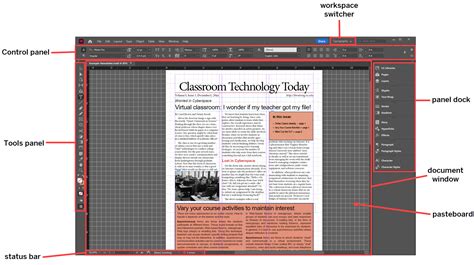
The cost of InDesign, like many other Adobe products, is intrinsically linked to the Creative Cloud ecosystem. This means that pricing is not a static figure but rather a dynamic landscape influenced by various subscription plans, commitment periods, and potential discounts. Navigating this landscape requires a detailed look at the available options, from standalone app subscriptions to the comprehensive All Apps package, and an awareness of how factors like educational status or business needs can impact the final price.
The Evolution to a Subscription Model
Adobe InDesign, released in 1999, is the industry standard in page layout design software, and it is one of the software programs that comprise the Adobe Creative Cloud. Together with Photoshop and Illustrator, InDesign is one of the most commonly used creative design tools across a number of industries, ranging from publishing to Graphic Design. Built to streamline the process of designing page layouts for books and magazines, InDesign has a plethora of uses that make it a versatile tool for many creative endeavors. As part of a heavily integrated array of creative tools, Adobe InDesign gives Creatives the chance to create compelling and vibrant page layouts. Unlike its sister programs, Illustrator and Photoshop, InDesign serves a specific but vital function: building page layouts. Creatives use InDesign to build prototype layouts for everything from brochures to web pages, and the program has tools for populating those prototypes with graphics, text, and even interactive elements. Almost any print layout can be built with InDesign, and the tool is often used to help Web Designers produce mockups of web pages. Users can add text, color, and images to their layouts to ensure they communicate what they intend to convey. InDesign also lets users easily create templates or replicate pages to streamline the multi-page design process.
As part of the Adobe Creative Cloud, InDesign has shifted from a single-purchase model to a subscription-based model. This means that once a user’s free trial has ended, the cost of InDesign will vary depending on the method of payment and the number of services to which a user subscribes. It also means that pricing is subject to change.
The subscription model offers both flexibility and potential long-term savings, depending on user needs. Each paid subscription can be set up for either annual or monthly payments. Users who wish to pay monthly can choose a plan that can be canceled at any time, or they can subscribe for an entire year paid in lower monthly installments. The yearly subscription model, while having a higher upfront cost, is often the most affordable option over time.
InDesign as a Standalone Application
For users who primarily need InDesign and do not require the extensive suite of other Adobe applications, a standalone subscription offers a focused and potentially more economical solution. Adobe InDesign offers single-app subscriptions, with pricing typically starting around $20.99 per month or $239.88 per year. This option provides direct access to InDesign's powerful page layout and design tools without the commitment to the entire Creative Cloud package.
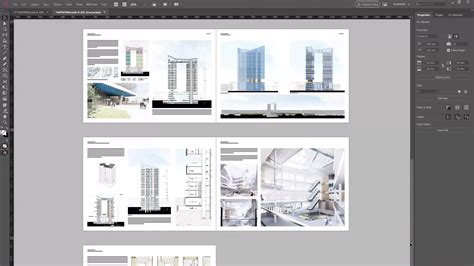
Opting for a single-app subscription is a cost-effective choice for those whose workflow is specifically centered around page design, be it for print publications, digital magazines, interactive PDFs, or even web mockups. This focused approach ensures that users are paying only for the software they actively use, making it a pragmatic decision for many freelance designers, small businesses, or individuals with specialized design needs.
Understanding the Annual Commitment
The annual plan for InDesign, whether as a standalone app or part of a larger bundle, requires a one-year commitment and is generally presented as the best value. This plan often comes with a 14-day money-back guarantee. However, it's crucial to understand the implications of cancellation. If a user decides to cancel after the initial 14-day period but within the one-year commitment, they will typically be charged a 50% fee for the remaining months of the contract.
This contractual obligation means that while the annual plan offers a lower monthly rate compared to a month-to-month option (if available for standalone apps), it binds the user to a specific term. The service begins as soon as the payment is processed, and the annual rate stated at the time of purchase is charged as one lump sum, plus applicable taxes. Contracts are set to renew automatically on the annual renewal date unless explicitly canceled. Adobe will always notify users beforehand if renewal rates are subject to change.
If a user cancels within 14 days of their order, they are entitled to a full refund. However, if cancellation occurs after this initial period, the payment becomes non-refundable, and the service continues until the end of the contracted term. This policy underscores the importance of carefully considering the commitment before purchasing an annual subscription.
The Creative Cloud All Apps Plan
For creative professionals and teams who utilize a broad spectrum of design tools, the Creative Cloud All Apps plan presents a compelling value proposition. This comprehensive package includes access to over 20 industry-leading Adobe applications, such as Photoshop, Illustrator, Premiere Pro, After Effects, and, of course, InDesign. The synergy between these applications is a significant advantage, allowing for seamless integration and workflow optimization. For instance, images edited in Photoshop or illustrations created in Illustrator can be effortlessly incorporated into InDesign layouts.
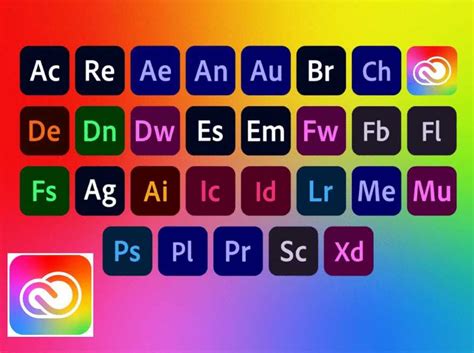
The Creative Cloud All Apps plan is available at various price points, often with tiered options for individuals, businesses, and educational institutions. While the exact pricing can fluctuate, it generally offers a substantial cost saving compared to subscribing to each application individually. This makes it an attractive option for those who rely on multiple Adobe products for their creative endeavors.
Pricing for Businesses and Teams
Adobe InDesign is also available as part of the Creative Cloud All Apps for Businesses & Teams subscription. This offering is designed for organizations that require centralized management, collaboration features, and often, volume licensing. Businesses can benefit from features tailored to team workflows, ensuring that all members have access to the necessary tools and that projects can be managed efficiently.
Adobe Express for teams and enterprise solutions are also highlighted, suggesting that Adobe aims to provide scalable solutions for organizations of all sizes. Adobe Express for teams is geared towards small and midsize organizations, while Adobe Express for enterprise caters to larger entities needing robust control and management capabilities. These team-focused plans often include organizational-level benefits beyond just software access, potentially encompassing enhanced support, administrative tools, and tailored onboarding.
Educational and Student Pricing
Adobe recognizes the significant role of education in fostering creative talent and offers substantial discounts for students and teachers. Securing Adobe InDesign at the most economical price is possible through these educational pricing initiatives, which provide significant savings.

Adobe offers InDesign along with over 20 other applications as part of the Creative Cloud All Apps plan specifically for education. Students and teachers can benefit from a considerable discount, often around 60%, on this comprehensive package. This plan, which includes more than 20 apps, tutorials, 100GB of cloud storage, and generative credits, is available at a highly reduced monthly or annual rate. For example, a common educational offering is priced at $19.99 per month or $239.88 per year.
The Adobe Education Exchange provides resources and self-paced courses designed to help educators integrate Adobe tools, like Adobe Express, into their curriculum. For K-12 education, specific licenses for Adobe Express and Creative Cloud offer tailored experiences focusing on security and privacy needs, including image and video safe search with content filtering. Students might even have free access to Adobe Express Premium through their schools, enabling them to create professional-looking content for academic purposes.
Adobe Express: A Complementary Offering
While InDesign is the powerhouse for professional page layout, Adobe Express emerges as a versatile and accessible tool, often available for free. Adobe Express is designed for creating a wide range of visual content, from social media graphics and flyers to simple videos and web pages. It offers thousands of professionally designed templates that can be refined by curated use cases, making content creation faster and more intuitive, even for users with limited design experience.
Adobe Express can be used independently or integrated with other Creative Cloud apps. For instance, an image edited in Photoshop or Illustrator can be seamlessly incorporated into a design created in Adobe Express. The platform allows users to set up multiple brands or looks for different projects, themes, or occasions. While full brand setup is currently available on the web platform, branded assets can be accessed across devices once configured.
Generative AI Features
A notable aspect of Adobe Express and the broader Creative Cloud ecosystem is the integration of generative AI features. Users can generally use outputs from these features commercially, with the caveat that beta versions might have restrictions, and generated outputs from those beta features would be for personal use only. A significant capability is the ability to generate content specifically for a brand using custom models trained on branded assets, enabling the creation of unique campaigns with matching images and backgrounds. Generative AI features typically start with a certain number of generative credits per month per user, with select plans being eligible for IP indemnification for images generated by Adobe Firefly.
Free and Premium Tiers
Adobe Express offers a Free Plan, allowing interested customers to start exploring its capabilities without immediate financial commitment. Billing for premium features typically begins when a free trial ends, with the option to cancel before the trial concludes to avoid charges. An Adobe Express membership is required for premium features and access to the full Adobe Stock photo collection (though Premium and editorial content may be excluded). The Adobe Express Premium plan is particularly beneficial for students and educators, offering access to premium templates and assets, library sharing, and the ability to auto-apply logos and brands to designs.
Understanding the Free Trial and Cancellation Policies
Adobe provides a valuable opportunity for users to experience InDesign firsthand through a free trial. Typically, this is a 7-day free trial for users to explore its features. This trial period is an ideal time to experiment with the program and take advantage of available tutorials.
It is crucial to be aware that billing begins when the free trial ends. If a user signs up for a free trial, they won't be charged if they cancel before the trial period concludes. This policy extends to other Adobe services as well, including Adobe Express. For instance, if you have signed up for a free trial of Adobe Express, billing commences when the free trial ends, and canceling before it ends means you won't be charged.
The cancellation policies for subscription plans are important to note. As mentioned earlier, annual plans often have a 14-day money-back guarantee. If a user cancels within this period, they receive a full refund. However, canceling after 14 days on an annual plan typically results in a non-refundable payment for the remainder of the contracted term, with service continuing until the contract's end. For monthly subscriptions, the ability to cancel anytime is often a feature, though specific terms should always be reviewed.
Factors Influencing Adobe InDesign Cost
Several factors contribute to the overall cost of Adobe InDesign and its associated services:
- Subscription Type: Standalone app versus Creative Cloud All Apps.
- Commitment Period: Annual plans (paid upfront or in installments) versus monthly plans (if available).
- User Type: Individual, Business/Team, or Educational.
- Discounts: Educational discounts, promotional offers (e.g., first-year discounts).
- Included Services: Access to Adobe Stock, generative credits, cloud storage.
- Add-ons: Potential costs for premium Adobe Stock content or additional generative credits.
The Importance of User Type
The pricing structure for Adobe products, including InDesign, is often segmented based on user type. Individuals typically pay standard rates. Businesses and teams may opt for plans that offer centralized management, collaboration tools, and potentially volume discounts. Educational institutions and their students/teachers benefit from the most significant discounts, making professional-grade software accessible for learning and teaching.
Why Learn InDesign?
Learning InDesign offers substantial benefits for anyone involved in design and publishing. The program lets users construct vibrant layouts using text, shapes, and color modification tools, and it is perfect for anyone who designs print advertisements, magazine and newspaper layouts, infographics, posters, or brochures. Anyone-Professional or amateur-who wants to create eye-catching printed Graphic Designs can learn InDesign to take their creative output to the next level.
Because InDesign is part of the Adobe Creative Cloud, learning how to create design layouts in InDesign will also help users become more skilled at using other Adobe Creative software. Learning InDesign is often paired with training in programs like Photoshop or Illustrator because the programs are closely integrated. This means that learning InDesign can either help users become more proficient with programs they already know or make learning new programs easier. Learning InDesign won’t simply make a user better at building page layouts-it can also open the door to learning skills like Photo Editing, Vector Graphics Design, or Web Interface Design.
Free Learning Resources
For those looking to get started with InDesign without immediate financial investment, a wealth of free resources exists. Online tutorials, articles, and introductory courses are widely available. Many platforms offer free online graphic design and InDesign courses that cover the basics of the program, including interface navigation, adding text and images, and preparing simple layouts for publication. These resources are invaluable for gaining a foundational understanding and exploring the software's capabilities at one's own pace.
Noble Desktop's blog and YouTube playlist, for example, provide free introductory videos and articles covering both general graphic design principles and specific Adobe InDesign functionalities. These resources are often designed as onboarding tools for more in-depth training, providing a solid starting point for aspiring designers.
Conclusion: Navigating Your InDesign Investment
Understanding Adobe InDesign pricing requires a comprehensive look at the various subscription models, user-specific plans, and available discounts. Whether opting for a standalone InDesign subscription, the feature-rich Creative Cloud All Apps plan, or leveraging educational pricing, careful consideration of individual needs and commitment levels is paramount. The shift to a subscription model offers flexibility but necessitates an awareness of renewal policies and cancellation terms. By thoroughly evaluating the options and utilizing available free resources for learning, users can make an informed decision to invest in this essential design tool effectively.