Fashion photo collages serve as a vibrant canvas for self-expression, allowing individuals to articulate their unique style and creative vision. By artfully combining diverse images, colors, and textures, these collages offer a compelling visual representation of personal fashion preferences and aspirations. They are more than just an arrangement of pictures; they are a narrative, a mood board, a forecast, and a planning tool, all rolled into one. The digital age has democratized this art form, making sophisticated collage creation accessible to everyone through intuitive online platforms.
The Essence of a Fashion Photo Collage
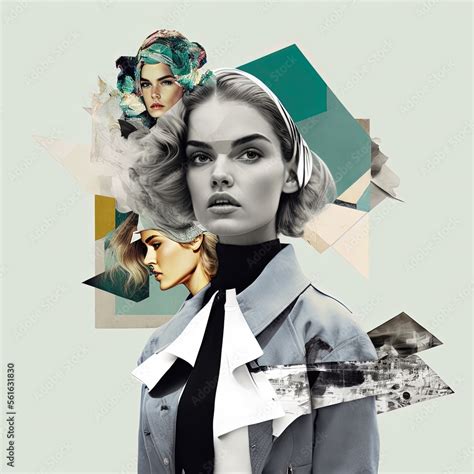
At its core, a fashion photo collage is a visual composition that meticulously merges multiple images related to fashion-encompassing clothing, accessories, and stylistic elements-into a singular, cohesive design. This artistic endeavor empowers individuals to not only express their fashion inclinations but also to delve into exploring new outfit ideas, showcase emerging trends, or construct an artistic interpretation of their fashion inspiration. The versatility of a fashion collage means it can function as a personal style diary, a professional portfolio, or a source of inspiration for others. It's about collecting what ignites fashion design, assembling aesthetics that shape personal style, and creating evocative visuals that outwardly communicate the ideas simmering in one's mind.
Harnessing Digital Tools for Creative Expression
In today's digital landscape, platforms like CapCut and Canva have emerged as prominent online tools that significantly facilitate the creation of fashion photo collages. These platforms are not merely digital scrapbooks; they are sophisticated ateliers offering a diverse array of templates, graphics, fonts, and editing features specifically tailored for fashion enthusiasts. This allows users to craft visually appealing and professional-looking collages with remarkable ease.
CapCut, for instance, is lauded for its ability to help users fashion an unparalleled inspiration mood board. It effortlessly melds images, hues, and textures into a single, extraordinary composition. Through CapCut's intuitive interface, users can sculpt a visual embodiment of their individual style and aspirations, unveiling their fashion musings as they navigate a realm of possibilities. This adaptable platform makes the creation of a truly one-of-a-kind mood board easily accessible. Similarly, CapCut elevates outfit planning by empowering users to design captivating outfit planning collages. Users can seamlessly blend clothing, accessories, and styles onto a single canvas, unleashing their creativity. With CapCut's intuitive tools, crafting personalized ensembles becomes a breeze, allowing for effortless visualization of wardrobe combinations.
Canva, another popular choice, offers a user-friendly experience for creating outfit collages. Users can log in, search for "Pinterest" or "Outfit" templates, and then drag and drop their selected photos into the chosen template. Editing text is as simple as double-clicking, allowing for personalized captions like "Spring Style." Once the editing is complete, the collage can be saved by clicking "Share" and then selecting "Download." While Canva excels at creating static outfit collage images, platforms like Filmora offer a more dynamic approach for those looking to create video collages for platforms like Pinterest.
Key Elements of an Attractive Fashion Collage
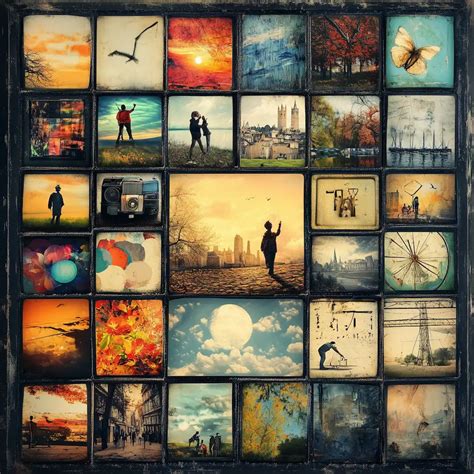
To craft a truly attractive photo collage, several key principles should be considered. Firstly, selecting a cohesive theme or style is paramount; whether it's a specific color palette, a particular aesthetic like "Parisian vibes," or a functional purpose like "Capsule wardrobe," a clear theme guides the entire creation process. Secondly, the choice of images is crucial. Opting for high-quality images ensures a professional and visually appealing outcome. Varying image sizes and orientations adds visual interest and dynamism to the composition, preventing a monotonous look.
Color coordination plays a significant role in the overall harmony of the collage. Paying attention to how colors interact and complement each other can elevate the visual impact. Strategic use of white space, or negative space, is also important; it allows elements to breathe and prevents the collage from appearing cluttered. Finally, ensuring a balanced composition, where elements are distributed harmoniously, contributes to a pleasing aesthetic. Experimentation with different layouts and the skillful utilization of editing tools further enhance the overall appeal of the final piece.
Cultivating a Classy and Sophisticated Aesthetic
For those aiming for a more refined and sophisticated look, a "classy" collage can be achieved through deliberate choices. This involves opting for a minimalist color palette, which often conveys elegance and timelessness. The selection of elegant and high-quality images is essential, maintaining consistency in their style and theme. Clean and well-organized layouts contribute to a polished appearance, avoiding any sense of disarray.
Applying subtle filters or effects can add a touch of polish without overwhelming the composition. The key is to ensure that all elements align with a refined and sophisticated aesthetic. This approach emphasizes quality over quantity, focusing on the impact of each carefully chosen element.
🌟 How to Create Your OWN Fashion Look-book | Canva and Pinterest 🌟
Exploring Diverse Collage Styles
The world of fashion collages is rich with diverse styles, each offering a unique avenue for creative expression.
Surreal Fashion Collage: Embracing the Dreamlike
Surrealist principles offer a boundless playground for fashion collages. This style grants the freedom to combine visual elements that evoke a specific feeling, such as lushness and femininity, or to play with unexpected juxtapositions. Inspired by artists like Salvador Dalí and René Magritte, a surreal fashion collage aims to unsettle and provoke thought by placing objects out of their usual context. This genre is all about refocusing perspective to tickle the imagination.
Creating a surreal fashion collage might involve cropping photos to isolate specific elements like hands or eyes, then using background remover tools to isolate them further. Applying textures to graphics can create a "wow" factor, with options like gradients or photo-realistic graphics layered with illustrated elements like floral designs.
Magazine-Style Fashion Collage: Storytelling Through Elements
The classic magazine-style collage, reminiscent of teenage bedroom decor, is experiencing a resurgence. These collages combine cobbled-together magazine title-case words, celebrity or model photos, decal stickers, and cut-out images of friends to tell a story about a specific time and place. Digitally, this style can be adapted to convey current tales of heartbreak, hope, or home decor aspirations.
To achieve this look, one might compile personal photos or utilize a library of stock images. Elements can be layered, cropped, chopped, skewed, resized, and rotated to create a genuine "glued-together" effect. Text can be added on top of solid-color shapes to make words stand out, and combining different font pairings adds depth. A glitchy, retro layered look can be achieved by duplicating an image or graphic multiple times and applying textures or solid colors to these duplicated layers.
Half-Sketch Half-Photo Fashion Collage: A Graphic Novel Aesthetic
The half-sketch, half-photo collage offers a playful and graphic-novel-esque look. This style allows users to layer cartoon clothing graphics over photographs or create whimsical backgrounds using textures and graphics. It provides the ultimate freedom to "wear" anything and appear anywhere imaginable.
Key tools for this style include background removal and erasers. Removing the background of a photo leaves only the subject, onto which clothing graphics can be sized and colored. To create the illusion of clothing being layered underneath, the eraser tool can be used to remove parts of the graphic. A graphic-novel-esque background can be constructed by stretching a solid shape graphic and erasing parts of it to blend with the photo, then sending it behind the subject using layer controls.
Shape and Color Collage: The Fundamentals of Design
Shapes and colors are the fundamental building blocks of our world and the cornerstone of design. Combining them in infinite ways can bring any imagination to visual life. The fashion industry itself is deeply rooted in shapes (like the a-line dress or the boxy blazer) and colors (like Valentino red). Creating a fashion collage with shape graphics and color palettes can be an enjoyable way to explore creative ideas.
Starting with a blank canvas, users can add simple graphics, change their colors and sizes, and manipulate them by flipping or rotating. Animated GIF graphics can add a dynamic element, and color palette generators can provide inspiration by extracting colors from existing photos.
Monoline Drawing Fashion Collage: Elegant Simplicity
Monoline drawing, a minimalist single-line sketching method, adds an illustrative flourish to designs when combined with photos. This style is appealing in its simplicity, reducing design ideas to their most basic lines, such as the bend of an elbow or the curve of a shoulder. Delicate monoline graphics applied to a photo can elegantly accentuate the design.
When creating a monoline drawing collage, it's advisable to apply any desired photo effects or edits first, before adding graphics on top. Browsing monoline graphic categories like "Monoline Fashion," "Monoline People," or "Elegant Hands" allows for the selection of elements that can be cropped and sized to fit the photo, adding a refined touch.
Practical Steps for Collage Creation
Regardless of the chosen style, the process of creating a fashion photo collage can be streamlined with the right approach and tools.
Using Templates for Efficiency
Many platforms offer ready-made templates that instantly make a post look put together. These templates, often categorized by theme or style (e.g., "Date night fits," "Fall inspo"), provide a solid foundation upon which to build. Utilizing these templates can significantly speed up the creative process, especially for beginners.
The Power of Drag-and-Drop and Cutouts
Intuitive drag-and-drop interfaces allow users to quickly arrange elements within a collage. Furthermore, built-in background remover tools are invaluable for cleanly snipping out clothing items or subjects, enabling seamless integration into new compositions. This feature is particularly useful for creating layered effects or isolating specific elements for emphasis.
Layering and Composition Techniques
When building a collage, understanding layering is key. Elements can be stacked, with some appearing in front of others, creating depth and visual interest. Tools that allow for aligning layers, such as centering horizontally or vertically, ensure a polished and organized final product. The "Paste Into" function, where an image is pasted directly into a selected area or shape, is a powerful technique for precise placement and custom framing.
Adding Text and Enhancements
Text can be used to add context, tell a story, or simply enhance the aesthetic. Choosing appropriate fonts and placement is crucial for maintaining the overall style of the collage. Beyond text, collages can be further enhanced with filters, stickers, sound effects, and other fun video effects, particularly when creating video collages.
Advanced Techniques and Personalization
For those seeking to push the boundaries of their creativity, several advanced techniques can be employed.
Creating Custom Templates
For a truly personalized touch, users can create their own templates. This might involve drawing straight lines with specific effects, such as a paint stroke, and then using alignment tools to center them perfectly. Rasterizing the layer allows for further manipulation. Saving these files as .PNG or .PSD formats enables them to be reused as custom templates. When using a custom template, images can be copied and then pasted into specific sections of the template, allowing for precise placement and a unique, handcrafted feel.
Incorporating Animation and Motion
For video collages, animated transitions and color grading can imbue a "seasonal vibe" or create dynamic visual flows. Animated GIF graphics can also add subtle motion to static collages, making them more engaging.
Theme-Based and Functional Collages
Fashion collages can be highly functional, serving purposes beyond pure aesthetics. "Closet Organizing Layouts" can be created using split-screen presets and stickers to label sections like "Capsule wardrobe." For brands and creators, clean outfit collages can showcase products, mood, and aesthetic in a single, impactful visual. Pairing outfits with quotes or song lyrics using Text-to-Speech or animated subtitles adds another layer of personalization and storytelling.
Ultimately, the process of making a fashion photo collage is an accessible and rewarding way to explore personal style, communicate creative ideas, and engage with the dynamic world of fashion. With the right tools and a touch of imagination, anyone can craft visually stunning and meaningful compositions.