Clip Studio Paint (CSP), formerly known as Manga Studio, has carved out a significant niche in the digital art software landscape. Originally developed with comic book and manga artists in mind, its capabilities have since expanded dramatically, making it a versatile tool for a wide range of digital artists, from illustrators and painters to animators. This review delves into the various aspects of CSP, examining its features, usability, pricing, and user experiences to determine if it's a worthwhile investment for aspiring and professional artists alike.
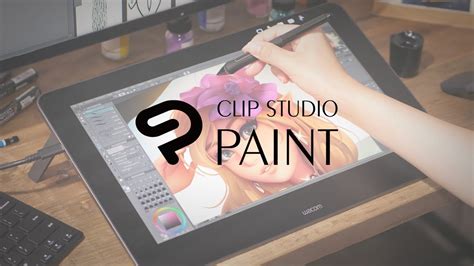
Interface and Usability: Navigating the Creative Workspace
Upon first launching Clip Studio Paint, the interface might appear somewhat busy, especially when compared to simpler applications like Autodesk Sketchbook. However, this initial complexity is a testament to the software's extensive feature set. A key advantage of CSP is its highly customizable interface. All elements, such as toolbars, panels, and windows, can be easily moved, docked, or closed to suit individual workflow preferences. This adaptability ensures that artists can create a workspace that feels intuitive and efficient for their specific needs.
The software offers a comprehensive set of tools, readily accessible on the left-hand side of the screen by default. These are referred to as "tools" within CSP, and each comes with a variety of properties that can be tweaked to achieve desired effects. For artists who experience hand tremors or desire smoother lines, the stroke stabilization feature is a significant boon. This function intelligently smooths out pen strokes, making it easier to create clean, deliberate lines, regardless of the steadiness of one's hand.
Color selection in CSP is equally robust. The program provides a standard color wheel for broad selection, a color slider for fine-tuning hues, and a customizable color set where users can save their frequently used palettes. Below these, an intermediate color selector and an approximate color selector offer further options for achieving precise color nuances. A unique feature allows for painting transparency directly, accessed via an icon beneath the color wheel, adding another layer of control for digital painting.
Brush Engine and Artistic Tools: Precision and Versatility
Clip Studio Paint boasts an impressive array of brushes, catering to various artistic styles. The default brush library includes a diverse range of pencils, each responding exceptionally well to pressure sensitivity, allowing for dynamic line weight variation. For painters, many brushes are designed to naturally blend colors as strokes are applied, with the degree of blending often influenced by pen pressure. This feature significantly simplifies the process of achieving smooth color transitions and rich textures.
you're using the wrong brush settings...
A standout feature of CSP is its advanced layer system, which is crucial for any digital art workflow. The software supports both raster and vector layers. Raster strokes, created by standard brushes, are composed of pixels. In contrast, vector strokes, which can utilize the same brush settings, are defined by points and lines. This vector functionality allows for infinite scalability without loss of quality and retains pen pressure sensitivity for line thickness.
Working with vector layers in CSP offers unique advantages. For instance, the "simplify" tool, activated by drawing a green cursor over a selected area, reduces the number of control points in a vector stroke, resulting in smoother lines. Artists can also easily adjust line width by painting over strokes to thicken or thin them. However, it's important to note the limitations of vector layers in CSP: opacity cannot be varied on a per-line basis, and the "bucket fill" tool cannot be used to fill areas defined by vectors.
Beyond basic drawing and painting, CSP offers advanced features such as the ability to import basic 3D figures, pose them, and use them as references on separate layers. This is invaluable for artists needing to accurately depict complex poses or understand form and perspective. The software also includes a vast library of pre-rendered brush material images, numbering over 192, which can add detail and texture to artwork, from foliage to architectural elements. These materials can often snap to perspective grids, a feature not commonly found in raster-based programs.
Licensing and Pricing: Value and User Concerns
Clip Studio Paint is generally praised for its accessible pricing, especially considering its powerful feature set. The Pro version, which includes all the core drawing and painting tools, is available for approximately $49.99 USD / £38.00. For professional comic book artists requiring advanced features like page management and animation tools, the EX version is available at a higher price point of $219 USD / £168. An iPad Pro version is also offered, which includes a six-month free usage period when used with an Apple Pencil.
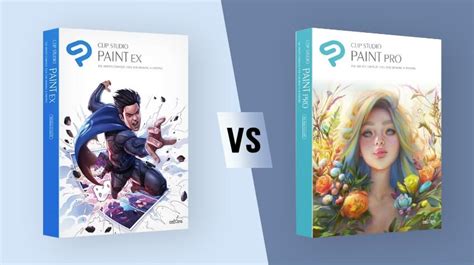
However, the licensing and subscription plans have become a significant point of contention among users. While CSP was historically known for its one-time perpetual license, recent updates have shifted towards subscription-based models, particularly for newer versions like v2 and v3. This change has frustrated users who prefer to own their software outright rather than pay ongoing fees. The transition from a perpetual license that allowed use on two devices to a current model limited to one device for v2 and v3 has further fueled dissatisfaction, as users feel the company is pushing annual plans more aggressively.
Some users have reported issues with the license verification system, leading to activation problems or unexpected charges. There are recurring complaints about confusing subscription terms, difficulty in managing licenses across devices, and a lack of flexibility in canceling subscriptions or obtaining refunds, even when issues arise immediately. Anecdotal evidence suggests that some users have been billed twice or charged for subscriptions they did not intend to activate, with customer support responses sometimes being unhelpful or difficult to understand. The inability to easily remove payment details from user accounts has also been cited as a concern, leading some to recommend using single-use credit cards when purchasing from Clip Studio.
Despite these licensing concerns, many users still find the software's price point and feature set to be excellent value. The perpetual license for the Pro version, at around $50, is competitive with other software, and the program frequently goes on sale, sometimes dropping to as low as $20. This affordability, combined with its robust capabilities, makes it an attractive option for many artists.
Performance and Comparison: Standing Out in the Digital Art Arena
When compared to other popular digital art software, Clip Studio Paint often holds its own. While some users note that it can be "performance heavy" compared to lighter applications like Paint Tool SAI, it is generally considered less demanding than Adobe Photoshop. The brush engine is highly praised for its responsiveness and ability to mimic traditional media, offering a blend of SAI's user-friendliness and Photoshop's deep customization.
The ability to import and utilize 3D models as references, along with features like the cast shadow feature and the extraction of line art from images, further elevates CSP's utility. The introduction of new effects and the support for motion capture data (BVH files) and VRM files in version 4.0 demonstrate a commitment to evolving the software's capabilities, particularly for animation and 3D integration.
While free alternatives like Krita and GIMP exist, many artists find that CSP offers a more refined and specialized toolset that suits their workflow better, especially for illustration and comic creation. The vast amount of user-generated content, tutorials, and community support available for CSP also contributes to its appeal, making it easier for new users to get started and for experienced users to discover advanced techniques.
Conclusion: A Powerful Tool with Caveats
Clip Studio Paint is undeniably a powerful and versatile digital art software that offers exceptional value for its price, particularly for artists focused on illustration, comics, and manga. Its comprehensive brush engine, robust layer system, and customizable interface make it a joy to work with. The ability to integrate 3D models and its growing animation features further enhance its appeal.
However, potential buyers should be aware of the ongoing issues and user frustrations surrounding its licensing and subscription plans. The shift away from perpetual licenses and the reported difficulties in managing accounts and billing have created a significant user concern. While the software itself is highly regarded for its artistic capabilities, the administrative and financial aspects of acquiring and maintaining a license can be a source of considerable stress. For those who can navigate these challenges or who are comfortable with subscription models, Clip Studio Paint remains a top-tier choice for digital art creation, offering a compelling alternative to more expensive industry standards.