Tired of the generic rolling green hills or the ubiquitous swirling galaxy that adorns countless computer screens? Personalizing your digital workspace is an increasingly popular way to infuse your personality and style into your daily computing experience. With the advent of user-friendly design tools, creating a unique Mac background collage has become not only accessible but also an enjoyable creative outlet. This guide will delve into the process, exploring various methods and design considerations to help you craft a wallpaper that truly reflects your individuality.
Embracing the Power of Collage Makers
The core of creating a personalized Mac background collage lies in the ability to combine multiple images into a cohesive and aesthetically pleasing whole. While macOS offers some basic customization options, dedicated wallpaper makers and graphic design software provide the tools necessary for a truly bespoke creation.
One of the most accessible and powerful tools for this purpose is Canva. Its intuitive interface allows users to choose from a vast array of templates, specifically designed for various screen resolutions and aesthetic styles. The drag-and-drop functionality makes it incredibly simple to incorporate your personal photos, favorite artwork, or even business logos directly into your design. Arranging text with a simple point-and-click interface further enhances the personalization, allowing you to add motivational quotes, important dates, or even inside jokes to your wallpaper.
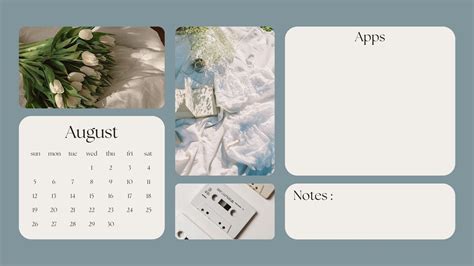
The ease of use associated with platforms like Canva means that the barrier to entry for creative wallpaper design is significantly lowered. There’s no excuse not to keep your wallpaper fresh and updated, whether it’s to reflect the changing seasons-winter, summer-or to commemorate special events like Valentine's Day or the New Year. The process is so seamless that once you sit down to design, you might find yourself fully immersed, a testament to its addictive yet useful nature.
Expanding Your Creative Horizons with AI
For those seeking an even more unique and instantly generated aesthetic, the realm of AI wallpaper generators offers an exciting frontier. These tools can instantly create personalized wallpapers from just a few descriptive words. Want a cyberpunk cityscape with cherry blossoms? Or a serene forest scene rendered in a watercolor style? An AI Wallpaper Generator can bring these abstract concepts to life, providing a starting point or even a finished product that is truly one-of-a-kind. This technology represents a significant leap in personalized digital art, allowing for the creation of visuals that might be difficult to conceptualize or execute manually.
Design Elements to Elevate Your Mac Background
Beyond simply arranging photos, a well-crafted wallpaper collage can incorporate a rich tapestry of design elements. Whether your aim is to create something inspirational, humorous, or a beautiful illustration, the possibilities are virtually endless.
The text tool within design platforms like Canva is a powerful asset. With over a hundred fonts to choose from, coupled with text holders that assist in creating impressive typography, you can leave yourself motivational messages, your favorite quotes, or even important reminders. This transforms your wallpaper from a static image into a dynamic and functional part of your digital environment.
Filters and effects add another layer of artistic control. Think of tweaking your chosen photos with filters like "Cali," "Festive," or "Epic." You can even add subtle enhancements such as blur, vignette, or x-process effects to achieve a specific mood or visual style. These adjustments can unify disparate images, giving your collage a polished and professional look.
For businesses and brands, the ability to upload and integrate logos is invaluable. Creating company-issued device wallpapers with brand elements can foster a sense of unity and professionalism among employees, reinforcing brand identity even in the digital workspace.
Seamless Design Across Devices
The modern user interacts with multiple devices, and the ability to maintain a consistent aesthetic across them is a significant advantage. Canva's commitment to a seamless design experience extends across different platforms. With iOS and Android apps available for free on the App Store and Google Play, you can continue designing your Mac background collage from your mobile devices. Your progress is saved, allowing you to pick up where you left off, whether you're on your computer, tablet, or smartphone. This cross-device compatibility ensures that your creative flow is never interrupted, and your personalized digital environment is always within reach.
Understanding Wallpaper Specifications
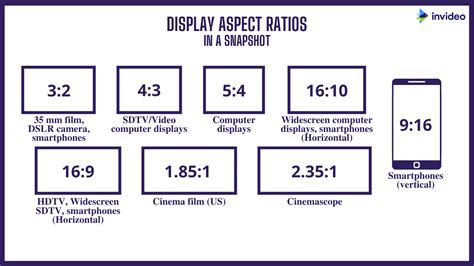
To ensure your custom collage displays optimally on your Mac, understanding common wallpaper specifications is crucial. The most frequently encountered sizes for desktop wallpaper are 1024 x 768, 1280 x 1024, and 1920 x 1080 pixels. A standard wallpaper often adheres to a resolution of 1024 x 768 pixels with a screen ratio of 4:3. However, modern Macs typically feature higher resolutions, with many Retina displays boasting resolutions of 2560 x 1600 or even higher. It’s always advisable to check your specific Mac model’s native screen resolution to ensure your wallpaper is displayed without stretching or pixelation. Most design tools, including Canva, offer presets for various screen resolutions, simplifying this process.
Beyond the Default: Personalization at Its Best
The appeal of creating your own Mac background collage lies in its ability to move beyond the generic. Why be greeted by a peaceful landscape or abstract geometric patterns when you could see your favorite band, a cherished celebrity, or photos of family and friends the moment you log in? Perhaps you want to showcase your favorite selfie-because, why not? The drag-and-drop functionality makes uploading and saving your personal photos incredibly straightforward. Once uploaded, these images become readily accessible within your design library, available for use anytime.
The collaborative aspect of design platforms like Canva also opens up new possibilities. You can easily add friends to your Canva account and create a team. From there, you can instantly collaborate on your design together, from any device, anywhere in the world. This feature is ideal for creating shared wallpapers for a family, a group of friends, or even a project team within a business.
Avoiding Clichés and Embracing Uniqueness
While it's easy to fall back on common imagery, the true joy of creating a custom wallpaper lies in its potential for uniqueness. Steer clear of overused stock photos or overly simplistic designs. Think about themes that resonate with you: your hobbies, passions, travel memories, or even abstract concepts that inspire you.
Consider creating a collage that tells a story. Perhaps a series of photos from a memorable trip, arranged chronologically or thematically. Or a collection of images that represent your current goals or aspirations. This approach adds depth and meaning to your digital background.
Furthermore, experiment with different arrangement styles. Instead of a grid, try an asymmetrical layout, overlapping images, or creating a focal point with a larger central image surrounded by smaller ones. Playing with transparency and layering can also add a sophisticated touch.
The "Why Not?" Philosophy of Personalization
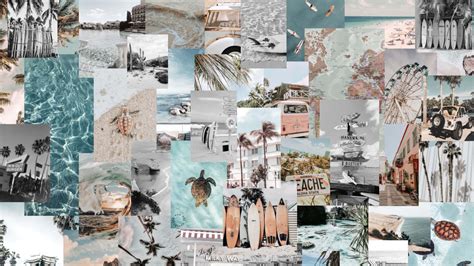
The underlying philosophy behind creating a personalized Mac background collage is a simple yet powerful one: "Why not?" Why settle for a default when you can have something that speaks to you? Your computer is an extension of your personal space, and its appearance should reflect that. Whether it's a vibrant collection of concert photos, a minimalist arrangement of your favorite art prints, or a humorous compilation of memes, your wallpaper is a daily visual companion.
The ease of use offered by modern design tools democratizes creativity. You don't need to be a professional graphic designer to create something that looks fantastic. The ability to drag and drop, apply filters, add text, and collaborate with others transforms the often-intimidating world of design into an accessible and enjoyable experience.
Ultimately, crafting your Mac background collage is about more than just aesthetics; it's about asserting your individuality in the digital realm. It's about taking a moment to inject personality into the tools you use every day, making your computing experience more engaging, inspiring, and uniquely yours. The process is not just about the final product, but about the creative journey itself, a journey made easier and more rewarding by the powerful yet simple tools available today.
tags: #mac #background #collage #maker