The advent of Apple's M4 chip has ignited considerable discussion within the creative community, particularly regarding its capabilities for demanding applications like DaVinci Resolve. While the MacBook Pro line has long been the go-to for professional video editing, the M4-powered MacBook Air is emerging as a compelling, and more budget-friendly, alternative. This article delves into the performance of the MacBook Air M4 when running DaVinci Resolve, exploring its strengths, limitations, and optimal configurations for users with varying needs, from casual hobbyists to those requiring a portable editing solution for a 24-hour turnaround.
The M4 Chip: A New Era for Apple Silicon
Apple's M4 chip represents a significant leap forward in their silicon architecture. Designed with enhanced CPU and GPU cores, alongside a more powerful Neural Engine, it promises substantial performance gains across a range of tasks. For video editing, this translates to faster processing, smoother playback, and more efficient handling of complex timelines and effects.
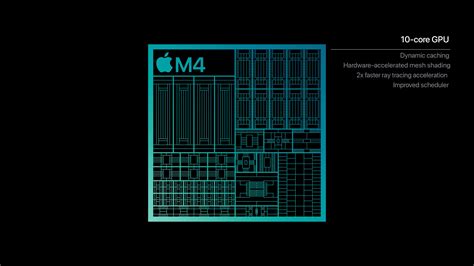
The M4 chip's architecture, particularly its unified memory, plays a crucial role in its performance. This system allows the CPU, GPU, and Neural Engine to access the same pool of memory, reducing data duplication and latency. This is especially beneficial for video editing, where large datasets are constantly being accessed and manipulated.
MacBook Air M4: Design and Portability
The MacBook Air M4 continues the legacy of its predecessors, offering a sleek, lightweight design that prioritizes portability. Available in both 13-inch and 15-inch models, it boasts a premium build and a stunning Liquid Retina display with 500 nits of brightness. While this display is excellent for general use and many creative tasks, it's important to note its limitations for HDR content compared to the higher brightness and ProMotion technology found in MacBook Pro models.
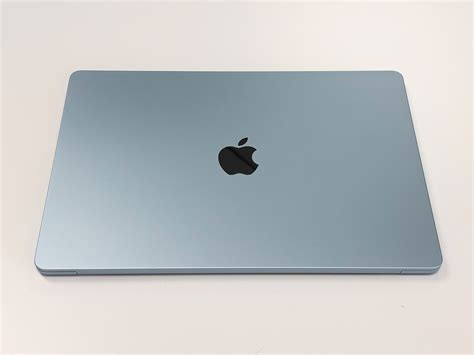
A key characteristic of the MacBook Air is its fanless design. This contributes to its silent operation, a welcome feature for many users. However, during prolonged, intensive tasks like rendering or complex color grading, this lack of active cooling can lead to thermal throttling, where the chip reduces its performance to manage heat. This is a critical consideration for DaVinci Resolve users who push their machines to their limits.
The M4 MacBook Air offers two Thunderbolt 4 USB-C ports and a MagSafe charging port, alongside a 3.5mm headphone jack. While functional, the limited number of ports means that users with extensive external peripherals, such as external drives and monitors, might require a hub or dock. A notable upgrade with the M4 generation is the ability to support up to two external displays at 6K resolution simultaneously, a step up from previous models that required the laptop to be closed for dual external display use.
DaVinci Resolve on the MacBook Air M4: Performance Realities
The question of whether a MacBook Air M4 can handle DaVinci Resolve is nuanced. For basic video editing tasks, simple clips, and 1080p projects, it can perform admirably. Users have reported fluid 30fps scrubbing on 4K timelines and real-time color adjustments without significant stuttering or slowdowns, especially on less demanding projects.
However, when delving into more intensive workflows, the limitations become apparent. The fanless design, as mentioned, can lead to thermal throttling during sustained heavy loads. Benchmarking tests, particularly those involving Adobe Premiere Pro and DaVinci Resolve at high resolutions (4K and 8K) with complex exports, GPU effects, Fusion, and AI tasks, have shown that the M4 MacBook Air's performance can take a hit when the chip heats up. This is in contrast to fan-equipped MacBook Pro models, where active cooling allows sustained peak performance.
For users engaged in color-heavy, multi-node, 4K work, or those who frequently utilize resource-intensive features within DaVinci Resolve, the MacBook Air M4 might prove insufficient. The lack of active cooling is a significant factor in these scenarios, where performance can degrade as the machine struggles to dissipate heat.
RAM and Storage Considerations for DaVinci Resolve
The amount of unified memory (RAM) is a critical factor for DaVinci Resolve performance. While 16GB was once considered adequate for many tasks, users with M2 chips have reported underwhelming performance, suggesting that 32GB or even 48GB might be necessary for optimal results, especially when dealing with 4K footage or complex timelines. For the M4 MacBook Air, configurations with 32GB of unified memory are available and significantly improve performance in memory-intensive applications. While 16GB might suffice for lighter editing, 32GB offers a much more comfortable experience for DaVinci Resolve, allowing for smoother scrubbing, faster rendering, and better handling of multiple layers and effects.
Apple Silicon Deep Dive: How Unified Memory Runs 671B AI Models
Regarding storage, the M4 MacBook Air supports up to 2TB of SSD storage. While the size of the SSD has less impact on raw processing performance than unified memory, it is crucial for storing operating system files, applications, and project media. For video editing, especially with 4K footage, a larger SSD is highly recommended to avoid constant reliance on external drives, which can sometimes introduce performance bottlenecks if not of sufficient speed. A 1TB or 2TB SSD is a sensible choice for serious video editing workflows. However, it's also widely advised to use external SSDs (like Thunderbolt 3/4 or OWC Thunderblade) for storing media and project files to offload the internal drive and potentially gain faster transfer speeds, especially with 10Gb Ethernet networks.
M3 Max vs. M4: A Performance Comparison
The question of whether an M4 chip is necessary or if an M3 Max would suffice is pertinent. The M3 Max chip, found in higher-end MacBook Pro models, generally offers more CPU and GPU cores than the standard M4 chip in the MacBook Air. This translates to superior performance in highly demanding tasks, particularly those that benefit from extensive parallel processing, such as complex video rendering, 3D work, and intensive visual effects.
While the M4 chip in the MacBook Air is a significant improvement over previous generations, the M3 Max, with its higher core count and active cooling, will likely provide a more robust and consistent performance experience for the most demanding DaVinci Resolve workflows. For users whose primary income depends on video editing and who frequently tackle complex projects, the investment in a MacBook Pro with an M3 Max or a higher-tier M4 chip (like the M4 Pro or M4 Max, which are not available in the MacBook Air) might be justified.
User Experiences and Recommendations
Feedback from users highlights the varied experiences with Apple Silicon and DaVinci Resolve. Some users with M2 chips and 16GB of RAM have found them underwhelming for video editing, experiencing lag even with simple tasks. This suggests that for DaVinci Resolve, especially with 4K footage or multiple layers, 16GB of RAM might be insufficient on older or less powerful configurations.
Conversely, users with M4-based systems, particularly those with 32GB of RAM, report a much smoother experience. For instance, a user planning to edit videos on a MacBook Air M4 with 10-core CPU, 10-core GPU, 32GB RAM, and 512GB SSD, specifically for DaVinci Resolve, received reassurance that these specs should work fine for editing, with the caveat of potential throttling during extended, heavy sessions due to the fanless design.
For those on a budget, the MacBook Air M4 with 32GB of RAM presents an attractive option. It offers a significant performance uplift over older Intel Macs and even some M1/M2 configurations, particularly for tasks that aren't constantly pushing the thermal limits of the device. However, for users who anticipate consistently heavy workloads or require the absolute best performance for professional, time-sensitive projects, exploring MacBook Pro options with M3 Max or higher-tier M4 chips, potentially with 48GB of RAM, would be a more prudent choice. Financing options through Apple can make these higher-spec machines more accessible.
Conclusion: Weighing the Options
The MacBook Air M4 is a capable machine that can handle DaVinci Resolve, especially for less demanding editing tasks and for users prioritizing portability and a lower price point. Its M4 chip provides a solid performance foundation, and configurations with 32GB of unified memory offer a significantly improved experience over lower-RAM models. However, its fanless design is a notable limitation for sustained, intensive video editing, potentially leading to thermal throttling.
For hobbyists, students, or professionals editing simpler projects or requiring a portable secondary editing machine, the MacBook Air M4 is a strong contender. For those who regularly engage in complex 4K editing, heavy color grading, or extensive visual effects work, and for whom editing is a primary income source, investing in a MacBook Pro with a more powerful chip (M3 Max or higher-tier M4) and active cooling remains the recommended path for optimal and consistent performance. The decision hinges on balancing budget, portability needs, and the intensity of your DaVinci Resolve workflows.