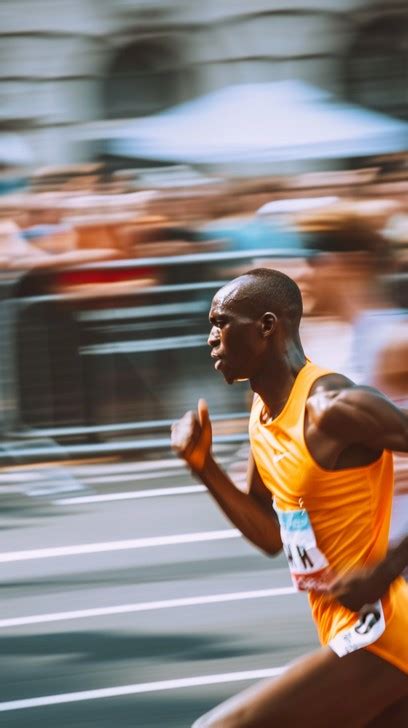
Motion blur photography is a captivating technique that allows photographers to transform static images into dynamic narratives, conveying a sense of movement, energy, and emotion. While the conventional pursuit in photography often centers on achieving razor-sharp detail, motion blur intentionally embraces blur for artistic impact. It’s a storytelling tool that can elicit emotion, create a connection with the viewer, and add a compelling, creative flair to your shots. This technique is not limited to a single genre; it can be effectively applied across various photographic disciplines, from landscapes to sports, adding a unique dimension to your work.
Understanding the Core of Motion Blur
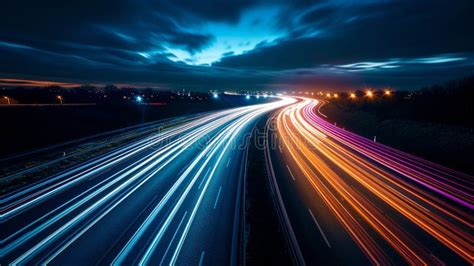
At its heart, motion blur is a long exposure photography technique. It’s all about shutter speed and how it interacts with light. You create the blur by using a slow shutter speed. The slower your shutter speed, sometimes referred to as a long shutter speed, the more light your camera sensor receives. Because the shutter remains open for a longer duration, more visual information is captured, which inherently includes the blur of motion. This is distinct from an image being out of focus; with motion blur, you can achieve sharp focus in certain areas while simultaneously rendering movement as streaks or shapes.
The essence of motion blur photography lies in capturing movement within a still image. Imagine a moment where a subject appears as a streak of motion, yet everything surrounding it remains in sharp focus. This juxtaposition of sharp and blurred elements is what makes motion blur so visually engaging. This effect is achieved when either the camera or the subject is in motion during the exposure. If the camera is stationary and the subject moves, the blur will appear on the subject. Conversely, capturing photographs from a moving vehicle can also produce a motion blur effect.
Mastering Your Camera Settings for Motion Blur
To effectively harness the power of motion blur, a solid understanding of your camera’s exposure triangle-shutter speed, aperture, and ISO-is crucial. For the most control, shooting in manual mode is highly recommended, allowing you to fine-tune each element to achieve your desired outcome.
Shutter Speed: The Primary Driver of Blur
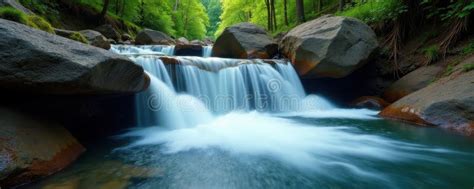
Shutter speed is the most critical setting for motion blur photography. While fast shutter speeds, such as 1/1000 of a second, are used to freeze moving objects, a slow shutter speed is what will give you the blur you are looking for. The slower your shutter speed, the more pronounced the motion blur will be. The specific shutter speed required depends on several factors: the speed of your subject and the amount of blur you wish to achieve. For instance, a fast-moving subject like a race car will appear as a blur at a much faster shutter speed than a person walking or a slow-moving stream. There isn't a single "magic" shutter speed for all situations; it requires experimentation. For a pleasing motion blur, aim for shutter speeds generally below 1/60s. For subjects like flowing water, a shutter speed of 0.5 seconds can be a good starting point, while for star trails, exposures of 15 minutes or more are necessary.
Aperture: Controlling Light and Depth of Field
The aperture, controlled by the f-stop, plays a vital role in managing the amount of light entering your camera and influencing the depth of field. In most daylight situations, you’ll want a higher f-stop (a smaller aperture opening) to reduce the amount of light. This is particularly important when using slow shutter speeds to avoid overexposure. For motion blur, a narrower aperture, such as f/7 to f/11 or even higher, is generally preferred. This helps ensure a sufficient depth of field, which is essential for maintaining a sharp background while your subject blurs. However, in low-light conditions, a wider aperture might be beneficial to gather more light.
ISO: Managing Sensitivity and Graininess
Your ISO setting determines your camera’s sensitivity to light. To minimize the amount of light captured and to prevent overexposure when using slow shutter speeds, you’ll want to use a lower ISO. A lower ISO, such as 100 or 200, will also help your photo from becoming too grainy, preserving image quality, especially in daylight or when trying to maintain sharpness in specific areas. For very long exposures, like star trails, a slightly higher ISO (e.g., 400) might be necessary, but always strive for the lowest possible setting that allows for proper exposure.
Creative Techniques for Capturing Motion Blur
Beyond the fundamental camera settings, several techniques can elevate your motion blur photography, adding depth and artistic expression to your images.
Panning: Tracking the Subject with Intent
Panning is a dynamic technique that involves moving your camera in sync with a moving subject. As you follow the subject's movement with your camera while pressing the shutter button, the subject remains relatively sharp, while the background blurs into streaks, conveying a strong sense of speed and direction. To execute this, choose a moving subject, set a shutter speed that allows for a longer exposure (around 1/30s or slower, depending on the subject's speed), and smoothly track the subject’s movement. The key is to keep the subject in the same position in your viewfinder as it moves across the frame. Panning takes practice to master, and it works best when the subject is moving in a straight line at a consistent speed, either across the frame or away from you.
5 Tips to INSTANTLY improve YOUR Panning Photography
Using a Tripod: For Stability and Control
While some motion blur effects can be achieved handheld, a tripod is invaluable, especially when you aim to capture a sharp background with a blurry subject. A stable base prevents unwanted camera shake, ensuring that only the intended motion is blurred. This is particularly useful for stationary motion blur, where the camera remains fixed and the subject moves through the frame. By placing your camera on a tripod and composing your shot thoughtfully, you can achieve a delicate balance between the fleeting movement of your subject and the solidity of the background.
Neutral Density (ND) Filters: Extending Your Creative Hours
In bright daylight, achieving the slow shutter speeds necessary for motion blur can be challenging without overexposing the image. This is where Neutral Density (ND) filters come into play. Think of an ND filter as a pair of sunglasses for your lens. It reduces the amount of light that hits your sensor, allowing you to use slower shutter speeds or wider apertures without blowing out the exposure. ND filters come in various strengths, offering flexibility to adapt to different lighting situations and expanding your usable hours for motion blur photography. A 3-stop ND filter, for instance, is useful for a slight extension of your shutter speed.
Creative Flash Usage: Freezing and Blurring Simultaneously
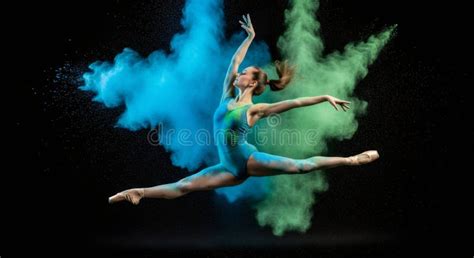
Experimenting with flash can add another dimension to your motion blur shots. By setting your camera to a slow shutter speed and firing the flash at either the beginning (front-curtain sync) or the end (rear-curtain sync) of the exposure, you can achieve a unique effect. The flash, being incredibly fast, freezes the subject in mid-action, while the slow shutter speed allows ambient light to record the motion blur. This creates a captivating blend of sharpness and blur, making your subject appear both frozen and in motion.
Zoom Blur: A Unique Lens-Based Effect
Zoom blur is a captivating technique where the camera remains stationary, but you rotate the zoom ring of your lens during a slow exposure. This creates radial streaks of light and color emanating from or converging towards the center of the frame. It’s a trickier technique that depends on the smoothness of your lens’s zoom ring and requires patience and practice to achieve appealing results.
Intentional Camera Movement (ICM)
For abstract and painterly results, consider Intentional Camera Movement (ICM). This involves intentionally tilting, swirling, or swiping your camera during the shot with a slow shutter speed. Unlike panning, where you aim for a sharp subject, ICM embraces blur throughout the frame to create artistic, impressionistic images. Combining ICM with an off-camera flash can further enhance the effect, freezing certain elements while ambient light continues to blur the rest.
Planning and Practice: The Keys to Success
Motion blur photography often involves a significant amount of trial and error, regardless of your experience level. To streamline this process, planning is essential. Decide beforehand what you want in focus and how much blur you desire. Well-composed shots are crucial when employing motion blur. Your aperture, shutter speed, and ISO must work in harmony to balance your longer exposure time. Therefore, expect to take numerous shots before you find what works best for your specific situation.
Photographer Sidla advises shooting in the early hours of the day or late hours of the night for the best chance to get your shot in-camera, especially when natural light is challenging. Planning also involves understanding your subject's movement. For example, a person walking requires a much slower shutter speed to capture motion blur than a fast-moving cyclist.
The best way to improve at motion blur photography, as with any photographic technique, is to simply go out and try it. Don't be discouraged by initial failures; happy accidents are more common than you might think. As Chris Low emphasizes, "Get those reps in. It’s all about practice and the work you put in."
Post-Production Enhancement
While the goal is often to nail the shot in-camera, post-production tools can be used to enhance motion blur effects. Photo editors like Adobe Photoshop and Lightroom offer tools for adding various types of blur, including motion blur. Some free apps, such as CapCut, Snapseed, and Picsart Photo Editor & Video, also provide filters to help you simulate motion blur in both photos and videos, offering non-destructive editing capabilities that allow you to select specific areas for applying the effect.
Embracing the Imperfect for Artistic Impact
Motion blur photography is not about perfection; it’s about freedom and embracing unpredictability. It’s about letting go of rigid expectations and leaning into the artistry of movement, mood, and mystery. By understanding your camera, experimenting with different techniques, and dedicating time to practice, you can unlock the full potential of motion blur to create images that are not just visually striking but also deeply evocative. So, next time the world is in motion, don’t just freeze it; let your photos breathe, move, and tell a story.