Adobe Photoshop, a name synonymous with digital image editing, has a rich and evolving history. For many visual artists and designers, particularly those who began their creative journeys in the early days of digital art, older versions of Photoshop hold a special place. These foundational tools, though seemingly rudimentary by today's standards, laid the groundwork for the sophisticated software we use now. This exploration delves into the world of older Photoshop versions, addressing the desire to access and utilize them, and tracing the software's remarkable evolution.
The Allure of Legacy Software: Accessing Older Photoshop Versions
The question of how to access and use older versions of Photoshop, like versions 5.0 and 6.0, often arises from a combination of nostalgia, specific workflow needs, and the desire to utilize existing licenses. For a user who purchased Adobe Photoshop 5.0 and an upgrade to Photoshop 6.0 in the early 2000s, possessing the original CDs and serial numbers represents a tangible connection to their creative past. The hope is to run these cherished tools on a modern operating system, such as OS X 10.6.8 on a 2011 iMac.
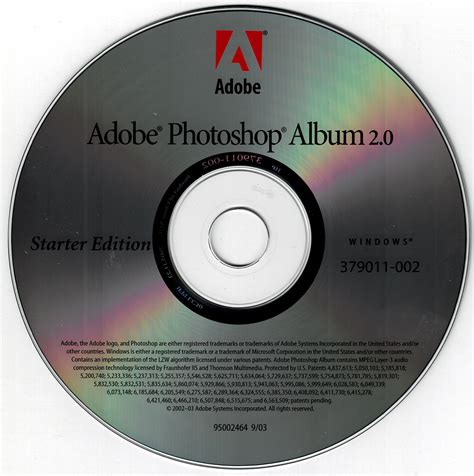
However, the reality of running such ancient software on contemporary hardware and operating systems presents significant challenges. As noted by experienced users and support forums, obtaining direct downloads for these older versions is generally not possible through official Adobe channels. Furthermore, even if a download were somehow secured, the licensing agreements of that era often tied the software to specific operating system versions and hardware configurations. Adobe's software licensing and distribution models have undergone substantial changes, particularly with the transition to the subscription-based Creative Cloud. Consequently, a license for Photoshop 5.0 or 6.0 is unlikely to be transferable or functional on a significantly newer operating system like OS X 10.6.8, let alone on a machine designed for much more recent software. The statement that "your Mac is FAR TOO NEW to ever run those old versions of Photoshop" highlights a critical incompatibility; operating system updates frequently deprecate support for older applications, making them unrunnable.
The Genesis of an Icon: From Display to Photoshop 1.0
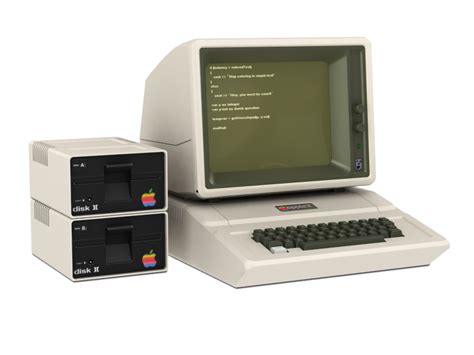
The story of Adobe Photoshop begins not with a grand vision for a professional editing suite, but with a humble subroutine. In 1987, Thomas Knoll, a Ph.D. student at the University of Michigan, was working on a program for his father's Apple II Plus. This program, initially named "Display," was designed to translate monochromatic images into grayscale for display on a monochrome monitor. Thomas's brother, John Knoll, an employee at Industrial Light & Magic, recognized the potential of this rudimentary program. He suggested that Thomas expand it into a full-fledged image editing application.
This collaboration led to a significant development phase. Thomas took a six-month break from his studies in 1988 to work with his brother on the program. During this period, John demonstrated the software to engineers at Apple Computer and Russell Brown, Adobe's art director. These demonstrations proved successful, and in September 1988, Adobe decided to purchase the license to distribute the software. While John focused on plug-ins in California, Thomas continued coding in Ann Arbor.
The first commercial version, Photoshop 0.87 (codenamed "Seurat"), was sold as "Barneyscan XP." Before this, Photoshop 0.63 was used for alpha testing by its creators in October 1988. In March 1989, the second version was created, marking the first commercial distribution through a partnership with the scanner company Barneyscan, which purchased 200 copies.
Finally, on February 19, 1990, Adobe released Adobe Photoshop 1.0 exclusively for the Macintosh. This marked the official public debut of the software as a standalone product. The initial release was a significant achievement, offering capabilities that were revolutionary for the time. Early versions of Photoshop were instrumental in democratizing digital retouching, which previously required expensive, dedicated high-end systems costing around $300 per hour.
The Evolution of Features: A Timeline of Innovation
From its initial release, Photoshop has consistently pushed the boundaries of digital imaging, introducing features that have become industry standards. Each version has built upon the foundation of its predecessors, addressing user feedback and incorporating new technological advancements.
Early Innovations: Photoshop 2.0 to 3.0
Photoshop 2.0, released in June 1991, introduced the crucial "Paths" feature. This allowed users to precisely outline objects and save these paths for future use, greatly enhancing selection accuracy. It also added support for CMYK color, essential for professional printing, and introduced EPS rasterization.
Photoshop 2.5, released in 1992, was a landmark version as it was the first to be available for both Mac and Windows operating systems. This cross-platform compatibility was a significant step towards broader adoption. The Windows version initially had a memory bug, which was later addressed with the 2.5.1 patch.
The release of Photoshop 3.0 in September 1994 (Mac) and November 1994 (Windows) was revolutionary due to the introduction of layers. This feature, spearheaded by Thomas Knoll, fundamentally changed image editing. Layers allowed users to work on different elements of an image independently, stacking them to create complex compositions. This eliminated the need to save multiple versions of a design as separate files, streamlining the workflow immensely. Photoshop 3.0 also ensured that the Windows version was on par with the Mac version in terms of functionality. The introduction of "Actions" in this version enabled users to record and automate sequences of commands, a powerful tool for repetitive tasks. "Adjustment Layers" also appeared, offering non-destructive ways to apply color and tonal adjustments to groups of layers.
Photoshop Hidden Gem: The History Log | Adobe Photoshop
Refinement and Expansion: Photoshop 4.0 to 6.0
Photoshop 4.0, released in 1996, further unified the user interface with other Adobe products, making it more intuitive for existing Adobe users. The introduction of Adjustment Layers provided a more flexible and non-destructive approach to image manipulation.
Adobe Photoshop 5.0, released in May 1998, brought significant improvements. Editable Type was a major addition, allowing text to be modified without being rasterized immediately. The Multiple Undo feature, accessed via the History Palette, provided much-needed flexibility for correcting mistakes. Color Management was also introduced, ensuring more consistent color reproduction across different devices. The Magnetic Lasso tool debuted, simplifying the process of selecting complex areas.
Photoshop 5.5, released in 1999, was bundled with ImageReady, a dedicated web graphics editor. A key feature introduced was "Save for Web," a time-saving tool that optimized images specifically for online use. The Extract filter also made its first appearance in this version. The developers' codename for Photoshop 5.5 was 'Strange Cargo'.
Photoshop 6.0, released in 2000, introduced Vector Shapes, allowing users to create and manipulate vector graphics within Photoshop, which could then be converted to bitmaps. The "Liquify" filter became a popular tool for artistic distortion. Multi-Layer functions and Blending Options within layers offered greater control over how elements interacted, enhancing compositing capabilities.
The "CS" Era: Bridging to Modernity
The introduction of the Creative Suite (CS) branding in October 2002 marked a significant shift. Photoshop CS (version 8.0) brought improvements to the Slice Tool, new filters like Match Colour and Lens Blur, and the Counterfeit Deterrence System (CDS). A crucial enhancement was the ability to edit files larger than 2GB, a necessity with the increasing file sizes from digital cameras. The File Browser was also significantly improved.
Photoshop CS2 (2005) continued this trend with new features like the Red Eye Removal tool, the Vanishing Point tool for perspective editing, a Spot Healing Brush, Image Warp, and Smart Objects. The user interface saw a redesign, which initially caused some confusion among users. Adobe also introduced native support for Intel-based Macs and improved Windows Vista support.
Photoshop CS3 (2007) focused on performance and introduced graphic optimization for mobile devices. New tools like the Quick Select Tool and enhancements to existing ones like the Vanishing Point tool were included. The Clone Source palette was added, offering more control over the Clone Stamp tool. Notably, CS3 launched much faster than its predecessor.
Photoshop CS4 (2008) offered significant improvements in panning and zooming, making navigation smoother and faster. The user interface was further simplified with a tab-based system. New features included Content-Aware Scaling, Auto-blending of images, and Auto-alignment of Layers.
Photoshop CS5 (2010) introduced powerful tools such as Content-Aware Fill, Refine Edge, Mixer Brush, and Puppet Warp. Many of these additions were based on community requests, demonstrating Adobe's responsiveness to its user base. Improvements for photographers included Camera RAW grain control and Automatic Lens Correction. CS5 also saw the addition of a new materials library for 3D work and the "Shadow Catcher" tool.
Photoshop CS6 (2012) brought a completely redesigned user interface with a darker theme and a focus on enhanced performance. Automatic background saving was a major workflow improvement, allowing users to continue working while the software saved their projects in the background. New tools included a Content-aware patch, Tilt Shift, Skin tone and face detection, and an adaptive wide-angle filter. Paragraph and character styles were added, and Snap to Pixel improved vector tool accuracy. CS6 also included Camera RAW 7 compatibility and better video support.
The Creative Cloud Era: Subscription and Cloud Integration
The release of Photoshop CC (Creative Cloud) in June 2013 marked a paradigm shift from perpetual licenses to a subscription-based model. This move, while initially met with mixed reactions, allowed Adobe to provide continuous updates and new features more frequently.
Photoshop CC introduced features like Camera Shake Reduction for deblurring images affected by camera movement and an enhanced Smart Sharpen tool. Subsequent updates in the CC line brought further innovations:
- Photoshop CC 2014: Improvements to content-aware tools, new blur tools (Spin Blur, Path Blur), and a Focus Mask feature.
- Photoshop CC 2015: Integration of Adobe Stock, ability to have more than one layer style (e.g., multiple shadows), and the "Export As" feature.
- Photoshop CC 2017: A new template selector, tool search functionality, support for SVG OpenType fonts.
- Photoshop CC 2018 (v19): Overhauled brush organization system, brush stroke smoothing, Curvature Pen tool, and over 1000 new brushes.
- Photoshop CC 2019 (v20): Introduced the Frame Tool, multiple undo mode, auto-commitment, and live blend mode previews. Support for 32-bit Windows was dropped.
- Photoshop 2020 (v21): Enhanced Object Selection tool, new Properties panel, improved Transform Warp, animated GIF support, and one-click zoom to layer contents. The iPad version was also released.
- Photoshop 2021 (v22): Introduced Content Credentials (Beta) for tamper-evident editing information.
- Photoshop 2022 (v23): Final version with built-in support for basic Pantone colors (CMYK, Metallics, Solid) as Legacy Swatches.
- Photoshop 2023 (v24): Removed built-in support for Pantone colors.
- Photoshop 2024 (v25): Released in September 2023, continuing the evolution of AI-powered tools and features.
The latest iteration, Adobe Photoshop 2025 (version 26.0), released in late 2024, continues to push the envelope with advancements in AI tools, an upgraded Remove Tool, and new Generative Workspace features, promising to revolutionize image creation and editing.
Beyond the Official: Alternatives and Emulators
For users seeking to run older versions of Photoshop on modern systems, the landscape is complex. While direct downloads are unavailable, some users explore third-party software archives or emulation. However, this path is fraught with potential legal and security risks, and compatibility is never guaranteed.
A more viable approach for those needing specific legacy functionalities or exploring the history of Photoshop is to consider virtualization software like VMware or VirtualBox. These allow users to create a virtual machine running an older operating system (e.g., Windows XP or an older macOS version) on their current computer. Within this virtual environment, older Photoshop versions might be installable and functional, provided the user has legitimate copies of the software and its installers. This method, while technically demanding, offers a more controlled and potentially legal way to experience older software.
For users who simply admire the evolution of Photoshop or need basic editing capabilities without the need for specific legacy features, several excellent free alternatives exist:
- GIMP (GNU Image Manipulation Program): A powerful, open-source image editor that is widely considered the best free alternative to Photoshop. It offers a comprehensive set of tools for photo retouching, image composition, and image authoring.
- Photopea: A web-based photo editor that closely mimics the interface and functionality of Photoshop. It supports PSD files and offers a surprising range of advanced features, making it a strong contender for users who need Photoshop-like capabilities without installation.
- Canva: While not a direct Photoshop replacement, Canva is an excellent tool for creating graphics, posters, flyers, and social media content with a user-friendly interface.
- Adobe Express (formerly Adobe Spark): A free, all-in-one design app for photo and video editing, available on mobile and web. It's suitable for quick edits and creating visually appealing content.
- Photoshop Express: A simplified, free mobile app from Adobe offering basic photo editing capabilities for on-the-go use.
The journey from Photoshop 1.0 to the latest Creative Cloud versions is a testament to continuous innovation and adaptation. While the desire to run older versions is understandable, understanding the technical and licensing barriers is crucial. For most users, exploring the robust alternatives or embracing the ongoing advancements within the Creative Cloud ecosystem offers the most practical path forward in the dynamic world of digital imaging.