The allure of a dramatic downpour or a gentle, atmospheric drizzle can significantly elevate a photograph. However, the practicalities of capturing such scenes - the risk of damaging equipment, the inconvenience of inclement weather, and the potential for a less-than-ideal composition - often present formidable challenges for photographers. Fortunately, the digital darkroom, particularly Adobe Photoshop, offers a powerful and accessible solution: rain overlays. These digital assets, when applied thoughtfully, can transform ordinary images into evocative narratives of stormy moods and watery landscapes, allowing photographers to imbue their work with the drama of rain without ever stepping foot in it.
The Art of the Digital Downpour: Understanding Rain Overlays
Rain overlays are essentially pre-made digital textures or images designed to simulate the appearance of rain. They typically come in formats like PNG or PSD (Photoshop Document), offering varying degrees of transparency and complexity. The primary goal of a rain overlay is to add a realistic rain effect to photographs, enhancing their visual appeal and emotional impact. This can range from subtle, almost imperceptible moisture to a full-blown tempest, depending on the specific overlay and the photographer's artistic intent.
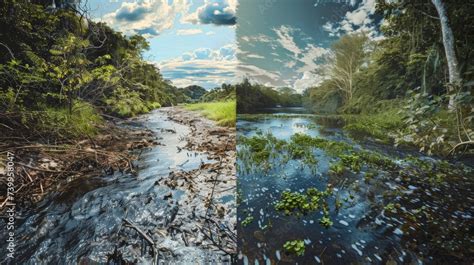
The effectiveness of a rain overlay lies in its ability to mimic the natural behavior of raindrops. This includes their shape, size, density, and how they interact with light. High-quality rain overlays are meticulously crafted to avoid the pitfalls of amateurish digital manipulation, such as unnatural-looking streaks or an overly uniform pattern that screams "fake." Instead, they aim for a nuanced representation that integrates seamlessly with the existing image, creating a believable and captivating scene. Whether you're looking to create a stormy mood in your photos or designs, a well-chosen rain overlay will come in handy.
Beyond the Downpour: Diverse Applications of Rain Overlays
While the most apparent application of rain overlays is to simulate rainfall, their utility extends beyond simply adding water droplets. They can be instrumental in various photographic scenarios:
- Enhancing Mood and Atmosphere: A touch of rain can instantly inject drama, melancholy, or a sense of isolation into an image. This is particularly effective for landscapes, cityscapes, or even portraits, where the rain can serve as a visual metaphor for internal emotional states. For landscape photographers who want to add a dramatic feel to their works, this is an invaluable tool.
- Improving Composition: Sometimes, a photograph's composition might be weakened by a dull or uninteresting background. A rain overlay can add visual interest and depth, drawing the viewer's eye and creating a more dynamic scene. This can also be an effective method to hide an unappealing background to your pictures.
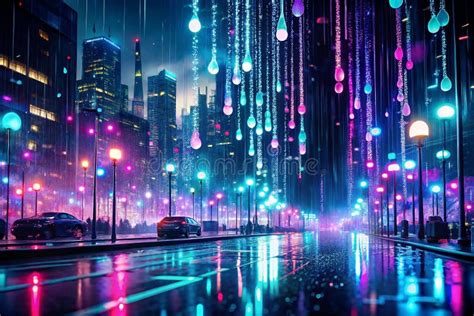
- Night Photography Enhancement: Rain overlays are especially well-suited for images taken late in the evening or at night. The way raindrops interact with artificial light sources, creating streaks and reflections, can add a magical and cinematic quality to night shots. This pack creates a rain effect for photographs in Adobe Photoshop, offering great results for night images.
- Artistic Expression: Beyond realism, rain overlays can be used for purely artistic purposes. They can add texture, visual noise, or a painterly effect, contributing to a unique and eye-catching aesthetic. This artistic rain filter Photoshop will add a certain charm and drama to your photos.
- Emulating Stormy Weather: For photographers who wish to emulate a stormy atmosphere in their pictures but cannot shoot during actual storms due to safety concerns or equipment limitations, rain overlays provide a safe and controlled way to achieve this effect. Shooting during the storm is rather dangerous, and this tool allows photographers to achieve the desired outcome without the risks.
Achieving Realism: Tips for Effective Rain Overlay Application
The key to a convincing rain effect lies in subtlety and integration. Simply dropping a rain overlay onto an image without careful consideration can result in a jarring and artificial appearance. Here's how to achieve a realistic rain manipulation effect, even if you lack extensive photoshopping skills:
- Choose the Right Overlay: Not all rain overlays are created equal. Look for high-quality, realistic textures that offer a variety of raindrop sizes, densities, and patterns. Some overlays are designed to mimic specific types of rain, from a light drizzle to a torrential downpour. Those looking for a quality rain overlay Photoshop should have a closer look at tools specifically designed for this purpose.
- Understand Blend Modes: Photoshop's blend modes are crucial for integrating the overlay with your base image. Modes like "Screen," "Lighten," or "Overlay" can help the rain appear as if it's actually falling on the scene, interacting with existing light and surfaces. Experiment with different blend modes to find what works best for your specific image.
- Adjust Opacity and Flow: Don't be afraid to overdo with Photoshop overlays. Instead, adjust the opacity and flow of the rain layer to control its intensity. A subtle effect is often more convincing than an overwhelming one. The goal is to enhance, not to overpower, the original photograph.
- Consider Perspective and Direction: Rain doesn't fall uniformly. Think about the direction of the wind and the perspective of your shot. You might need to rotate, scale, or even distort the overlay to match the scene. This ensures the rain looks like it belongs in the environment.
- Add Depth with Layering: For more complex rain effects, consider using multiple rain overlay layers. You can use one layer for larger, closer raindrops and another for finer, more distant ones. This adds a sense of depth and realism, making the rain feel three-dimensional.
- Integrate with Lighting: Pay attention to how the rain interacts with existing light sources in your photograph. Raindrops can create reflections, glints, and subtle refractions. You might need to adjust the brightness and contrast of the overlay, or even add subtle highlights, to make it blend seamlessly with the lighting conditions of your image.
- Masking and Refinement: Use layer masks to selectively apply the rain effect. You might want the rain to appear more heavily on certain surfaces, like windows or umbrellas, and less so on others. This allows for precise control and a more natural integration.
- Color Temperature Adjustment: Rain often makes colors appear colder and deeper. Consider using color balance or hue/saturation adjustments on the rain layer, or even on the entire image, to achieve a cooler, more dramatic tone. This will make colors in your photo colder and deeper.
How to Create Rain Video | Perfect for Faceless Youtube Channel
The Advantage of Pre-made Resources: Free Rain Overlays and Bundles
For those who are new to digital manipulation or are looking for an accessible way to enhance their photography, free rain overlays offer an excellent starting point. Many websites and creative communities provide free bundles of rain overlays, allowing users to experiment with different styles and effects without any financial commitment. These resources can be incredibly valuable for extending your toolset and discovering new creative possibilities.
When seeking out free rain overlays, prioritize those that are explicitly described as high-quality or realistic. While many options exist, few of them look truly realistic. A free rain overlay can be a great way to practice and learn the techniques of digital compositing. It's an opportunity to experiment and find what works for your style.
Beyond Rain: Exploring Other Textural Overlays
The concept of using overlays to enhance photographs extends far beyond just rain. The user's provided information hints at a broader world of digital textures that can dramatically alter the look and feel of an image. These can include:
- Smoke Overlays: Want to add a realistic smoke to your pictures? Smoke overlays can create atmospheric effects, add mystery, or even simulate fire or fog.
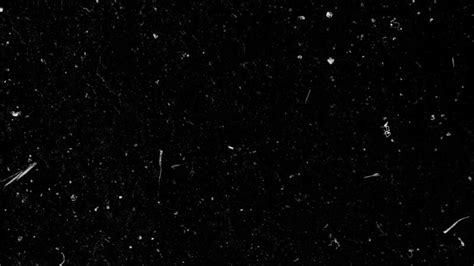
- Scratches and Distress Overlays: Adding interesting scratches to your shots can give them a unique and catchy look. Distressed overlays can impart a vintage, grunge, or aged aesthetic, perfect for creating a specific artistic style. This can add an unsurpassed shabby effect to your pictures.
- Star Overlays: Make your landscape images more exciting by adding tiny shining stars! These can transform a night sky or add a touch of magic to any scene.
- Dust Particle Overlays: Adding dust particles to the picture may result in an interesting effect, giving images a gritty, cinematic, or ethereal quality.
- Glass Overlays: Bring a gamma of feelings to your works just by applying this glass overlay! These can simulate the look of rain-streaked windows, frosted glass, or even abstract glass textures.
- Film Grain Overlays: Mimics the look and feel of a photo taken on an old film camera! Looking for a way to give your shots an organic film effect? These overlays add a classic analog texture, evoking nostalgia and a timeless quality.
These diverse overlays demonstrate the power of digital tools to not only correct or enhance but to fundamentally reimagine a photograph. They allow photographers to overcome the limitations of the real world and to manifest their artistic visions with unprecedented flexibility.
The Power of Photoshop Overlays for the Modern Photographer
In essence, Photoshop rain overlays, and indeed all digital overlays, represent a democratization of advanced photographic effects. They empower photographers of all skill levels to achieve professional-looking results, to overcome technical challenges, and to push the boundaries of their creativity. Whether you're a seasoned professional seeking to refine your work or a hobbyist looking to add a WOW effect to your images, the ability to create a rain effect in Photoshop, or to emulate a stormy atmosphere, is an invaluable skill.
The question of how to achieve a realistic rain manipulation effect without extensive photoshopping skills is increasingly answered by the availability of user-friendly overlays and tutorials. The accessibility of free rain overlays further lowers the barrier to entry, making these powerful tools available to everyone. By understanding the principles of light, texture, and integration, and by leveraging the vast array of digital resources available, photographers can transform their images, adding drama, mood, and a touch of the extraordinary. This tool gives an awesome effect you can expect from the best rain photo overlays, turning potentially disappointing weather-spoiled shots into masterpieces.