PhotoPrism, a powerful self-hosted photo management solution, has been continuously evolving to offer enhanced functionality and robust support for various file formats. Among these, the High Efficiency Image File Format (HEIC), commonly used by Apple devices, has presented a particular area of focus for the PhotoPrism development team. This article delves into the intricacies of HEIC support within PhotoPrism, exploring the challenges, solutions, and ongoing improvements that ensure a seamless experience for users managing their digital memories.
Understanding the HEIC Format and Its Challenges
HEIC is a modern image format designed to offer superior compression compared to JPEG, resulting in smaller file sizes while maintaining high image quality. This efficiency is particularly beneficial for mobile devices with limited storage. However, its adoption has not been without its hurdles, especially in the context of software compatibility.
Early on, users migrating their photo libraries, particularly from sources like Google Photos Takeout or direct device backups, encountered issues where HEIC files were not appearing in their PhotoPrism libraries. This often manifested as a significant portion of their collection being missing, sometimes amounting to thousands of photos. The core of the problem often stemmed from the way PhotoPrism, or the underlying libraries it relied upon, processed these files.
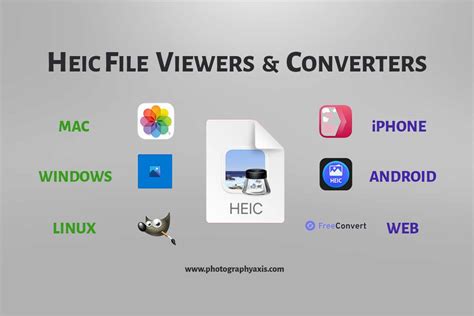
One user's experience highlighted this challenge: "Upon doing so (35k files and 15k pictures in photoprism with addition 5k heic photos) I do not see any .heic photos in the library. This is about 1/4 of the library missing." This sentiment was echoed by others who found that converting HEIC files to JPEG before importing into PhotoPrism would resolve the issue, albeit with the drawback of losing the original HEIC files and their potential benefits.
The underlying technical reasons for these initial difficulties often related to image rotation issues, where older iOS versions might not have correctly set the orientation metadata. This, in turn, could cause problems for the conversion tools used by PhotoPrism to process HEIC files into more universally compatible formats like JPEG. The heif-convert command, a common tool for this purpose, was identified as a potential source of these problems. An alternative approach suggested was to generate HEIC thumbnails directly with libvips rather than first converting HEIC to JPEG using heif-convert.
PhotoPrism's Commitment to HEIC Support and Improvements
PhotoPrism's development team has consistently worked to address these HEIC-related challenges, with several releases specifically focusing on improving compatibility and performance. Updates have included "improved HEIC file support for iOS 18 compatibility," indicating a proactive approach to keeping pace with evolving device standards.
To leverage these improvements, users are often advised to perform a full rescan or re-index of their library. This is crucial because the enhanced processing capabilities need to be applied to existing files to resolve any inconsistencies. For instance, commands like photoprism faces audit --fix and photoprism faces index were introduced to resolve inconsistencies in facial recognition, and similar re-indexing procedures are recommended for general file format support.
In cases where a complete reset of face detection is desired, commands such as photoprism faces reset -f followed by photoprism faces index allow users to start with a clean slate for facial recognition. While not directly related to HEIC, these examples illustrate the type of maintenance operations that can be beneficial for overall library health and feature adoption.
The introduction of libvips as an image processing library has also played a significant role. "In order to preserve ICC color profiles and reduce memory usage, new thumbnails will be generated with the libvips image processing library." This change is particularly beneficial for users working with color spaces other than sRGB, including professional photographers and Apple iPhone users who often benefit from accurate color representation. To regenerate existing thumbnails using libvips, users can run photoprism thumbs -f or delete the storage/cache/thumbnails folder and re-index their library. For those who wish to continue using the native image processing library, the option to set PHOTOPRISM_THUMB_LIBRARY to "imaging" in their configuration files remains available.
Advanced Features and AI Integration
Beyond basic file support, PhotoPrism has integrated advanced AI capabilities that further enhance the user experience, and these often work in conjunction with improved file handling. The platform now supports multiple AI engines, including direct integration with Ollama and OpenAI, for generating captions and labels. This means that the improved processing of image files, including HEIC, directly benefits the accuracy and richness of AI-generated metadata.
The "AI side, an upgraded face recognition pipeline delivers more and better matches." This advancement, coupled with the ability to re-detect all faces, allows for a more comprehensive and accurate cataloging of individuals within a photo collection. For users migrating from services like Google Photos, where AI-powered facial recognition was a key feature, PhotoPrism's advancements aim to provide a comparable, if not superior, self-hosted alternative.
configure HTTPS for photoprism
The introduction of a "Batch Edit dialog, which allows you to edit the metadata of multiple pictures in one go" further streamlines the management of large libraries. This is particularly useful when dealing with batches of files that may have consistent metadata needs, such as those newly imported or requiring specific tagging.
User Interface and Usability Enhancements
PhotoPrism's user interface has also seen significant overhauls, with a focus on usability and discoverability. A "hybrid photo and video viewer that replaces the dedicated video player" offers a more unified browsing experience. The "redesigned edit dialog" is noted for being more responsive and easier to use, contributing to a smoother workflow for all users, regardless of the file formats they are managing.
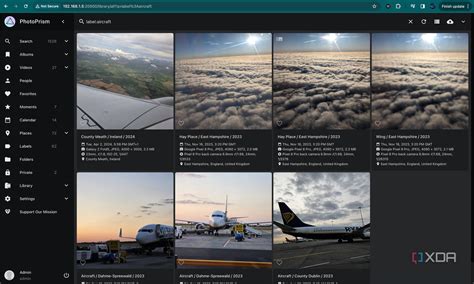
The "Places" view has been redesigned, featuring a "new high-resolution vector world map" and a "special terrain mode" that allows for 3D viewing of maps. This immersive experience enhances the ability to explore photos based on their geographical location, a feature that relies on accurate GPS metadata, which is also subject to improvements in file handling.
Customization options have also been expanded, particularly for users employing custom themes. These updates allow for greater control over the visual presentation of the library, including specifying icons, adding or updating themes, and configuring site-specific elements like the login footer text and favicon.
Security, Stability, and Future-Proofing
Each release of PhotoPrism emphasizes "security hardening, interoperability improvements, and bug fixes to create a stable platform for upcoming features." This commitment ensures that as new technologies and file formats emerge, PhotoPrism remains a reliable and secure choice for photo management.
The platform's support for a wide array of formats, including "JPEG, PNG, GIF, BMP, HEIF, HEIC, MP4, MOV, WebP, and WebM," along with a goal to "provide top-notch support for all RAW images," underscores its ambition to be a comprehensive solution for diverse digital media collections.
For users concerned about data integrity, the introduction of a scheduler for "database backups and re-index the library at regular intervals" provides peace of mind. With default settings creating daily backups and retaining a specified number of files, users can configure these options to suit their needs, ensuring that their precious memories are safe.
Conclusion: Embracing HEIC with Confidence
PhotoPrism's journey with HEIC support reflects a broader trend in digital media management: the need to adapt to evolving file formats and leverage advanced technologies for a richer user experience. Through continuous updates, the integration of powerful libraries like libvips, and a commitment to AI-driven enhancements, PhotoPrism is solidifying its position as a leading self-hosted photo management solution. For users who have encountered issues with HEIC files in the past, the ongoing development and specific recommendations for library re-indexing offer a clear path forward to a fully functional and robust photo library. The platform's dedication to transparency, as evidenced by its self-funded and independent nature with a public project roadmap, further builds confidence for users entrusting their digital memories to PhotoPrism.
tags: #photoprism #heic #support