In the era of ubiquitous digital photography, where capturing hundreds, even thousands, of images in a single session has become commonplace, the need for robust photo management and editing software is paramount. While Adobe's Lightroom holds a significant portion of this market, other contenders are vying for a share. One such competitor is DxO Image Science with its offering, DxO Optics Pro. This article delves into the functionalities and advantages of DxO Optics Pro, exploring how it stacks up against established players and examining its unique approach to image enhancement.

The Foundation: Photo Management and Organization
The journey of a digital photograph begins with capture and immediately transitions to the crucial stages of storage and organization. DxO Optics Pro, like many photo management solutions, aims to streamline this process. The software is broadly divided into three core sections: Organize, Customize, and Process, each catering to a distinct phase of the photographic workflow.
Within the "Organize" section, users can navigate their image library. The software offers a traditional file system/folder view, allowing for familiar browsing of images stored on a computer. For those who prefer a more curated approach, DxO Optics Pro enables the creation of individual projects. This feature allows photographers to group specific sets of images together, facilitating a more organized and project-centric workflow. As users sift through their collections, a star rating system, ranging from 1 to 5, is available for quick assessment and prioritization of images.
However, the "Organize" section, while functional, presents certain limitations. A notable absence is a dedicated import feature, meaning users must manage the transfer of new images into their library outside of the software. Furthermore, the inability to add keywords to images significantly hampers the ability to conduct efficient searches for older or specific photographs, a critical aspect of comprehensive photo management. A particularly frustrating issue encountered by users is the speed at which full-resolution images are displayed when rapidly culling through a large set of photos. The loading time for high-resolution previews can extend by several seconds after an initial low-resolution display, a delay that accumulates considerably when processing hundreds or thousands of images. This can create a bottleneck in the workflow, impacting the efficiency of selecting the best shots.

The Heart of the Matter: Image Customization and Editing
The "Customize" section is where DxO Optics Pro truly aims to distinguish itself, offering a powerful suite of tools for image editing and RAW file conversion. A cornerstone of its approach is the automatic application of "DxO Defaults." This is not a one-size-fits-all preset; rather, the DxO Default intelligently adjusts itself based on the specific camera and lens module applied to an image. This intelligent automation is where much of the software's "magic" lies.
The process begins with the automatic recognition of the camera and lens combination used to capture an image. For a vast array of lens and camera pairings, DxO Optics Pro can detect specific optical aberrations such as distortion, vignetting, and color fringing. The software then prompts the user to download a corresponding "module" for that particular combination. These modules are regularly updated, ensuring that the software remains current with new equipment. Once a module is applied, the "DxO Default" preset leverages the information within that module to apply tailored adjustments. This means that the initial adjustments, while automatic, are already optimized for the characteristics of the specific lens and camera used.
For users who prefer a more hands-on approach, DxO Optics Pro provides manual control over a wide array of settings. The "Customize" section offers two distinct layouts: "First Steps" and "Advanced User." The "First Steps" layout presents a user-friendly interface with essential adjustments, including white balance, exposure compensation, contrast, saturation, noise reduction, and corrections for distortion, vignetting, and chromatic aberration. It also includes lens softness correction and some HDR options. For many everyday editing tasks, the controls within "First Steps" are considered sufficient.
However, the user experience within the "Customize" section is not without its drawbacks. A significant point of contention is that many changes are not displayed live. Instead, the image often needs to be reloaded after each tweak. For instance, adjusting the exposure slider will not show the immediate visual result. Only after releasing the slider does a low-resolution preview appear, followed by a loading bar that indicates the time required to render a higher-resolution preview with the applied change. This iterative process of adjustment, preview, and reload can slow down the editing workflow, especially for extensive edits.
Bringing it all Together: Processing and Exporting Images
The "Process" section of DxO Optics Pro is dedicated to exporting edited images into various usable file formats. Here, users can select their desired output, such as JPEG, TIFF, or DNG. The software allows for granular control over export settings, including specifying the destination folder for exported files, adding suffixes to file names, choosing the DPI (dots per inch), resizing the image, and applying specific ICC profiles for color management.
The export process is designed for efficiency. Users can define a set of export parameters and then simply drag and drop the images they wish to process into the designated processing window. The software then automatically handles the export and application of the chosen settings to all selected images.
A key characteristic of DxO Optics Pro is its non-destructive editing approach. This means that all customization changes made to an image are applied only during the export process. The original RAW file remains untouched, preserving its integrity and allowing for future revisions or alternative edits. The default export options include standard formats like JPEG and TIFF (both 8-bit and 16-bit), as well as DNG. The software also offers more specialized export options tailored to common professional workflows.
Despite the robust export capabilities, users have noted that the export speed can sometimes be slower than anticipated, particularly when processing large batches of high-resolution images.
DxO Photolab 6 Photo Editing Workflow Tutorial for Beginners ep.451
DxO Optics Pro vs. The Competition: A Comparative Look
DxO Optics Pro positions itself as a strong alternative to Adobe Lightroom, offering a comprehensive solution for photo management, RAW file conversion, and image editing. The software excels in its automatic correction capabilities, particularly with its camera and lens modules. The intelligent application of these modules, which automatically address optical imperfections, is a significant benefit for photographers seeking to achieve technically sound images with minimal manual intervention. The "DxO Default" preset, which adapts its adjustments based on these modules, is a testament to the software's intelligent design in applying foundational edits.
However, the photo management aspect of DxO Optics Pro is where it falls notably short compared to Lightroom. The lack of an import function and the absence of keyword support make it less effective for photographers with extensive image libraries who rely on robust cataloging and search functionalities. The speed issues encountered during image culling and preview loading in the "Organize" section further detract from its appeal as a primary management tool for high-volume shooters.
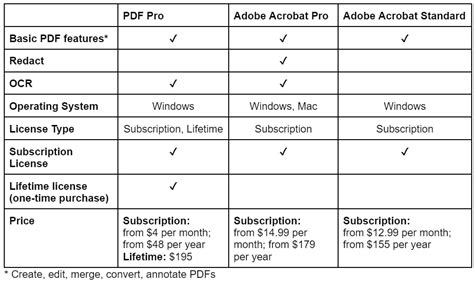
When considering the cost, DxO Optics Pro presents a mixed picture. The "Elite Edition" is officially priced at $299, while the "Standard Edition" is $169. The primary distinction between the two lies in the number of camera and lens modules included; the Elite Edition is necessary for certain high-end camera bodies like the 5DmkII mentioned in testing. However, competitive pricing from retailers like Amazon can bring these editions down to $185 and $87, respectively. In comparison, Adobe Lightroom is available for $150. This pricing structure, especially for the Elite Edition, positions DxO Optics Pro as a premium offering, making its perceived value dependent on the user's specific needs and reliance on its advanced correction technologies.
Understanding the Nuances: DxO Optics Pro's Strengths and Weaknesses
DxO Optics Pro's core strength lies in its unparalleled lens and camera body corrections. The proprietary modules developed by DxO are highly regarded for their ability to automatically correct a wide range of optical aberrations with remarkable precision. This feature is particularly valuable for photographers who shoot with a variety of lenses and cameras and want to ensure that their images are technically pristine from the outset. The software's ability to intelligently apply these corrections as a starting point for edits saves significant time and effort in post-processing, especially for common issues like distortion and chromatic aberration.
The "Customize" section, while sometimes criticized for its preview rendering speed, offers a powerful set of tools. The "First Steps" interface provides an accessible entry point for users new to the software or those who prefer a streamlined editing experience. The inclusion of advanced noise reduction algorithms and sophisticated sharpening tools further enhances its editing capabilities. The integration of HDR options within the basic adjustments also adds to its versatility.
From a logical standpoint, the separation of Organize, Customize, and Process sections creates a structured workflow. This modular design allows users to focus on specific tasks without being overwhelmed by the full spectrum of features at once. The non-destructive editing paradigm is a universally beneficial aspect of modern photo editing software, and DxO Optics Pro adheres to this principle, ensuring that original files are always preserved.
However, the comprehensibility of DxO Optics Pro for a wide audience can be a challenge. While the "First Steps" layout aims for simplicity, the underlying complexity of the lens correction modules and advanced editing tools might require a steeper learning curve for novice photographers. The lack of a more intuitive import and cataloging system also means that users accustomed to the all-in-one approach of Lightroom may find the organizational aspects of DxO Optics Pro to be a significant departure.
Critically examining the software, one can see that while DxO Optics Pro excels in the technical correction of images, its prowess in general photo management is less developed. The speed issues in the "Organize" section, though potentially solvable with software updates, represent a significant hurdle for users who prioritize rapid culling and organization. The reliance on external tools for initial image import further fragments the workflow.
Thinking laterally, it's possible to envision a future where DxO Optics Pro integrates more seamlessly with cloud-based storage solutions or develops a more robust cataloging system. The current architecture, while effective for its core editing functions, could benefit from enhanced metadata management and search capabilities to truly compete with the established leaders in the broader photo management space. The second-order implication of a slow organization phase is a potential bottleneck that could negate the time saved in the editing phase, especially for professionals.
The credibility of DxO Optics Pro is largely built upon its reputation for optical correction technology. The modules are developed through rigorous scientific measurement of camera and lens performance, lending significant weight to their accuracy. This scientific foundation is a strong selling point and a key differentiator.
To avoid clichés, it's important to recognize that while "magic" is often used to describe advanced software features, DxO's automated corrections are the result of meticulous engineering and data, not simply an intangible enchantment. The "hidden gem" aspect, while appealing, is tempered by the software's specific strengths and weaknesses, which must be weighed against individual user needs and existing workflows.
The question of whether DxO Optics Pro is the "big boy on the block" is debatable. It certainly offers a unique and powerful set of tools, particularly for optical corrections. However, its limitations in photo management mean it may not entirely replace a comprehensive solution like Lightroom for all users. Instead, it might serve as a powerful complementary tool for photographers who prioritize technical image quality and sophisticated lens correction. The third-order implication of adopting DxO Optics Pro could be a workflow that involves using it for its specialized corrections and then exporting to a more robust management system, or vice-versa, depending on the user's priorities.
The software's ability to handle RAW files is a critical feature for professional photographers, offering maximum flexibility in post-processing. The non-destructive nature of its edits ensures that the original data is preserved, which is a non-negotiable requirement for many in the industry. The export options are comprehensive, catering to a variety of output needs, from web-ready JPEGs to high-quality TIFFs for print.
Ultimately, DxO Optics Pro is a specialized tool that excels in specific areas. Its value proposition is strongest for photographers who demand the highest level of optical correction and are willing to work within its organizational framework or integrate it into a broader workflow. The ongoing development and updates to its modules suggest a commitment from DxO Image Science to maintain its edge in this niche, making it a compelling option for those whose photographic priorities align with its strengths.