Advertising, an omnipresent force in our contemporary world, wields significant power in shaping cultural narratives and perceptions. From towering billboards to glowing digital screens, our daily commutes are saturated with images of celebrities and models, meticulously presented to promote an array of products and services. While the glossy perfection often displayed in magazine ads and covers can lead to self-doubt and comparisons, the underlying reality is frequently one of digital manipulation. The pervasive use of software like Adobe Photoshop has revolutionized the advertising industry, offering unparalleled tools for image enhancement, creation, and modification. This transformative technology, while enabling incredible creative possibilities, also raises critical questions about authenticity, body image, and the ethical responsibilities of advertisers.
The Unseen Hand of Digital Enhancement
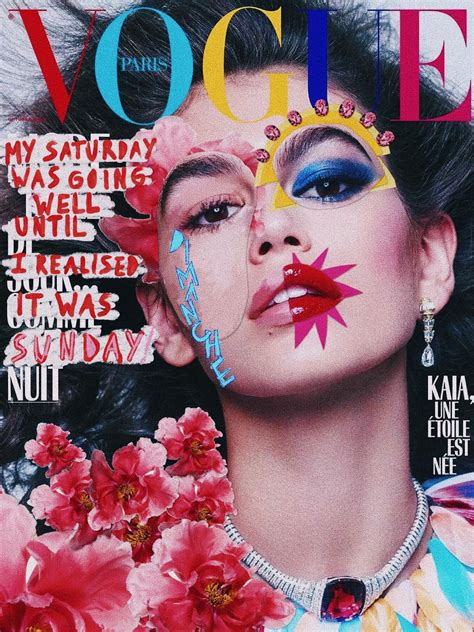
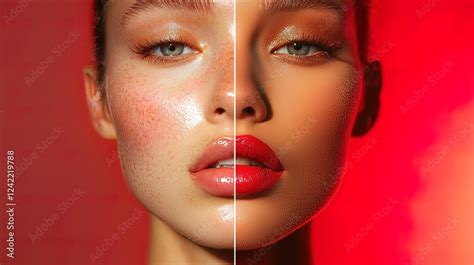
The desire for flawlessness in advertising is a well-established phenomenon. Whether it involves subtle airbrushing to smooth skin, zap blemishes, or enhance eye color, or more aggressive alterations like reshaping bodies and altering facial features to achieve a doll-like aesthetic, digital retouching is rampant. Magazines often justify these doctored shots by claiming an air of exclusivity or originality. However, the artifice is not always undetectable, and increasingly, celebrities themselves are speaking out against the exaggerated alterations.
Even individuals celebrated for their natural beauty are not immune. Take the case of Faith Hill; while seemingly naturally gorgeous, a closer look at a particular magazine cover shoot reveals significant retouching. The size and length of her left arm in a comparison photo are noticeably altered, appearing unnaturally thin in the final published image. The area under her eyes is also significantly lightened. This practice highlights a broader trend: even those considered paragons of beauty undergo substantial digital touch-ups. To underscore the extent of retouching involved in creating advertisements, Dove famously produced a time-lapse video demonstrating the transformation of a model through makeup and extensive digital manipulation for their "Dove Real Beauty Workshops for Girls."
Dove Real Beauty Sketches You’re more beautiful than you think 6mins
The impact of such pervasive digital alteration extends beyond mere aesthetics. It sets unrealistic beauty standards, contributing to societal pressures and potential self-esteem issues. The CBS Watch! magazine incident involving anchorette Katie Couric is a notable example. A photo used for her pre-promotion in May 2006 was significantly altered when it reappeared in the September issue of CBS's Watch! magazine, distributed to a wide audience. Similarly, Julia Roberts' appearance on a Redbook cover sparked controversy. Her head was sourced from a paparazzi shot from the 2002 People's Choice Awards, while her body was taken from a different event four years prior. The publisher admitted to combining two different shots to create a more impactful cover, acknowledging they "may have gone too far."
Photoshop: The Industry Standard
Since its public launch in 1990, Adobe Photoshop has evolved from a niche Macintosh application into the undisputed industry standard for graphics editing. Its name has become synonymous with digital image manipulation, often used as a verb - "to photoshop a picture." The Adobe Creative Suite, including Photoshop, is utilized by a vast spectrum of users, from novice enthusiasts to seasoned professionals, for creating images, graphics, and even 3D artwork.
The genesis of Photoshop traces back to 1988, with brothers Thomas and John Knoll. Today, it stands as an all-in-one graphic design powerhouse, offering a comprehensive suite of tools. These include content-aware fills for seamless object removal or color changes, sophisticated retouching and remixing tools for photography enhancement, an extensive library of brushes for digital artistry and calligraphy, and intuitive selection and shape tools. Collaborative functions further enable teams to share and work on designs together.
Clinton Gorham, founder of The Gorham Agency, emphasizes Photoshop's pioneering role, stating, "For a lot of us, [Photoshop] was the design world." He recalls that during his design education in 2007, it was the sole software mentioned by instructors, fostering an entire generation of creatives deeply proficient in its use. This shared "creative language" ensures compatibility and seamless collaboration across freelance, team, and contract roles.
The accessibility and continuous evolution of Photoshop are further bolstered by Adobe's subscription model. With over 37 million paid subscribers globally for Adobe Creative Cloud, the $19.99 monthly individual plan provides access to desktop, iPad, and web versions of Photoshop, alongside Lightroom and 1TB of cloud storage. Brittany Chase, senior project manager at HFA Architecture + Engineering, notes that this model "ensures users always have access to the latest features, updates and even beta tools, making it easier to stay at the forefront of innovation."
Photoshop's Multifaceted Role in Business and Advertising
The utility of Photoshop in the business and advertising landscape is vast, extending far beyond simple image correction. Jeroen Bours, founder and CEO of darling advertising and design, highlights its evolution: "[Photoshop’s] roots lie in retouching, editing and comprehensive image management, but the program has grown to enable creating art from scratch as well."
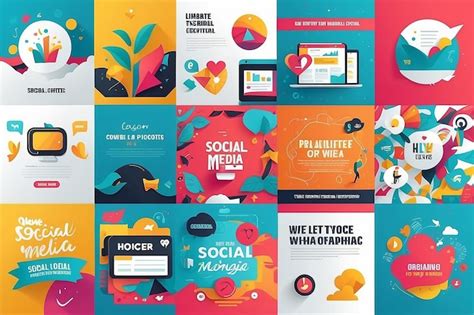
Social Media Graphics: Businesses leverage Photoshop to craft visually compelling graphics and animated GIFs for their social media campaigns. The software's customizable canvas sizes and straightforward export options facilitate the conversion of artwork into formats suitable for various social platforms. Users can create graphics from existing photos or start from a blank canvas, employing shapes, brushes, and pens to bring their visions to life.
Video Editing: While not a dedicated video editing suite like Adobe Premiere Pro, Photoshop offers robust capabilities for basic video production and animation. It allows for the editing of video and animation layers, the creation of frame animations, the generation of images for video sequences, adjustments to audio tracks, the application of video transitions, and the use of filters on video layers. Edited videos can be exported in formats such as Digital Picture Exchange (DPX), H.264 (MPEG-4), and QuickTime (MOV).
Marketing Materials: With a consistent set of brand colors and fonts, designers can ensure stylistic coherence across diverse projects. Even novice users can create flyers, postcards, brochures, web pages, signage, and business cards by utilizing basic Photoshop skills or leveraging templates and presets. The software empowers companies to design web graphics, retouch photography, customize videos, and produce marketing materials that maintain a unified brand identity.
The Advantages of Employing Photoshop
The benefits of integrating Photoshop into a business workflow are numerous, regardless of industry:
- Complete Creative Control: Photoshop grants users the power to generate photos, graphics, and other visual assets precisely tailored to their brand's unique requirements. Style presets facilitate the creation of consistent brand assets, and the software's collaborative features ensure accessibility for all team members.
- Versatility of File Types: While PSD remains the master file format, Photoshop supports and can export a wide array of image formats (JPEG, TIFF, WebP, PNG), video formats (GIF, MOV, DPX, MPEG-4), and document formats (PDF), ensuring compatibility across different applications and platforms.
- Fast Editing Process: Photoshop provides an efficient environment for image editing. Preset filters, brushes, and layers significantly expedite the retouching process, offering beginner-friendly tools that streamline workflows as users' skill levels advance.
- Abundant Resources: A wealth of tutorials and learning resources are available, catering to both formal educational settings and informal self-study. This extensive support ecosystem empowers designers to master the software and its ever-expanding capabilities.
Adobe consistently integrates new technologies, not to replace creatives, but to enhance their capabilities. As Brittany Chase points out, "Rather than handing over control to AI, Photoshop keeps the artist at the center, offering tools that refine and enhance the creative process."
Key features contributing to its power include:
- Refine Hair: Simplifies the intricate task of editing hair in photographs.
- Generative Expand: Enables users to extend image dimensions beyond their original boundaries.
- Generative Fill: Allows for the addition of new content to an image based on user prompts and selections, generating elements from scratch.
- Match Font: Identifies fonts within an image and suggests similar options, aiding in design consistency.
- Preserve Details 2.0: Maintains image quality when resizing, crucial for maintaining clarity.
- Curvature Pen: Streamlines the creation of smooth, editable curves for precise drawing.
Adobe continues to innovate, with features like the updated Actions panel (in beta as of May 2025) capable of interpreting natural language commands for edits and offering tailored suggestions. Reilly Newman, brand strategist and founder of Motif Brands, advises continuous learning: "It’s like playing guitar: You never ‘finish’ learning; you just continue to refine how you use it and learn new ways to play it."
Navigating the Landscape of Alternatives
While Photoshop reigns supreme, several viable alternatives cater to different user needs and budgets:
- Affinity Photo: Often considered the closest professional alternative, Affinity Photo offers a one-time purchase price, a significant advantage over Photoshop's subscription model. It provides many similar tools and is available for Mac and Windows, with a dedicated iPad version.
- Canva: Designed with non-design professionals in mind, Canva features a drag-and-drop interface, pre-designed templates, and AI-powered tools. Katria Farmer, co-founder and creative director at Little Dipper Interactive, recommends it for its ease of use: "For them, I recommend Canva. It’s an easy, visual point-and-click service that’s cheaper and also gives them easy-to-use templates."
- ChatGPT: While primarily a language model, ChatGPT, particularly with its 4o model, can now generate images directly from text prompts. It's adept at creating diverse visuals from realistic interpretations to stylized illustrations. However, user control for fine-tuning is limited, with the output heavily reliant on the AI's interpretation.
- GIMP (GNU Image Manipulation Program): A free, open-source competitor, GIMP offers a range of features comparable to Photoshop, including painting, color correction, selection tools, and multi-file format support. It is available for Linux, Windows, and Mac. While continuously improved, users might encounter performance lags and a steeper learning curve.
- Midjourney: This subscription-based generative AI tool transforms text descriptions into images rapidly. Accessible via a web browser, it eliminates the need for additional hardware or software and offers a generous daily image generation limit for both personal and commercial use.
- Procreate: Widely regarded as the top Photoshop alternative for iPads, Procreate is lauded for its affordability and intuitive interface, making it ideal for digital painting on the go. However, it is exclusive to iOS and lacks the full breadth of Photoshop's functionalities.
- Sketch: A vector graphics application specifically designed for UI/UX design, Sketch offers features like infinite zoom, layers, gradients, and style presets through community-created plugins.
The Ethical Tightrope: Photoshop, Advertising, and Body Image
The pervasive use of Photoshop in advertising has ignited a crucial debate surrounding body image and authenticity. Constantly bombarded with idealized and often unattainable portrayals of beauty, individuals, particularly young people, can develop feelings of inadequacy and insecurity. Physicians are actively studying the correlation between digitally distorted advertising images and eating disorders. The American Medical Association has voiced its opposition to image manipulation in advertising, and studies indicate that a significant portion of teen girls report negative self-perception after using image-centric platforms like Instagram.
Several countries have begun to address this issue. In the United Kingdom, a bill was introduced proposing a logo disclaimer for retouched images in advertising, aiming to mitigate the harmful effects on mental health and self-esteem. France and Norway have implemented legal provisions requiring disclosure when advertising images or videos have been digitally retouched. The French Advertising Regulatory Authority (ARPP) has established guidelines to prevent misleading consumers about product efficacy through digital enhancement.
The core of the ethical dilemma lies in deceptive advertising. According to the Unfair Competition Act, any advertising that misleads recipients and influences their economic behavior is unlawful. While digital tools can enhance imagery and brand presentation, they must not distort product characteristics or create false impressions of efficacy. In Spain, for instance, while no specific law mandates disclosure of retouching, the Self-Regulation Code of AUTOCONTROL, developed with the cosmetics sector, stipulates that digital techniques should not render models' silhouettes or characteristics unrealistic or deceptive concerning the product's actual efficacy. Crucially, Spanish jurisprudence places the burden of proving the truthfulness and accuracy of advertising information on advertisers.
The implications extend beyond cosmetics. There are indications that digitally enhancing food advertisements to appear more appealing could also be classified as deceptive advertising. This suggests a growing recognition of the need for transparency and honesty in visual communication, acknowledging that what we see profoundly influences our perceptions and decisions.
Photoshop as a Tool for Market Research and Brand Identity
Beyond its role in direct advertising, Photoshop serves as an invaluable tool for market research and the cultivation of brand identity. Understanding how customers perceive proposed changes or new concepts is vital for businesses. Photoshop enables the creation of realistic mock-ups of advertising campaigns, packaging, or marketing innovations, allowing for early feedback gathering before significant investment. For instance, a mock-up of a billboard advertisement can be generated and placed onto an image of an actual billboard, providing a tangible representation for consumer testing.
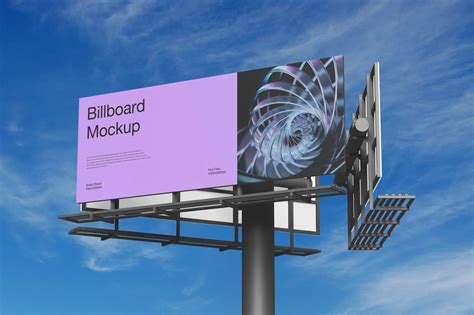
This ability to visualize multiple concepts quickly and cost-effectively is particularly useful in qualitative market research. It allows businesses to explore variations in headlines, font styles, color palettes, and composition, helping to identify what resonates most with the target audience and understand the "why" behind consumer preferences.
Photoshop also plays a critical role in establishing and maintaining a consistent brand identity. By ensuring that hero images-whether of products, advertising, or people behind the brand-appear consistently across all platforms, businesses reinforce brand recognition. Techniques like sharpening edges, adjusting shadows and highlights, and fine-tuning hue, saturation, and brightness ensure that brand visuals are impactful and visually cohesive.
The Von Restorff effect, a psychological principle where distinct items capture attention, is relevant here. In a crowded advertising landscape, where consumers are exposed to thousands of ads daily, distinctive visuals are essential for standing out. Photoshop's capabilities allow marketers to create advertising visuals that are unique and differentiated from competitors, helping brands capture conscious attention amidst the sensory overload. For example, a brand might use Photoshop to alter the color palette of an image, add unique visual effects, or isolate a product to make it more prominent, thereby increasing its distinctiveness.
Enhancing the Digital Marketing Ecosystem
Photoshop's utility extends to optimizing images for digital marketing channels, including websites and social media. The need to crop, resize, and adjust images to fit specific dimensions and resolutions across various platforms is a constant challenge. Photoshop's intuitive tools make it easy to ensure visual consistency and aesthetic appeal on websites, where aligned images create a clearer and more engaging layout.
For social media, where platform dimensions frequently change, Photoshop's standardized dimension templates and flexible editing tools are indispensable. Beyond simple resizing, it allows for the addition of text, effects, and creative manipulations that transform photographs into shareable, attention-grabbing content. The ability to quickly color-correct or add stylized elements can significantly enhance the impact of social media posts.
In the realm of e-commerce, where visual representation is paramount, Photoshop is a cornerstone. High-quality product photos are crucial for driving online sales, especially since customers cannot physically interact with products. Photoshop is used to create mock-ups for print-on-demand services, place designs onto product templates (like t-shirts or mugs), and manipulate backgrounds to create lifestyle imagery that enhances brand perception. The software's color correction and retouching tools ensure that product images are vibrant, accurately represent the item, and are compatible with various online platforms.
The Future of Visuals in Advertising
The evolution of Photoshop, with its increasing integration of AI-powered features like Generative Fill and Generative Expand, signals a new era in image creation and manipulation. While these tools offer unprecedented creative freedom and efficiency, they also amplify the ongoing dialogue about authenticity and ethical representation in advertising. As technology advances, the responsibility rests with advertisers and creators to wield these powerful tools judiciously, ensuring that the pursuit of visual perfection does not come at the cost of genuine connection and realistic representation. The ongoing debate and legislative actions in various countries underscore the growing awareness of the profound impact of manipulated imagery on individuals and society, pushing the advertising industry toward greater transparency and accountability.
tags: #photoshop #and #advertising