Photoshop, a name so synonymous with digital image manipulation that it has transcended its software origins to become a verb, has long held an almost unquestioned dominion over the photography and graphic arts industries. Introduced in 1990, this groundbreaking software revolutionized how images were edited and designs conceived. However, in the ever-evolving digital art sphere, the industry-standard editor is far from the only viable option. With Adobe’s increasing subscription costs, a growing number of artists and designers are actively seeking powerful and more accessible Photoshop alternatives.
For nearly two decades, Photoshop was the go-to for professionals and enthusiasts alike, largely due to its unparalleled ability to both edit photos and craft intricate designs from the ground up. Yet, as the market has matured and a plethora of new photo editing applications have emerged, the realization dawns that Photoshop isn't the solitary titan it once was. While the subscription model may still be tenable for some, the rising costs, particularly the significant price hike anticipated for 2025, are prompting many to explore software that is not only more affordable but can also be easier to use, and in some specific instances, even surpass Photoshop in particular functionalities. The increasing cost of Adobe’s photography apps, effectively doubling the price of Photoshop for some new users, serves as a significant catalyst for this search. For existing users, while the price hike might be smaller, the ongoing subscription model, rather than the option of a lifetime license, remains a point of contention for many.
The challenge in identifying a true Photoshop alternative lies in its multifaceted nature. Photoshop is not confined to a single industry; its reach extends from high-end portrait retouching to complex graphic design. Consequently, some software solutions aim to replace Photoshop entirely, while others can effectively serve as both a Photoshop and a Lightroom alternative, offering a more integrated workflow. The choice of hardware also plays a role, as certain applications are exclusive to specific operating systems like Windows. Nevertheless, amidst the vast array of photo and graphics applications, several stand out with feature sets robust enough to potentially supplant Photoshop for the right user, depending on their specific needs and priorities.
GIMP: The Free and Powerful Open-Source Contender
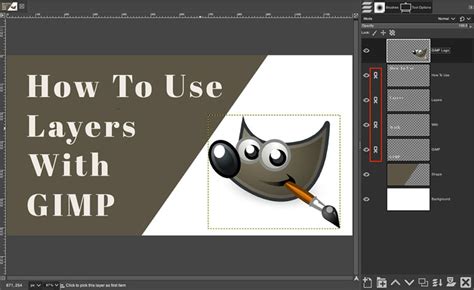
For those seeking a no-cost yet remarkably capable solution, GIMP (GNU Image Manipulation Program) emerges as a formidable Photoshop alternative. As an open-source software, GIMP is entirely free to use, making it an exceptionally attractive option for budget-conscious individuals and organizations. Its robust feature set allows for comprehensive photo editing, vector design, and page layout, effectively combining functionalities that often require multiple applications. GIMP’s adoption of Photoshop-style layers and adjustment capabilities provides a familiar environment for long-time Photoshop users. Furthermore, it boasts advanced features such as HDR Merge, panorama stitching, focus merging, and astro-stacking, catering to a wide range of photographic needs.
While GIMP's core functionality is free, it's worth noting that some advanced AI tools may require a subscription. Additionally, it lacks the readily available, off-the-peg effects and inspiration found in some commercial software, nor does it include integrated image cataloging tools, a feature that many photographers rely on for organizing their libraries. Despite these minor drawbacks, GIMP's powerful, like-for-like capabilities, combined with its zero price tag, position it as a leading free alternative for those who need a comprehensive image editing suite without the financial commitment.
Specifications:
- Operating System (PC): Windows (64-bit)
- Operating System (Mac): Catalina 10.15 or later
- PC Processor: Intel, AMD, or ARM64 processor
- Mac Processor: M-Series chip or Intel processor
- Hard Drive: 1GB (PC), 2.8GB (Mac)
- RAM: 8GB
- Minimum Screen Resolution: 1280x768px
Reasons to Buy:
- Completely free!
- Photo editing, vector design, and page layout combined.
- Photoshop-style layers and adjustments.
- Advanced features like HDR Merge, panoramas, focus merge, and astro stacking.
Reasons to Avoid:
- AI tools may require a subscription.
- No off-the-peg effects or readily available inspiration.
- No integrated image cataloging tools.
Affinity Photo: The Designer's Dream, Now More Accessible Than Ever
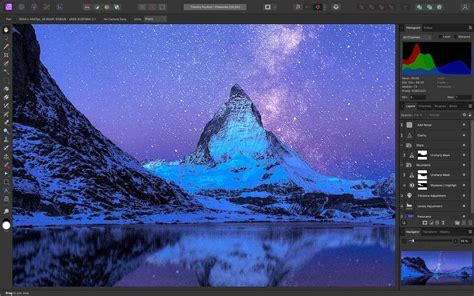
Affinity has long been a top contender for Photoshop alternatives, and its appeal has only intensified with recent developments. In October 2025, Canva's acquisition and subsequent rebrand of Affinity Photo into a completely free-to-download and use application sent ripples through the industry. While access to Canva’s AI features through Affinity requires a premium Canva account, the core, full-featured version of Affinity Photo 2, now with a modern interface, is available without charge. This integration under one roof with Affinity Designer and Affinity Publisher makes Affinity a truly comprehensive, one-stop shop for digital creatives.
While some might argue that Capture One Pro offers superior photo editing in certain aspects, Affinity Photo stands out as the best like-for-like Photoshop alternative on the market. Its traditional layer-based workflow is immediately familiar to anyone who has used Photoshop, making the transition seamless. For complex edits, including composites, intricate masking, and demanding cloning tasks, this layer-centric approach is invaluable. However, for users prioritizing batch editing of vast photo libraries, Affinity might not be the most agile solution, as its strength lies in detailed, individual image manipulation rather than high-volume processing.
Specifications:
- Operating System (PC): Windows 10 (64-bit) 22H2 or Windows 11 23H2 or later
- Operating System (Mac): macOS 14 or later
- PC Processor: Intel Core i3 or AMD Jaguar CPU
- Mac Processor: Apple Silicon (M-Series)
- Hard Drive: 10GB
- RAM: 8GB
- Minimum Screen Resolution: 1200x800 pixels (1920 x 1080 recommended)
Reasons to Buy:
- Excellent raw processing capabilities.
- Superb color adjustment tools.
- Supports adjustment layers and masks for non-destructive editing.
- Offers both Session and Catalog workflows for organization.
Reasons to Avoid:
- May still require an external editor for extremely advanced tasks.
- More expensive than Lightroom.
Capture One Pro: Bridging the Gap Between Lightroom and Photoshop
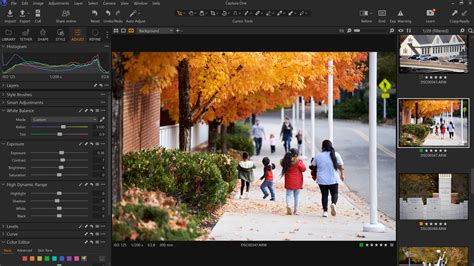
Capture One is often positioned as a Lightroom alternative, but its sophisticated layer-based editing and local adjustment tools allow photographers who don't engage in highly complex composites or extensive retouching to manage their workflow within a single application, potentially reducing the need for Photoshop. Its robust cataloging features aid significantly in photo organization, and its RAW processing capabilities are frequently lauded for delivering superior results compared to Lightroom.
While its organizational features lean towards a Lightroom rival, Capture One incorporates editing tools that typically necessitate a switch to Photoshop for Adobe users. The inclusion of layers, for instance, opens up a wider array of editing possibilities beyond standard RAW processing. Its clone and heal tools are adept at removing minor blemishes or distractions like power lines, but for more intricate retouching, a program more akin to Photoshop would still be preferable. Despite being a favored editor for many, Capture One comes with a price. Its subscription cost slightly exceeds that of a Lightroom-only subscription and does not include cloud storage. However, it remains more affordable than a combined Photoshop-Lightroom subscription with substantial cloud storage.
Specifications:
- Operating System (PC): Windows 10 (64-bit) 22H2 or Windows 11 23H2 or later
- Operating System (Mac): macOS 14 or later
- PC Processor: Intel Core i3 or AMD Jaguar CPU
- Mac Processor: Apple Silicon (M-Series)
- Hard Drive: 10GB
- RAM: 8GB
- Minimum Screen Resolution: 1200x800 pixels (1920 x 1080 recommended)
Reasons to Buy:
- Excellent raw processing.
- Superb color adjustment tools.
- Adjustment layers and masks.
- Session or Catalog workflows.
Reasons to Avoid:
- You may still need an external editor like Photoshop.
- More expensive than Lightroom.
Luminar Neo: Fun, Powerful, and AI-Driven for All Levels
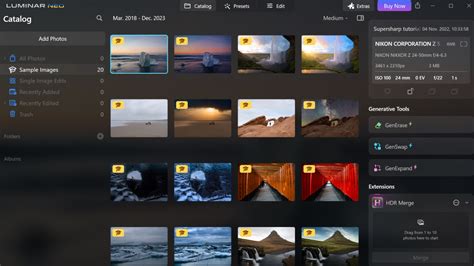
Luminar Neo offers a compelling blend of fun, power, and ease of use, making it an excellent choice for both beginners and prolific image editors. It’s designed to be more beginner-friendly than even Photoshop Elements, largely by sidestepping the need to grapple with a complex layer-based workflow. Luminar Neo can be viewed as a more feature-rich version of Camera RAW (which is bundled with Photoshop) rather than a direct Photoshop replacement.
This software excels at rapidly transforming inexperienced editors into creators of professional-grade edits, thanks to its gentle learning curve and an abundance of AI-powered tools. Prolific photographers can also process their libraries at remarkable speeds. The intuitive design and extensive AI tools allow users to make significant image alterations by simply adjusting a few sliders. Luminar’s AI Assistant enables beginners to use text-based prompts for both learning and editing. While Luminar’s AI tools vary in effectiveness, and the layout can sometimes feel unintuitive, it’s a fantastic option for beginners, casual users, and prolific editors. Crucially, it does not lock users into a subscription. Plans are perpetual, though update support lasts for one year, after which an upgrade fee is required for the latest updates.
Specifications:
- Operating System (PC): Windows 10 (64-bit) v1909 or higher
- Operating System (Mac): macOS 12.0 or higher
- PC Processor: Intel i5 8th gen or better, AMD Ryzen 5 or better
- Mac Processor: Intel i5 8th gen or better, Apple Silicon
- Hard Drive: 10GB
- RAM: 8GB (16GB recommended)
- Minimum Screen Resolution: 1280×768px
Reasons to Buy:
- Integrated image catalog.
- Generative AI features.
- Abundance of AI-powered enhancements.
- Available as a perpetual license.
Reasons to Avoid:
- Workflow inconsistencies.
- Generative AI results can vary.
- Presets can be uninspiring.
- Heavy commercialization.
On1 Photo RAW: The All-in-One Solution for the Budget-Conscious Creative
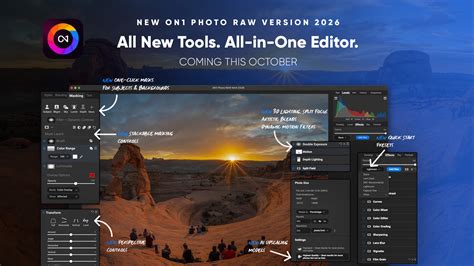
Similar to Capture One, On1 Photo RAW is a photo editing application that holds the potential to replace both Lightroom and Photoshop for users who don't require the absolute most advanced features of Photoshop. While Capture One may have a slight edge in RAW processing and user interface seamlessness, On1 Photo RAW offers a compelling value proposition at approximately one-third of the cost, making it an excellent choice for those seeking powerful software under the $100 price point.
On1 Photo RAW functions as an all-in-one organizer, RAW processor, and editor. Its utilization of layers and masks enables local edits that extend beyond typical RAW processing, including the construction of composites. Unlike Photoshop, On1 Photo RAW is specifically tailored for photography rather than graphic design. During testing, the customizable presets, complete with inspirational thumbnails, were a standout feature. The unified design and the flexibility to choose between a one-time purchase or a subscription model further enhance its appeal.
Specifications:
- Platforms: Mac, Windows
- Processor: Four-Core Intel or AMD processor with 64-bit support; 2 GHz or faster processor with SSE 4.2 or better, or Apple Silicon. ARM processors are not supported.
- RAM: 8GB (16GB if shared with the GPU)
- Hard Disk Space: 6GB
- Display: 1920x1080 resolution
Reasons to Buy:
- New generative AI features.
- All-in-one organizing, editing, and effects.
- Available via subscription or a one-time price.
- Great effects, filters, and presets.
Reasons to Avoid:
- RAW processing could be improved.
- Some AI masking and generative AI tools can be glitchy.
Photoshop Elements: A Familiar, Approachable Adobe Offering
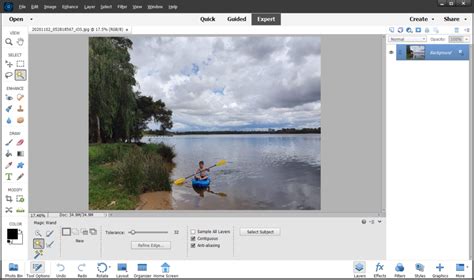
Photoshop Elements, while showing its age in some respects, remains a brilliant option for individuals who find Photoshop's professional austerity and subscription fees off-putting. Developed by Adobe, it operates as a distinct software from its more powerful sibling. Photoshop Elements is meticulously designed for beginners, featuring a "Guided mode" with an ever-expanding library of effects that walk users through each step of the editing process. It also includes an "Expert mode" that offers a full range of tools, though users accustomed to the full Photoshop experience might find the advanced tools somewhat limited and the user interface dated.
Photoshop Elements can be purchased as a standalone application or bundled with Adobe Premiere Elements, which provides similar user-friendly video editing capabilities for its respective domain. This option offers a familiar Adobe interface and workflow at a significantly lower cost and without the recurring subscription, making it a strong choice for casual users and those new to photo editing.
Specifications:
- Platforms: Windows, Mac
- Processor: Intel 6th Generation or newer processor or AMD equivalent with SSE4.2 support, Apple M1 or newer
- RAM: 8 GB
- Hard Drive Space: 10 GB
- Minimum Screen Resolution: 1280x800 pixels
Reasons to Buy:
- New AI features.
- Guided edits are easy to learn.
Reasons to Avoid:
- RAW processing requires a plugin.
- Limited non-destructive RAW edits.
- Not as advanced as Photoshop.
- Typically offered as a 3-year license.
Photopea: The Browser-Based Powerhouse
For those who require a Photoshop-like experience without any downloads or installations, Photopea stands out as a remarkable browser-based solution. It astonishingly replicates much of Photoshop's functionality, including support for PSD files and layers, catering to the needs of casual users and even light professionals. Photopea is the ultimate free Photoshop alternative for quick edits and users who wish to avoid the Adobe ecosystem.
Whether you're working on a school computer, a Chromebook, or simply prefer not to commit to software installation, Photopea offers a highly capable "good enough" tool that feels almost too good to be true, given its accessibility. Its ability to open and edit PSD files, support layers, adjustment layers, and smart objects, and export to various formats makes it an incredibly versatile option.
Reasons to Buy:
- PSD support.
- Layers and adjustment layers.
- Smart objects.
- Exports to multiple formats.
Reasons to Avoid:
- Missing some advanced features.
- Limited file type compatibility (no direct PSD import without conversion).
- Online only.
Pixlr X: Social Media-Ready Editing with AI Flair
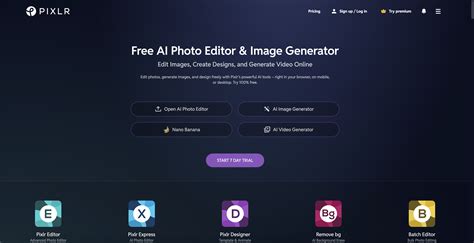
If your editing workflow revolves around adding flair, swapping backgrounds, and rapidly producing content for social media, Pixlr X is an ideal choice. It is fast, web-based, rich in filters, and perfectly suited for social media creators aiming for visually appealing results with minimal effort. Pixlr X doesn't attempt to emulate Photoshop; instead, it focuses on being fun and accessible, a quality that many feel Adobe has lost over the years. It’s a fantastic option for YouTubers, influencers, Etsy shop owners, and anyone whose primary photo requirement is to "make this look good enough to get likes."
Pixlr X offers a streamlined interface with AI-powered tools like background removal, text tools, filters, overlays, and templates. It also supports layers, providing a degree of flexibility for more involved edits. Its mobile-friendly interface ensures a consistent experience across devices.
Reasons to Buy:
- AI background remover.
- Text tools, filters, and overlays.
- Templates and layer support.
- Mobile-friendly interface.
Reasons to Avoid:
- Features can be split between Pixlr X and Pixlr E, causing some confusion.
- May lack some of the advanced depth of professional desktop software.
Krita: The Digital Artist's Playground
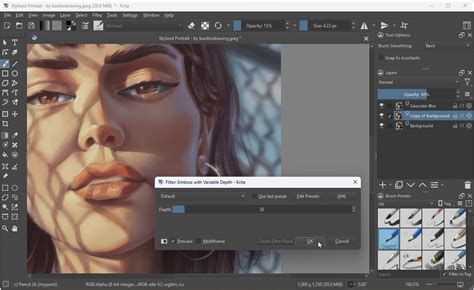
For digital artists whose primary focus is painting galaxies, fantastical creatures, or intricate illustrations rather than adjusting exposure and skin tones, Krita is an exceptional choice. Originally developed for illustrators, Krita has evolved into a powerful platform for digital art, animation, and even some photo editing tasks. It can be seen as the more artistically focused sibling in the realm of Photoshop alternatives.
Krita is not aimed at professional photographers but rather at concept artists, comic creators, and visual storytellers who require advanced brushes, stabilizers, and extensive creative freedom. It is also completely free, with options for donations or paid versions available through app stores. Krita boasts a powerful brush engine, animation tools, a customizable user interface, layer support, HDR painting, and PSD compatibility, making it a comprehensive tool for digital creators.
Reasons to Buy:
- Powerful brush engine.
- Animation tools.
- Customizable UI.
- Layer support.
- HDR painting and PSD compatibility.
Reasons to Avoid:
- Some photo editing features are missing compared to dedicated photo editors.
- Can have a steeper learning curve for those new to digital art software.
ACDSee Photo Studio Ultimate: A Balanced Approach for Intermediates
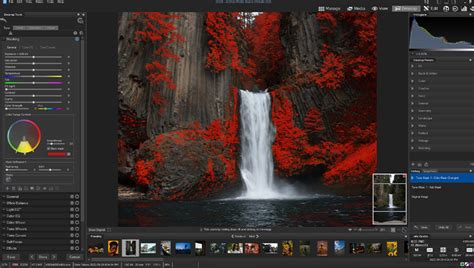
ACDSee Photo Studio Ultimate positions itself as a versatile image manipulation tool that offers many of the functionalities found in Adobe's Photoshop, but at a significantly lower cost. Our testing revealed it to be an ideal middle ground for users who are beyond the beginner stage but not yet professionals. The software provides a robust set of tools for most photographers and designers, including support for layers and RAW file editing, alongside AI-driven features.
A key advantage of ACDSee Photo Studio Ultimate is the option to purchase a perpetual license, appealing to those who wish to avoid subscription models. Alternatively, it can be acquired through monthly or annual fees, often bundled with various cloud storage options. This makes it one of the best Photoshop alternatives for creating professional-looking content while adhering to a budget. While it might not match every advanced feature of Photoshop, it delivers the essential tools for a broad range of users.
Specifications:
- Platforms: Windows, macOS, iPadOS
- Processor: Intel 6th Gen or newer, AMD equivalent, Apple M1 or newer
- RAM: 8GB (16GB recommended)
- Hard Drive Space: 10GB
- Minimum Screen Resolution: 1280x800 pixels
Reasons to Buy:
- Great image management capabilities.
- Impressive RAW processing.
- Single interface split by Modes for different workflows.
- Option for perpetual license.
Reasons to Avoid:
- Edit Mode could benefit from additional functionality.
- New AI features produce mixed results.
- Not fully suitable for highly demanding professional workflows.
Luminar Neo: AI-Powered Enhancements for Photography
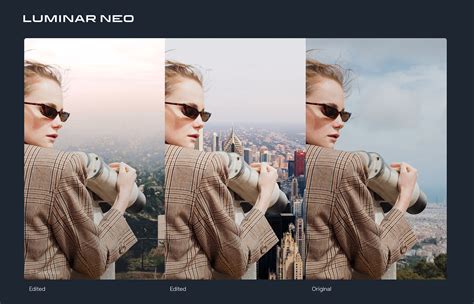
Photoshop is increasingly integrating AI tools, and a strong alternative should offer similar capabilities. Luminar Neo delivers precisely this, featuring a wealth of industry-standard AI tools designed to simplify and expedite design and content creation. This includes adjustments for curves, white balance, a cropping tool, and Luminar’s highly acclaimed sky replacement feature. In our testing, these tools performed exceptionally well, delivering impressive results with only occasional minor hitches.
Luminar Neo is particularly well-suited for amateur photographers. While it may lack certain features required for professional-grade work, and its performance can occasionally be spotty, it offers a powerful and accessible entry point into AI-enhanced image editing. It can be used as a standalone application or as a plugin for Adobe and Apple software, and it allows for the syncing of AI edits across multiple photos. Users can also download new skies or upload their own for greater creative control.
Specifications:
- Platforms: Windows, Mac
- Processor: Intel i5 8th gen or better, AMD Ryzen 5 or better, Apple Silicon
- RAM: 8GB (16GB recommended)
- Hard Drive Space: 10GB
- Minimum Screen Resolution: 1280×768px
Reasons to Buy:
- Leverages AI for impressive features.
- Available as a standalone or Adobe/Apple plugin.
- Syncs AI edits across photos.
- Download new skies or upload your own.
Reasons to Avoid:
- Can be heavy on system resources.
- No mobile version or web app.
Photo Pos Pro: Customizable Interface for Marketing and Documents
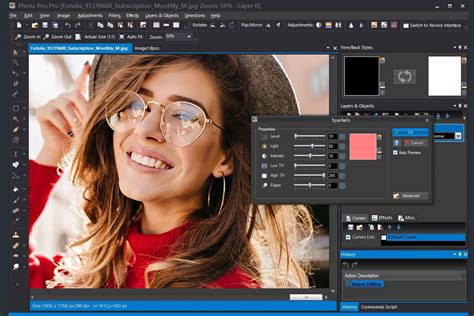
Photo Pos Pro is a highly capable Photoshop alternative, particularly for small teams and businesses, due to its extensive feature set for image editing, web design, and document creation. It offers a dual-track interface: one for beginners and another for experts. The customizable interface allows users to choose between Novice and Pro layouts. The novice layout prioritizes usability over power, while the pro layout is feature-rich but presents a steeper learning curve. This flexibility, even if not perfectly executed, is a commendable and practical aspect of the software.
While it may not offer the same depth of customization as Photoshop for professional photographers, Photo Pos Pro is excellent for making adjustments to photos intended for presentations, marketing campaigns, and other business collateral. It supports scripts, batch editing, and one-click editing tools, and is compatible with RAW and PSD files.
Specifications:
- Platforms: Windows
- Processor: Intel 6th Generation or newer, AMD equivalent with SSE4.2 support
- RAM: 8 GB
- Hard Drive Space: 10 GB
- Minimum Screen Resolution: 1280x800 pixels
Reasons to Buy:
- Customizable interface (Novice/Pro).
- Support for scripts, batch editing, and one-click tools.
- RAW and PSD compatible.
Reasons to Avoid:
- Limited set of filters.
- Limited keyboard shortcuts.
The Shifting Landscape of Digital Artistry
The dominance of Photoshop, while historically significant, is increasingly being challenged by a vibrant ecosystem of powerful and accessible alternatives. Factors such as cost, user interface complexity, and the desire for specific functionalities are driving users to explore options that better suit their individual needs and budgets. From the completely free and open-source GIMP to the feature-rich Affinity Photo, the AI-driven Luminar Neo, and the versatile On1 Photo RAW, there is a compelling array of software capable of meeting the demands of both amateur and professional users. The continuous innovation in AI capabilities across these platforms further blurs the lines, offering creative professionals more power and flexibility than ever before. As Adobe continues to evolve its subscription models, the appeal of perpetual licenses and free, open-source solutions will likely only grow, fostering a more diverse and dynamic digital art landscape.
How to Choose Photo Editing Software
tags: #photoshop #comparable #software