Embark on a comprehensive journey into the world of digital design with this exceptional four-course bundle, designed to equip you with the essential skills to master Adobe Photoshop CC and Adobe Illustrator CC, alongside Adobe InDesign CC. This bundle represents a significant value, offering downloadable course instructor files to facilitate hands-on learning and practice, coupled with invaluable LIFETIME access to all materials. Whether your goal is to meticulously edit and enhance photographs or to craft original, professional-grade designs and graphics, this collection provides all the necessary tools and knowledge to transform you into a proficient digital artist.
Elevating Image Editing with Adobe Photoshop CC
This bundle significantly elevates your image editing prowess by providing full access to both beginner and intermediate Adobe Photoshop CC courses. You will delve into the foundational elements that make Photoshop a powerhouse for visual manipulation. Mastering layers is paramount; understanding how they function allows for non-destructive editing, enabling you to experiment with different effects and adjustments without permanently altering your original image. This layered approach is crucial for complex compositions and detailed retouching.
Masking techniques are another critical area explored in depth. Layer masks, clipping masks, and vector masks offer precise control over which parts of a layer are visible or hidden. This is indispensable for seamlessly blending images, isolating subjects, and creating sophisticated composite images. You will learn to refine selections with remarkable accuracy, ensuring clean edges and professional-looking results.
Beyond the fundamentals, the courses introduce you to advanced tools that unlock new creative possibilities. Neural Filters, powered by Adobe Sensei, offer AI-driven features that can intelligently smooth skin, recolor images, and even change facial expressions with astonishing ease. This technology allows for rapid and impactful transformations that were once incredibly time-consuming. Creative Cloud Libraries are also a key focus, enabling you to store and access your assets-colors, character styles, graphics, and more-across different Adobe applications and devices. This feature streamlines your workflow, ensuring consistency and efficiency in your projects.
Photoshop Layer Masks Explained in 2 Minutes
Crafting Designs with Precision in Adobe Illustrator CC
Shaping your designs with unparalleled precision is at the heart of the Adobe Illustrator CC course. As a leading vector graphics editor, Illustrator empowers you to create artwork that can be scaled to any size without losing quality, a critical advantage for everything from small icons to large-format banners. The Pen Tool, a cornerstone of Illustrator, will be explored in detail. Mastering this tool allows for the creation of smooth, clean curves and sharp, defined lines, enabling you to draw intricate shapes and illustrations with absolute control.
Typography is another vital aspect of design, and the Illustrator course delves into its effective use. You will learn to harness the power of Character and Paragraph Styles, which are essential for maintaining typographic consistency throughout your designs. Applying styles ensures that fonts, sizes, leading, and tracking remain uniform, projecting a professional and cohesive look.
The course guides you through navigating Illustrator's diverse workspace, familiarizing you with its panels, tools, and preferences. You will learn to wield a wide array of creative tools, from shape builders to gradient meshes, allowing for the creation of complex and visually appealing graphics. Optimizing your designs for various platforms is also a key takeaway. This includes understanding resolution, color modes (RGB for screens, CMYK for print), and file formats to ensure your creations look their best whether they appear online, in print, or on mobile devices.
Furthermore, the power of symbols and graphic styles is unlocked. Symbols allow you to create reusable elements that can be updated globally, saving immense time and effort. Graphic styles provide pre-defined sets of appearances, such as fills, strokes, and effects, which can be applied to objects with a single click, accelerating your design process and ensuring visual harmony.

Building Professional Layouts with Adobe InDesign CC
The InDesign CC course within this bundle is dedicated to empowering you to create professional-quality layouts for a wide range of publications, from eye-catching posters to detailed reports. You will learn to customize the InDesign workspace to suit your individual workflow, arranging panels and tools for maximum efficiency. Understanding how to effectively manage your workspace is the first step towards creating polished documents.
The course emphasizes the mastery of fundamental layout elements, including shapes and text boxes. You will learn how to precisely size, position, and align these elements to create balanced and aesthetically pleasing compositions. The ability to manipulate frames and text containers is crucial for effective page design.
Image editing within InDesign is also explored, focusing on how to seamlessly integrate photographic content into your layouts. This includes understanding how to place images, adjust their fitting and cropping, and apply basic color corrections. While InDesign isn't a primary image editor like Photoshop, its integration capabilities are powerful for layout artists.
Text wrapping is a sophisticated technique that allows text to flow around objects, creating dynamic and engaging layouts. You will learn to control the distance and style of text wrapping to achieve visually appealing results that enhance readability and design.
Essential organizational tools are a significant part of the InDesign curriculum. Learning to use styles (paragraph, character, and object styles) is paramount for maintaining consistency and making global changes with ease. This dramatically reduces the time spent on repetitive formatting tasks. Exploring typographical elements goes beyond basic text formatting; you will delve into kerning, tracking, leading, and the proper use of hierarchical typographic structures to guide the reader's eye.
The efficiency of parent pages (master pages) is a game-changer for multi-page documents. Parent pages allow you to create repeating elements, such as page numbers, headers, and footers, that appear on all pages of your document. Any changes made to a parent page are automatically applied to all linked document pages, ensuring uniformity and saving an enormous amount of time. This feature is indispensable for creating brochures, books, magazines, and any document with a consistent structure.
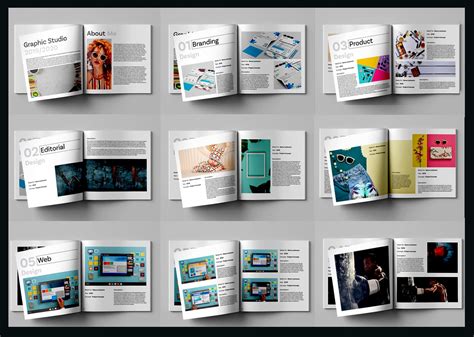
Practical Skills for Digital Design Excellence
Each course within this comprehensive bundle is meticulously crafted to empower you with practical, real-world skills. The downloadable instructor files are a unique advantage, allowing you to follow along with the lessons, experiment with the techniques demonstrated, and build your own portfolio of work. This hands-on approach ensures that the knowledge gained is not merely theoretical but is actively applied and internalized.
The overarching goal of this bundle is to ensure that you can produce captivating visuals and publications that stand out. By mastering the intricacies of Photoshop for image manipulation, Illustrator for vector creation, and InDesign for layout design, you gain a holistic skill set that is highly sought after in today's digital landscape. You will be equipped to tackle a wide range of design challenges, from photo retouching and digital illustration to the creation of marketing materials, print publications, and web graphics, all with a professional flair and a strong understanding of design principles. The lifetime access ensures that you can revisit the courses, refresh your skills, and stay updated as software evolves, making this an enduring investment in your creative and professional development.
tags: #photoshop #illustrator #bundle