To truly harness the creative potential of Adobe Photoshop, understanding the necessary system specifications is paramount. While many modern computers can technically launch the application, achieving optimal performance and a fluid workflow hinges on meeting and ideally exceeding the minimum system requirements. This article delves into the essential components that contribute to a powerful Photoshop experience on macOS, moving from the foundational elements to more nuanced considerations.
Operating System: The Foundation of Photoshop's Functionality
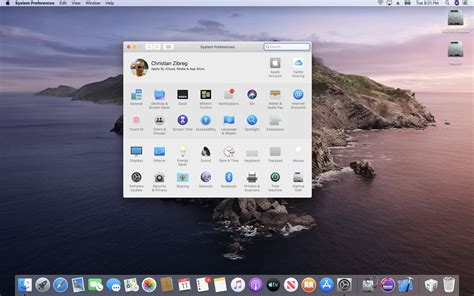
The computer's operating system (OS) plays a role in ensuring Photoshop's compatibility and stability, though it is not the primary driver of its performance. For users of Adobe Photoshop, particularly the latest versions like CC 2021, a compatible OS is a prerequisite for installation and operation. On the Windows platform, Windows 10 (64-bit) or a newer version is required, as older systems such as Windows 7 are no longer supported. For Mac users, the operating system is also a critical factor. While specific version numbers for macOS are not always explicitly detailed as a strict minimum for every iteration of Photoshop, it is generally understood that the latest stable macOS releases are designed to work seamlessly with current Adobe Creative Cloud applications. Older macOS versions might support Photoshop, but with potential limitations or a lack of access to the newest features. It's always advisable to ensure your macOS is up-to-date to leverage the full capabilities and optimizations Adobe implements for its software.
Processor (CPU): The Engine of Image Manipulation
The processor, or CPU, is arguably one of the most significant system components that directly impacts Photoshop's performance. The choice of CPU is a topic that has historically sparked considerable debate among Photoshop's extensive user base. In the past, Intel processors were widely considered the superior choice for demanding creative applications like Photoshop. However, as of recent years, the performance differences between Intel and AMD processors specifically for Adobe Photoshop use have become increasingly negligible.
When evaluating the best CPU in terms of price versus performance, AMD's offerings, such as the Ryzen 5600X, have frequently emerged as strong contenders. It's crucial to understand that Photoshop, in its current architecture, cannot effectively utilize multiple CPU cores for a significant performance boost. This means that investing in an extremely high-end CPU with an excessive number of cores might not yield a noticeable improvement in Photoshop's speed or responsiveness compared to a more balanced, mid-range processor. Therefore, focusing on a CPU that offers a good balance of clock speed and core count, rather than simply the highest number of cores, is a more pragmatic approach for optimizing Photoshop performance.
Memory (RAM): The Workspace for Your Creations
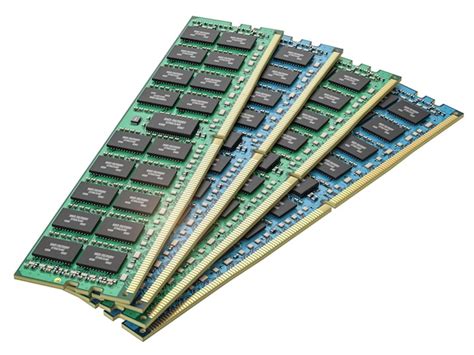
In terms of memory storage, commonly referred to as RAM (Random Access Memory), quantity is far more important than quality when it comes to Adobe Photoshop and indeed any other creative program. The sheer amount of RAM directly influences how much data Photoshop can hold and process simultaneously. Users should not be distracted by factors like higher memory frequencies, latency timings, RGB lighting, or other specialized features. These elements have a minimal impact on Photoshop's core performance compared to the overall capacity of the RAM.
A key consideration when selecting RAM is the physical limitations of a motherboard, which typically has a limited number of memory slots, often four. If your current need is for 16 GB of RAM, but you anticipate needing to upgrade to 32 GB in the future, it is strategically best to opt for two sticks of 8 GB RAM (totaling 16 GB). This approach offers greater flexibility for future expansion compared to installing four sticks of 4 GB each, which would fill all available slots and necessitate replacing existing modules for an upgrade.
It is vital to understand the implications of insufficient RAM. When a computer lacks adequate RAM to handle Photoshop's demands, the application will begin to utilize disk space as a substitute for RAM, a process known as "swapping." This significantly slows down performance. Furthermore, working with large image files, high-resolution photographs, or complex multi-layered documents will inherently require more RAM to maintain a smooth and responsive editing experience.
Graphics Card (GPU): A Supporting Role
Adobe Photoshop does not rely heavily on the graphics card (GPU) for its core operations. For users operating on a tight budget, it may be more beneficial to consider a CPU that includes integrated graphics. While this isn't the ideal solution for maximum performance, it can be a sensible choice for individuals who plan to upgrade their graphics capabilities in the future. Rather than allocating a significant portion of the budget to a potentially overpriced graphics card, prioritizing the best possible CPU is generally a more impactful investment for Adobe Photoshop performance. The difference in Photoshop's performance between a high-end graphics card and a mediocre one is often virtually imperceptible. The primary role of the GPU in Photoshop is more pronounced in specific features like certain filters, 3D rendering, and accelerated rendering of certain visual elements, but for the general day-to-day tasks of photo editing, its contribution is secondary to the CPU and RAM.
Storage: The Speed of Your Scratch Disk
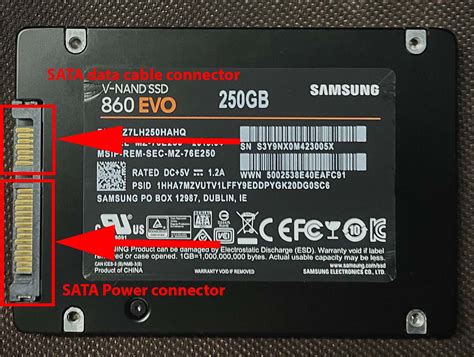
A dramatic increase in Photoshop's performance can be achieved by swapping out a traditional Hard Disk Drive (HDD) with a Solid-State Drive (SSD). This is a readily available option that can be configured within Photoshop's Preferences under the "Performance" settings, specifically for "Scratch Disks."
Scratch disks are essentially temporary storage areas that Photoshop utilizes when it runs out of available RAM. The ideal scenario is to have ample free space on a fast SSD, which can be challenging given the current cost per gigabyte of SSD storage. It might seem counterintuitive, but installing Photoshop itself on an SSD does not typically result in a noticeable performance difference. However, the impact of using an SSD as a scratch disk is profound.
It's worth noting that, in general, SSDs tend to perform less optimally as they become more full. Some users and technical analyses suggest that when an SSD is over 50 percent full, its performance can be considerably degraded. This is an important factor to consider when allocating storage space for your scratch disk.
Laptops vs. Desktops: A Performance Compromise
When reviewing system requirements for Adobe Photoshop, the allure of mobile computing might be strong, leading users to consider running the software on a laptop. However, based on practical experience, it is generally advisable to steer clear of using Photoshop on a laptop unless mobility is an absolute necessity. Laptops often become a significant financial commitment without delivering commensurate performance. In essence, users often sacrifice considerable processing power for the sake of portability.
The reasons why laptops are not ideal for demanding applications like Photoshop are multifaceted. The CPU, for instance, is typically vastly underpowered in a laptop or ultrabook compared to its desktop counterpart. Furthermore, the thermal design and cooling capabilities of laptops are inherently different and less effective than those of desktop computers. This means that even if a laptop boasts specifications like an "i7" processor, it is a fundamentally different and less capable chip than an i7 found in a desktop. The same limitations apply to graphics cards. The fundamental issue lies in the constrained cooling systems within the compact form factor of a laptop. Consequently, a US$2000 laptop will almost invariably deliver significantly less performance than a US$2000 desktop computer when running resource-intensive software.
Considerations for Mac Users
For Mac users, specific hardware configurations can influence Photoshop performance. Most modern Macs come with a minimum of 8 GB of RAM, with higher-end models like the 15-inch and 16-inch MacBook Pro typically starting with a more comfortable 16 GB of RAM.
Many Macs released since 2012 support Apple's Metal graphics API, which Photoshop can leverage for accelerated performance. Users can confirm their Mac's Metal compatibility through Apple's official support resources.
However, certain MacBook Air and MacBook Pro models, particularly those with 13-inch displays, have a limited maximum GPU memory, often around 1.5 GB. While Photoshop will run on these devices, professional users might encounter limitations with features that are heavily reliant on GPU processing power.
Older Mac models, such as the Mac mini (Late 2014), are considered past their prime for daily, intensive Photoshop work. While they can still run the software for basic editing tasks, users should temper their expectations regarding speed and responsiveness.
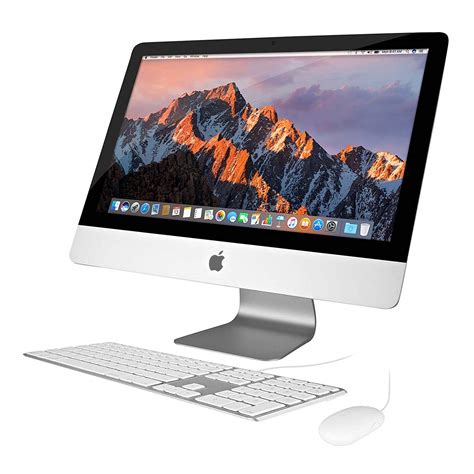
More robust Apple hardware, like the iMac 27-inch (Late 2015), often comes with 2 GB of GPU memory as standard, with the option to configure it with 4 GB. This offers a more capable platform for graphics-intensive workflows.
Evolving Requirements and Future-Proofing
As software developers continually release newer versions of applications like Adobe Photoshop, they often introduce new features that can increase the system requirements. The advice provided here is relevant for the current iteration of Adobe Photoshop, but it is essential to recognize that future versions may demand more powerful hardware. Therefore, it is always recommended to consult the official Adobe website for the most up-to-date system requirements before purchasing new hardware or upgrading your existing setup. Staying informed about these changes will help ensure your system remains capable of running the latest software efficiently.
â NOTICE TO USERS. Internet connection, Adobe ID, and acceptance of license agreement required to activate and use this product. This product may integrate with or allow access to certain Adobe or third-party hosted online services. Adobe services are available only to users 13 and older and require agreement to additional terms of use and Adobeâs online privacy policy. Applications and Services may not be available in all countries or languages and may be subject to change or discontinuation without notice.
Photoshop Running Slow? 10 Quick Fixes!
tags: #photoshop #mac #requirements