Photo manipulation is an art form that has evolved alongside photography itself, transforming the way we perceive and create visual narratives. Far from being a modern invention, the practice of altering and combining images to craft new realities has a history stretching back over a century. Today, Adobe Photoshop stands as a powerful tool, allowing artists to transcend the limitations of reality and conjure worlds limited only by imagination. This tutorial collection delves into the expansive possibilities of Photoshop manipulation, offering a gateway to expanding your creative skillset and producing stunning, evocative imagery.
Foundations of Photo Manipulation: History and Core Principles
The concept of photo manipulation is not new; it predates digital software by many decades. Photographers, editors, and retouchers have historically engaged in the practice of cutting, combining, and reimagining existing photographic assets. This historical context is crucial for understanding the artistic and ethical considerations of the medium. For instance, a well-known Civil War battlefield image featuring Ulysses S. Grant on horseback is, in fact, a composite of multiple photographs. Similarly, Stalinist Russia extensively utilized doctored photographs for propaganda purposes.
For photojournalists aiming to represent subjects accurately, combining or distorting images in certain ways is strictly prohibited. Editing in such contexts must maintain the integrity of the photographic images' content and context. Photo manipulation, therefore, is primarily an avenue for artistic and aesthetic expression, not for deception.
Photographer Eduardo Valdes-Hevia aptly describes photo manipulation as "a medium by itself." Before embarking on any image combination or manipulation, a clear understanding of the intended outcome is paramount. Artist Edwin Antonio, who masterfully blends modern fashion with historical fine art, emphasizes the importance of a focused vision: "You need to have a very clear idea of what you want. That way, you don’t get distracted."
In commercial work, this might involve removing distracting elements from a frame to enhance the subject's prominence. As Antonio notes, "Photo manipulation has always been used. Maybe there’s a trash can in the background or a line on the floor."
The initial conceptualization phase is vital. Before even launching Adobe Photoshop, having a clear idea and an outline for your final product is recommended. Photographer Ronald Ong suggests, "It’s good to write down ideas when you have them."
While photographic art can defy the laws of physics and reality, it must still adhere to fundamental photographic principles. Ong states, "The picture you’re creating should be as realistic as possible." This does not restrict creations to scenes found in real life; photomontages and digital art can absolutely feature science fiction and fantasy elements. However, even fantastical elements like minotaurs, mermaids, and star fighters in surreal scenes require realistic perspective, lighting, shadows, and color to be convincing.
Achieving Realism in Surrealism: Perspective, Lighting, and Color
The journey to photorealistic surrealism begins with combining complementary photos. The source images should share commonalities in terms of color and light. Perspective is the foremost element to align when merging photos. While altering lighting and colors is achievable within Photoshop, modifying perspective is significantly more challenging.
Following perspective alignment, attention should be given to matching lighting, progressing from the darkest to the lightest elements within the composition. "When you’re trying to match lighting, you want to match the darkest color of your subject to match the darkest color of your background," explains Valdes-Hevia.
Ensuring color consistency is the subsequent step in image integration. Matching shadows and their corresponding color ranges is critical. An untrained eye might not be able to pinpoint precisely why shadows appear incorrect, but they will undoubtedly notice the discrepancy. Ong shares his approach: "I always adjust the hue and saturation settings. Make sure shadows blend into the background."
While finding stock images or existing photos with complementary elements is possible, the most optimal results often stem from self-directed photoshoots. Valdes-Hevia elaborates, "It often looks better if you take your own pictures because you can plan ahead and match all the lighting and perspective beforehand."
A crucial aspect of the editing process is the ability to revisit and modify previous steps or even restart the workflow. "One of the first things I had to learn was how to edit non-destructively," Valdes-Hevia emphasizes. "Make sure you can go back later and change things you’ve done in the beginning."
Exploring Diverse Photo Manipulation Techniques and Themes
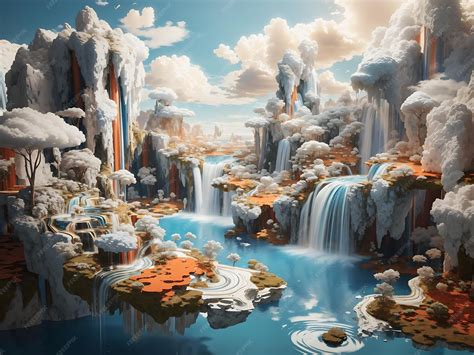
The landscape of photo manipulation is vast, encompassing a wide array of themes and techniques. Common motifs include surreal landscapes, magical or mystical creatures, dreamlike scenes, and dystopian or futuristic worlds. These themes provide fertile ground for artists to explore new editing, altering, and enhancing skills within Photoshop, thereby expanding their creative repertoire.
Creating Surreal and Dreamlike Scenes
- Blending Elements Seamlessly: Tutorials often guide users through the process of blending stock photos seamlessly to construct surreal scenes. This involves techniques for merging disparate elements into a cohesive whole, such as blending a beautiful lady with a dreamy background or creating a 'Thinker' photo manipulation.
- Surreal Landscapes: The manipulation of landscapes offers a unique canvas. Artists can transform a blue sky into a cosmic vista or alter the very fabric of the Earth's surface, creating sharp angles and sheer cliff edges. Jati Putra Pratama is renowned for such surreal landscape manipulations, often achieved by folding the Earth's surface. This can be replicated in Photoshop by duplicating the landscape layer and using the Perspective Warp tool to achieve desired angles.
- Dreamy Backgrounds: Creating dreamlike scenes often involves blending elements that evoke a sense of wonder and otherworldliness. This can be achieved by combining various stock photos, paying close attention to light and color harmony.
Magical and Mystical Elements
- Incorporating Fantasy Creatures: From mythical beasts to otherworldly beings, photo manipulation allows for the creation of magical and mystical creatures. Tutorials might guide users on how to blend different images to create a fantasy dragon by combining a baby iguana and a bat, or how to integrate a pirate hamster on the high seas, complete with glass transparency effects.
- Mystical Atmospheres: Elements like star fields can imbue a composition with a sense of mystery and magic. Creating a "4-piece stardust composition using textures and masks" is one example of how to achieve such an effect.
- Magic Balls and Portals: The creation of magical artifacts like a magic ball or narrative-driving elements like magic portals can add a fantastical dimension to an image. Portals, whether a simple doorway or a suitcase, can signify travel between different locations, injecting movement and narrative into self-portraits, as demonstrated by Joel Robison.
Dystopian and Futuristic Worlds
- Futuristic Aesthetics: Creating futuristic-looking photo manipulations often involves employing specific tools like the Background Eraser Tool and techniques for blending pictures using Match Color Adjustments and Lighting Effects. Abstract light streaks posters, generated using Lighting Effects, Noise, and Wave filters, also contribute to a futuristic feel.
- Dystopian Themes: Inspiration from horror movie posters can lead to the creation of darker, more dystopian themes. This can involve transforming an innocent child into a diabolic character using grunge textures, Photoshop filters for light effects, and the Liquify filter to alter facial features.
Specific Manipulation Techniques and Effects
- Double Exposure: This classic effect, once achieved "in-camera" by exposing film twice, is now easily replicated in Photoshop. By layering images and adjusting transparency, artists can create dream-like blends. Photographer Luke Gram's work exemplifies this technique.
- Disintegration Effect: Utilizing brushes and the blur filter, the disintegration effect can transform subjects into a scattering of particles, adding a dynamic and often dramatic element to an image.
- Flaming Effects: Creating fire on subjects, inspired by characters like Ghost Rider, is a popular manipulation. This involves using brushes and blending modes to realistically render flames. Tutorials may focus on creating flames on a bike racer or generating flaming bombs pouring from the sky.
- Glass Transparency: Incorporating glass elements into photo manipulations can add a unique visual layer. Learning techniques for blending glass transparency is key to seamlessly integrating such elements.
- Watercolor Effect: While some methods can appear artificial, achieving a convincing watercolor effect often involves using Layer Masking techniques for a more authentic result.
- Light Effects: Super easy techniques exist for incorporating remarkable light effects into work, often achievable within minutes by creating custom abstract brushes.
- Displacement and Blend Modes: The Displace filter, combined with various Blend Modes, can be used to create striking typographic portraits or abstract designs.
- Grunge Textures: Grunge textures can be utilized to realize background scenes, adding a gritty or aged aesthetic.
- Vector Graphics Integration: Vector graphics design, a prominent style in print magazines and movie titling, can be incorporated into photo manipulations for a polished and contemporary look.
- Drawn Elements: Even without strong drawing skills, integrating drawn elements can enhance an illustration. A good idea combined with Photoshop skills can lead to quality pieces.
- AI Image Extender: Tools like the AI image extender can provide a larger canvas for experimentation, allowing for more expansive manipulations.
Liquify at the Beginning or End of Retouching?
Conceptual and Thematic Manipulations
- Fashion Poster Scene: Utilizing Photoshop shapes and other objects, unique fashion poster scenes can be created. Adobe Photoshop shapes are an efficient tool for enhancing designs without excessive time investment.
- Advertisement Campaigns: Graphic designers are frequently tasked with creating advertisements. Tutorials may focus on creating posters with light grunge features centered around a product, such as a Nike shoe.
- Star Fields as Backdrops: Composite images incorporating star fields as backdrops possess a unique ability to lend mystery and magic to a composition. Creating a stardust composition using textures and masks is a common approach.
- Flying Hairs and Semi-Transparent Planets: Advanced techniques involve using different blending modes to realistically render elements like flying hairs and semi-transparent planets.
- Time-Themed Manipulations: Creating surreal, time-themed photomanipulations, such as a "Time Guardian," involves intricate layering and effects to convey a sense of temporal manipulation.
- Combining Multiple Photos for Impact: Often, achieving a desired look requires combining several photos and applying effects. A devastating tornado consuming its path is an example of a dramatic scene created through this method.
- Recreating Classic Art: Reproducing the works of classic artists like Da Vinci and Goya is a fantastic way to improve skills, discover new effects, and expand artistic knowledge. However, deriving influence from contemporary illustrators for professional work requires careful consideration.
- Transforming into Fictional Characters: Tutorials can guide users through the process of photo-manipulating themselves into characters from popular culture, such as becoming a Na’vi from James Cameron's "Avatar."
- Emotional and Moody Illustrations: Creating an emotional photo manipulation involves blending different images to establish a dark, atmospheric background, modifying a model's attire, applying makeup, painting hair, and integrating background objects to evoke a specific mood.
- Fantasy Landscapes: Simple yet effective techniques can be employed to create fantasy landscapes, often relying on the selection of the right stock imagery.
- Mashing Up Photos for Posters: Combining a series of photos in a highly creative poster, potentially inspired by famous historical paintings, showcases a unique approach to composition.
- Destruction Effects: Techniques for creating 'destruction' photo-manipulations, such as a WW2 spitfire shot down and on fire, are applicable to various scenarios. This often involves using basic brushes and layer masks.
- Sci-Fi and Video Game Art: Creating illustrations in a style suited for video game covers or sci-fi book covers often relies heavily on photo manipulation techniques. Cosmic sci-fi scenes, inspired by album covers, are another popular theme.
- Abstract Illustrations: Transforming fashion photography into abstract illustrations by mixing custom shapes and applying different Blending modes is a modern approach.
- Perspective and Depth: Achieving a feeling of depth and motion through perspective techniques is a fundamental aspect of realistic manipulation.
- Movie Posters: Creating compelling movie posters, even for fictional films like a suspenseful thriller titled "Fugitive," involves understanding narrative and visual impact.
- Abstract Space Posters: Geometric shapes, masks, and filters can be used to create abstract space posters, offering a minimalist yet impactful aesthetic.
- Sunrise Landscapes: Combining and blending multiple landscape photos can result in beautiful, atmospheric sunrise scenes.
- Paint Splatter Effects: Applying splattered paint Photoshop brushes to the contours of a model's face can create dynamic and artistic results.
- Burning Effects: Manipulating an image to depict a woman burning in flames can be achieved using simple techniques like the Brush tool and Warp command.
- Character Compositing: Combining elements like a person's head with an octopus, or a baby iguana with a bat to create a dragon, showcases the versatility of compositing.
- Motion and Energy: Techniques like using wavy lines and paint splatters can convey motion and energy, transforming static images into dynamic compositions.
- Color Combustion: This effect involves a specific workflow to create a visually striking digital photo manipulation.
- Painted Subject Effect: Creating an abstract photo manipulation that mimics a painted subject involves numerous useful techniques for impressive abstract pieces.
- Adding Drama to Portraits: To add drama or a cinematic quality to a portrait, techniques can be employed to fake HDR effects or enhance lighting and shadows.
- Typographic Portraits: Creating cool and super-easy typographic portraits involves using the Displace filter and various Blend Modes.
- Abstract Illustrations with Patterns and 3D Shapes: Collaborations can lead to cool illustrations that incorporate patterns, coloring, and 3D shapes, often with an emphasis on simplicity of creation.
- Artistic Feel with Brushwork: Clever brushwork can imbue a regular image with a subtle, artistic feel, mimicking the results of pen tablet magic.
- Flooding Torrents: A simple photo can be transformed into a dramatic flooding torrent scene through skillful manipulation.
- Fantasy Book Scenes: Creating scenes specifically for fantasy book covers involves a distinct set of techniques and thematic elements.
- Textured Surfaces: Applying textures to flat surfaces or across an entire image can be used to age or degrade it, a relatively simple yet effective technique.
- Emotional Resonance: The creation of emotional photo manipulations often hinges on subtle adjustments to atmosphere, lighting, and subject details.
- Composite Photography: This technique merges two images to create a sense of juxtaposition, such as a daytime scene with a starry sky, or having a subject interact with their environment to bring a dream world to life.
- Digital Collages: Photoshop is an excellent tool for making digital collages, allowing for seamless composite photos by cutting out parts of scenes or around significant objects.
- Digital Drawing and Illustration: Photoshop's digital drawing capabilities allow for various illustration styles, from modern brushwork to pop art or cartoon styles, blending seamlessly with photographs.
- Cinemagraphs: A photograph with a single moving element, cinemagraphs are created by recording short videos and then freezing the still parts of the image in Photoshop.
- Perspective Illusions: Creating visual elements that connect in physically impossible ways, such as staircases that loop back on themselves or ladders passing through ceilings, is a mind-bending surrealist technique.
- Colorful Portraits with Paint Effects: Adding paint effects to images, using silhouettes filled with colorful paint, Jackson Pollock-style dashes, or watercolor blotches, can result in vibrant portraits. Uploading personal artwork or creating effects digitally are both viable options.
Mastering the Tools: Essential Photoshop Skills
The journey into photo manipulation is facilitated by a deep understanding and skillful application of Photoshop's extensive toolset. From basic selection and masking to advanced filters and blending modes, each tool offers unique possibilities for creative expression.
- Layer Masks: Essential for non-destructive editing, layer masks allow for the selective revealing or hiding of image areas, crucial for blending and compositing. They are fundamental for techniques like achieving a watercolor effect.
- Blending Modes: Understanding how different blending modes interact with layers is key to achieving realistic or stylized composites. They are used for effects ranging from blending flying hairs to creating glowing elements.
- Selection Tools: Tools like the Quick Selection Tool, Magic Wand, and Pen Tool are vital for isolating subjects and elements accurately. These are indispensable for techniques like creating composite images or separating subjects from backgrounds.
- Adjustment Layers: Non-destructive adjustments to color, contrast, and tone are made using adjustment layers, allowing for flexible refinement of the overall image. Hue and saturation adjustments are frequently used to match colors between elements.
- Filters: A vast array of filters, including Gaussian Blur, Liquify, Lighting Effects, Noise, and Wave, offer powerful ways to alter image appearance, create effects, and add stylistic touches. The Liquify filter, for instance, is invaluable for modifying facial features or creating fluid distortions.
- Brushes: Photoshop's brush engine is incredibly versatile. Custom brushes can be created for unique effects, from splattered paint to intricate textures. The Brush tool is fundamental for painting details, creating light effects, and applying textures.
- Transform Tools: Tools like Free Transform, Puppet Warp, and Perspective Warp allow for the manipulation of image geometry, essential for aligning elements and creating surreal distortions.
- Color Range and Selection Tools: Advanced selection techniques, such as using the Color Range command, can help in isolating specific color tones or areas within an image, useful for complex blending operations.
- AI Tools: Emerging AI tools, such as the AI image extender, offer new avenues for expanding canvases and generating creative content, pushing the boundaries of traditional manipulation.
The Creative Process: From Idea to Execution
The creation of compelling photo manipulations is a blend of technical skill and artistic vision. It requires a clear concept, careful selection of source material, and a methodical approach to execution.
- Developing a Clear Concept: As emphasized by Edwin Antonio, having a clear idea of the desired outcome is paramount. This prevents aimless experimentation and ensures the final piece effectively communicates its intended message. Writing down ideas and creating an outline can be incredibly beneficial.
- Source Image Selection: The quality and complementarity of source images significantly impact the final result. Images that share similar lighting, color palettes, and perspectives are easier to blend seamlessly. Sometimes, taking your own photographs offers the most control over these elements.
- Non-Destructive Workflow: Employing non-destructive editing techniques, such as using layer masks and adjustment layers, is crucial. This allows for flexibility and the ability to revisit and refine earlier steps without permanently altering the original image data.
- Practice and Experimentation: The path to mastering photo manipulation is paved with practice. As Eduardo Valdes-Hevia advises, "Work on it. Try different things. It’s not going to look amazing at first, but it’s all about practice." Experimenting with different tools and techniques, even by simply "messing around in Photoshop," is a highly effective way to learn and discover new possibilities. Studying tutorials and analyzing existing manipulated images to reverse-engineer the techniques used can also accelerate skill development.
By embracing these principles, techniques, and a spirit of continuous learning, aspiring artists can unlock the full potential of Photoshop manipulation, transforming ordinary photographs into extraordinary works of art that captivate and inspire.
tags: #photoshop #manipulation #ideas