The pursuit of high-quality mockups for product visualization is a cornerstone of effective design and marketing. When it comes to sleep-related products, particularly sleep masks, the ability to present them in a realistic and appealing context is paramount. This involves not just the meticulous rendering of the product itself, but also the creation of an immersive and relevant background that enhances its perceived value and functionality. Photoshop, with its extensive capabilities, offers a powerful suite of tools for designers to achieve this, transforming static product images into dynamic and engaging visual narratives.
The Indispensable Role of Sleep and the Sleep Mask
Sleep is not merely a passive state of rest; it is a fundamentally vital activity for human well-being. During sleep, our bodies and minds engage in critical processes of restoration, recovery, and relaxation. The immune system is bolstered, the nervous system recalibrates, and the muscular system undergoes repair. Furthermore, adequate sleep is indispensable for maintaining optimal mood, consolidating memories, and ensuring robust cognitive function. Consistently achieving sufficient sleep each night is imperative for overall health. Both excessive and insufficient sleep can contribute to sleep disorders, underscoring the importance of finding a healthy balance to wake up feeling refreshed and to sustain both mental and physical vitality.
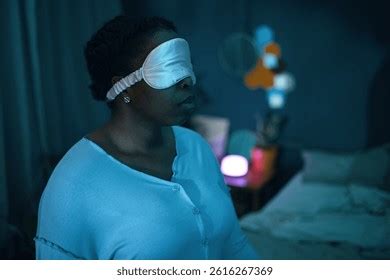
In environments where ambient light, whether from natural sources or artificial illumination, cannot be entirely mitigated, a sleep mask emerges as a crucial accessory. It aids in prolonging sleep by creating a dark, conducive environment. The physical act of wearing a sleep mask can also contribute to a sense of relaxation, potentially increasing the duration of deep sleep, which is mandatory for comprehensive human restoration.
Designing Effective Sleep Mask Mockups in Photoshop
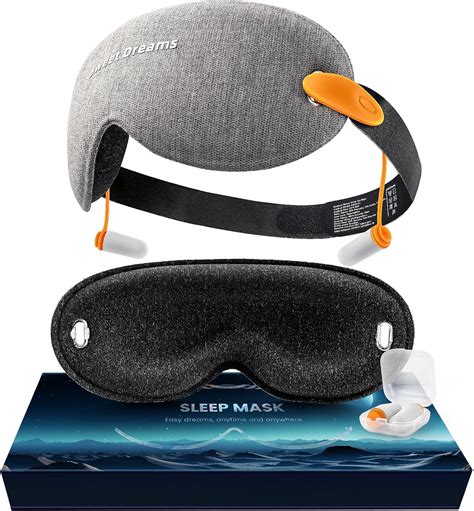
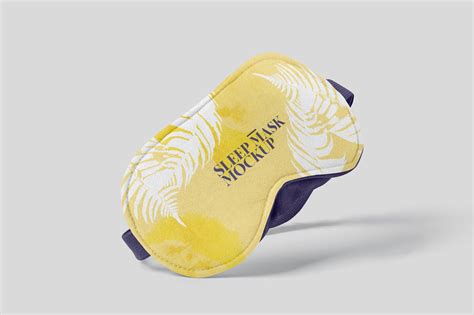
Creating a compelling sleep mask mockup in Photoshop involves a strategic combination of product rendering and background design. The provided mockup set, featuring a sleep mask in three distinct angles, offers a solid foundation for designers to build upon. The core functionality of these mockups lies in their adaptability, allowing for seamless integration of custom artwork onto the mask itself. This is typically achieved through the use of smart objects, a feature that enables non-destructive editing and easy replacement of design elements.
Beyond the mask's surface, the customization extends to its constituent parts. Designers can readily alter the color of the strap and the base color of the mask to align with specific brand identities or product variations. This level of control ensures that the mockup accurately reflects the intended aesthetic and branding of the sleep mask.
The Significance of Customizable Backgrounds
The background of a mockup plays an equally critical role in setting the scene and conveying the product's context. In the case of sleep masks, the background should evoke a sense of tranquility, comfort, and restfulness. Photoshop's capability to customize these backgrounds opens up a world of creative possibilities. Designers can opt for a variety of approaches, ranging from minimalist and serene settings to more elaborate scenes that depict a bedroom environment.
Creating a Serene Bedroom Ambiance:
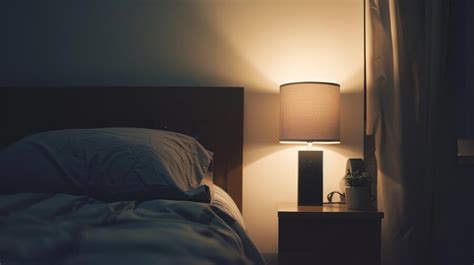
To achieve a truly immersive mockup, designers can meticulously craft a bedroom background. This might involve:
- Soft Lighting: Employing subtle lighting effects that mimic natural dawn or the gentle glow of bedside lamps can enhance the feeling of calm. Soft shadows and diffused light sources contribute to a peaceful atmosphere.
- Textural Elements: Incorporating textures such as soft linens, plush throws, or wooden furniture can add depth and tactile realism to the scene.
- Subtle Details: Including understated elements like a partially drawn curtain, a neatly arranged pillow, or a book on a nightstand can further enhance the narrative and make the scene feel more authentic.
- Color Palette: Utilizing a calming color palette, often incorporating muted tones, pastels, or earthy hues, can reinforce the theme of relaxation and sleep.
Leveraging Abstract and Gradient Backgrounds:
For a more modern or minimalist aesthetic, abstract backgrounds can be highly effective. Photoshop allows for the creation of:
- Smooth Gradients: Subtle, flowing gradients can create a visually pleasing and unobtrusive backdrop that allows the sleep mask to be the primary focus. These gradients can transition through calming colors like deep blues, soft purples, or gentle grays.
- Soft Bokeh Effects: Incorporating out-of-focus elements, known as bokeh, can add a sense of depth and sophistication. This technique mimics the visual effect of a camera lens focusing on a subject while blurring the background, drawing attention to the product.
- Subtle Patterns: Very light, almost imperceptible patterns can add a touch of visual interest without becoming distracting.
The ability to customize the background is not merely about aesthetics; it's about creating a context that resonates with the target audience. A well-designed background can communicate the benefits of the sleep mask - promoting deeper sleep, blocking out light, and fostering relaxation - more effectively than the product image alone.
Advanced Photoshop Techniques for Enhanced Mockups
Beyond the basic customization of smart objects and colors, Photoshop offers advanced features that can elevate sleep mask mockups to a professional level.
Lighting and Shadow Manipulation:
Accurate lighting and shadow are crucial for photorealism. Designers can use:
- Adjustment Layers: Tools like Curves and Levels can fine-tune the brightness and contrast of both the mask and the background, ensuring they integrate seamlessly.
- Layer Masks: These allow for precise control over where lighting effects and shadows are applied, creating a natural fall-off and preventing harsh edges.
- Gradient Maps: These can be used to subtly colorize shadows or highlights, adding a more nuanced and artistic touch to the lighting.
- Dodge and Burn Tools: Used judiciously, these tools can simulate the effect of light and shadow, adding dimension and form to the sleep mask.
Texture and Material Realism:
To make the sleep mask appear tangible, designers can enhance its perceived texture and material properties:
- Overlaying Texture Files: Importing fabric texture images and using blending modes (such as Overlay, Soft Light, or Multiply) can add realistic fabric weave to the mask.
- Displacement Maps: For more advanced control, displacement maps can be used to warp the texture according to the mask's form, creating a truly integrated look.
- Subsurface Scattering (SSS) Simulation: While complex, subtle simulation of how light penetrates and scatters within soft materials can add a layer of realism, especially for fabric-like textures.
Compositing and Scene Integration:
When creating a scene, compositing different elements together requires careful attention to detail:
- Color Matching: Ensuring that the colors of the sleep mask and its elements match the overall color temperature and tone of the background is vital for a cohesive image.
- Depth of Field: Simulating a shallow depth of field can make the sleep mask appear as the sharp subject in a slightly blurred environment, mimicking professional photography.
- Atmospheric Effects: Adding subtle atmospheric elements like dust particles or a gentle haze can enhance realism and depth.
The Strategic Importance of Mockups in Product Presentation
The creation of high-quality Photoshop sleep backgrounds for mockups is not merely an exercise in graphic design; it is a strategic imperative in product marketing and sales.
Enhancing Perceived Value:
A well-presented product, showcased in an attractive and relevant context, inherently appears more valuable. A professional mockup can elevate a simple sleep mask from a functional item to a desirable lifestyle product. It communicates attention to detail and quality, which can influence a potential customer's perception of the brand.
Facilitating E-commerce Success:
In the digital marketplace, where customers cannot physically interact with products, visual representation is everything. High-quality mockups are essential for:
- Online Stores: Providing clear, attractive images on e-commerce platforms like Amazon, Etsy, or a brand's own website.
- Social Media Marketing: Creating visually appealing content for platforms like Instagram, Facebook, and Pinterest, which are highly visual and drive impulse purchases.
- Advertising Campaigns: Developing compelling imagery for online ads, banners, and digital brochures.
Communicating Product Benefits:
The background design can effectively communicate the benefits of the sleep mask. For instance, a mockup set against a serene, dimly lit bedroom scene directly implies improved sleep quality due to light blockage. If the mask has a cooling gel feature, a background with subtle hints of coolness or a spa-like ambiance might be appropriate.
Streamlining Design Iterations:
Photoshop mockups, particularly those utilizing smart objects and organized layer structures, allow for rapid iteration of design concepts. Designers can quickly swap out colors, artwork, and even background elements to explore different visual directions without starting from scratch. This efficiency is invaluable during the product development and marketing planning phases.
Considerations for Different Audiences
The effectiveness of a mockup can be amplified by tailoring its presentation to specific target audiences. Photoshop's versatility allows for this adaptation:
- For a Luxury Brand: Mockups might feature dark, sophisticated backgrounds with metallic accents, emphasizing exclusivity and premium quality. The sleep mask itself could be rendered with subtle sheen and refined details.
- For a Wellness or Mindfulness Brand: Backgrounds could lean towards natural elements, soft organic textures, and calming, muted color palettes, promoting a sense of peace and self-care.
- For a Travel-Focused Product: Mockups might subtly hint at travel environments - perhaps a comfortable airplane seat or a hotel room setting - highlighting the mask's portability and utility on the go.
- For a Budget-Conscious Market: Clean, straightforward backgrounds with clear product focus and vibrant, appealing colors might be more effective, emphasizing value and practicality.
The ability to adjust the background, lighting, and overall mood of the mockup allows designers to speak directly to the aspirations and needs of different consumer segments.
The Future of Product Mockup Creation
As technology evolves, so too will the tools and techniques for creating product mockups. While Photoshop remains a dominant force, emerging trends suggest a future where:
- 3D Rendering Integration: Increased use of 3D modeling software in conjunction with Photoshop will allow for even more dynamic and realistic product representations, enabling complex lighting scenarios and material interactions.
- AI-Powered Design Assistance: Artificial intelligence may play a greater role in suggesting background elements, optimizing lighting, and even generating variations of mockups based on initial parameters.
- Augmented Reality (AR) Integration: Mockups could transition into AR experiences, allowing consumers to visualize products in their own environments before purchasing.
However, the fundamental principles of effective visual communication - clarity, relevance, and aesthetic appeal - will remain constant. Photoshop, with its robust feature set and adaptability, will undoubtedly continue to be an indispensable tool for designers crafting compelling sleep backgrounds and product mockups for years to come. The process, from understanding the vital role of sleep to meticulously adjusting pixels in Photoshop, underscores the intricate blend of art and science required to bring products to life in the digital realm.
How to make a FABRIC texture in Photoshop – Graphic Design Tutorial
tags: #photoshop #sleep #backgrounds #for #mockup