Adobe Photoshop has long been the industry standard for digital image manipulation, and its capabilities extend far beyond simple photo editing. One of the most dynamic and widely utilized features within Photoshop is its powerful text manipulation and effect creation tools. Text effects play a significant role in visual communication, transforming ordinary words into compelling design elements that capture attention and convey specific moods or themes. From the sleek minimalism of modern web design to the elaborate artistry of movie posters and video game interfaces, the strategic application of text effects can elevate any design project. This guide delves into the diverse world of Photoshop text tutorials, offering a structured approach to learning and mastering a vast array of typographic styles.
The Foundation of Text Effects in Photoshop
At its core, creating compelling text effects in Photoshop involves understanding and creatively applying various tools and techniques. These can range from fundamental layer styles and filters to more advanced methods involving custom brushes, textures, and even 3D modeling integration. The versatility of Photoshop allows for the creation of effects that mimic real-world materials and phenomena, such as metal, glass, water, fire, and even organic elements like grass or sand. This adaptability makes Photoshop an indispensable tool for graphic designers, web developers, and digital artists alike.
The Mia Charro Graphics Bundle, for instance, highlights the versatility of digital assets like digital paper and patterns, which can be instrumental in crafting unique text textures and backgrounds. Similarly, the choice of font plays a crucial role; light or thin fonts are commonly used in minimal and clean designs, providing a subtle elegance that can be enhanced with carefully applied effects. Conversely, bolder, more decorative fonts can serve as a strong base for elaborate, attention-grabbing styles.
Layer Styles and Textures: Building Blocks of Visual Appeal
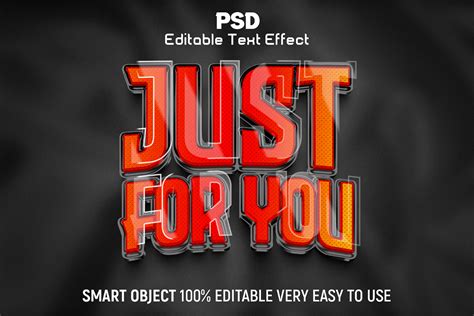
A cornerstone of Photoshop text effect creation lies in the judicious use of layer styles and textures. Layer styles, such as drop shadows, inner glows, bevels, and strokes, add depth and dimension to text. When combined with textures, these styles can produce remarkably sophisticated results. Using textures with layer styles is a great way of achieving some cool effects. For example, applying a brushed metal texture to text, combined with a bevel and emboss layer style, can create a convincing metallic appearance.
Learning to incorporate textures is a fundamental skill. One can learn how to create an interesting effect by adding a texture to text in Photoshop, using nothing more than a photo for the texture, a layerAdditionally, tutorials often guide users through the process of creating their own custom textures, whether from photographs or by generating them procedurally within Photoshop itself. This empowers designers to move beyond pre-made assets and develop truly original visual styles. The depth of possibilities here is immense, allowing for everything from subtle, sophisticated finishes to bold, impactful statements.
The Power of Patterns and Digital Assets
Digital patterns and papers are incredibly versatile assets in Photoshop. They can be used to fill text layers, creating intricate and visually rich designs. Tutorials often demonstrate how to import and apply these patterns, as well as how to customize them through scaling, rotation, and blending modes. The Mia Charro Graphics Bundle, with its inclusion of digital paper and patterns, exemplifies the kind of resources that can significantly enhance a designer's toolkit for creating unique text effects.
These assets are particularly useful for creating themed text, such as a summery sand writing text effect or a vibrant, colorful overlapping letters text effect. In the latter, colors blend together where the letters overlap, creating a dynamic and visually engaging outcome. The ability to seamlessly integrate diverse patterns into typography opens up a world of creative expression, allowing designers to tailor text to specific themes, moods, or branding requirements.
Photoshop Text Effects
Exploring Diverse Text Effect Categories
The spectrum of text effects achievable in Photoshop is vast, catering to a wide range of aesthetic preferences and design needs. From classic and elegant to futuristic and fantastical, there's a technique for virtually any concept.
Classic, Elegant, and Timeless Effects
Classic, simple, and elegant text effects don’t go out of style. These often rely on subtle enhancements that add sophistication without being overly flashy. Think of refined metallic finishes, embossed lettering, or clean, sharp edges. Such effects are invaluable for branding, editorial design, and any application where a sense of professionalism and enduring style is paramount. Tutorials focusing on these techniques often emphasize precision and a keen eye for detail, ensuring that the final result is polished and impactful.
Seasonal and Themed Effects
Many text effects are inspired by seasons, holidays, or specific themes. It’s December, and it’s time for an awesome candy cane text effect! This type of effect brings a festive and timely flair to designs, making them resonate more strongly with the intended audience. Creating a summery sand writing text effect from scratch in Adobe Photoshop is another example, perfect for beach-themed promotions or travel-related content. These tutorials often involve specific color palettes, textures, and subtle animations or distortions to evoke the desired atmosphere.
3D and Dimensional Text
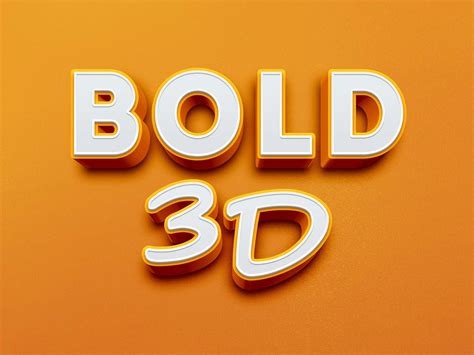
The use of 3D text is a great addition to almost any design project. Three-dimensional effects add a tangible quality to text, making it pop off the screen or page. Tutorials in this category can range from relatively simple extrusions and bevels to highly complex, realistic 3D renderings. Wrapping Text in 3D With Photoshop allows designers to take their typography skills into the third dimension, creating designs that have depth and volume. These effects are particularly popular in game design, movie posters, and advertising, where a strong visual impact is desired.
Futuristic and Sci-Fi Typography
Futuristic effects are popular amongst those working in technology, music, and gaming. If you wish to learn how to create the text effect of a futuristic metal plate, there are numerous tutorials dedicated to this style. These often involve metallic textures, glowing elements, and sharp, geometric forms to convey a sense of advanced technology and the unknown. The visual language of science fiction is rich, and Photoshop text effects can effectively translate these aesthetics into compelling designs.
Retro and Vintage Aesthetics
Retro designs have always played a big role in the evolution of graphics. Retro is cool, it’s artistic, it’s friendly, and generally people love to use this style to promote, advertise, showcase, publicize, and bring something more alive than it already is. Tutorials in this area might focus on recreating the look of vintage signage, old film titles, or the distinctive typography of past decades. This often involves distressed textures, specific color schemes, and stylistic elements that evoke nostalgia.
Natural and Organic Textures
Beyond imitating manufactured materials, Photoshop can also simulate natural elements. A summery sand writing text effect is one example, but one can also create effects that resemble water, ice, fire, or even plant life. The "spring grass" effect, complete with little yellow flowers, is a delightful example that could be used to amplify text, resonating with seasonal themes and natural beauty. Filters, layer styles, brushes, and textures are all key components in achieving these organic looks.
Advanced Techniques and Creative Applications
As users progress, they can explore more intricate and specialized text effects that push the boundaries of what's possible in Photoshop.
Mimicking Real-World Materials
Faking Text Wrap In Photoshop is a testament to the software's ability to simulate reality. Beyond simple textures, designers can learn to create highly realistic effects, such as:
- Watery Donut Text Effect: This tutorial offers a delicious-looking outcome, perfect for food-related designs.
- Realistic Lollipop Text Effect: Achieved through text and shape layers, textures, and filters, this effect is remarkably convincing.
- Puffy Ice Text Effect: Similar to the lollipop effect, this tutorial focuses on creating a frosty, translucent appearance.
- Embroidered Text Effect: Using stitch brushes and layer styles, this technique realistically mimics the look of stitched fabric.
- Paper Cut-Out Effect: This technique, applicable in Adobe InDesign as well, creates the illusion of text being cut from paper.
Intricate and Stylized Effects
Some tutorials focus on highly specific and artistic effects, pushing creative boundaries:
- Colorful Overlapping Letters Text Effect: This effect involves colors blending where letters intersect, creating a vibrant and dynamic visual.
- Wrapped Ribbon Text Effect: This challenging tutorial teaches how to craft text that appears to be made of wrapped ribbon.
- Mysterious Flow of Energy Effect: Imagine this used for feature films or genre-specific videos, this effect is complex and yields deep understanding of layers.
- Grungy Metal Text Effect: This style evokes a raw, industrial aesthetic, often used for posters or band graphics.
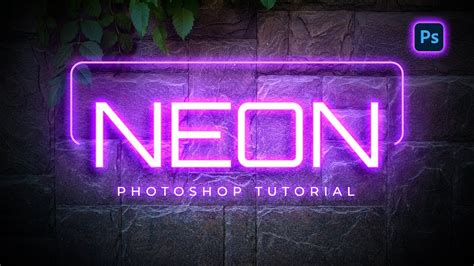
- Neon Text Effects: Reminiscent of early web design and video games, neon effects are vibrant and eye-catching.
Integrating Text with Imagery
Many advanced tutorials focus on seamlessly blending text with photographic elements. This can involve:
- Double Exposure Effect on Text: Applying the popular double exposure technique to text layers.
- Text Portrait Style Effect: Using a single letter to frame or integrate a portrait, moving beyond traditional text-heavy designs.
- Integrating Typography with 3D Effects: Naturally blending 3D text into existing images to create a cohesive and believable composition.
- Text with Building Overlays: Creating a "New York" style text effect where buildings are integrated into the typography.
Effects Requiring Specialized Software
While Photoshop is the primary tool for most text effects, some advanced techniques might benefit from integration with other software:
- Wooden Text Effects with 3D: This type of tutorial might use Cinema 4D for the 3D aspect, with Photoshop used for finalization and design enhancements. This approach is typically aimed at experts and can be time-consuming.
Learning Resources and Skill Development
The availability of Photoshop text effect tutorials is vast, ranging from quick, beginner-friendly guides to in-depth, advanced masterclasses. These resources are crucial for both aspiring designers and seasoned professionals looking to expand their skill set.
Structured Learning Paths
Tutorials are often categorized by difficulty level and length. Beginner tutorials might focus on fundamental concepts like snakeskin effects, which involve textures, patterns, and layers. As users progress, they can tackle medium-length tutorials that offer more in-depth learning, such as the "spring grass" effect. Intermediate and advanced tutorials test Photoshop skills more rigorously, often requiring a solid understanding of various tools and techniques.
The Role of Online Communities and Creators
The Photoshop community is a rich source of knowledge. Designers like Jonas Stensgaard, known for his luxury and gold text effects, and Andrei Marius, an "Adobe Illustrator Guru" who has published numerous tutorials, contribute significantly to this ecosystem. Websites and platforms dedicated to graphic design resources often curate these tutorials, making them accessible to a global audience. The popularity of certain tutorials, often indicated by view counts (e.g., James Qu's 3D star light effect tutorial with over 12,000+ views), underscores the demand for these skills.
Beyond Tutorials: Actions and Premium Assets
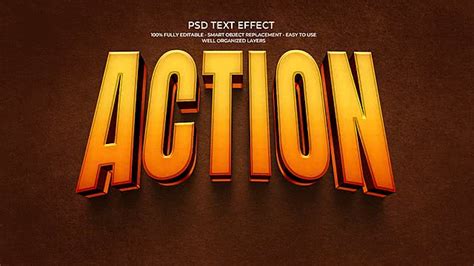
For those with limited time or seeking immediate professional results, pre-made Photoshop actions and premium text effect templates are invaluable. Actions can automate complex sequences of steps, allowing users to apply intricate effects with a single click. Premium asset bundles, like TheHungryJPEG.com's Mia Charro Graphics Bundle, offer a collection of digital papers, patterns, and sometimes even pre-designed text effects that can be customized. These resources can significantly expedite the design process and provide inspiration.
The Enduring Importance of Text Effects
In an increasingly visual world, text effects remain a vital component of graphic design. They are not merely decorative; they are functional tools that enhance legibility, create visual hierarchy, and imbue designs with personality and emotion. Whether it's for posters, flyers, web banners, video game interfaces, or social media graphics, the ability to craft compelling text effects in Photoshop is a highly sought-after skill.
The continuous evolution of Photoshop and the creativity of its user base ensure that the landscape of text effects will continue to expand. From the subtle elegance of light fonts to the bold statements of 3D typography, and from the nostalgic charm of retro designs to the cutting-edge aesthetics of futuristic styles, Photoshop offers an unparalleled platform for bringing typographic visions to life. Mastering these techniques through tutorials and practice is an investment that pays significant dividends in the realm of digital design. The journey from simple text to extraordinary word art is an ongoing exploration, fueled by creativity and the powerful tools within Adobe Photoshop.