In the digital age, where inspiration bombards us from every angle, the ability to distill ideas and focus creative energy is paramount. Whether you're aiming to visualize a project's aesthetic, design a memorable invitation, or personalize your digital space, the art of collage making offers a powerful and accessible solution. This tutorial delves into how to leverage online tools, specifically Photovisi, to create impactful collages for various purposes, from mood boards that guide your creative process to eye-catching wallpapers and unique event invitations. We'll explore the fundamental steps of collage creation, emphasizing how to translate abstract concepts into tangible visual narratives.
The Power of Mood Boards: Visualizing Inspiration and Personal Growth
Do you ever feel overwhelmed by all the inspiration out there? It can be tough to know where to start when it comes to creating something new. A mood board collage is a great way to simplify the creative process and focus on what you want your finished product to look like. Creating a mood board is a great way to explore your creative vision and capture the things that inspire you. It helps you to visualize your ideal outcomes and define what success looks like to you. Furthermore, mood boards can serve as powerful tools for personal growth, helping you to get in the right mindset for a project or goal.
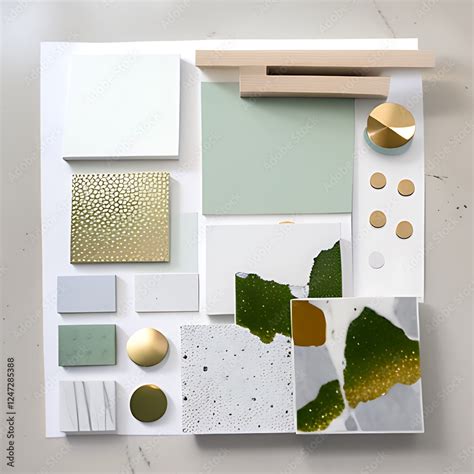
To get started, it's important to choose a color scheme or theme for your mood board. Choosing a color scheme is all about matching specific shades and hues that evoke your desired mood or feeling. Once you've established a theme, the next crucial step is to gather images that represent the emotions or sensations you want to convey with your work. Other elements that can help set the mood for your collage might include colors, textures, or textiles. Think about the overall feeling you want your collage to convey, and look for images that complement each other. For example, if you're going for a retro vibe, look for retro images like vintage ads or old photos. If you want a more modern look, look for clean lines and geometric shapes. When creating a mood board collage, the most important thing is to arrange your images in a way that tells a story or reflects your own unique personality. Whether you decide to focus on one particular theme or use an eclectic combination of images, it is essential to layer and group your pieces strategically in order to create a cohesive collage. You might consider using different sizes and shapes of images, as well as adding text, stickers, or other decorative elements to give your collage added dimension and interest. Ultimately, your goal should be to create a unified work of art that conveys the mood and feeling that are most important to you as an artist.
Once you have created your mood board, it is important to print it out and hang it somewhere where you can see it every day. This will keep you motivated and inspired, reminding you of why you are working so hard and challenging yourself to reach for your goals. Whether it's beside your computer at work, above your desk at home, or on the wall of your studio, having a visual reminder of what drives you can make all the difference when it comes to achieving success. A mood board collage is a great way to get inspired and motivated. It can help you see your vision for a project, come up with new ideas, or simply organize your thoughts. And the best part is, anyone can do it! You don't need any special skills or training - all you need is a vision and some creativity.
INTERIOR DESIGN How To Create a Mood Board Step by Step Easy Tutorial Using Canva
Photovisi: Your Gateway to Effortless Collage Creation
When it comes to bringing your visual ideas to life, a user-friendly tool that makes it quick and easy to assemble your collage from scratch is invaluable. One such program is Photovisi. With its incredible customization options and drag-and-drop interface, Photovisi makes crafting stunning collages enjoyable and accessible, even for those without prior design experience.
To begin your creative journey with Photovisi, simply click "Start creating" on the landing page. For the purpose of creating a mood board, you would then navigate to the "Collage" option. Photovisi presents a wide range of exciting collage layouts and templates to choose from, providing a solid foundation for your design. But why stop there? The true power of Photovisi lies in its extensive customization capabilities. You can upload your own images, select from a vast library of stock photos, and adjust elements to perfectly match your vision.
Designing Unforgettable Invitations with Photovisi
Hosting a birthday party is not just about inviting people over, but it also means creating a memory that will last for years. You need to plan beforehand in order to ensure your invitees have the best time and can’t wait for the next one! After all, this is one of those moments you want to treasure and mark as special with an unforgettable invitation card. Fortunately, there's an easy way of achieving this-Photovisi.
Photovisi is the perfect way to create a unique invitation. When starting a new project, instead of selecting "Collage," you can choose "E-card" from the top menu. This will present you with a range of templates specifically designed for invitations. Photovisi offers a vast selection of creative and unique templates, allowing you to create a one-of-a-kind invitation that will have your friends and family marveling over its stunning beauty. From vibrant and colorful designs to subtle and minimalistic ones, you'll find a template that perfectly captures the spirit of your celebration.
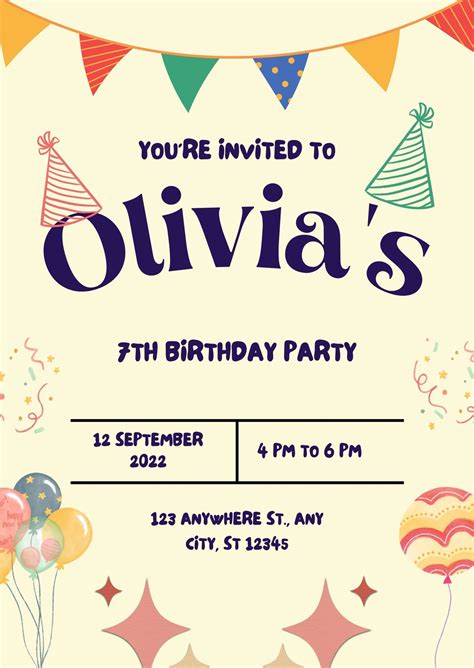
Sending a birthday invitation with Photovisi's 'effect' category is the perfect way to set the mood for your party, inspiring creativity and excitement in the minds of your guests. Uploading an image that speaks to you or a special friend helps make the message even more special and personal, adding an extra touch of warmth. Beyond imagery, you can customize backgrounds, add text with different fonts and colors, and incorporate various decorative elements. Having all the important details included - date, time, location and RSVP information - will ensure your guests have no troubles tuning into your celebration! Taking the time to create a custom invitation for your birthday is an amazing way to show off your creative side! With Photovisi, it's easy to make stunning and unique designs that will leave your guests in awe.
Enhancing Your Digital Space: Creating Custom Collage Wallpapers
Have you ever seen a really cool wallpaper and wished you could have it on your phone or computer? Well, there's no need to wish anymore! This tutorial will show you how to easily create your own custom collage wallpaper. All you need is some inspiration, a few photos, and the right tools.
Some people might think that it isn't important to choose a theme for their wallpaper, but actually, it is an essential first step. It can be something as simple as using only images with blue tones or choosing photos that all have a similar subject matter. For example, when you’re going through a rough patch, choose images that make you feel calm and peaceful. But when you want to create a fun and lively atmosphere, choose brighter colors and patterns. When you start creating a collage, it's important to collect images that represent your theme. This will help you create a cohesive design and avoid a chaotic-looking mess. Think about the overall feeling you want your collage to convey, and look for images that complement each other.
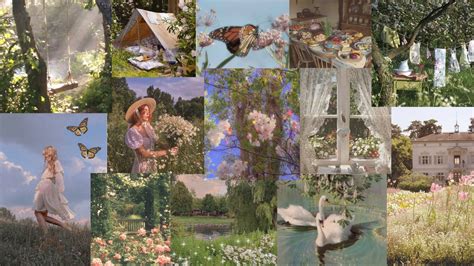
When you start creating a unique collage wallpaper, it's important to create a rough draft of your design first. But rather than spending hours tracing and cutting out images, why not use an online collage maker like Photovisi? With Photovisi, you can create a custom collage in minutes, without any artistic skills required. You can even upload your own images to use as background or foreground elements. And if you're not happy with the results, it's easy to start over. So why not give it a try?
There are a few reasons why it's important to add text and other embellishments to your collage wallpaper design. First, it helps to make your design more personal and unique. Second, it can help to express a certain mood or feeling that you want to convey with your wallpaper. And third, it can simply add an extra layer of interest and visual appeal to your design. It's always satisfying to have a new wallpaper on your computer or phone. It's like giving yourself a fresh start, and it can be a great way to show off your personality. Plus, it's a fun way to get creative and express yourself.
Now that you know how to create your own unique collage wallpaper, it’s time to start designing. Photovisi has a wide range of templates and tools to help you get the perfect look for your desktop or device, or even for printing and putting it on your wall. With our easy-to-use online editor, creating a custom collage is quick and fun. So what are you waiting for?
Customization and Premium Features in Photovisi
After you have finished customizing your creation, whether it's a mood board, an invitation, or a wallpaper, you have the option to preview your design. You can then download it in low resolution for immediate use or sharing. If you want to ensure that your invitation or collage looks professional and polished, consider purchasing Photovisi premium. This subscription will allow you to enjoy your design without any watermarks and in high resolution. The best part is that for a modest monthly fee, you can download an unlimited number of cards and collages without a watermark, making it a cost-effective solution for frequent users.
With Photovisi, you can customize backgrounds, add text with different fonts and colors, upload photos, and utilize a variety of stickers and decorative elements - the possibilities are truly endless. Once you're happy with your creation, you can have it printed or send it electronically so everyone on your guest list has access to all the important details. Your birthday is a big day. It's a time to celebrate with your friends and loved ones, and it should be reflected in your invitations. With Photovisi, you can create stunning invitations that capture the attention of your guests and make them excited for the big day. The easy-to-use online editor makes creating a custom collage quick and fun, empowering anyone to produce professional-looking results.