Pixlr, a versatile web-based and mobile image editing platform, offers a spectrum of tools catering to both hobbyists and professionals. With its free and paid subscription tiers, it provides a convenient solution for quick edits, complex layer manipulation, and template-based design directly within a browser or through dedicated mobile applications. While Pixlr empowers creativity with features like filters, templates for social posts and graphics, and AI-assisted tools, users may eventually find themselves needing to cancel their subscriptions. This guide aims to provide a clear, step-by-step process for cancelling a Pixlr subscription, addressing common concerns about access, refunds, and consumer rights across different platforms and regions.
Understanding Pixlr Subscription Management
Pixlr offers various subscription plans, typically including a free tier alongside one or more paid plans that unlock additional features, increased limits, and advanced tools. These subscriptions can be purchased directly through the Pixlr website or via app stores on mobile devices. The method of cancellation and the associated policies can differ depending on where the subscription was originally purchased.
Cancelling a Web Subscription (pixlr.com)
For users who have subscribed directly through the Pixlr website, the cancellation process is managed through their Pixlr account.
- Log in to your Pixlr Account: Navigate to pixlr.com and log in using your registered credentials.
- Access Account Settings: Once logged in, locate and click on "My Account" or "Account settings."
- Navigate to Subscription/Billing: Within your account settings, find the section related to "Subscriptions" or "Billing."
- Select "Cancel Subscription": Identify your active subscription and select the option to "Cancel subscription."
- Confirm Cancellation: Follow the on-screen prompts to confirm your decision. You will typically need to confirm your password and acknowledge the cancellation.
Upon successful cancellation of a web subscription, you will retain access to all premium features until the end of your current paid billing period. Auto-renewal will be stopped, and you will not be billed for subsequent periods.

Cancelling Subscriptions Purchased via App Stores
If your Pixlr subscription was purchased through a mobile app store, such as Apple's App Store or Google Play, the cancellation process is handled directly by the respective store, not by Pixlr.
For iOS (App Store):
- Open the App Store: Launch the App Store application on your iOS device.
- Tap Your Profile: Tap on your profile picture or icon, usually located in the top-right corner.
- Select "Subscriptions": In the account menu, find and tap on "Subscriptions."
- Locate and Cancel Pixlr: Find your Pixlr subscription in the list of active subscriptions and tap "Cancel subscription."
For Android (Google Play Store):
- Open the Google Play Store: Launch the Google Play Store app on your Android device.
- Tap Your Profile: Tap on your profile icon, typically in the top-right corner.
- Navigate to "Payments & subscriptions": Select "Payments & subscriptions" from the menu.
- Choose "Subscriptions": Tap on "Subscriptions" to view your active subscriptions.
- Locate and Cancel Pixlr: Find your Pixlr subscription and tap "Cancel subscription."
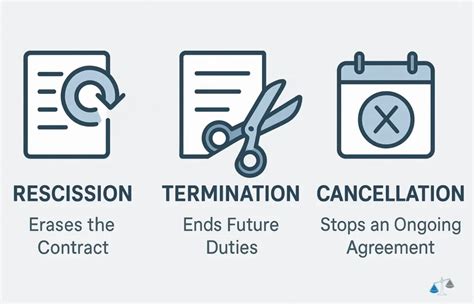
It is crucial to remember that Pixlr has no direct control over subscriptions managed by app stores. Therefore, you must cancel through your store account to prevent future charges. After cancelling via an app store, you will continue to have access to premium features until the end of your current billing cycle.
What Happens After You Cancel?
Understanding the implications of cancellation is vital to avoid confusion and ensure a smooth transition.
Access to Premium Features
Whether you cancel a web subscription or an app store subscription, you will generally retain access to the premium features you paid for until the end of the current billing period. This means that your access does not immediately cease upon cancellation. Once the paid period concludes, your account will revert to the free tier, and any premium features will be deactivated.
Renewal and Billing
Cancellation effectively stops the auto-renewal process for your subscription. You will not incur any further charges for future billing periods after your current one expires. However, if you have multiple subscriptions (e.g., one via web and another via an app store), you must cancel each one independently through its respective management portal to stop all recurring payments.
Account Data and Files
Your Pixlr account and any saved images or projects typically remain accessible even after you cancel your subscription, unless you choose to manually delete your account. Pixlr's terms of use generally state that upon account closure and explicit instruction for data erasure, Pixlr will make reasonable efforts to remove associated data. However, it is always advisable to export or download any work you wish to keep before deleting your account to prevent accidental loss of files.
How To Save & Export Project in Pixlr (Quick Tutorial)
Understanding Pixlr's Refund Policy
Pixlr's approach to refunds, particularly for web subscriptions, is a common point of inquiry for users.
Pixlr Web Subscription Refund Policy
Pixlr's stated policy generally indicates that payments are non-refundable once they have been processed, except where mandated by applicable law. This policy is consistently reflected in their pricing and help pages, as well as their Terms of Use. Pixlr routinely directs refund requests to these legal exceptions.
The platform offers a 7-day free trial for many of its paid plans, allowing users to evaluate the premium features before committing to a payment. This trial period is intended to mitigate the need for post-payment refunds.
App Store and Google Play Refunds
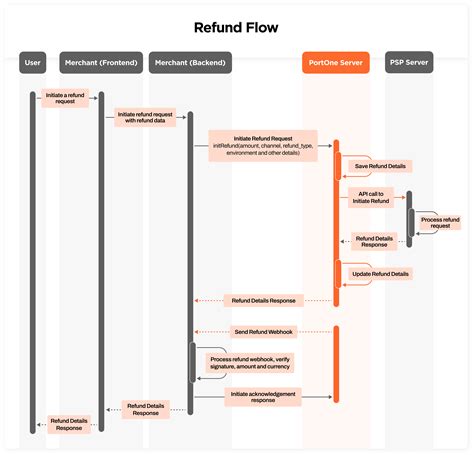
For subscriptions purchased through the Apple App Store or Google Play Store, refund requests must be directed to Apple or Google, respectively. These companies manage the billing and refund processes for all in-app purchases. Pixlr does not have the authority to issue refunds for these transactions. Users should consult the support pages of Apple or Google for their specific refund policies and procedures.
Exceptions and Consumer Rights
While Pixlr's policy leans towards non-refundability, consumer protection laws in various jurisdictions can override a provider's standard terms.
- Local Consumer Protection Laws: In many regions, local consumer protection laws may grant users rights to remedies if a service is faulty, misrepresented, or not of acceptable quality. For instance, in New Zealand, the Consumer Guarantees Act (CGA) ensures that services must be of acceptable quality and fit for purpose. If Pixlr's service is defective, unstable, or not as described, users may be entitled to remedies such as repair, replacement, or a refund.
- Statutory Cancellation Rights: Certain jurisdictions, particularly within the EU, may have statutory cancellation rights that allow for refunds or withdrawal from digital service contracts under specific conditions.
- Disputing Charges: If you believe a charge is unfair or erroneous, especially for app store purchases, the first step is to follow the refund process outlined by Apple or Google. For web purchases, if Pixlr denies a refund that you believe is legally required, you may need to dispute the charge with your payment provider (e.g., credit card company or bank).
It's important for users to be aware of their local consumer rights, as these can provide recourse even when a provider's standard policy does not. Gathering documentation, such as screenshots of subscription status, billing history, and any correspondence with Pixlr or the app store, is crucial when pursuing a refund or disputing a charge.
Pixlr Plans and Pricing Overview
Pixlr typically offers a tiered pricing structure to accommodate different user needs and budgets.
| Plan | Typical Billing | Key Features | Price (Example - SGD) |
|---|---|---|---|
| Free | N/A | Basic editing tools, limited saves and templates | Free |
| Plus | Monthly / Annual | More templates, extra assets, fewer limitations | S$3.98 (Monthly) |
| Premium | Monthly / Annual | Full feature set, priority assets, advanced tools, ad-free access | S$24.98 (Yearly) |
| Promotional | Varies (e.g., Weekly) | Specific offers, often with limited-time discounts or bundles | S$8.98 (Weekly) |
Pricing Notes:
- Prices can vary significantly based on the purchase channel (web vs. app store), promotional offers, and regional pricing strategies.
- App store listings may show multiple subscription durations (weekly, monthly, yearly), each with different pricing.
- Taxes may be excluded from initial price listings.
- Some plans, like those offered through partner programs (e.g., UOB BizSmart), may have unique pricing and benefits.
Users are advised to check the official Pixlr pricing page or their respective app store for the most current and accurate pricing information relevant to their location and chosen platform.
Customer Experiences and Common Pitfalls
User feedback provides valuable insights into the practicalities of using and cancelling Pixlr subscriptions.
Positive Feedback
Many users appreciate Pixlr for its:
- Ease of Use: The intuitive interface is frequently praised, making it accessible for beginners.
- Robust Free Tools: The availability of powerful editing features in the free tier is a significant draw.
- Advanced Features: Users also commend features like layers, object removal, and AI-assisted tools that rival more complex software.
- Web-Based Accessibility: The ability to edit directly in a browser without downloads is highly convenient.
Common Complaints and Pitfalls
Despite the positive aspects, several recurring complaints highlight areas where users encounter difficulties:
- Unexpected Auto-Renewals: A frequent issue reported is the surprise of auto-renewal charges, particularly after free trial periods.
- Refund Refusals: Users often express frustration with Pixlr's policy of generally not issuing refunds for processed payments, even for seemingly small amounts or after brief usage.
- AI Tool Performance: Some users report issues with Pixlr's AI tools, citing them as slow, malfunctioning, or producing unsatisfactory results.
- Limited Free Tier Usage: While the free tier is appreciated, some users find its limitations (e.g., number of saves, access to templates) restrictive.
- Difficulty Cancelling Store Subscriptions: A significant number of users mistakenly believe Pixlr customer support can cancel their App Store or Google Play subscriptions, leading to continued charges.
- Misunderstanding Refund Policies: Users sometimes assume that cancelling a subscription automatically triggers a refund, or that a "no refund" policy is always absolute, overlooking potential legal rights.
Avoiding Common Mistakes
To navigate the cancellation and refund process smoothly, it's important to avoid these common errors:
- Assuming Pixlr Can Cancel Store Subscriptions: Always remember to cancel directly through your Apple App Store or Google Play account. Pixlr cannot do this for you.
- Expecting Immediate Loss of Access: Premium access typically continues until the end of the paid billing period, even after cancellation.
- Assuming Automatic Refunds: Pixlr's web policy is generally non-refundable. For app store purchases, refunds are at the discretion of Apple or Google. Always review the terms and conditions before purchasing.
- Not Keeping Records: Maintain copies of receipts, screenshots of your subscription status, and any communication with support. This documentation is crucial for disputes.
Navigating Consumer Rights
Understanding your rights as a consumer is paramount, especially when dealing with digital subscriptions.
Pixlr's Corporate Address and Legal Notices
For formal written notices or legal communications, Pixlr's corporate address is:
Pixlr Pte.20 Havelock Road, #01-10Singapore 169633
While Pixlr primarily handles cancellations online, this address serves as a point for official correspondence.
Terms of Use and Modifications
Pixlr reserves the right to modify its Terms of Use at any time. Continued usage of the services after such modifications implies agreement to the revised terms. Users are encouraged to periodically review the Terms of Use for any updates.
User Account Responsibilities
Users are responsible for maintaining the accuracy of their account information and keeping their passwords secure. Promptly notifying Pixlr of any unauthorized account use is essential. Users can delete their accounts at any time by following the instructions provided within the service.
Intellectual Property and Content Usage
All trademarks, service marks, copyrights, and logos associated with Pixlr are owned by or licensed to Pixlr. Users are granted a limited license to use and access the service, with no ownership rights conveyed. Pixlr also retains rights to use customer data for service improvement and product development, provided it is aggregated and not personally identifiable.
Regarding AI-generated content, Pixlr acknowledges that creations may be similar to existing material or real persons. By publishing AI content, users grant Pixlr a broad license to reproduce, display, and distribute such content.
Seeking Further Assistance and Resources
If you encounter issues or require further clarification on cancelling your Pixlr subscription or understanding your rights, several resources are available:
- Pixlr Help and Support: The Pixlr website offers tutorials, design tips, and community forums to assist users with their creative projects and technical queries.
- App Store Support Pages: For issues related to App Store or Google Play subscriptions, Apple and Google provide dedicated support pages and guides for managing subscriptions and requesting refunds.
- Consumer Protection Agencies: In cases of significant disputes or perceived unfair practices, users can consult their local consumer protection agencies for guidance and assistance. For instance, in Nigeria, the Federal Competition and Consumer Protection Commission (FCCPC) can offer support.
- Legal Guidance: For complex situations or specific legal advice regarding consumer rights, consulting with a legal professional or consumer rights organization is recommended.
By understanding the cancellation procedures, refund policies, and your consumer rights, you can effectively manage your Pixlr subscription and ensure a satisfactory experience.
tags: #pixlr #cancel #subscription