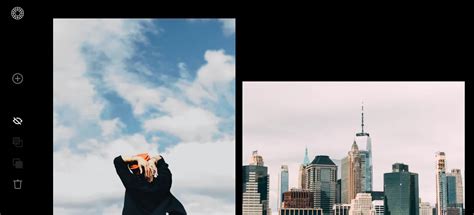
In the ever-evolving landscape of digital photography and videography, achieving a distinct and polished aesthetic is paramount. VSCO, a platform renowned for its community-driven approach and powerful editing tools, offers a solution through its extensive library of presets. These pre-packaged looks are not merely filters; they are meticulously crafted color corrections designed to imbue your images and videos with nuanced moods and styles, streamlining your creative workflow. Whether you're a seasoned professional or an aspiring photographer, understanding and utilizing VSCO presets can elevate your visual storytelling to new heights.
Understanding the Essence of VSCO Presets
At their core, VSCO presets are pre-defined editing styles that can be applied to your photos and videos with a single tap. They are custom-made by VSCO and are designed to be difficult to fully replicate using manual editing tools, offering a unique signature to your work. Each preset is assigned a short, memorable name, such as "A1," allowing for quick recall and application of your favorite looks. Tapping on a preset instantly applies its effect, providing a live preview of its impact on your image. A second tap reveals the preset's full name and offers a strength control, allowing for fine-tuning of its intensity.
VSCO offers two primary categories of presets: Film X and Standard.
Film X Presets: These presets are distinguished by their white background and colored names, appearing first in the preset tray. They are advanced physical models that meticulously emulate real-world film stocks. A key feature of Film X presets is the inclusion of two extra controls beyond the standard strength adjustment:
- Character: This control models the changes that occur from over- and under-exposing film, allowing for nuanced control over the film's response to light.
- Warmth: This slider emulates the adjustments made to color balance when scanning film, offering precise control over the color temperature and cast of the image.
Standard Presets: These presets feature colored labels with white letters and represent custom looks developed by VSCO. They are designed to impart a variety of moods and aesthetics to your images, offering a diverse range of creative possibilities.
For an in-depth exploration of each individual preset, VSCO provides a comprehensive Preset Guide, which serves as an invaluable resource for understanding the subtle differences and intended applications of their extensive collection.
Navigating and Organizing Your Preset Library
The sheer volume of available presets can be initially overwhelming, but VSCO offers robust organizational tools to manage and personalize your editing experience.
Favoriting Presets: To quickly access your most-used presets, you can favorite them. This can be done by pressing and holding a preset and sliding up to select the star icon. Alternatively, within the Organize tab of the Editor, you can favorite presets by selecting the star next to their names. Favorite presets are conveniently grouped under the "Favorites" category at the top of the preset list, allowing for immediate access.
Preset Categories: Beyond Favorites, VSCO organizes presets into several other helpful categories:
- Recent: This category displays the presets you have most recently used, facilitating a quick return to familiar looks.
- For This Photo: Leveraging on-device machine learning, this feature analyzes your image and suggests presets that are likely to complement its content and style.
- Featured: These presets are regularly highlighted by VSCO, showcasing new and popular looks.
- Look and Subject Categories: The remaining presets are further categorized by their aesthetic qualities and the subjects they are best suited for, such as portraits, landscapes, or vintage styles.
Viewing and Selecting Presets
To facilitate easier selection and comparison, VSCO provides different viewing modes for presets. Tapping the preset icon in the bottom left corner of the editor reveals grid view options. These modes present larger thumbnails and a scrolling interface, allowing you to see the potential impact of each preset at a glance.
When you find a preset that interests you, tapping it brings up its detail view. Here, you can see its full name and adjust its strength using the dedicated slider. Tapping the checkmark icon will apply the selected preset to your image, while tapping the 'X' will return you to the preset grid view, allowing you to continue browsing.
The Power of Pro Presets: Unlocking Advanced Control
For those seeking an even deeper level of creative control, VSCO offers Pro Presets, available through a VSCO Membership. These presets represent the pinnacle of VSCO's editing capabilities, uniting creativity with precision.
Customizable Classics: Inspired by VSCO's most popular looks, Pro Presets allow users to color grade photos and videos with exceptional quality and precision. Pro Members can easily craft and customize their own unique aesthetic by leveraging advanced controls.
Enhanced Editing Controls: Each Pro preset comes with additional, powerful sliders that go beyond the basic strength adjustment:
- Contrast: This slider allows for transformative adjustments to the contrast of an image, enabling you to shift shadows and highlights from dynamic to mellow and anywhere in between.
- Color: With a unique look and feel for each Pro preset, the color slider provides the ability to explore the full spectrum of hues within a filter. You can transition from vibrant to muted tones without leaving your preset library.
- Tone: This slider enables fine-tuning of subtle shifts in fade, from highlights to shadows, allowing you to strike the perfect tonal balance in your next shot.
Pro Presets can be utilized within the VSCO mobile app or through VSCO Studio on desktop. By tapping any Pro Preset tile in the editor, you can apply the base look and then further refine it using the advanced contrast, color, and tone sliders to achieve your desired outcome.
Diving Deep into VSCO Film 01: Modern Films Emulated
The VSCO Film 01 pack, described as "Modern Films," is a testament to VSCO's commitment to accurately emulating the aesthetic qualities of real-world film stocks. This pack is particularly beneficial for a new generation of photographers who appreciate the organic look of film but may not have extensive experience with traditional film cameras or darkroom processes.
The modern films emulated in VSCO Film 01 are characterized by their accuracy, meaning they deliver natural color reproductions and extra-fine film grain, rather than drastic, Instagram-like transformations. These films are calibrated to render skin tones evenly and naturally, while providing scenes with just the right amount of contrast and luminosity. Consequently, the films in this pack are especially targeted towards portrait and wedding photographers, though their applications are broader.
How to PERFECTLY MATCH Digital Photos With Film | DEHANCER Review
Fuji Film Emulations in VSCO Film 01
Fuji's Professional color films are renowned for their pleasing and accurate skin tone reproduction.
Fuji Pro 160C: This film emulation produces "bright" and "clean" images with a touch of extra-fine film grain. It tends to push the mid and high tones, offering excellent skin tone reproduction. However, in some instances, it might slightly wash out finer details in the face, and the colors can appear slightly desaturated compared to other films in the Fuji family. The soft, even lighting is ideal for this preset, rendering skin with a porcelain quality while adding contrast to eyes, lips, and hair.
Fuji Pro 400H: This legendary film emulation is celebrated for its superb skin tone reproduction and silky smooth gradations from highlights to shadows. It's a highly versatile film, particularly for portraits, weddings, and fashion photography. The Fuji 400H preset can instantly add depth and character to an image, resulting in perfect skin tones and richer, more interesting color gradations in the shadows.
Fuji Pro 800Z: This emulation excels at bringing out natural, true-to-life skin tones even in challenging lighting conditions such as low-light, flight-light, or mixed light. The film grain is more noticeable than in 160C or 400H, but this can add a pleasant depth and texture when appropriate. It's best used in situations where accurate skin tones are paramount, but be aware that it may reduce saturation and increase graininess. The Fuji 800Z preset is particularly effective at correcting color casts and inconsistencies in skin tones caused by uneven lighting.
Kodak Film Emulations in VSCO Film 01
Kodak's Professional color films are known for their warm, vibrant tones that make skin tones appear glowing and luminous.
Kodak Portra 160: This film emulation exhibits very neutral tones that lean towards the warmer side of the spectrum. It offers the least saturated colors among the Kodak Pro films and features extremely fine film grain. It's an excellent choice if you are not seeking highly saturated colors, providing incredibly even and luminous skin tones without extensive retouching.
Kodak Portra 400: This emulation strikes a sweet spot between saturation, sharpness, and contrast, with a subtle hint of film grain for added depth. Colors are vivid, and skin appears glowing. Compared to Fuji 400H, Portra 400 might have slightly less texture and a more "shiny and perfect" feel, making it well-suited for commercial and product photography, while Fuji 400H leans towards a more "raw, organic, and lived-in" aesthetic ideal for wedding photography. The Portra 400 preset can make a photo feel full of life and light, and it's particularly effective for low-light, natural portrait photography.
Black and White Film Emulations in VSCO Film 01
VSCO Film 01 also includes three distinct black and white film emulations.
Ilford HP5: This is considered a gold standard in modern black and white film, offering medium contrast and slight grain. It's rated at ISO 400 but can be pushed or pulled during development to achieve an ISO range of 200 to 1600.
Kodak Tri-X: As the world's best-selling black-and-white film, Tri-X is very similar to Ilford HP5, featuring fine grain, medium contrast, and high sharpness. It's a highly versatile and practical black and white film suitable for a wide range of situations.
Kodak T-MAX (Simulated Pushed to ISO 3200): Originally available in ISO 100, 400, and 3200, Kodak T-MAX's incredible speed made it popular for surveillance and even X-ray cameras. The VSCO emulation simulates pushing T-MAX to ISO 3200, resulting in a more raw, rough, and vintage look. This preset is ideal for achieving a distinct, aged aesthetic.
VSCO Capture: Presets in the Moment
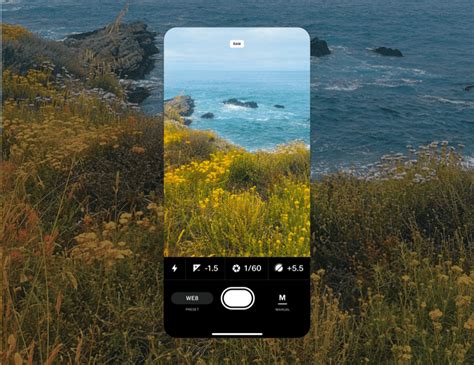
VSCO Capture, an application available on the iOS App Store, offers a streamlined experience with 50 built-in presets optimized for live preview and instant editing. These presets are crafted to deliver unique aesthetics and enhance creative workflow.
Applying Presets in Capture: Users can now shoot with Pro Presets (such as A6 Pro, AL1 Pro, B1 Pro, C1 Pro, G6 Pro, HB2 Pro) within the Capture app. However, to utilize the full Pro Preset editing options with advanced controls like Contrast, Color, and Tone sliders, a VSCO Pro membership is required. Without a Pro membership, photos edited in Capture will revert to their non-Pro versions when opened in the main VSCO app for further editing.
Included Presets: VSCO Capture includes 50 curated presets inspired by film and editorial aesthetics, featuring familiar names like A4, A5, A6, B1, B5, C8, E4, and favorites such as HB1, HB2, and SE3. The strength of each preset can be adjusted in real-time while shooting, allowing for precise control over the desired look.
Crafting Your Signature Look: Beyond the Preset
While presets offer a powerful starting point, VSCO encourages users to go beyond a single tap and further refine their edits. The app provides a suite of powerful, user-friendly editing tools that make it easy to personalize photos and achieve a signature style.
Specific Preset Recipes: VSCO often shares "recipes" or specific editing workflows that combine presets with manual adjustments to achieve particular looks:
- For Portraits: The AL5 preset is often recommended for portraits, with adjustments to Temperature (increasing warmth), Highlights (increasing to recover detail), and Exposure (fine-tuning for definition and smoothness).
- For Landscapes: Starting with the A6 preset, adjustments often include increasing Contrast in shadows for depth, bumping up Exposure for smooth highlights, and using White Balance to increase Temperature to offset blue tones.
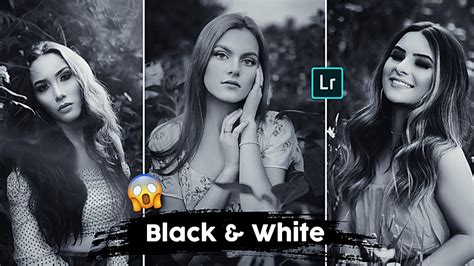
- For Black and White: The FN16 preset, inspired by Fuji's Neopan 1600, is suggested for black and white photography. Adjusting Exposure is key here, with higher settings creating bright, cheery images and lower settings producing a more pensive mood. Lower Contrast and brighter edits ensure detail in the blacks.
- For Cityscapes: The L7 preset can be effective for cityscapes. Toning down Saturation and Temperature can help create cohesion by emphasizing cooler colors.
- For Sunny Days: The M5 preset is recommended for bright, sun-soaked images. Adding a small amount of Exposure and Contrast helps to bring out the light and balance the brightness.
The "Less is More" Philosophy: A guiding principle in VSCO editing is the "less is more" approach. The aim is to stay true to the original image while emphasizing its subtle nuances. This often involves making small but impactful adjustments, such as bumping up exposure at least one notch before applying other edits.
The VSCO Ecosystem: Mobile and Desktop
VSCO provides a comprehensive editing experience across multiple platforms. You can edit your photos from anywhere by downloading the VSCO app for your iPhone or Android device, or by utilizing VSCO Studio on your desktop (Mac or PC). This flexibility ensures that you can access your filters and photo effects wherever inspiration strikes.
Endless Possibilities: From Film Emulation to Custom Creations
VSCO's library is vast and continually expanding, offering a diverse range of editing options:
- Film-Inspired Looks: Explore photo filters that meticulously simulate the look of classic film stocks from renowned manufacturers like Kodak, Fuji, and Ilford.
- Customizable Pro Presets: For Pro members, exclusive, professional-grade presets offer advanced controls for contrast, color, and tone, allowing for unparalleled customization.
- "WE The Creators" Series: This series features all-new photo presets developed in collaboration with VSCO photographers, offering unique looks inspired by the styles of community members.
- Color Grading Presets: Designed to accentuate cinematic flair, these presets can convey a wide range of moods in both photo series and individual videos.
- Cross-Processed Presets: A newer category, these presets, like FR4X inspired by Fuji Provia 400X, explore the unique and often unpredictable looks that result from cross-processing film.
Frequently Asked Questions About VSCO Presets
What is the most popular VSCO photo filter? Popular choices include A4 for a warm, analog film vibe, B1 for a classic black and white look, and A6 PRO for a polished, professional finish. Exploring edits from other creators within the VSCO app can reveal which presets are trending.
How do I put filters on my photos? Upload your image to VSCO Studio, tap 'Edit Image,' and choose a preset filter. You can tap the filter again to adjust its strength for a more subtle effect. VSCO filters can be applied using the mobile app or the desktop Studio.
Can I make photos look like film? Yes, VSCO offers a wide array of film-inspired photo filters that faithfully recreate the aesthetic of classic film stocks.
Are photo filters the same as presets? In VSCO's context, presets are essentially photo filters designed to impart a consistent style with a single tap, offering aesthetic and vintage looks for unique yet cohesive editing.
Can I create my own photo filters? Yes, VSCO allows you to save your custom edits as "Recipes," which can then be reused on any photo, enabling batch editing and the development of a personal editing style.
What's the difference between regular and Pro presets? Pro presets, exclusive to Pro members, offer advanced controls for contrast, color, and tone, going beyond the standard strength slider found in regular presets.
Can I make photos black and white? Absolutely. VSCO provides over 15 black and white photo filters, each offering a distinct monochrome aesthetic.
Can I use VSCO presets in Adobe Lightroom? Yes, VSCO Film presets for Adobe Lightroom are available for advanced RAW workflows and desktop editing. These are free for VSCO Pro members and bring the signature film-inspired character to your Lightroom edits.
Does VSCO have retro photo filters? Yes, VSCO offers a variety of retro and vintage-inspired photo filters, many of which emulate classic film looks.
Can I combine filters with other photo editing tools? Yes, VSCO allows you to combine photo filters with tools such as grain, fade, and HSL for comprehensive creative control.
The Enduring Appeal of Black and White with VSCO
For many photographers, black and white photography holds a special allure, offering a timeless and emotive visual language. VSCO provides a dedicated suite of black and white presets that can enhance the mood, scene, and subject of your images.
Starting with Black and White: Beginners are often encouraged to start with black and white photography as it removes the distraction of color, forcing a focus on composition, light, and shadow. Black and white can often elevate an otherwise ordinary photo by emphasizing its inherent mood and story.
VSCO Cam B-Series Presets: The B-series presets in VSCO Cam offer a range of monochrome looks, from subtle to dramatic. By examining how each preset affects an image, users can gain a deeper understanding of their impact and choose the one that best suits their vision.
In conclusion, VSCO presets are more than just quick fixes; they are sophisticated tools that empower photographers to achieve specific artistic visions, emulate the rich history of film photography, and streamline their editing process. By understanding the different types of presets, leveraging organizational features, and exploring the advanced controls offered by Pro memberships, users can unlock a world of creative possibilities and truly master the art of visual storytelling.