Adobe Photoshop, a cornerstone of digital art and design, has transitioned from a one-time purchase model to a subscription-based service. This shift offers users continuous product updates and cloud storage, but it also necessitates a clear understanding of how to manage these recurring payments. For those looking to discontinue their Photoshop subscription, this guide provides a detailed walkthrough, drawing upon Adobe's own terms and policies to ensure clarity and accuracy.
Understanding Adobe's Subscription Model
Adobe's subscription model operates on an auto-renewal basis, meaning your subscription continues and your payment method is automatically charged each month, or annually depending on your plan, until you actively cancel. Your subscription begins as soon as your initial payment is processed. This authorization to store your payment method and charge it periodically is a core component of their service. Adobe may also change your plan's rate at each renewal term, and they commit to notifying you of any such changes, providing an option to cancel.
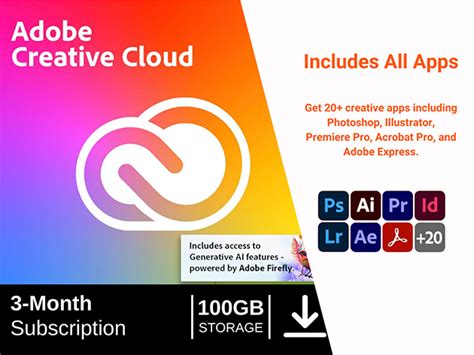
Should your primary payment method fail, Adobe is authorized to charge any other payment method stored in your account. If no backup payment method is available or all provided methods fail, your subscription may be suspended. During a suspension, you might lose access to some features and functionality, though you will retain access to your Adobe Account and Content within free user storage limits. Adobe will continue to attempt charging your payment method(s) for the remainder of the term, and payment will restore full subscription access.
For customers in the European Economic Area, initial purchases may require authentication through a password, a one-time code, or biometric recognition. This authentication also authorizes Adobe to charge your payment method for subsequent purchases independently.
Generative AI Features and Credits
Many Adobe subscriptions now include generative AI features, which utilize generative credits. These credits allow users to generate outputs based on provided inputs. The number of credits required varies depending on the generative feature used and the type or number of outputs generated. Importantly, the generative credits reflected in your subscription expire each month and are reset to the same number for the duration of your subscription.
Free Trials and Early Cancellation
If you have signed up for a free trial, it begins immediately after sign-up. If you cancel before the trial period ends, your payment method will not be charged. Eligibility for Adobe free trial offers is determined solely by Adobe.
Cancellation Policies and Refunds
You can cancel your subscription anytime via your Adobe Account page or by contacting Customer Support. A crucial detail for subscribers is the refund policy: if you cancel within 14 days of your initial order, you are eligible for a full refund. This 14-day window is a standard consumer protection in many regions.
However, for yearly subscriptions, particularly those purchased in the US, the terms can be more specific. After the first year, your subscription will automatically renew either monthly (for US customers) or annually (for all other customers) until you cancel. For yearly plans, note that after the initial 14-day period, a cancellation fee, often equivalent to 50% of the remaining balance of the contract, may apply. These cancellation charges are often calculated based on standard monthly subscription fees, such as US$69.99 or US$22.99 for North America, depending on the specific plan.
It is important to be aware that specific countries may require cancellations to be made exclusively by contacting Customer Support, rather than through the online account portal.
Navigating the Unsubscription Process Online
The primary method for unsubscribing from Adobe Photoshop, especially for subscriptions purchased directly through Adobe, is via your Adobe Account page.
- Access Your Account: Open your Adobe account's plan page in a web browser. You will need to sign into your account using your Adobe ID and password.
- Locate Your Plan: Once logged in, navigate to the section detailing your current subscription plan. This is typically found under "Account," "Plans," or "Subscriptions."
- Initiate Cancellation: Look for an option to "Cancel plan," "Manage subscription," or a similar button. Clicking this will begin the cancellation process.
- Review Service Impact: Adobe will then present a summary of the services and features you will lose access to upon canceling. This might include access to Photoshop itself, cloud storage, and other Creative Cloud applications.
- Confirm Cancellation: A new window will appear, detailing your cancellation specifics, including any refund you may be eligible for based on the timing of your cancellation relative to the 14-day refund period. You will likely need to provide a reason for cancellation.
- Finalize: Confirm your decision to cancel. Your subscription is now canceled.
Avoid Paying Adobe’s Cancellation Fee – Here’s How
Post-Cancellation Access
When your subscription ends, your access to most Creative Cloud applications and services will cease. However, starter plans for some applications might still be available through a Creative Cloud free membership. This means you may retain limited access to certain tools or features, often with reduced functionality, under a free tier.
Academic Pricing Considerations
For users who have subscribed using education pricing, Adobe reserves the right to verify academic status at any time. If eligibility is not confirmed, Adobe may suspend your account or transition you to the then-current, non-education subscription pricing. This emphasizes the importance of maintaining accurate and verifiable academic credentials if you are utilizing such discounts.
Understanding Contractual Obligations
It's vital to understand the specific terms of your contract, especially concerning annual subscriptions. While offering a significant discount compared to monthly payments, these plans often come with early termination fees if canceled outside the initial 14-day window. The exact amount of the fee is typically a percentage of the remaining balance of your contract. Always review the terms and conditions associated with your specific plan to avoid unexpected charges.
By understanding these various aspects of Adobe's subscription and cancellation policies, users can more effectively manage their software services and ensure they are making informed decisions about their Adobe Photoshop subscriptions.
tags: #how #to #unsubscribe #photoshop