In the dynamic world of digital creation, where captivating visuals reign supreme, Adobe Photoshop stands as a titan. It's a tool that can transform a simple photograph into a compelling design, drawing in a multitude of intrigued eyes. Far beyond its reputation for basic edits like removing red-eye or fixing a stray hair, Photoshop offers a vast landscape of possibilities for both personal and professional endeavors. From crafting personalized announcements for life's milestones to designing professional marketing materials, Photoshop empowers users to sculpt, manipulate, and create with unparalleled flexibility.
The evolution of Photoshop is a testament to innovation, with its origins tracing back to 1987. Developed by brothers John and Thomas Knoll, the software began as a script by Thomas, an engineering student with a passion for photography, to convert monochromatic images to grayscale. His father’s own photographic pursuits likely fueled his interest. Thomas expanded this script, enabling on-screen image effects. John, a special effects designer, joined his brother, and together they created "Image Pro," released in 1988. Adobe recognized its potential, acquiring the software and launching the first version of Photoshop in February 1990. Today, Photoshop is the undisputed market leader, boasting the most extensive array of tools for a wide spectrum of design and editing needs.
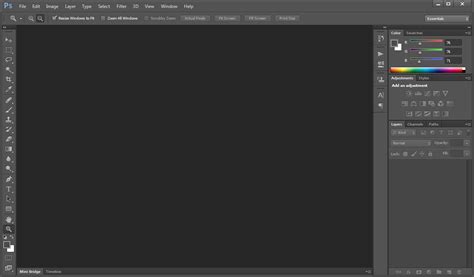
Core Functions: Photo Editing and Retouching
At its heart, Photoshop is a powerhouse for photo editing and retouching. Professional photographers often integrate Photoshop into their workflow after initial edits in Adobe Lightroom. Within Photoshop, they meticulously sharpen images, correct colors, and fine-tune exposure by adjusting brightness, contrast, shadows, and highlights. Photo retouchers leverage Photoshop’s sophisticated tools to perfect skin by removing blemishes, smooth out wrinkles, erase stray hairs, and eliminate distracting red-eye effects. This meticulous attention to detail ensures that every photograph achieves its highest visual potential.
Graphic Design: Beyond Basic Layouts
While Adobe Illustrator is Adobe's flagship application for graphic design, Photoshop remains a highly favored choice among designers. Many of Illustrator's essential tools, such as the versatile Pen Tool, have been incorporated into Photoshop, making it a robust platform for creating logos, icons, and other crucial branding elements. The ease with which text can be added, transformed, and manipulated, coupled with the ability to work with vector shapes and convert elements into Smart Objects, streamlines the design process. Furthermore, Photoshop facilitates saving designs in optimized formats for web use, ensuring they render perfectly across digital platforms.
Photoshop CS5 - Intro to Vector Tools
Illustration: From Sketch to Digital Canvas
Illustrators find Photoshop to be an indispensable tool, whether they prefer to begin with traditional sketches or dive straight into digital creation. For those who enjoy the tactile feel of drawing on paper, modern tools like Wacom's Intuos Pro Paper Edition can digitize sketches automatically as they are created. These digital sketches can then be effortlessly transferred to Photoshop for further refinement on separate layers. Alternatively, many illustrators work directly on screen tablets, such as the Cintiq 16, using Photoshop's extensive brush library to create intricate artwork from scratch. Photoshop also incorporates a robust set of vector tools, including the Rectangle, Rounded Rectangle, Ellipse, Polygon, Line, and Custom Shape tools, offering illustrators a hybrid approach to their craft.
Product Design and Packaging Mock-ups
Beyond graphic design and illustration, Photoshop plays a critical role in the realm of product design, particularly in the creation of packaging and mock-ups. Product designers utilize Photoshop to conceptualize and render compelling designs for boxes, wrapping paper, product covers, and other packaging elements. This allows them to visualize how a product will appear on shelves or in marketing materials before committing to physical production, saving time and resources.
Social Media Content Creation
In today's visually driven digital landscape, social media is paramount for businesses and individuals alike. Photoshop excels at creating and editing engaging social media content. The program offers a variety of preset aspect ratios, simplifying the process of cropping images to fit perfectly across different platforms. This ensures that posts are visually appealing and optimized for maximum impact, helping to capture the attention of potential clients and followers.
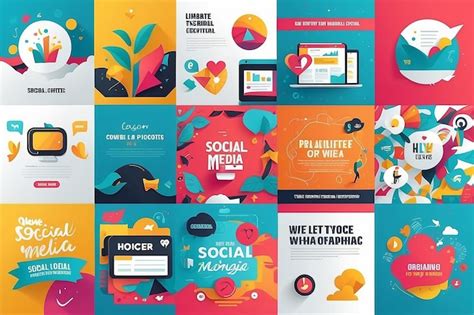
Posters, Wall Art, and Printables
Photoshop is renowned for its capabilities in creating eye-catching posters and wall art. Designers can precisely crop images to match specific printing dimensions, add complementary text, and convert artwork to CMYK color mode for professional printing. Supported file formats for printing, such as Adobe PDF, TIFF, and JPEG, ensure high-quality output. Many individuals also use Photoshop to design and produce printables, such as inspirational quotes, for personal use or for sale. The program's extensive font library, coupled with the ability to manipulate text and create custom designs, opens up avenues for generating unique decorative items.
Interior Design Visualization
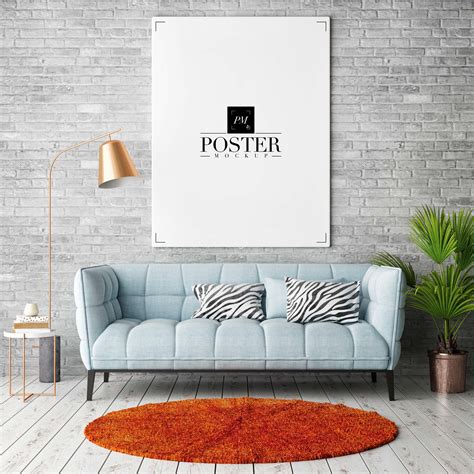
Photoshop extends its utility to the field of interior design, providing a powerful platform for visualizing design concepts before any physical changes are made. Users can experiment with various furniture arrangements, color schemes, and decorative elements to design living rooms, bedrooms, kitchens, and home offices. A popular application within this area is the creation of printable quotes designed for interior decoration. By skillfully combining different font types and styles, designers can create visually appealing motivational or inspirational pieces that can be sold as digital files for customers to print themselves. It is crucial, however, to ensure that any fonts used for commercial purposes are properly licensed.
Digital Painting and Drawing
While specialized programs exist for digital painting, Photoshop remains a preferred tool for many digital artists due to its comprehensive feature set. With the aid of a drawing tablet, artists can select from an extensive range of brushes to create digital paintings and drawings of all styles, from comic and anime art to realistic oil paintings. This versatility allows for boundless creative expression, enabling artists to bring their imaginative visions to life on a digital canvas.
Video Editing Fundamentals
Although not its primary function, Photoshop can be effectively used for basic video editing. While it may not be suitable for producing entire feature films, it is well-suited for editing short video clips. The advantage lies in the ability to edit videos using familiar image editing techniques, making the process intuitive for existing Photoshop users.
3D Modeling and Animation (Legacy Features)
While Adobe has announced the removal of 3D features in future updates, Photoshop has historically offered capabilities for basic 3D modeling and animation. Users could construct simple 3D objects, apply lighting, and integrate text layers into their 3D scenes. These features provided an entry point into 3D design for many users.
Creative Expression and Personal Projects
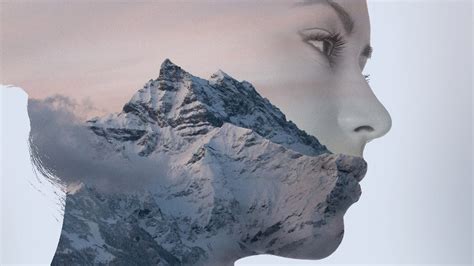
Beyond professional applications, Photoshop serves as a powerful outlet for personal creativity. Whether it's enhancing family photos with light effects, designing a unique logo for a personal project, or creating a cool poster for a hobbyist band, Photoshop empowers individuals to bring their ideas to fruition. The ability to combine multiple images to tell a story or preserve a memory through techniques like double exposure, where one image is layered onto another and revealed through masks, allows for deeply personal and artistic creations.
Standing Out on Social Media
For aspiring influencers and businesses aiming to boost their online presence, Photoshop is an invaluable asset. Users can refine their photos by adjusting brightness, contrast, and color balance, and apply filters to enhance visual appeal. While the possibilities for image alteration are vast, it's essential to maintain authenticity by avoiding over-editing. Photoshop also enables the creation of unique graphics and designs for social media posts and cover images, helping individuals and brands differentiate themselves in a crowded digital space. This enhanced online presence can lead to increased engagement, visibility, and opportunities.
Exploring Special Effects and Styles
Photoshop offers a plethora of tools for applying distinctive visual effects. The Liquify filter, for instance, allows users to morph images like clay, creating surreal and trippy effects. The Posterize option can transform a photograph into a cartoon-like rendition, while Colorize filters can dramatically alter the hue of a picture. For a retro aesthetic, users can apply vintage filter templates or manually create their own by adjusting saturation and contrast. The creation of glitch art, mimicking scan lines, tracking errors, and static of VHS tapes, is also possible by manipulating RGB channels to achieve harsh color effects.
Typography and Text Manipulation
Making a statement with typography is easily achievable in Photoshop. Users can access thousands of trending, licensed typefaces through Adobe Fonts and apply a wide range of effects to text layers. This includes adding gradients, drop shadows, embossed textures, and various other modifications to give words a unique visual impact.
Image Compositing and Storytelling
The ability to combine multiple images is a cornerstone of Photoshop's power, enabling users to tell stories or celebrate cherished memories visually. By placing one image on top of another as a new layer and utilizing layer masks, users can selectively reveal portions of the underlying image. This technique allows for intricate compositions and imaginative visual narratives.
Exploring Photoshop Editions and Learning Resources
Adobe offers various subscription plans for its Creative Cloud suite. Many artists opt for the Photography Plan, which includes Photoshop and Lightroom, for a monthly fee. Standalone app plans are also available, often with increased cloud storage. A free 7-day trial allows users to explore all Adobe applications. Students and teachers can benefit from significant discounts on subscription plans. For those who prefer a simpler, more affordable option, Photoshop Elements provides a stripped-down version with many capabilities and guided assistance for beginners.
For individuals eager to learn Photoshop, various educational resources are available. CEWT offers classes like "Photoshop Elements: Imaging Editing Basics," covering fundamental techniques such as lighting, detail manipulation, and image combining, and "Photoshop for Design Beginners," geared towards aspiring graphic designers. Noble Desktop also provides comprehensive Photoshop classes, including bootcamps and certificate programs in Graphic Design and UI Design, taught by expert instructors in small group settings. These courses often include free retakes, allowing students ample opportunity for practice and skill development. The Discover panel within Photoshop itself offers valuable tips, video tutorials, and workflows to help users work more efficiently.
Photoshop CS5 - Intro to Vector Tools
Whether you are a seasoned professional, a budding designer, or a hobbyist exploring your creative potential, Photoshop offers an unparalleled toolkit to bring your visions to life. Its versatility, combined with a rich history of innovation, ensures its continued relevance as a leading force in the digital creative landscape.