Choosing the right image format is crucial for optimizing web performance and user experience. In the ever-evolving landscape of web development, two formats have emerged as prominent contenders for efficient image delivery: PNG and WebP. While PNG has long been a staple for its lossless quality and transparency, WebP, a more recent innovation from Google, promises superior compression and faster loading times. Understanding the nuances of PNG vs. WebP is essential for any developer or designer aiming to create a high-performing, visually appealing website.
The Evolution of Web Image Formats: From PNG's Dominance to WebP's Rise
The journey of image formats on the web has been driven by the constant pursuit of smaller file sizes without sacrificing visual fidelity. PNG, short for Portable Network Graphics, debuted in 1996 as a patent-free, lossless alternative to GIF. It was designed to support transparency and a wider spectrum of colors, quickly becoming a go-to format for graphics requiring sharp detail and transparent backgrounds, such as logos, icons, and illustrations. Its lossless compression ensures that every pixel in the original image remains intact, preserving intricate details and sharp edges. This makes PNG ideal for images that undergo repeated editing, as each save operation preserves the original pixel data without degradation.
However, the lossless nature of PNG, while beneficial for quality, often results in larger file sizes, particularly for photographs and complex images with gradients. This can lead to slower page load times, increased bandwidth consumption, and a negative impact on key web performance metrics like Largest Contentful Paint (LCP).
In response to these challenges, Google introduced WebP in 2010. WebP was conceived as a modern image format designed to deliver both lossless and lossy compression, aiming to significantly improve web performance. By leveraging advanced compression techniques, including predictive coding based on VP8 video technology, WebP can shrink images without noticeable loss in quality. This efficiency means WebP files are typically much smaller than their PNG or JPEG counterparts, translating to faster loading times and a better user experience.
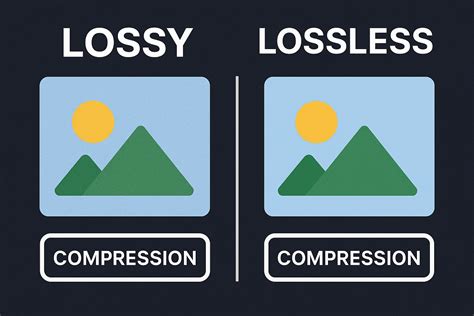
Understanding Compression: Lossless vs. Lossy and Their Impact
The core difference between PNG and WebP lies in their compression methodologies.
PNG: The Champion of Lossless Compression
PNG is fundamentally a lossless format. This means that when an image is compressed using PNG, no image data is lost. Every pixel's information is preserved, ensuring that the final image is an exact replica of the original at a pixel level. This is invaluable for graphics where absolute precision is paramount, such as logos with sharp vector-like edges, intricate illustrations, or images that will be further edited.
While lossless compression guarantees perfect fidelity, it often comes at the cost of larger file sizes. For photographs or images with smooth gradients and subtle color variations, a PNG file can become quite substantial, impacting load times.
WebP: The Versatile Compressor with Lossy and Lossless Options
WebP offers a dual approach to compression:
- Lossless WebP: Similar to PNG, lossless WebP preserves all original image data. However, Google's implementation of lossless compression in WebP is more advanced. It employs techniques like predictive coding, better entropy encoding, and the removal of visually redundant information that isn't perceptible to the human eye. This allows lossless WebP images to be up to 26% smaller than equivalent PNG files while maintaining identical quality.
- Lossy WebP: This is where WebP truly shines in terms of file size reduction. Lossy compression involves discarding some image data, selectively removing information that is less likely to be noticed by the human eye. While some data is lost, WebP's lossy algorithms are highly sophisticated, often achieving dramatically smaller file sizes than PNG or even JPEG, with visual quality that is virtually indistinguishable from the original for most users. Multiple tests, including analysis by Cloudinary, have shown that compression artifacts in lossy WebP are nearly imperceptible at normal viewing distances.
Transparency: A Key Feature for Both Formats
Transparency is a critical element for web design, allowing images to blend seamlessly with different backgrounds and enabling complex layering of content. Both PNG and WebP offer robust support for transparency.
PNG's Alpha Channel Transparency
PNG is renowned for its support of alpha channel transparency. This feature allows for varying degrees of opacity, from fully opaque to completely transparent, and everything in between. This is essential for creating graphics with smooth, anti-aliased edges that blend perfectly with any background, a feature that made PNG a superior choice over GIF for many applications.
WebP's True Alpha Transparency
WebP also supports alpha transparency in both its lossless and lossy modes. The alpha compression in WebP is highly efficient, typically adding only about 22% overhead compared to lossy compression. This means you can achieve crisp edges or soft fades without relying on the larger file sizes often associated with PNG for such effects.
Animation Capabilities: WebP's Advantage
For animated content, the comparison shifts significantly.
PNG and Animation
PNG does not natively support animation. While an extension called APNG (Animated Portable Network Graphics) exists, it's not as widely adopted or as efficient as other animation formats. For animated graphics, developers traditionally relied on GIF, which has limitations in color depth and file size.
WebP Animation
WebP, on the other hand, offers built-in support for animation through the WebP animation format (WebPAN). This allows for smaller, higher-quality animated clips compared to GIFs, making it a more modern and efficient choice for dynamic web content. WebP animations also benefit from features like frame seeking, further enhancing their performance.
SaaS Demo Video Styles (Explained)
Browser Support and Compatibility: The Adoption Landscape
Widespread adoption of a new format hinges on its compatibility across various browsers and platforms.
PNG's Universal Support
PNG enjoys nearly universal support across all major web browsers and operating systems. This makes it a safe and reliable choice, ensuring that your images will display correctly for virtually all users, regardless of their browser version or device. You don't need to worry about fallbacks or special handling for PNG files.
WebP's Growing but Imperfect Support
WebP's browser support has improved dramatically since its introduction. Major modern browsers like Google Chrome, Mozilla Firefox, Microsoft Edge, and Safari (since version 14) now support WebP natively. However, older browsers, particularly older versions of Internet Explorer, may not support WebP. This means that for a fully inclusive experience, developers might still need to provide fallback options, such as serving a PNG or JPEG file to browsers that don't support WebP. This can add a layer of complexity to image delivery.
When to Choose Which Format: Practical Use Cases
The decision between PNG and WebP often comes down to balancing priorities: file size, image quality, transparency needs, animation requirements, and browser compatibility.
Ideal Scenarios for PNG:
- Logos and Icons: When crisp, sharp edges and perfect scalability are paramount, and file size is less of a concern for these typically small assets.
- Graphics Requiring Repeated Editing: Due to its lossless nature, PNG is ideal when an image will be saved and re-edited multiple times, preserving every detail.
- Maximum Compatibility: If you need to ensure your images display correctly for every single user, including those on very old browsers or systems, PNG is the safest bet.
- Detailed Illustrations and Graphics: For images where every fine line and subtle color variation must be preserved without any loss.
Ideal Scenarios for WebP:
- Photographs and Complex Images: WebP's lossy compression offers significant file size reductions for photos and realistic images without a noticeable drop in visual quality.
- Images with Transparency: WebP's efficient alpha transparency support makes it a strong contender for logos, icons, and other graphics that require transparency, often with smaller file sizes than PNG.
- Animated Graphics: For replacing GIFs with higher-quality, smaller animated files.
- Performance-Critical Websites: When every kilobyte saved contributes to faster load times, improved SEO, and a better user experience, especially on mobile devices or slower connections.
- Modern Browser Targets: If your target audience primarily uses up-to-date browsers, the benefits of WebP are readily accessible.
Optimizing Image Delivery: Beyond Format Choice
While choosing between WebP and PNG is a critical step, further optimization strategies can enhance web performance.
Automated Format Delivery
Manually serving different formats based on browser support can be tedious. Tools like Cloudinary's automatic format parameter (f_auto) can detect if a client browser supports WebP (or even newer formats like AVIF) and deliver the smallest viable format accordingly. This is often combined with quality optimization (q_auto) for a seamless, high-performance image delivery strategy.
Image Compression Tools
Several tools can assist in converting and optimizing images:
- Squoosh: Developed by Google, Squoosh offers precise control over compression settings with real-time side-by-side quality previews. It supports lossless PNG-to-WebP conversion and advanced features for maintaining quality while achieving optimal file size.
- cwebp (Google's Command-Line Tool): This official tool allows for highly efficient conversion of PNG files to WebP using advanced algorithms, with full customization over quality, metadata, and transparency.
- ImageKit: A cloud-based media optimization platform that provides automatic PNG-to-WebP conversion, adaptive compression, and on-the-fly image transformations at scale, simplifying the entire process.
The Verdict: WebP for Performance, PNG for Compatibility and Precision
In most modern web environments, WebP emerges as the superior choice for speed, performance, and overall efficiency. It consistently delivers significantly smaller file sizes than PNG, supports transparency and animation, and loads faster, especially on mobile devices. These improvements indirectly boost SEO by enhancing Core Web Vitals.
However, PNG retains its value in specific scenarios. It remains the go-to format when perfect lossless fidelity is non-negotiable, broad legacy software compatibility is essential, or for detailed graphics where the absolute preservation of every pixel is the highest priority.
Ultimately, the best solution depends on your specific priorities: compatibility, fidelity, or bandwidth. For many websites, a strategy that prioritizes WebP for its performance benefits, with a PNG fallback for older browsers, offers the optimal balance.