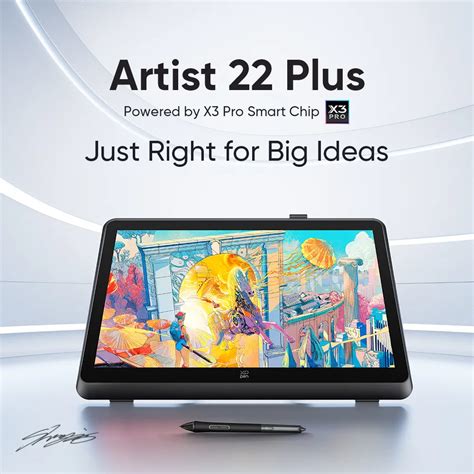
The digital art landscape is constantly evolving, with new tools and technologies emerging to enhance the creative process. Among these, pen displays have become indispensable for many artists, offering a direct and intuitive way to create digital masterpieces. The XP-Pen Artist 22 Plus enters this competitive market as a significant contender, aiming to provide a large, immersive, and affordable drawing experience. This review delves into the multifaceted aspects of the Artist 22 Plus, examining its design, performance, features, and overall value for digital creators.
Unboxing and Initial Setup: A Straightforward Start
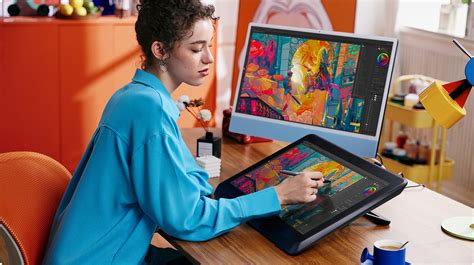
The unboxing and setup process for the XP-Pen Artist 22 Plus is designed to be as user-friendly as possible. While specific timings can vary, the initial setup, including unboxing and driver installation, is generally reported to take around an hour. This streamlined approach ensures that users can quickly transition from opening the box to actively creating. The packaging itself is described as pleasant and secure, with all components well-contained, setting a positive first impression.
Design and Build Quality: Sturdy and Ergonomic
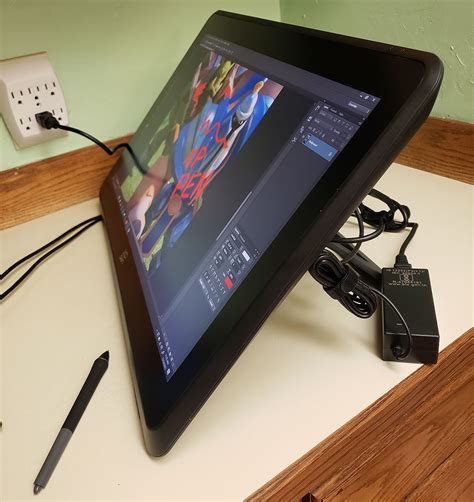
The XP-Pen Artist 22 Plus boasts a sleek and modern design, with its 21.5-inch display framed by slim bezels measuring approximately 3 cm on all sides. This thoughtful design ensures that the tablet can comfortably fit on most desks without consuming excessive space. The build quality is consistently praised, with the device feeling substantial and well-constructed. The integrated, height-adjustable stand is a significant feature, offering a sturdy base that prevents wobbling even when drawing on the edges. This stand allows for a range of angles, from 16° up to 90°, catering to various working preferences. For users who prefer mounting their displays, the presence of VESA mount holes is a welcome addition, compatible with arms like the Ergotron.
A notable design choice is the absence of a touch function. While some may initially find this unusual given the prevalence of touchscreens, the review argues that this is a practical decision. Touch functionality on pen displays often adds unnecessary cost without providing significant real-world benefits for professional workflows. The Artist 22 Plus also foregoes physical shortcut buttons on the display frame, a decision that aligns with a minimalist aesthetic and caters to users who prefer using a keyboard for shortcuts, a common practice among professionals.
The screen itself features an edge-to-edge glass-like surface, which is described as sturdy and clear. While its exact composition isn't always specified, it offers good resistance to the stylus and provides a clear drawing experience. The semi-matte finish is comparable to those found on Wacom displays, offering a balance between glare reduction and a pleasant drawing texture. Importantly, this surface has proven durable, with users reporting no scratches even after extended use without a screen protector.
Display Quality: Color Accuracy and Resolution Considerations
The Artist 22 Plus features a 21.5-inch IPS panel with a Full HD resolution of 1920 x 1080 pixels. This results in a pixel density of approximately 102.46 PPI. While this resolution is considered perfectly usable, especially for beginners and those accustomed to similar displays, some users note that pixelation can be noticeable on such a large screen by current standards. This is contrasted with higher-resolution displays found on some premium competitors, though the Artist 22 Plus aims to offer a compelling alternative at a more accessible price point.
Color accuracy is a strong suit for the Artist 22 Plus. It boasts a wide color gamut, with reported coverage of 100% sRGB and 95% Adobe RGB. Some specifications even mention up to 130% sRGB native color space coverage. This level of color fidelity is crucial for digital artists, ensuring that what is seen on the screen closely matches the intended output, especially for digital media. The display supports 8-bit color depth, rendering approximately 16.7 million colors, which brings vibrancy and precision to artworks. Furthermore, the ability to switch between three color spaces (sRGB, Adobe RGB, DCI-P3, USER) adds versatility for creators working in different professional contexts.
The display is also described as being fully laminated, which significantly minimizes parallax - the perceived gap between the stylus tip and the cursor on screen. This ensures precise stroke positioning. The anti-glare matte film on the screen also contributes to a more comfortable and focused drawing experience by reducing reflections and eye strain.
XPPEN Artist 22 plus HONEST review 🐸
The Stylus Experience: Precision and Pressure Sensitivity
The Artist 22 Plus comes equipped with the X3 Pro Stylus, a battery-free active pen that promises a high level of precision and responsiveness. A key highlight of this stylus is its industry-leading 16,384 levels of pressure sensitivity. This offers an incredibly nuanced control over line thickness and opacity, allowing for fine details and smooth transitions from light to heavy strokes. The stylus's pressure sensitivity curve is noted for its gradual ascent and fine transition, providing exceptional control, particularly at lighter pressures, mimicking the feel of traditional drawing tools.
The stylus also features tilt sensitivity, allowing for natural brush strokes that mimic traditional media. While tilt functionality is generally well-received, some minor issues have been reported with its performance near the edges of the screen or during very slow, deliberate strokes. However, for most common drawing and shading techniques, the tilt support is a valuable addition.
Ergonomics are also considered. The X3 Pro Stylus is designed for a balanced in-hand feel, with a cone-shaped, replaceable silica-gel grip to accommodate personal preferences. While some users accustomed to chunkier Wacom pens might need a brief adjustment period, the overall comfort for extended drawing sessions is generally positive. The stylus also includes programmable shortcut buttons, offering quick access to frequently used functions. An innovative feature is the optional X3 Pro Roller Stylus, which includes a roller wheel for additional control, sold separately.
Performance and Responsiveness: Minimizing Input Lag
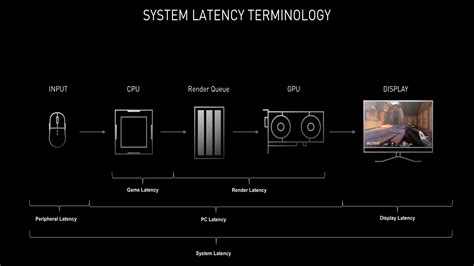
A critical factor for any pen display is its responsiveness, specifically the "Subjective-Lag-felt-When-Drawing" (SLWD). The Artist 22 Plus performs admirably in this regard, with minimal perceptible input lag. The cursor or brush tip moves directly with fast strokes, comparable to high-end models from competitors like Wacom's Cintiq Pro series. The reported 8ms response time of the display, while a technical specification, is influenced by the digitizer and the computer's graphics processing unit. The combination in the Artist 22 Plus results in a fluid drawing experience that is crucial for an intuitive workflow.
Connectivity and Compatibility: Versatile Options
The Artist 22 Plus offers flexible connectivity options, primarily through a full-featured USB-C port that supports DisplayPort signal, and an HDMI port. The inclusion of a USB-C to USB-C cable allows for a single-cable connection for both video and data when used with compatible computers, significantly reducing cable clutter. For older systems, a combination of USB-A and HDMI cables is provided. The device also includes a 3.5mm audio jack for headphone output, adding an element of multimedia functionality.
Compatibility is broad, with the Artist 22 Plus working smoothly with Windows 7 and later, macOS 10.10 and later, Chrome OS 88 and later, Android (USB3.1 DP1.2), and Linux. This wide-ranging compatibility ensures that the tablet can be integrated into diverse creative setups.
Software and Drivers: Functional and Customizable
The driver installation for the Artist 22 Plus is generally straightforward. Once installed, the driver interface offers familiar settings for users coming from other brands, with options to customize pen button shortcuts, pressure curves, and display mapping. The drivers allow for application-specific settings, enabling users to tailor the tablet's performance to different software.
However, some users have reported minor driver quirks, particularly on macOS, where the pen might not function until the driver is manually launched. A workaround involves setting the driver to launch at startup. Issues with transparency sliders in Photoshop on Mac have also been noted, with a temporary fix involving disabling pen tilting. On Windows, users might need to manage Windows Ink settings to ensure optimal performance with certain applications like Photoshop. Despite these occasional software nuances, the drivers provide robust control over the tablet's functionality.
Portability and Power: Designed for Desktop Use
The Artist 22 Plus is designed as a desktop tablet, weighing around 5 kg. Its substantial weight contributes to its stability during use. While it's not intended for lap use, its VESA mount compatibility offers flexibility in how it's positioned on a desk or arm. The device is powered by a 36W power brick. Importantly, the tablet operates without fans, contributing to a silent working environment, which is a significant advantage for artists who value a distraction-free workflow. Heat dissipation is generally good, with the upper frame becoming only lukewarm during extended use.
Pricing and Value Proposition: A Budget-Friendly Powerhouse
The XP-Pen Artist 22 Plus is positioned in the lower-middle to affordable segment of the pen display market, typically retailing around the $450-$500 USD mark (or equivalent in other currencies like £399.99). This pricing strategy makes it an attractive option for a wide range of users, from beginners looking to invest in their first pen display to professionals seeking a larger workspace without a prohibitive cost.
The value proposition is strong, offering a large, color-accurate display, a highly sensitive stylus, and a sturdy build at a price point significantly lower than comparable high-end models from competitors. The review highlights that one could purchase multiple Artist 22 Plus tablets for the price of a single premium device, with minimal discernible differences in core drawing quality for many users. This makes it an excellent choice for those who want a professional-grade tool without overspending.
Comparison with Other Models and Brands
When comparing the Artist 22 Plus to other models, several points emerge. Its 21.5-inch Full HD display is noted as a step down in resolution from some higher-end 4K or QHD displays, but this is a trade-off for its affordability. The 8ms response time and minimal input lag are competitive with premium offerings. The 16K pressure sensitivity of the X3 Pro stylus sets it apart, offering a level of detail that surpasses many competitors.
The absence of touch functionality is a deliberate choice that differentiates it from some Wacom models, where touch can significantly increase the price. The silent operation due to the lack of fans is also a distinct advantage over certain Wacom 24-inch models. While some older XP-Pen models like the Artist 22HD have been noted for less impressive viewing angles and screen quality by modern standards, the Artist 22 Plus represents a significant advancement.
Conclusion: A Highly Recommended Pen Display
The XP-Pen Artist 22 Plus emerges as a compelling and highly recommended pen display for a broad spectrum of digital artists. It successfully balances a large, immersive drawing surface with excellent color accuracy, a highly responsive stylus, and robust build quality, all at an accessible price point. The absence of touch functionality and physical shortcut buttons, while potentially a consideration for some, contributes to its streamlined design and cost-effectiveness.
For beginners, the lack of distractions and straightforward setup make it an ideal entry point into the world of pen displays. For advanced users and professionals, the precision of the X3 Pro stylus, the vibrant color reproduction, and the smooth drawing experience offer a capable tool for demanding creative work. While higher resolutions might be found on more expensive models, the Artist 22 Plus delivers exceptional value, proving that professional-grade digital art creation can be achieved without breaking the bank. It stands as a testament to XP-Pen's commitment to delivering quality and performance that punches well above its weight class.