The digital art landscape is constantly evolving, with manufacturers pushing the boundaries of technology to offer artists more intuitive and powerful tools. XP-Pen, a company established in 2005 with the vision of supporting emerging artists, has consistently been at the forefront of this innovation. Their latest offering, the Artist Pro 14 Drawing Display (Gen 2), represents a significant leap forward, particularly with its industry-first 16K pressure levels, a feature developed in collaboration with renowned artist Shan Jiang. This review delves into the capabilities of this new drawing display, examining its design, performance, and overall value for digital creators.
The Artist Pro 14 (Gen 2): A Fusion of Art and Technology
The Artist Pro 14 Drawing Display (Gen 2) is presented as a state-of-the-art combo, meticulously developed by XP-Pen's X-Innovation Laboratory. It aims to liberate artistic inspiration and allow creators to "let your fingers fly over pieces of artwork." This device is not just a tool; it's designed to be a seamless extension of the artist's intent, blending cutting-edge technology with an aesthetically pleasing, futuristic streamlined design that speaks to a perfect marriage of tech and art. The space gray color and metal body further enhance its premium feel, exuding a sense of power and sophistication.
The Revolutionary X3 Pro Smart Chip Stylus: 16K Pressure Levels
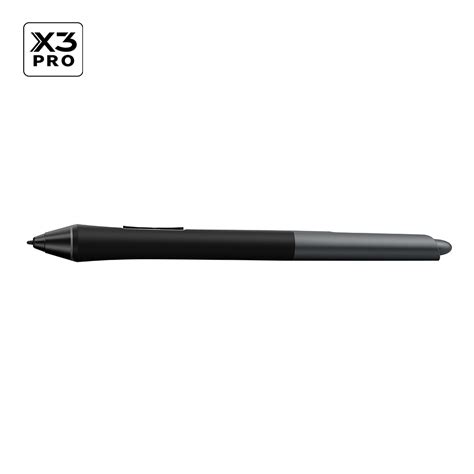
At the heart of the Artist Pro 14 (Gen 2)'s groundbreaking capabilities lies the X3 Pro Smart Chip Stylus. This stylus boasts an industry-first 16,384 (16K) levels of pressure sensitivity, a staggering 100% increase compared to its predecessors and competitors. This enhanced sensitivity translates into significantly more precise and smoother lines, excelling in hyper-nuanced creation and offering a level of detail previously unattainable. The stylus also features a reduced initial response rate of 90ms, which is 1.5 times faster than previous models, and an increased accuracy of 20%. This virtually eliminates lag and broken lines, ensuring that every art project is rendered precisely as intended. Laboratory simulations indicate an accuracy of ±0.4mm at the center and ±0.8mm at the corner. The stylus itself is designed for comfort, with a cone shape for a balanced in-hand feel and a replaceable silica-gel grip to suit individual preferences. It also features dual shortcut keys for easy function switching and a digital eraser at the tail for effortless correction.
Simulation X-Nature Display: Vividness and Clarity
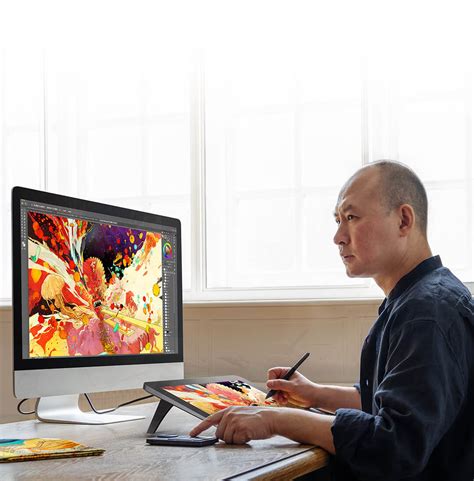
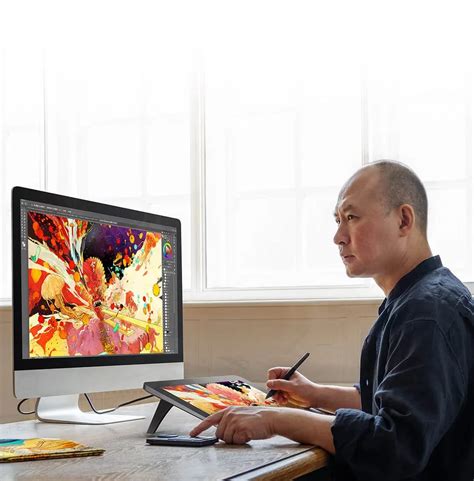
The Artist Pro 14 (Gen 2) is equipped with a Simulation X-Nature Display that brings artwork to life with vivid colors and exceptional details. The 14-inch artspace offers a natural visual and creative experience with an ideal 16:10 aspect ratio, providing 11% more vertical surface area compared to a 16:9 display, allowing for more content to be displayed simultaneously. The display boasts a high resolution of 1920x1200 pixels, ensuring maximum clarity. Professional color space switching is supported among sRGB, Adobe RGB, DCI-P3, and a USER mode, catering to diverse display needs. With 99% sRGB coverage, artists can create with stunning color accuracy and detail, making every piece of content a visual feast. The display also offers high color accuracy with a △E < 2.2, ensuring that the colors presented align precisely with the artist's vision. Furthermore, the fully laminated screen eliminates parallax errors between the stylus nib and the cursor, ensuring that every stroke is positioned precisely. The TÜV SÜD certified display also reduces potentially harmful blue light emissions, optimizing eye comfort during long working sessions.
The Tactile Experience: Ultimate X-Paper Surface
XP-Pen has meticulously engineered the Artist Pro 14 (Gen 2) to mimic the familiar feel of drawing on paper. The display features an anti-glare and anti-fingerprint etched glass surface, providing a tactile drawing experience that simulates the interaction of a stylus with felt nibs against traditional pens or pencils. This "X-Paper Surface" allows artists to scribble, doodle, or sketch in a way that feels intuitive and natural. The matte textured surface not only enhances the drawing feel but also protects against scratches and the need for screen protectors.
Ergonomics and Comfort: Designed for Extended Use
Creating for hours on end can lead to fatigue, and XP-Pen has addressed this with several ergonomic features. The X-Edge Wrist Rest is designed to be ergonomic and smooth, combating tension and fatigue in the wrist. The built-in foldable stand allows users to achieve their preferred working posture anytime, anywhere, facilitating comfortable and precise digital drawing, sketching, note-taking, and idea capture. The futuristic streamlined design itself is not only aesthetically pleasing but also considers the user's comfort during extended use.
Enhanced Workflow and Productivity: X-Remote Control and Connectivity
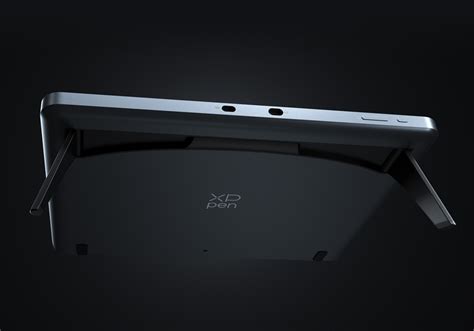
Productivity is further boosted by the included X-Remote Control, a handy and portable accessory that supports both wired and Bluetooth connectivity. This allows for seamless adaptation to different workspace setups, providing easier access to functions for quick changes. The remote control features a dial that can be configured with up to four shortcuts and 10 customizable hotkeys, with the ability to create up to four groups of shortcuts for specific applications. The Artist Pro 14 (Gen 2) also offers flexible dual ports, featuring dual reversible USB-C ports that can be connected either way. Connectivity options include a full-featured USB-C cable or the 3-in-1 cable (HDMI, USB-A, and USB-C), ensuring compatibility and hassle-free charging and data transmission.
Versatility and Compatibility: Beyond Drawing
The Artist Pro 14 (Gen 2) is designed for more than just digital art creation. It offers extended functions like screen splitting and projection, making it suitable for games, movies, and general entertainment. A unique feature allows users to switch from display mode to drawing tablet mode with a simple long press of the power button, effectively turning the screen off and enabling a traditional drawing tablet experience. This versatility is further underscored by its broad compatibility with various systems and software, including Windows, macOS, Android, ChromeOS, and Linux, supporting versions like Windows 7 (or later) and macOS 10.10 (or later).
Bridging the Gap: From Display to Tablet Mode
One of the standout features of the Artist Pro 14 (Gen 2) is its ability to function as both a pen display and a drawing tablet. By long-pressing the power button for three seconds, the device enters a drawing tablet mode, indicated by alternating blue and orange flashes. This dual functionality offers an added layer of flexibility, allowing artists to choose the mode that best suits their workflow or preference at any given moment. This capability is particularly useful for those who may already own a separate monitor and wish to utilize the Artist Pro 14 (Gen 2) as a more traditional input device.
Connectivity Options: Adapting to Your Setup
The Artist Pro 14 (Gen 2) offers flexible connectivity to cater to a wide range of user setups. It features dual reversible USB-C ports, allowing for connection in either orientation. Users can opt for a single full-featured USB-C cable for a streamlined connection, provided their computer supports graphics over USB-C. Alternatively, for broader compatibility, XP-Pen provides a 3-in-1 cable that connects via HDMI and USB-A. This ensures that even older computers or those lacking USB-C video output can utilize the display. The device can be powered via the USB-C connection or, if necessary, through an additional power adapter.
System and Software Compatibility: A Broad Reach
Ensuring a smooth workflow across different platforms is crucial for digital artists. The XP-Pen Artist Pro 14 (Gen 2) is designed for extensive compatibility, working smoothly with Windows 7 (or later), macOS 10.10 (or later), Android (USB3.1 DP1.2), Chrome OS 88 (or later), and Linux. This wide-ranging support means that artists can integrate the Artist Pro 14 (Gen 2) into virtually any existing digital art setup. Furthermore, it is compatible with a vast array of popular digital art software, including Adobe Photoshop, Illustrator, GIMP, SAI, Toonboom, and Blender3D, making it a versatile tool for a multitude of creative disciplines.
Pricing and Availability
The XP-Pen Artist Pro 14 (Gen 2) was announced in May 2023 and released for pre-order in June of the same year. The official retail price is USD $419.99, which includes the XPPen ACK05 Wireless Shortcut Remote and a two-year warranty. During its pre-order period, which concluded in mid-August 2023, a 10% discount brought the price down to $377.99, along with a complimentary 3-in-1 cable and a tablet case. It's important to note that the 3-in-1 cable, which is essential for users without USB-C video output, is a separate purchase if not included in a bundle.
User Experience and Performance
Early reviews and user feedback highlight the Artist Pro 14 (Gen 2) as a beautiful and well-designed pen display offering fantastic drawing performance. The matte glass surface provides a pleasant tactile drawing experience, and the 16:10 aspect ratio is frequently cited as a significant advantage for productivity. The included ACK05 wireless shortcut remote is a useful bonus, enhancing workflow efficiency. While the color support of 95% sRGB is deemed sufficient for most users, those requiring critical color accuracy might find the 84% AdobeRGB and 800:1 contrast ratio to be limiting. However, the overall consensus is that the pen display offers excellent value for its price, delivering a professional look and feel with consistent performance. The pen's extreme sensitivity, while beneficial for fine details, can also be managed through pressure curve adjustments in the driver settings, allowing users to tailor its responsiveness to their liking. The ease of use, minimal parallax, and comfortable ergonomics contribute to an enjoyable and productive creative process.