In today's competitive job market, making a stellar first impression is paramount. With an average of 300 resumes submitted for each job opening, it's clear that employers often lack the time to thoroughly review every application. This is where the strategic advantage of a well-designed resume template becomes undeniable, particularly for those in creative industries such as art, graphic design, and fashion. A beautifully crafted graphic resume template, especially one created using Adobe InDesign, Photoshop, or Illustrator, is guaranteed to capture the attention of recruiters and hiring managers.

However, a crucial consideration arises when opting for visually rich resumes. If you save your Photoshop, Adobe Illustrator, or InDesign resume in formats like .jpg or .png, it will likely not be scannable by Applicant Tracking Systems (ATS). This is because these image formats merge all layers, including text, rendering your resume invisible to the software used for pre-screening candidates. The solution lies in understanding how to leverage the design capabilities of professional software while ensuring your content remains accessible.
For those seeking to expedite the resume creation process, AI-powered resume builders offer a fast and user-friendly alternative. These tools can provide ready-made content that can be added with a single click, significantly reducing the time spent on drafting. It's important to note, however, that not all templates, especially those found online, are guaranteed to be ATS-scannable. Therefore, a balance must be struck between aesthetic appeal and functional readability.
Showcasing Design Talent with Real-Life Examples
When it comes to landing that coveted job interview, a resume must be perfect in both its design and content. For designers specifically, real-life resume examples can provide invaluable inspiration and practical guidance.
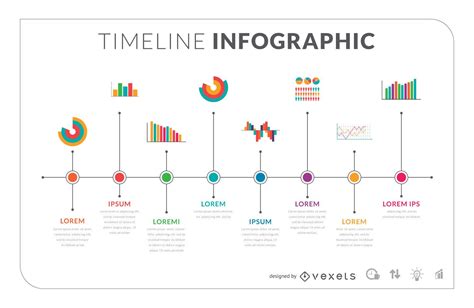
One such example is Julio A. Ramirez De Freitas’s “Simple Resume Template.” This template masterfully combines text, a timeline, and infographic elements, offering a comprehensive yet visually engaging presentation of qualifications. The goal is to ensure your resume template possesses a job-winning layout that effectively communicates your professional narrative.
Another noteworthy free template, editable in Photoshop, Illustrator, or InDesign, excels through its judicious use of tiny icons. These icons act as visual cues, guiding the reader's eyes across the page and directing attention to key information. This thoughtful design element enhances readability and engagement.
Designbird’s “Clean” resume lives up to its name, featuring legible sections, a pleasant font, and a clear layout. It serves as an excellent artistic resume template suitable for job seekers in both creative and more traditional industries, demonstrating that a clean aesthetic can be universally appealing.
For those drawn to minimalist aesthetics, Le Colibri Creations’ “Emma” offers a visual Adobe resume template that can be downloaded and edited in Photoshop. While minimalist designs are highly sought after, it's crucial to ensure that the resume isn't overly brief, as conciseness should not come at the expense of essential information.
EgoType presents a collection of some of the most beautiful minimalistic resume templates compatible with Adobe Photoshop, Illustrator, and InDesign. These templates strike a balance between modern design and professional presentation.
Mohammed Tayeh’s “Project CV” is a comprehensive package, offering a modern design with appealing resume icons. This template is designed to create a complete application, including a resume, CV, and cover letter, providing a cohesive and professional impression.
Another free Illustrator resume template, created by Fay Zodiac and named “Free Minimalistic Resume,” exemplifies how a classic, basic resume design can be augmented with a large, eye-catching header. This combination creates a creative yet professional touch, making the resume stand out. It is available for free download in PSD format with extensive customization options.
How to Design Creative and Job Wining Resume in Adobe Illustrator CV Design
Individually curated favorites include UX-Group’s “Minimal Resume CV,” which utilizes a side column for timelines in the work experience and education sections, offering a structured yet visually dynamic approach.
SHOWY 68’s “Watercolor Triangle Resume Template-CV” stands out as one of the most unique and memorable Adobe resume templates, employing a distinctive watercolor design that is sure to leave a lasting impression.
A high-contrast Photoshop resume template, where black and white are strategically employed with vibrant orange accents, offers a bold and modern aesthetic, effectively drawing the eye to key details.
Paul Jansen’s “Free Resume for Designers” is a practical, free infographic Illustrator resume template specifically tailored for designers. The aim is to help fellow creatives land job interviews by presenting their qualifications perfectly, both in design and content.
Magdalena Radkova’s creative Illustrator and Photoshop resume template strikes a balance between graphics and information. This template uses a few images tastefully to represent various sections, such as software proficiency and personal interests, indicating a thoughtful approach to visual communication.
Fernando Baez presents a remarkable free Illustrator resume template that has garnered significant recognition, being the fourth most valued project in Behance history. This template, along with a matching cover letter, can provide a distinct advantage over other candidates. The internet is indeed replete with a vast array of visual resume templates editable in Illustrator, Photoshop, or InDesign, catering to diverse professional needs.
Exploring InDesign Resume Templates: A Deeper Dive
The realm of graphic design software offers a potent toolkit for crafting visually compelling resumes, with Adobe InDesign being a prime candidate for its layout and typography control. Beyond the initial selection of a template, understanding the nuances of design principles can elevate your application from good to outstanding.
When choosing an InDesign resume template, consider the overall aesthetic you wish to convey. Options range from the “effortless chic” with its artistic font and intriguing color palette, to the “Colorblock Resume and Cover Letter Set,” which offers graceful simplicity in both light and dark versions. For those who prefer a direct approach, the “Minimal Resume” provides clean lines and a user-friendly feel, ensuring your message is delivered professionally and straightforwardly.
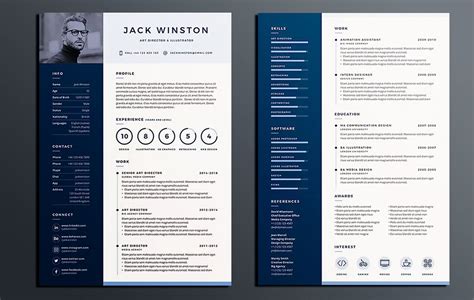
The “Linear Resume Layout” focuses on showcasing talent and work experience in a refined manner with an easy-to-follow structure. For a more detailed narrative, “The Detailed Resume Layout” offers multiple pages with a clever structure and infographics to present skills and expertise comprehensively. The “Modern and Clean Resume Layout” embodies elegance and compelling simplicity, often utilizing a split design to present education and work experience effectively.
For those who wish to deviate from the conventional, “The Creative Resume” offers a fun and engaging alternative that is both detailed and professional. The “Bordered Resume and Cover Letter Layout” provides a chic, polished, and uncluttered design, ideal for a tasteful and timeless presentation. “The Infographic kind of Resume” is perfect for practical individuals, employing numerous infographics to convey skills, hobbies, and knowledge through minimal design and creative logos, making your story clear at a glance.
“Modern Resume and Cover Letter Layout” templates are designed to showcase education, experience, and expertise in an uncomplicated yet attention-grabbing manner. “All the shades of grey” offers modern sophistication with a black side element, allowing for a simple and understandable narrative. For those who want to make a bold statement, “The Bold Resume” utilizes distinctive top and bottom details to stand out from the crowd.
The “Flat Elegant CV template” combines elegant colors with a stylish structure, ideal for experienced professionals. The “Basic Resume and Cover Letter Layout” embodies the “less is more” philosophy with simple colors and a clean structure. “Simplicity over everything” focuses on showcasing previous experiences, both work-related and educational, on a single page of pure coherency and uncluttered design. The “Typographic Resume Template” ensures there is a spot for every piece of information, from your name and picture to your hobbies and education. A “Professional Resume” template typically features a simple, clean, and monochromatic look, conveying a strong sense of professionalism.
“The Tasteful Resume” is elegant, user-friendly, and complete with all the necessary details to tell your story. “The organized appearance” template uses two columns separated by a vertical line, perfect for detailing experience, expertise, education, and contact information. The “Timeless CV template” champions an uncluttered and ordinary design, standing out for its simple, timeless, and traditional appeal.
Navigating Minimalist and Modern InDesign Styles
The appeal of minimalist design in resumes is its ability to convey professionalism and focus without unnecessary clutter. Simple InDesign resume templates often feature clean lines, ample white space, and a deliberate typographic hierarchy. Examples like “Italic Typography Dominance” leverage specific typographic styles and perfect structure to seize job opportunities. “The Minimal Resume and Cover Letter Set” is detailed and visually appealing, despite its minimalist approach. The “Two Column Resume” captures attention with its minimalist style, suitable for professionals aiming for a serious look and feel while elegantly describing personal knowledge and experience.
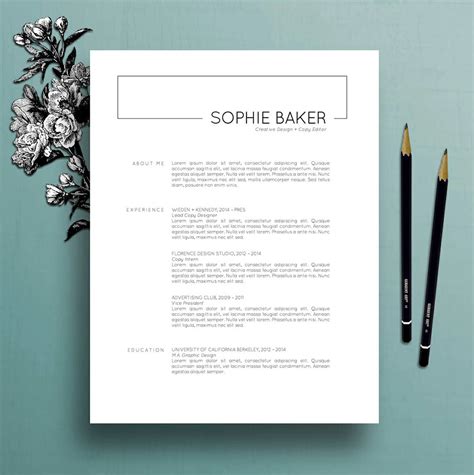
Black and white themes remain timeless. The “Black and White Resume” with its black sidebar and white main page creates an outstandingly elegant look. A variation, “Black and White Resume with Grey Header Elements,” fulfills its purpose of presenting vital work-related information in an easy and understandable way, though with less overt creativity. For a touch of personality, the “Pink and Purple Border” template offers a feminine, colorful, and artistic option with a simple layout.
The “Subtle Standout” template allows you to highlight your best feats with a simple design using grays and beige on a white background. “The Clean Resume” emphasizes clean lines for a coherent, uncluttered, and traditional presentation that makes a strong first impression. “Basic Resume with yellow hues” is appealing and offers two A4 pages with a cover letter to describe professional and personal details. “Pastel Professional” uses soft colors like yellow, blue, pink, or green to complement a professional and creative profile.
For a more distinctive look, the “Contemporary Resume” offers a unique feel with its peculiar structure. The “Light and Right” template uses light colors, patterns, and designs to highlight your professional background. “Resume Layout with Blue-Grey Sidebar and Accents” combines effective yet subtle colors with an efficient structure. “Neatly Brown” organizes professional details with neat brown accents, allowing for personalization of texts, images, and icons. The “Resume Layout with Blue and Golden Header” provides a timeless and visually appealing design with unique blue and gold accents. “Posh in Peach” uses simple yet captivating peach accents on white pages with a wide border for a fresh profile.
“Grey Dominance” offers a subtle palette that allows information to stand out, featuring a creative side element and simple typographic style. “Minimalist Resume” is celebrated for its clean, minimalist, and basic design. The “Resume with Unique Layout” stands out due to its creative structure, using info-graphics to visually present experience and knowledge. “Mono Main” keeps colors down to make an application stand out, offering character styles and icons to highlight professional details. “Frames and Boldness” uses bold lines, black section frames, and a simple color palette for a design with simplicity. The “Artistic Touch” template, while not colorful, derives its artistry from its typographic style and clean layout, making it elegant and easy to follow.
The “Angular Resume and Cover Letter Layout” presents information in an easy-to-understand and memorable way. “Dose of Dynamic” allows you to show your dynamic career background and skills visually, with various character styles, icons, and colors for personalization. The “Resume and Cover Letter with Blue and Gray Accents” is refreshing and bright, using vivid colors to capture attention. “Linear Elegance” offers a one-page resume, cover letter, and business card bundle, allowing for a coherent and casual yet professional presentation of education and experience. Finally, the “Modern Resume Layout Kit” divides the page into two equal semi-paragraphs, creating a modern overall layout.

Crafting Your Resume: From Content to Design
The process of resume writing is an art form in itself, requiring careful content development before even considering design. It is easy to get carried away and include too much information, so once the content is finalized, exploring various layout options becomes the next critical step. Experimenting with different structures, such as two columns versus three, can significantly impact readability and visual appeal. Sketching out a few resume samples on paper before translating them into digital formats like InDesign can be a highly effective approach.
The choice of font is another crucial design element. Experimenting with several fonts and observing their impact on the overall aesthetic is recommended. To ensure consistency and facilitate easy changes later, setting character and paragraph styles within InDesign is a best practice. For those looking to add a unique, branded element to their resume, designing a custom logo or graphic in Adobe Illustrator and then importing it into InDesign can elevate the final product, demonstrating a higher level of design sophistication and attention to detail. This integrated approach, from content strategy to meticulous design execution, is key to creating a resume that not only looks impressive but also effectively communicates your qualifications and aspirations to potential employers.