Adobe Photoshop remains a titan in the digital imaging landscape, a name synonymous with professional photo editing and graphic design. For decades, it has been the industry standard, its capabilities so profound that "to Photoshop" became a verb. Yet, as the software evolves, so too do the needs and expectations of its users, leading to a complex landscape of praise, criticism, and a growing exploration of alternatives. This article delves into the multifaceted world of Adobe Photoshop, examining its current offerings, user experiences, and its place in an increasingly competitive market.
The iPad Conundrum: A Divided Reception
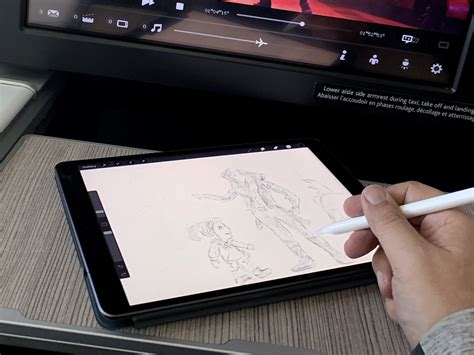
The much-anticipated release of Adobe Photoshop for iOS and iPadOS brought with it a wave of excitement, promising the iconic desktop experience on a portable platform. It features customizable interfaces optimized for touch and Apple Pencil, unlimited layers, precise editing tools, and cutting-edge AI features. However, this initial enthusiasm was quickly tempered by a significant disconnect between expectation and reality.
Many users, including product managers and designers, expressed frustration that the initial release was not the "full" feature-parity version they had anticipated. The marketing and announcement of the iPad version often omitted the crucial caveat of it being a "version 1" product, leading many to believe they were getting a complete, desktop-equivalent experience. This misstep in expectation setting resulted in a surge of one-star reviews.
Despite the initial blowback, the core functionality that was included in this initial release is often described as "really solid." For those familiar with desktop Photoshop, the iPad version is "smooth, easy to pick up, and just feels really good to use." The concern for many, however, lies in the future: "If future functionality is added with the same care, I’ll very much look forward to trying it out."
A significant grievance for some iPad users is the perceived downscaling of cloud files. Users reported a loss of approximately 15% in file size when uploading projects from their PC to the iPad via the cloud. This reduction in resolution means that projects taken on the go are not identical to their desktop counterparts, hindering precise retouching and fine detail work. This has led to the sentiment that the iPad version feels more like "Photoshop Lite" rather than a true extension of the desktop experience.
Feature Gaps and Competitive Alternatives
Beyond the iPad experience, a recurring theme in user feedback is the noticeable absence of certain tools that are considered staples in the desktop version. Tools like dodge and burn, fundamental for many photographers and retouchers, are notably missing. This has led some users to explore and advocate for cheaper, one-time purchase alternatives like ArtStudio Pro and Procreate, which are often praised for their more comprehensive toolsets for drawing and photo manipulation on the iPad.
The subscription model itself is another point of contention. While many professional users acknowledge the value of Photoshop's extensive features for commercial use, the mandatory subscription model, especially for hobbyists or those who use the software only occasionally, is seen as "ridiculous." The inability to purchase a one-off license is a significant barrier, and the increasing cost of subscriptions, even for existing users, fuels resentment.
"I have used Adobe Photoshop for over 20 years," states one long-time user. "It has always been my go-to editing program… Now, I tell people not to bother learning it. I feel stuck with it. And it basically is giving a huge middle finger to those who want to use it as a hobby." This sentiment is echoed by many who feel locked into the Adobe ecosystem due to ingrained workflows and a lack of truly comparable alternatives for their specific professional needs.
The Cloud Conundrum: Privacy and Control
A particularly alarming aspect for some users is the mandatory autosave to the Adobe Cloud. For professionals handling sensitive data, such as physicians preparing patient photos for presentations, this is a significant privacy concern. The inability to disable autosave to the cloud is viewed with suspicion, with users speculating it's a tactic to force cloud storage upgrades or engage in data mining. The potential for HIPAA violations if patient data were to end up on Adobe's servers is a serious ethical and legal issue.
"The only possible reasons for making this a requirement, are nefarious," writes one user. "It is either to force you to use up your cloud space and then be forced to purchase more storage or it is a data mining scam." This lack of user control over data storage is a significant drawback for those who prioritize privacy and data security.
The Rise of AI and Evolving Workflows
Adobe's current strategic focus is heavily on Artificial Intelligence, particularly through its Firefly Image Model. Photoshop CC 2024 integrates advanced AI tools, including Generative Fill, Generative Expand, and the new Distraction Removal tool. These features allow users to create new AI-generated imagery from text prompts, add AI-generated objects to existing photographs, and automatically remove unwanted elements like wires or people.
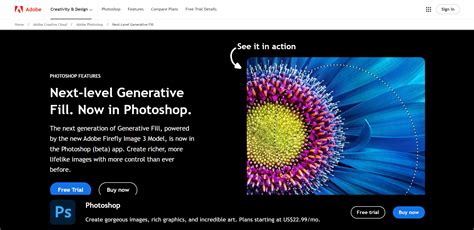
While these AI capabilities are impressive and can significantly streamline workflows, they are not without their limitations. AI-generated images may not always match the resolution of images captured by professional cameras, and upon close inspection, inconsistencies or "smudginess" can still be apparent. Furthermore, the use of these generative AI tools consumes credits, with a limited number provided per month, and additional plans available for heavy users.
The integration of AI also means that Photoshop is increasingly catering to a broader creative audience beyond just photographers. While this expands its utility, it can also alienate users who primarily need it for traditional photo editing and don't require or desire AI-driven features.
Interface and Performance: A Familiar Landscape
The interface of Photoshop CC 2024 remains largely consistent with previous versions, offering a familiar environment for long-time users. The Contextual Task Bar, which provides shortcuts relevant to the current task, has seen enhancements, improving workflow efficiency. For those adept with Photoshop, the interface is generally considered a "triumph of clarity and efficiency," despite its inherent complexity due to the sheer breadth of its capabilities.
Performance is, as always, dependent on the user's hardware. On capable systems, Photoshop runs smoothly. However, user reports of constant crashes, freezing, and system instability persist, with Adobe often attributing these issues to user-side problems rather than the software itself. This can lead to immense frustration, particularly when paired with the difficulty of obtaining timely and effective customer support.
The system requirements for Photoshop indicate a need for robust hardware, including a multicore processor, ample RAM (8GB minimum, 16GB+ recommended), and a DirectX 12 compatible graphics card.
The Subscription Dilemma: Value Proposition Under Scrutiny
Adobe Photoshop is exclusively available through a Creative Cloud subscription, with no option for a perpetual license. This model, while providing continuous updates and new features, is a significant point of contention. For professionals who rely on Photoshop daily, the subscription may represent good value, especially when bundled in the Photography Plan which includes Lightroom.
However, for hobbyists, students, or those with intermittent needs, the recurring cost can become prohibitive. The perceived value proposition diminishes when compared to increasingly capable, subscription-free alternatives.
Key Subscription Plans:
- Photoshop Plan: Typically around $22.99 / £21.98 / AU$32.99 per month.
- Photography Plan: Often around $19.99 / £9.98 / AU$28.59 per month, and includes Lightroom and 1TB of cloud storage. This plan was previously a lower price point and existing users can maintain it for now.
- Creative Cloud All Apps Plan: Offers access to the entire suite of Adobe creative applications.
The argument for the subscription model is that it allows for continuous development and the integration of cutting-edge features like generative AI. However, the counter-argument is that it creates a perpetual cost that can outweigh the initial investment of a one-time purchase, especially as subscription prices gradually increase.
Alternatives and the Future of Image Editing
The competitive landscape for image editing software has dramatically evolved. Programs like Affinity Photo 2 offer a genuine professional alternative with a one-time purchase, providing powerful layering and compositing capabilities. ON1 Photo RAW 2025 is another subscription-free option, excelling in cataloging and offering a vast library of effects. DxO PhotoLab 9, while not offering Photoshop-style layers, is lauded for its lens corrections, raw processing, and noise reduction.
For digital illustrators and artists, Procreate and Affinity Designer have become dominant forces, often replacing Photoshop and Illustrator in professional workflows due to their intuitive interfaces, robust feature sets, and more accessible pricing.
The question remains: is Adobe Photoshop still the indispensable tool it once was? For many, the answer is nuanced. It remains a supremely powerful imaging tool, especially for complex compositing and design work. Its AI capabilities are at the forefront of the industry. However, its high cost, mandatory subscription model, and the increasing competence of its rivals mean that its position as the undisputed king is no longer guaranteed.
Affinity vs Photoshop: Time to Switch... Really?
For photographers who heavily utilize Lightroom, Photoshop often feels like a natural, albeit sometimes redundant, extension. However, as many users attest, the lines are blurring, and dedicated photo management and editing tools are becoming increasingly self-sufficient.
Ultimately, the decision to use Adobe Photoshop in its current form hinges on individual needs, budget, and tolerance for the subscription model. While its power and feature set remain undeniable, the growing chorus of dissatisfaction suggests that Adobe faces a significant challenge in retaining its user base if it fails to address concerns around pricing, user control, and the perceived value of its offerings in an increasingly diverse and competitive market. The company's historical dominance, while significant, offers no guarantee of future supremacy if it doesn't adapt to the evolving demands of its creative community.