The digital landscape is increasingly dominated by short-form video content. Platforms like TikTok, Instagram Reels, and YouTube Shorts have conditioned audiences to consume information in quick, digestible snippets. For content creators and marketers, this shift presents both an opportunity and a challenge. While the demand for short-form video is high, producing a constant stream of new, engaging clips can be resource-intensive. This is where AI-powered tools like Kapwing's AI Clip Maker come into play, offering a streamlined and efficient solution for repurposing existing long-form content into compelling short-form videos.
Why Short-Form Video is Essential for Modern Content Creation
In the current media environment, short-form videos are no longer a niche trend but a fundamental component of a successful content strategy. Consumers increasingly prefer this format for discovering new products and information. Research indicates that a significant 73% of consumers favor short-form videos over traditional formats when exploring unfamiliar products. This preference highlights the critical need for creators to adapt their content delivery to meet audience expectations and maximize reach.
For many content marketers and video creators, the prospect of producing additional videos solely for short-form platforms can feel overwhelming. Allocating time, budget, and creative resources to make new content often may feel inefficient or out of reach. This is precisely why an AI-powered tool designed to automate short-form videos is essential for modern content creators, as it helps you get more mileage out of existing content without starting from scratch. By leveraging existing long-form assets, creators can efficiently generate a steady flow of bite-sized content, ensuring they remain relevant and engaging in a fast-paced digital world.
Automating Short-Form Videos with Kapwing's AI Clip Maker
The core functionality of Kapwing's AI Clip Maker lies in its ability to automate the often tedious process of repurposing long-form video content into short, shareable clips. This is achieved through a sophisticated AI that analyzes your existing footage, identifies key moments, and generates ready-to-use snippets.
The Repurposing Studio: Your Gateway to Automated Clips
The process begins with Kapwing's Repurpose Studio, a specialized section of their web-based video editor. Here, you can upload a video of up to two hours in length. If your video is already hosted online, such as on YouTube, you can simply paste the URL, and Kapwing will automatically import it. For those new to the tool, an optional sample video is available to experiment with and understand its capabilities.
Configuring Your Clip Generations for Optimal Impact
Once your video is uploaded, the next step involves configuring the automated clip generation. You can select a desired clip length, which is crucial for maximizing engagement and platform reach. General guidelines suggest:
- 15-30 seconds: Ideal for teasers, punchy highlights, and attention-grabbing hooks.
- 30-60 seconds: Versatile and suitable for quick product demos, educational snippets, or informative content.
- 60 seconds - 3 minutes: Best for in-depth storytelling, tutorials, or thought leadership aimed at niche or engaged audiences.
Beyond clip length, you can also enter a specific topic for the clips to focus on. This provides the AI with valuable context, enabling it to generate clips that better align with your content goals. For instance, if your long-form video is a webinar on digital marketing, specifying "SEO tips" as a topic will prompt the AI to extract the most relevant segments related to search engine optimization.
Reviewing and Leveraging the Growth Score
After the AI generates your clips, they are displayed stacked on top of each other, crucially sorted by their "Growth Score." This score is an automatic rating assigned to each clip based on its predicted potential for engagement when posted. By hovering over the score, you can gain insights into why a particular clip is predicted to perform well or where it might need improvement.
A High Growth Score indicates higher engagement potential, suggesting that the clip contains elements likely to capture and hold viewer attention. Conversely, a Lower Growth Score signifies room for improvement, providing actionable feedback on clips that may not be as compelling. This feature is invaluable for quickly identifying your most promising content and for understanding how to revise less effective clips for better results.
Fine-Tuning with Extensive Editing Capabilities
While the AI automates the initial clip generation, Kapwing doesn't limit your creative control. After reviewing the AI-generated clips, you can make additional edits within Kapwing's comprehensive editor. This includes making small but important changes such as adding a logo, resizing content for different platforms, or refining the narrative flow.
The editor offers a user-friendly interface with a left-hand sidebar for inserting new elements and a right-hand tools menu for fine-tuning details. Quick-edit features include:
- Access Templates: Apply a consistent editing style across your video clips.
- Aspect Ratio Resizer: Easily adjust your project to popular aspect ratios like 16:9 (horizontal), 9:16 (vertical), 1:1 (square), and 4:5 (mobile).
- Subtitles: Modify subtitle styles with a single click or remove them entirely.
- Intro Hook: Add automatic text-to-speech or adjust the title text displayed at the start of your video.
- Speaker Focus: Automatically center active speakers in the video, ideal for editing conversations or debates.
- Waveforms: Include audio visualizers in various styles.
- Auto Emoji: Automatically add relevant emojis to subtitles to emphasize key points.
You can also insert new elements, customize their timing and appearance using the timeline, and fine-tune every aspect of your video, even with minimal design experience.
Who Benefits from Automating Short-Form Videos?
Short-form content's importance extends across various professions and industries. The ability to efficiently create engaging snippets from longer content is a significant advantage for anyone looking to connect with an audience online.
- Marketers: Can convert product demos, tutorials, or event recaps into bite-sized clips ideal for social media promotion and audience engagement.
- Video Marketers: Can resize, trim, and optimize existing advertisements for better visibility and performance on mobile-first platforms.
- Businesses: Can share behind-the-scenes moments from conferences, team events, or product launches to build brand personality and connect with followers.
Forbes' Don Dodds aptly stated, "Creative storytelling, showcasing products or services, and building brand awareness within a few seconds, reaching potential customers where they spend a significant portion of their time." This underscores the strategic value of short-form video.
More broadly, automated short-form content should be a top priority in digital marketing for businesses. It's incredibly useful across a wide range of professions, offering an efficient way to share concise, engaging information.
AI-Powered Video Generation: Beyond Repurposing
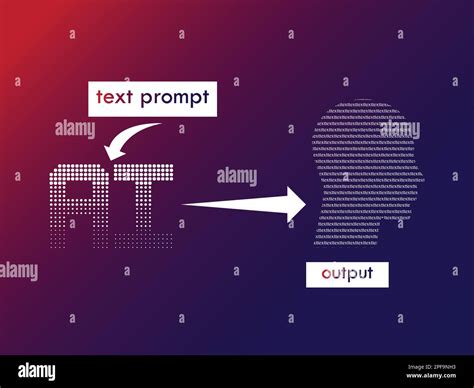
Kapwing's AI capabilities extend beyond repurposing existing footage. The platform also features an AI Video Generator that can transform text prompts into complete videos. This tool can create scenes with stock b-roll, or even videos featuring AI avatars.
To use this feature, you access the AI Assistant and provide a clear prompt detailing your desired video. You can specify the topic, tone, and audience context, such as requesting an "upbeat video explaining how to make iced coffee" for a "vertical, 30-second format with captions and background music." For multi-scene videos, you can use a "[camera break]" notation to guide the AI.
The AI Video Generator also supports incorporating media. You can upload images or audio to be included in the generated video, which is useful for brand assets or specific visual references. For instance, you can prompt the AI to animate a provided image with slow zoom-ins and ambient music.
After the AI generates the video, you have options to refine the output. You can reply with further instructions for modifications, ask for reformatting (e.g., resizing for Instagram Reels), or click "Edit in Studio" to open the generated video in Kapwing's full editor for manual or AI-assisted adjustments to timing, text, music, and transitions.
Expanding Reach with Translation and Dubbing
Kapwing also addresses the need for global reach with its translation and dubbing features. You can translate subtitles into over 100 languages and audio into more than 40 languages, including Spanish, Chinese, French, and Hindi. This powerful tool allows content creators to expand their audience without complex editing workflows. Even more impressively, you can dub your on-camera persona into another language, ensuring that lip movements and voice remain perfectly synchronized. This is achieved through advanced AI models and voice cloning technology, making your content accessible to a worldwide audience.
Practical Application: Creating Social Media Videos with AI
The process of creating social media videos with Kapwing's AI is designed to be accessible even for those with limited video editing experience.
Step 1: Upload Your ContentBegin by uploading your long-form video to the AI Clip Maker or pasting a URL.
Step 2: Define Your Clip ParametersSpecify the desired clip length and optionally provide a topic for the AI to focus on.
Step 3: Generate and Review ClipsLet the AI analyze your video and generate potential short clips. Review these clips, paying attention to their Growth Scores to identify the most promising ones.
Step 4: Refine and EditUse the built-in editing tools to make any necessary adjustments. This could include trimming clips further, adding text overlays, resizing for specific platforms, or enhancing audio. Kapwing's editor provides a full suite of tools for these tasks.
Step 5: Export and ShareOnce you are satisfied with your clips, export them in your desired format and upload them to your chosen social media platforms.
Kapwing's AI Clip Maker, along with its broader AI video generation capabilities, democratizes video creation. It empowers individuals and teams to produce high-quality, engaging video content faster and more efficiently than ever before, bridging the gap between raw footage and polished, platform-ready social media assets. The platform’s intuitive design, combined with powerful AI features, makes it an indispensable tool for navigating the ever-evolving landscape of digital content.