Adobe Photoshop is a name synonymous with digital image editing, a powerful raster graphics editor that has shaped the visual landscape for decades. Developed and published by Adobe Systems Incorporated, it has become an indispensable tool for professionals and enthusiasts alike. Its journey from a humble monochrome image viewer to a sophisticated, AI-powered creative suite is a testament to innovation, collaboration, and a deep understanding of user needs.
Genesis of an Icon: The Knoll Brothers' Vision
The story of Adobe Photoshop begins not in a corporate boardroom, but in the personal projects of two brothers, Thomas and John Knoll. In 1987, Thomas Knoll, then a Ph.D. student at the University of Michigan, was working on his thesis. He acquired a Macintosh Plus and, dismayed by its monochrome display's inability to show grayscale images, began writing a program to overcome this limitation. Initially named "Display," this program caught the attention of his brother, John, who was then employed at Industrial Light & Magic (ILM), George Lucas's renowned visual effects division. John, deeply involved in image processing for film, recognized the potential of Thomas's program and encouraged him to develop it into a full-fledged image editing application.
This collaboration marked the inception of what would become Photoshop. Thomas took a six-month break from his studies in 1988 to work alongside his brother. During this period, John demonstrated the burgeoning software to engineers at Apple Computer and Russell Brown, the art director at Adobe. Both demonstrations were met with enthusiasm, leading Adobe Systems Incorporated to purchase the distribution license in September 1988. While John focused on developing plug-ins in California, Thomas continued coding in Ann Arbor.

Early Milestones: From Macintosh to Windows and Color
The first commercial version, Photoshop 1.0, was released exclusively for Macintosh on February 19, 1990. This initial release, however, was a stripped-down version of the advanced color editing features present in the Barneyscan version, which was developed concurrently. Adobe gradually improved color handling with each subsequent release, and Photoshop quickly ascended to become the industry standard for digital color editing. At a time when professional digital retouching on high-end systems could cost around $300 per hour, Photoshop offered a significantly more accessible solution.
A pivotal moment arrived in 1993 when Adobe chief architect Seetharaman Narayanan successfully ported Photoshop to Microsoft Windows. This expansion to the Windows platform was crucial for broadening its reach and solidifying its dominance in the market.
The Foundation of Flexibility: PSD and PSB File Formats
Central to Photoshop's enduring power are its proprietary file formats: PSD (Photoshop Document) and PSB (Photoshop Big). The default PSD format is designed to preserve all of Photoshop's features, including layers, masks, transparency, text, alpha channels, spot colors, clipping paths, and duotone settings. This stands in stark contrast to formats like JPG or GIF, which are optimized for streamlined use but sacrifice editable features. From its early days, Photoshop also offered the ability to save files in other formats like TIFF, JPEG, and GIF, which are smaller and suitable for publication or web use, albeit without the extensive editing capabilities of a PSD file.
The PSB format, introduced later, extends the PSD capabilities by significantly increasing the maximum image dimensions to 300,000 pixels and supporting file sizes up to approximately 4 exabytes. This ensures that even the most complex and high-resolution projects can be managed within Photoshop. The widespread adoption and popularity of Photoshop have led to broad support for PSD files by most competing software, including GIMP, Affinity Photo, and Clip Studio Paint, underscoring its role as a de facto standard.
Evolution of Naming and Versions: From Numbers to Creative Suite
Photoshop's naming scheme has evolved over time. Initially, versions were designated by simple numerical identifiers, starting from early internal versions like 0.63 (codename "Bond") and 0.87 (codename "Seurat," the first commercial version sold as "Barneyscan XP"), progressing through 1.0, 2.0, and so on, up to version 7.0.1.
A significant shift occurred in October 2002 with the introduction of the "Creative Suite" branding. From then on, each new major version was designated with "CS" followed by a number. For example, the eighth major version became Photoshop CS, and the ninth was Photoshop CS2. This rebranding reflected a broader integration of Adobe's creative tools.
Photoshop CS3 through CS6 were notably offered in two editions: Standard and Extended. The Extended versions included additional features tailored for more specialized workflows, such as 3D graphics, video enhancement, and scientific imaging.
Key Milestones and Feature Innovations Across Versions
The history of Photoshop is a rich tapestry of continuous innovation, with each version building upon the last and introducing groundbreaking features.
Photoshop 2.0 (June 1991)
This version introduced the significant "Paths" feature, allowing users to define and save precise selections around objects for future use. It also incorporated support for CMYK color, opening the door for print professionals, and added the ability to import and rasterize Illustrator files.
Photoshop 2.5 (1992)
A major step for accessibility, Photoshop 2.5 was the first version released for both Macintosh and Windows. While the initial Windows release had a memory bug, a patch (2.5.1) was quickly provided. This version also brought a host of new features, marking it as an early example of cross-platform software.
Photoshop 3.0 (September 1994)
Released for Mac OS 7 in September 1994 and for Windows in November of the same year, Photoshop 3.0 is widely considered a revolutionary release due to the introduction of layers. This feature fundamentally changed image editing, allowing designers to work on different elements of an image independently and combine them non-destructively. Before layers, users had to save multiple versions of a design as separate files. Photoshop 3.0 also introduced "Actions," enabling users to record and automate sequences of commands, and "Adjustment Layers," which applied effects to groups of layers.
Photoshop 4.0 (1996)
This version focused on unifying the user interface with other Adobe products, such as Dreamweaver, to streamline the learning curve for existing Adobe users.
Photoshop 5.0 (May 1998)
A significant release that addressed a long-standing limitation, Photoshop 5.0 introduced Editable Type, meaning text could be modified without being rasterized. The History Palette was also introduced, providing multiple undo capabilities, and robust Color Management was integrated. The Magnetic Lasso tool made its debut, simplifying the process of selecting image areas.
Photoshop 5.5 (1999)
Bundled with Adobe ImageReady, a dedicated tool for web graphics, this version introduced the time-saving "Save for Web" feature, optimizing images for online use. The Extract filter was also a notable addition. The developers' codename for this version was 'Strange Cargo'.
Photoshop 6.0 (2000)
This release brought Vector Shapes, allowing users to create and incorporate vector graphics into their bitmap images, and the popular "Liquify" filter. Enhancements to Multi-Layer functions and Blending Options within layers provided greater creative control.
Photoshop Elements (2001)
Recognizing the increasing complexity of the main Photoshop application, Adobe launched Photoshop Elements. This was a new, more user-friendly software that incorporated fundamental Photoshop features while omitting the more advanced image editing tools, targeting a broader audience for simpler tasks like resizing and basic editing.
Photoshop 7.0 (2002)
Version 7.0 introduced the highly useful Healing Brush and Patch Tool, which allowed for seamless removal of imperfections. Text editing was enhanced with fully vector-based text, and a new file system improved image organization and searchability. Crucially, this version offered significant optimizations for Mac OSX, resolving previous stability issues for Mac users.
Photoshop CS (October 2003)
The first version under the Creative Suite branding, Photoshop CS, brought numerous improvements. These included enhancements to the Slice Tool, new filters like Match Colour and Lens Blur, and the controversial Counterfeit Deterrence System (CDS). A significant advancement was the ability to edit files larger than 2GB, a welcome feature for photographers dealing with increasingly large digital camera files. The File Browser was also greatly improved.
Photoshop CS2 (May 2005)
CS2 expanded on its predecessor with a suite of new tools and features. The Red Eye Removal tool was brought over from Photoshop Elements. The Vanishing Point tool revolutionized perspective-based editing, allowing users to seamlessly clone, paint, and transform objects while maintaining visual perspective. Other additions included an upgraded Spot Healing Brush, Image Warp, Lens Correction filter, Smart Sharpen, and Smart Objects. The user interface was redesigned, which initially caused some confusion for users upgrading from CS.
Photoshop CS3 (April 2007)
Released as both Standard and Extended editions, CS3 offered a significantly streamlined interface for improved performance and efficiency. Enhancements were made to Camera RAW support, allowing faster processing of RAW files. Improvements were also seen in the Black and White Conversion, Brightness/Contrast Adjustment, and Vanishing Point Module tools. The Clone Source palette was introduced, adding more options to the Clone Stamp tool. Notably, CS3 launched much faster than CS2. The Extended version included tools for 3D graphics, video enhancement, and image analysis.
Photoshop CS4 (October 2008)
CS4 focused on dramatically improved panning and zooming speeds, making high-magnification editing nearly instantaneous. The interface was further simplified with a tab-based design. New features included a 3D engine for converting gradients to 3D objects, adding depth to layers and text, and a new ray-tracing rendering engine for print-quality output. The Extended version catered to scientific imaging, 3D, motion graphics, and video professionals.
Photoshop CS5 (May 2010)
CS5 introduced powerful new tools such as Content-Aware Fill, Refine Edge, Mixer Brush, and Bristle Tips. Many features were added based on community feedback, including automatic image straightening, a Rule-of-Thirds cropping tool, and color pickup. Photographers benefited from Camera RAW grain control and Automatic Lens Correction. The Extended version added advanced 3D and video editing capabilities, including a new materials library and the Shadow Catcher tool.
Photoshop CS6 (May 2012)
CS6 presented a major overhaul with a redesigned user interface and a strong focus on enhanced performance. A significant addition was a suite of video editing tools, including color and exposure adjustments, and layer support. The "straighten" tool allowed for quick canvas reorientation. Background saving was a major productivity boost, enabling users to edit while another document compiled. CS6 also introduced a Content-Aware Patch tool, Tilt Shift, Skin tone and face detection, an adaptive wide angle filter, and paragraph and character styles. It also included Camera RAW 7 compatibility and improved video support. Support for Windows XP was dropped with version 13.1.3.
The Era of Creative Cloud: Subscription and Cloud Integration
Photoshop CC (June 2013)
The launch of Photoshop CC marked a paradigm shift with the introduction of Adobe's Creative Cloud subscription model. This move transitioned Photoshop from a perpetual license purchase to a monthly or annual subscription, offering users continuous access to the latest features and cloud services. Key features in this initial CC release included new Smart Sharpen, Intelligent Upsampling, and Camera Shake Reduction.
Subsequent updates to Photoshop CC brought further innovations:
- CC 2014 (June 2014): Improvements to content-aware tools, new blur tools (spin blur and path blur), and a focus mask feature.
- CC 2015 (June 2015): Introduction of Adobe Stock integration, allowing users to access a vast library of stock images directly within Photoshop. It also introduced the ability to have more than one layer style applied to a layer and an improved "Export As" feature.
- CC 2017 (November 2016): A new template selector for creating documents, enhanced search functionality for tools and panels, and support for SVG OpenType fonts.
- CC 2018 (October 2017): An overhaul of the brush organization system, allowing for more properties to be saved per brush and better categorization. Added brush stroke smoothing and over 1000 new brushes. The Curvature Pen tool was introduced for faster Bézier path creation.
- CC 2019 (October 2018): Beginning with version 20.0, the 32-bit version of Windows was no longer supported. New features included the Frame Tool for placeholder images, multiple undo mode, auto-commitment, and workspace locking. Live blend mode previews sped up the process of experimenting with blending options.
- Photoshop 2020 (November 2019): Introduced the Object Selection tool for more automated complex selections, a new Properties panel, enhanced Transform Warp, and a background image removal option. Improvements were made to Content-Aware Fill and the new document tab. Animated GIF support, improved lens blur performance, and one-click zoom to layer contents were also added. Users could now convert smart objects to layers and adjust 32-bit layers for brightness/contrast and curves. The February 2020 update (21.1) allowed iterative filling of multiple areas within Content-Aware Fill without leaving the workspace. This version also saw the release of the iPad version of Photoshop.
- Later Versions (2020-Present): Subsequent updates continued to refine existing features and introduce new capabilities. Version 22.3 (March 2021) and later releases brought incremental improvements. Content Credentials (Beta) was introduced in version 23.0 (October 2021), enabling tamper-evident capture of editing information. Version 23.5 (August 2022) was the last to include built-in support for basic Pantone colors, with all Pantone colors being removed as of August 16, 2022, in version 24.0 (October 2022). Version 25.0 (September 2023) continues this evolution, with ongoing development focused on leveraging AI and enhancing user workflows.
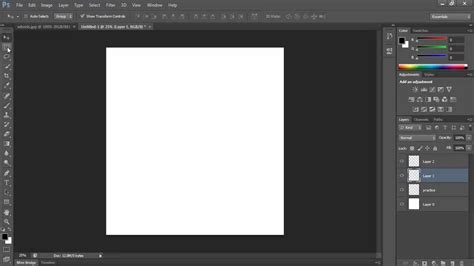
Starting History of Graphic Design timeline poster in Photoshop
Photoshop's Cultural Impact: A Verb in the Lexicon
The influence of Adobe Photoshop extends far beyond its technical capabilities; it has permeated popular culture. The term "Photoshop" has become a verb, commonly used to describe any image manipulation, whether performed by Photoshop itself or another program. This linguistic phenomenon is not limited to English, with similar adaptations appearing in other languages, such as "photoshopar" in Portuguese. This widespread recognition underscores Photoshop's profound impact on how we perceive and interact with visual media.
The Future of Photoshop: AI and Beyond
Today, Photoshop is an immensely powerful and sophisticated application, a far cry from its humble beginnings. Maintained by a large team at Adobe, it continues to evolve, integrating cutting-edge technologies like artificial intelligence. Recent additions such as Generative Fill and Generative Expand exemplify this direction, offering unprecedented creative possibilities and further solidifying Photoshop's position as the industry-leading tool for digital artistry and image manipulation. The legacy of Thomas and John Knoll, who were recognized with a Scientific and Engineering Award at the 2019 Oscars for their groundbreaking work, continues to inspire generations of creators.