Instagram, a platform driven by visual storytelling, offers a dynamic canvas for users to express their creativity. Among the myriad ways to present compelling content, the Instagram collage stands out as a powerful tool for consolidating multiple images into a single, cohesive narrative. Whether you're aiming to showcase a travelogue, a collection of cherished memories, a product display, or simply a curated aesthetic, understanding how to effectively create and share collages can significantly elevate your Instagram presence. This guide delves into the intricacies of making Instagram collages, from foundational concepts to advanced techniques, ensuring a comprehensive understanding for users of all skill levels.
The Genesis of the Instagram Collage: Why and When
Before diving into the "how," it's crucial to appreciate the "why" behind Instagram collages. A collage isn't merely a collection of pictures; it's a deliberate artistic choice that can:
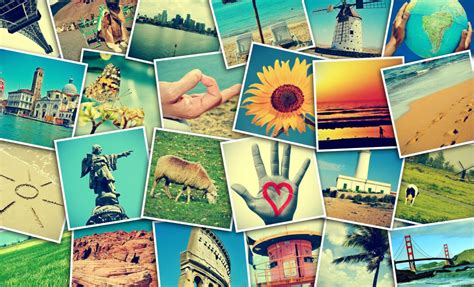
- Tell a Story: Multiple images can convey a sequence of events, a progression, or a multifaceted view of a single subject that a lone photograph cannot. For instance, a travel collage might depict the journey, the destination, and the experiences within a single post.
- Enhance Visual Appeal: A well-designed collage can be more engaging and aesthetically pleasing than a series of individual posts. It offers a sense of completeness and artistic flair.
- Maximize Impact: In a fast-scrolling feed, a visually striking collage can capture attention more effectively, encouraging users to pause and engage.
- Organize Content: For businesses or creators, collages can be used to group related products, highlight different features of a service, or present before-and-after transformations.
- Express Creativity: The act of selecting, arranging, and editing images for a collage is an inherently creative process, allowing for unique personal expression.
The "when" for using a collage is equally varied. Consider using a collage for:
- Event Recaps: Consolidating photos from a party, wedding, or conference.
- Product Showcases: Displaying different angles, colors, or uses of a product.
- Before & After Transformations: Ideal for fitness, home decor, or beauty content.
- Thematic Series: Grouping images around a specific theme, color palette, or mood.
- "A Day in the Life" Posts: Offering a snapshot of various moments throughout a day.
- User-Generated Content Curation: Featuring content from your followers.
The Foundation: Understanding Instagram's Native Features
While Instagram has evolved significantly, its native collage-making capabilities are somewhat limited. However, they serve as a good starting point for beginners and for quick, on-the-fly creations.
Instagram's Built-in Layout Feature
Instagram's Story feature includes a "Layout" option that allows you to split your screen into multiple frames, into which you can then upload or take photos. This is a straightforward way to create a simple, grid-like collage directly within the app.
- Open Instagram Stories: Swipe right from your feed or tap your profile picture with the plus sign.
- Select "Layout": Swipe through the options at the bottom of the screen until you find "Layout."
- Choose a Grid: Select from the available grid configurations (e.g., 2x1, 2x2, 3x2).
- Capture or Upload: Tap on each frame to either take a new photo or select an existing one from your camera roll.
- Edit and Share: Once all frames are filled, you can add text, stickers, or other Story elements before sharing.
This method is excellent for its immediacy but offers minimal customization in terms of arrangement, spacing, or advanced editing.
Stepping Up Your Collage Game: Third-Party Apps and Tools
For more sophisticated and personalized collages, a plethora of third-party applications and online tools are available. These offer a wider range of templates, editing options, and creative control.
Adobe Express: A Powerful and Accessible Solution
Adobe Express, formerly Adobe Spark, is a highly recommended tool for creating Instagram collages, particularly for its user-friendliness and robust features. As stated, "Adobe Express is simple and easy to use and welcomes all skill levels to create an Instagram Story collage." The process is intuitive:
- Start a New Project: Open Adobe Express and choose to create a new project. You can select a template specifically designed for Instagram Stories or a custom-sized canvas.
- Upload Your Photos: Drag and drop or upload your chosen images into the project.
- Arrange and Customize: Adobe Express automatically combines them into a collage, or you can choose from various layout templates. "All you have to do is upload your favorite photos and watch as the collage maker combines them into one stunning collage."
- Edit and Enhance: This is where Adobe Express truly shines. "You can edit your photos directly in your project. Just select the photo of your choice, then play around with different photo effects such as Duotone filters, contrast, brightness, cropping images, and so much more." You have control over:
- Layouts: Numerous pre-set collage layouts and the ability to adjust spacing, borders, and corner rounding.
- Photo Editing: Adjusting brightness, contrast, saturation, applying filters, and cropping individual images within the collage.
- Backgrounds: Changing the background color, adding textures, or using images as backgrounds.
- Text and Graphics: Incorporating text with various fonts and styles, adding stickers, icons, and other graphical elements.
- Animation: For Stories, you can even add subtle animations to your collage elements.
- Export and Share: Once satisfied, export your collage in a suitable format (like JPG or PNG) and then upload it to Instagram.
The accessibility of Adobe Express is a significant advantage. "Yes, our free plan offers many core features including thousands of templates, photo editing and effects, animation, and 2GB of storage." This makes it an excellent option for individuals and small businesses without a significant budget. "Yes, you can make as many Instagram collages as you’d like with Adobe Express, so have fun with all the customization options at your fingertips."
Other Popular Collage Makers
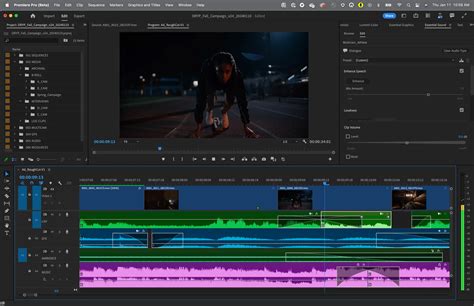
Beyond Adobe Express, numerous other applications offer excellent collage-making capabilities:
- Canva: Similar to Adobe Express, Canva provides a vast library of templates, design elements, and user-friendly editing tools. It's excellent for creating visually appealing graphics, including collages.
- PicMonkey: Known for its photo editing capabilities, PicMonkey also offers robust collage tools with a good selection of layouts and customization options.
- Layout from Instagram: A standalone app from Instagram, this offers a simpler interface for creating collages from your camera roll, with basic arrangement and mirroring tools.
- Picsart: A popular all-in-one photo editor that includes a dedicated collage maker with a wide array of creative effects, stickers, and templates.
- Fotor: Offers a good balance of ease of use and creative control, with a variety of templates and editing features.
Designing Your Masterpiece: Principles of Effective Collage Creation
Regardless of the tool you use, several design principles can elevate your Instagram collages from amateur to artful.
Theme and Cohesion
Before you start, define the purpose and theme of your collage. Are you aiming for a specific mood, color scheme, or narrative?
- Color Palette: Stick to a consistent color palette across all images or use editing tools to harmonize their tones. This creates a visually pleasing and unified look.
- Subject Matter: Ensure the images relate to each other logically. A collage of unrelated pictures can appear chaotic.
- Style Consistency: Try to use photos with a similar photographic style (e.g., all taken in natural light, all with a similar depth of field).
Layout and Composition
The arrangement of your photos is critical.
- Focal Point: Decide if there's a primary image that should draw the most attention, and arrange other images to support it.
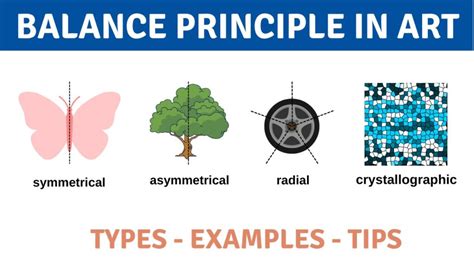
- Balance: Distribute visual weight evenly. Avoid clustering all the "heavy" or visually dominant images in one area.
- White Space/Negative Space: Don't be afraid to leave some space between images or around the collage. This can help elements breathe and improve clarity.
- Flow: Guide the viewer's eye through the collage in a deliberate manner.
Image Selection and Quality
- High Resolution: Always use the highest resolution images available to ensure clarity, especially when zoomed in or displayed on larger screens.
- Variety: Include a mix of close-ups, medium shots, and wider views if appropriate for your theme.
- Complementary Elements: Consider how different images interact. A busy image next to a simpler one can create visual interest.
Editing and Enhancement
- Consistency: Apply similar editing adjustments (brightness, contrast, saturation) to all photos to ensure they look like they belong together.
- Cropping: Crop images thoughtfully to focus on the most important elements and to fit them neatly within the collage frames.
- Filters: Use filters sparingly and consistently. Overuse of different filters can make a collage look disjointed.
Beyond the Grid: Advanced Collage Techniques
Once you've mastered the basics, consider these advanced techniques:
Layering and Overlapping
Many advanced photo editing tools allow you to layer images on top of each other, creating depth and more dynamic compositions than simple grid layouts. This involves carefully adjusting the opacity and placement of each image.
Creative Backgrounds
Instead of plain colors, use textures, patterns, or even another subtle image as the background for your collage. This can add another layer of visual interest.
Incorporating Text and Graphics
Beyond just arranging photos, integrate text overlays, graphic elements, or even hand-drawn elements to tell a richer story or convey a specific message.
Animated Collages
For Instagram Stories, consider creating a simple animation where elements of the collage fade in, slide, or zoom. This can significantly boost engagement.
Create Stunning Photo Collages with Adobe Express!
Technical Considerations for Instagram
- Image Dimensions: While Instagram's feed is square (1:1) or vertical (4:5), Stories are vertical (9:16). Ensure your collage dimensions match the intended placement. Most collage apps offer presets for these dimensions.
- File Size and Quality: Export your collage at a high enough resolution for Instagram without making the file size excessively large, which can lead to compression artifacts. JPG is generally good for photos, while PNG is better for graphics with sharp lines or transparency.
- Aspect Ratios: Be mindful of the original aspect ratios of your photos. You may need to crop or adjust them to fit the collage template without losing key parts of the image.
Avoiding Common Pitfalls
- Overcrowding: Too many images or too much detail can make a collage look messy and overwhelming. Less is often more.
- Inconsistent Quality: Mixing high-resolution, well-lit photos with blurry, poorly lit ones detracts from the overall appeal.
- Poor Arrangement: Images that are haphazardly placed without regard for balance or flow can be jarring.
- Ignoring the Purpose: Creating a collage just for the sake of it, without a clear theme or message, often results in a weak post.
- Using Low-Resolution Images: This is a cardinal sin in visual content creation. Always prioritize quality.
The Evolving Landscape of Visual Content on Instagram
As Instagram continues to evolve, so too will the trends in visual content. However, the fundamental principles of good design, storytelling, and visual appeal remain constant. Collages, in their many forms, will continue to be a vital tool for creators looking to present their content in a captivating and organized manner. By mastering the tools and techniques, from the simple native features to the advanced capabilities of applications like Adobe Express, you can unlock new dimensions of creativity and significantly enhance your Instagram narrative. The ability to seamlessly blend multiple images into a single, compelling visual statement is a skill that will undoubtedly continue to resonate with audiences on this dynamic social media platform.