The world of professional photography often relies on a suite of specialized tools, each excelling in its unique domain. For many, Capture One stands as a cornerstone for raw image processing and cataloging, while ON1 Professional Plugins offer a powerful arsenal of creative effects and editing capabilities. The ability to seamlessly integrate these two titans of photo editing can significantly streamline a photographer's workflow, allowing for both robust raw development and sophisticated creative manipulation within a single, cohesive environment. This article delves into the intricacies of accessing and utilizing ON1 Professional Plugins directly from within Capture One, providing a detailed exploration of the benefits, methods, and practical applications of this powerful synergy.
The Power of Integration: Why Combine ON1 Plugins with Capture One?
Capture One is renowned for its exceptional raw file processing, color rendition, and powerful tethering capabilities. It provides a solid foundation for any photographic workflow, allowing for precise control over exposure, white balance, and detail. However, photographers often seek additional tools for advanced retouching, creative effects, and stylistic enhancements that go beyond the core functionalities of a raw converter. This is where ON1 Professional Plugins shine.
ON1 Effects, for instance, offers a vast library of filters, presets, and adjustment layers that can dramatically transform an image. From adding subtle atmospheric moods to applying bold artistic styles, ON1 Effects provides a creative playground. The integration of ON1 plugins into Capture One means that photographers no longer need to export their images to a separate application, make their edits, and then re-import them. This round-trip editing process can be time-consuming and can sometimes lead to unintended quality degradation. By accessing ON1 plugins directly within Capture One, users can maintain a non-destructive workflow, leverage the strengths of both applications, and significantly speed up their editing process. This is particularly beneficial for professionals who need to manage large volumes of images and adhere to tight deadlines.
Accessing ON1 Professional Plugins from Capture One: A Step-by-Step Approach
The process of accessing ON1 Professional Plugins through Capture One is designed to be straightforward, allowing photographers to quickly dive into creative editing. The initial setup involves ensuring that both Capture One and the ON1 Professional Plugins are installed on your system. Once installed, the ON1 plugins should appear as external editing options within Capture One.
To access them, you typically navigate to the "Edit" or "Adjustments" tab within Capture One. Here, you'll find an option to "Edit With" or "Open With," which will present a list of available external editors and plugins. Selecting the desired ON1 plugin, such as ON1 Effects, will launch the plugin in its own interface, with your image from Capture One loaded and ready for editing.
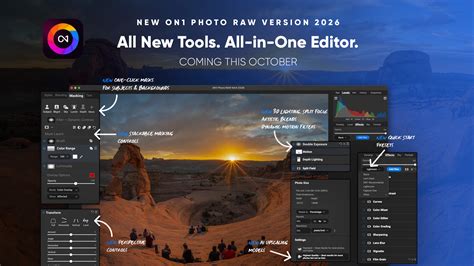
The video tutorial "Accessing ON1 Plugins through Capture One" by Dylan Kotecki, with its 6725 views and 00:02:14 duration, specifically guides users through this initial access. It emphasizes how to make ON1 plugins available within the Capture One environment, ensuring that the connection is properly established. This initial step is crucial for unlocking the full potential of the integrated workflow.
Mastering ON1 Effects 2022: Filters, Presets, and Masking
Once you've successfully accessed ON1 Effects 2022, a world of creative possibilities opens up. The "Getting Started in Effects 2022" mini-course, also by Dylan Kotecki, with 14497 views and a substantial 00:06:34 runtime, provides a comprehensive introduction to the software's capabilities. This course begins by covering "the lay of the land," familiarizing users with the interface and the vast array of filters and presets available.
ON1 Effects boasts a diverse collection of filters, ranging from dynamic contrast and sharpening to artistic effects like vintage looks, black and white conversions, and glow effects. These filters can be stacked and combined to create unique and complex looks. The presets offer a starting point for these effects, allowing users to quickly apply pre-designed looks or to explore different stylistic avenues. As Dylan Kotecki notes in "The Basics" video (5421 views, 00:10:39), users can learn "how to get around ON1 Effects 2022 and how to modify your first presets and filters." This foundational knowledge is essential for any user looking to leverage the plugin's power.
Beyond applying global effects, a critical aspect of professional editing is the ability to selectively apply adjustments. ON1 Effects excels in this area through its advanced masking techniques. The software allows for the creation of precise masks, enabling users to apply filters and local adjustments to specific areas of an image. This is where the true power of creative control lies, allowing photographers to enhance details, dodge and burn, or apply stylistic effects only where they are most impactful. The mini-course on getting started in Effects 2022 dedicates a significant portion to "masking techniques to selectively apply filters and local adjustments," highlighting its importance in achieving professional-looking results.
Advanced Techniques: Combining Images and Creative Blending
For photographers aiming for more complex compositions or dramatic visual storytelling, the ability to combine multiple images is paramount. ON1 Effects provides robust tools for this purpose, including layers and advanced blending modes. The "Combining Images Using Layers" video, a popular offering with 8515 views and 00:12:08 duration, delves into these techniques.
This video teaches users "how to blend two images together with layers, masking, and a fun blend mode!" Layers in ON1 Effects function similarly to those in traditional image editing software, allowing you to stack multiple images or adjustment layers on top of each other. Masking, as previously mentioned, is then used to control the visibility of each layer, creating seamless composites or selective enhancements. Blend modes dictate how the pixels of one layer interact with the pixels of the layers below it, offering a wide range of creative possibilities for merging images, creating special effects, or achieving unique color and tonal interactions. Mastering these layering and blending techniques opens up avenues for everything from sky replacement to creating composite portraits and surreal art.
Exporting with ON1 Plugins: Streamlining the Final Output
Once the editing process is complete within Capture One and ON1 plugins, the final step is exporting the image. ON1 Professional Plugins 2022 feature a revamped export engine designed to make this process as efficient as possible. The "Exporting with ON1 Plugins" video, with 5675 views and a concise 00:04:34 runtime, focuses on this crucial aspect.
This video demonstrates "how to export using the revamped export engine inside the ON1 Professional Plugins 2022." A streamlined export process is vital for photographers who need to quickly deliver high-quality images in various formats and resolutions. The updated engine likely offers enhanced control over file naming, resizing, watermarking, and output color spaces, ensuring that the final exported image meets specific professional requirements. By integrating export functionalities directly within the plugin environment, ON1 further solidifies its role as a comprehensive editing solution that complements Capture One's raw processing power.
ON1 Plugins - Upgrade Your Workflow Event
Practical Considerations and Workflow Enhancements
The ability to access ON1 plugins through Capture One offers several practical advantages that can significantly enhance a photographer's workflow.
- Time Efficiency: Eliminating the need to export and re-import images saves valuable time, especially when working on large projects.
- Non-Destructive Editing: By launching plugins from Capture One, edits are typically handled in a non-destructive manner, preserving the original raw data. This allows for greater flexibility and the ability to revisit and modify edits at any stage.
- Consistency: Maintaining edits within a single application environment can lead to greater consistency in the final output.
- Learning Curve: The provided mini-courses and video tutorials, such as those by Dylan Kotecki, are invaluable resources for users looking to master both the integration process and the specific functionalities of ON1 Effects. These resources, accessible with varying view counts and durations, cater to different learning styles and levels of expertise.
- Offline Access: The availability of course assets for download, as mentioned in the provided text, allows photographers to "learn on-the-go without worrying about your internet connection," further enhancing the practicality of these learning resources. This is particularly useful for those who travel or work in areas with unreliable internet access.
Expanding Creative Horizons: Beyond Basic Adjustments
The integration of ON1 plugins with Capture One is not merely about convenience; it's about expanding creative possibilities. While Capture One provides unparalleled control over the fundamental aspects of an image â exposure, color balance, sharpness, and noise reduction â ON1 plugins unlock a different level of artistic expression.
Consider the application of creative color grading. While Capture One offers sophisticated color tools, ON1 Effects provides a vast array of presets and filters specifically designed for stylistic color manipulation, such as cinematic looks, vintage film simulations, or dramatic mood enhancements. These can be applied globally or selectively using masks, allowing for precise control over the emotional impact of an image.
Furthermore, ON1's suite of filters includes tools for advanced sharpening, selective clarity, and dynamic contrast that can add punch and dimension to images in ways that might be more complex to achieve within a standard raw converter. The ability to combine these effects with Capture One's underlying raw data ensures that you are always working with the highest quality image information.
The concept of "local adjustments" is also significantly amplified through ON1 plugins. While Capture One has its own local adjustment tools, ON1 Effects allows for the application of a much wider range of filters and effects to specific areas. This means you can, for example, apply a subtle glow to a subject's hair, add a vintage texture to a specific part of a landscape, or enhance the details in a particular shadow area, all while maintaining the integrity of the rest of the image.
Addressing Potential Challenges and Best Practices
While the integration is powerful, it's worth considering potential challenges and best practices to ensure a smooth workflow.
- Performance: Running multiple complex applications simultaneously can sometimes strain system resources. Ensuring your computer meets the recommended specifications for both Capture One and ON1 plugins is crucial. Optimizing your workflow by closing unnecessary applications and managing your image catalog efficiently can also help.
- File Management: While the integration aims to streamline the process, understanding how Capture One and ON1 plugins handle file versions and edits is important. Generally, edits made through plugins are non-destructive and are managed by Capture One's cataloging system, but itâs always good practice to understand your software's behavior.
- Plugin Updates: Keeping both Capture One and your ON1 Professional Plugins updated to the latest versions is essential for compatibility, performance improvements, and access to new features. Developers frequently release updates that address bugs and enhance integration.
- Learning Resources: As highlighted by the provided video information, leveraging the extensive learning resources available is key. The mini-courses and tutorials are not just for beginners; they offer valuable insights into advanced techniques that can be applied even by experienced users. The emphasis on downloading course assets for offline viewing underscores the commitment to making learning accessible.
The Future of Integrated Photo Editing
The trend towards integrated workflows in professional photography is undeniable. Photographers are increasingly seeking solutions that combine the power of raw processing with the flexibility of specialized creative tools. The synergy between Capture One and ON1 Professional Plugins is a prime example of this trend. By allowing users to seamlessly access and utilize a wide range of editing effects and tools directly within their preferred raw converter, this integration empowers photographers to push their creative boundaries while maintaining an efficient and organized workflow.
The information provided, particularly the details about specific video tutorials and their content, illustrates a clear pathway for users to master this integration. From the foundational steps of accessing the plugins to advanced techniques like layering and exporting, a comprehensive learning journey is laid out. This not only benefits new users but also encourages existing users to explore the full potential of their software by delving into features they may not have previously utilized. The ongoing development of both Capture One and ON1 plugins suggests that this integrated approach will only become more sophisticated and powerful in the future, further solidifying its place as an indispensable part of the modern photographer's toolkit.