In today's visually driven world, the demand for high-quality imagery has never been greater. For photographers, marketers, and content creators, achieving polished and professional visuals is paramount. However, the process of editing, particularly background removal, has historically been time-consuming and technically demanding. Enter Clipdrop Remove Background, a cutting-edge tool designed to revolutionize image editing with its AI-powered precision, speed, and efficiency. This article delves into the core functionalities of Clipdrop, its advanced features, how it stacks up against other solutions, and what the future holds for AI in image manipulation.

The Quest for the Perfect Photo: A Modern Challenge
The pursuit of the perfect photograph often encounters unexpected obstacles. A stray tourist, a distracting power line, an unsightly watermark - these elements can detract from an otherwise exceptional shot. For years, rectifying such imperfections required a tedious battle with tools like Photoshop's Clone Stamp, demanding patience, a steady hand, and considerable technical skill. The landscape of photo editing has, however, undergone a dramatic transformation. We are now firmly in the era of AI-powered "magic eraser" tools, promising to eliminate unwanted elements from images with unprecedented ease. What was once the realm of science fiction is now accessible to everyone, democratizing the power of professional-level editing.
What Are Cleanup.pictures & Clipdrop? An Insider's Guide
To fully appreciate Clipdrop Remove Background, it's essential to understand its ecosystem and how it relates to other prominent tools, particularly Cleanup.pictures. This distinction is a frequent point of confusion for newcomers.
Cleanup.pictures: The Specialist
Think of Cleanup.pictures as a highly focused, web-based specialist. Its sole purpose is to excel at one task: removing unwanted objects, people, text, and defects from images. It employs a technology known as "AI inpainting," which intelligently reconstructs the area behind the removed object. Unlike older clone tools that necessitated a background reference, this AI is "truly able to guess what was behind" the object. Its core value proposition lies in its radical simplicity and speed. There's no complex software to download or learn, making it an immediate go-to for photographers, real estate agents, and e-commerce businesses seeking quick, professional results.
Clipdrop: The All-in-One AI Visual Suite
If Cleanup.pictures is a scalpel, Clipdrop is a comprehensive surgical kit. Billed as an "AI-powered Swiss Army knife for images," Clipdrop offers a broad spectrum of visual tools. Originally developed by a startup acquired by Stability AI (creators of Stable Diffusion) and more recently by Jasper, a generative AI marketing company, Clipdrop's suite is extensive. Crucially, it includes a powerful Cleanup tool that functions almost identically to Cleanup.pictures. However, Clipdrop extends its capabilities with features such as:
- Remove Background: To isolate subjects with exceptional accuracy.
- Image Upscaler: To enhance image resolution and reduce noise.
- Uncrop: To extend image borders using generative AI.
- Relight: To alter the lighting on a subject after the photo has been taken.
- Text-to-Image Generation: Leveraging the power of Stable Diffusion for creative image creation.
Clarifying the Connection
The key insight here is the deep integration between these tools. The pricing page for Cleanup.pictures often presents an upgrade path to "ClipDrop Pro," which bundles all of Clipdrop's features. This strongly suggests a shared core technology or a unified company ecosystem. For the end-user, this translates to likely identical object removal performance between the two. The choice hinges on whether you need a single, specialized function or the full creative suite.
| Feature | Cleanup.pictures | Clipdrop |
|---|---|---|
| Primary Function | Specialist Object Removal | All-in-One AI Editing Suite |
| Core Technology | AI Inpainting | Stable Diffusion, AI Inpainting, etc. |
| Developer | Part of the Clipdrop ecosystem | Stability AI / Jasper |
| Platform | Web-based | Web-based, Desktop, API |
| Ease of Use | Extremely Simple | Intuitive, but with more features to explore |
Head-to-Head: How Do They Compare to Other AI Tools?
A tool's true value is best understood through comparative analysis. To provide a real-world performance test, AI erasers like those within Clipdrop are put against industry leaders.
The Test
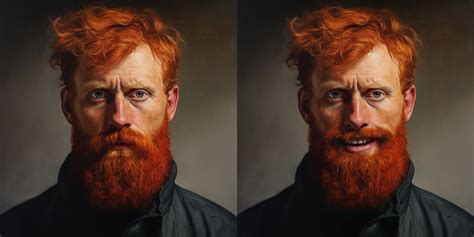
A common methodology, inspired by professional reviews, involves using the same challenging image across multiple platforms. The ideal image would feature both a simple removal (e.g., a small object on a plain background) and a complex removal (e.g., a person against a detailed, non-uniform background like foliage or waves). This approach reveals how AI performs under varying degrees of difficulty.
Performance Analysis
Clipdrop's Cleanup Tool: For straightforward removals, the results are often near-flawless and remarkably fast. The brush-to-erase interface is exceptionally user-friendly. However, on complex backgrounds, performance can be mixed. As noted by some users, when attempting to remove a person from a beach scene, "the area with waves looked distorted." This is a common limitation where AI struggles to perfectly replicate intricate, non-repeating patterns.
Adobe Photoshop's Remove Tool: This tool remains a professional benchmark for good reason. Its AI-powered capabilities offer incredible accuracy and versatility. Users can opt for automatic distraction detection or manual brush control. Crucially for professionals, it integrates into a non-destructive workflow via separate layers. The primary drawback is its cost, requiring an Adobe Creative Cloud subscription.
Luminar Neo's GenErase: This presents a compelling alternative for those outside the Adobe ecosystem. In testing, it consistently produces high-quality results, often on par with Photoshop. Its main weakness lies in its speed; it can be noticeably slower, potentially impacting workflow when editing numerous images.
Other Tools: Free options integrated into popular platforms, such as Canva's Magic Eraser and Microsoft Designer's Generative Erase, have made AI object removal widely accessible. While excellent for casual use, they generally lack the refinement and granular control offered by dedicated professional tools.
| Tool | Ease of Use | Result Quality (Simple) | Result Quality (Complex) | Speed | Cost Model | Best For |
|---|---|---|---|---|---|---|
| Cleanup.pictures | 10/10 | 9/10 | 7/10 | Fast | Freemium | Quick, simple online edits |
| Clipdrop (Cleanup) | 9/10 | 9/10 | 7/10 | Fast | Freemium | Suite users needing a full AI toolkit |
| Adobe Photoshop | 7/10 | 10/10 | 9/10 | Fast | Subscription | Professionals needing control |
| Luminar Neo | 8/10 | 9/10 | 8/10 | Slower | Subscription/Purchase | Photographers outside the Adobe ecosystem |
How to Remove Objects from an Image: A Step-by-Step Practical Guide
Understanding the theory is one thing; practical application is another. Here's how to start removing objects from your images in seconds.
Using Cleanup.pictures (The Simple Fix)
This is the most straightforward path to a cleaner image.
- Navigate: Open your web browser and go to cleanup.pictures.
- Upload Image: Drag and drop your image file directly onto the page, or click to open your file browser.
- Brush and Erase: An adjustable brush will appear. Simply paint over the object you wish to remove. For optimal results, heed the developers' tip: "Select a bigger brush and don't hesitate to cover more than the area you want to retouch (especially to cover shadows)."
- Download: The AI processes the change almost instantly. You can then download the cleaned image. Note that the free version typically limits export resolution to 720p.
Using Clipdrop (The Power User's Workflow)
The initial steps are similar, but Clipdrop unlocks a much broader creative process.
- Access Cleanup Tool: Go to clipdrop.co and select the "Cleanup" tool from the main dashboard.
- Upload and Edit: Upload your image and use the brush to paint over the object you want to remove. This process is nearly identical to Cleanup.pictures, highlighting their shared technological foundation.
- Explore Other Tools: This is where Clipdrop's power truly shines. After cleaning your image, you can seamlessly transition to other tools within the suite. Need to increase resolution for printing? Use the Image Upscaler. Want to extend the image borders? Employ Uncrop to have the AI intelligently generate the missing parts.
Object Removal Using After Effects and AI
Best Practices: Dos and Don'ts
- Do cover the object's shadow completely for a more realistic result.
- Don't expect flawless results on extremely complex, repeating patterns (like intricate fabrics or dense foliage) without some trial and error.
- Do use the zoom tool for precise selection of small defects like dust spots or blemishes.
- Don't forget the resolution limits on free plans if high-quality images for professional use or printing are required.
- Do try regenerating the result if the first attempt isn't perfect. Sometimes a second pass yields a better outcome.
- Don't use these tools to remove watermarks from images you don't own the rights to. Respect copyright.
The Future is Generative: Trends in AI Image Editing
Object removal is merely the beginning. AI technology is evolving at a rapid pace, pointing towards a future where our interaction with visual media is fundamentally transformed.
From Editing to Creation
The most significant trend is the shift from simple retouching to comprehensive generative creation. We are moving beyond fixing photos to creating entirely new visuals from scratch. Clipdrop exemplifies this evolution with its integration of tools like Stable Doodle, which transforms simple sketches into detailed images, and its core text-to-image features powered by Stable Diffusion. The platform is increasingly becoming a hub for both editing and creation.
Integration is Key
Standalone AI tools are becoming less prevalent. The true power is being unlocked through deep integration into the platforms we already use. Adobe has woven its Firefly AI, including generative fill and object removal, throughout the Creative Cloud suite. Microsoft has integrated similar tools into its Designer app and even the Windows Photos app. Apple has also joined the fray with its "Clean Up" tool in iOS Photos, though early reports suggest it can sometimes be overly aggressive.
What This Means for You
- For Professionals (Photographers, Marketers): AI automates the most tedious aspects of the job, freeing up valuable time to focus on creative elements like composition, lighting, and storytelling. E-commerce managers, for instance, can now produce professional product images in seconds, dramatically accelerating their workflow.
- For Casual Users: This represents the democratization of creativity. Tasks that once required expensive software and years of practice can now be achieved by anyone with a web browser, empowering everyday users to create polished, professional-looking photos without technical expertise.
Frequently Asked Questions (FAQ)
When exploring new tools, questions about cost, value, and limitations are always pertinent.
What are the Pricing & Plans for Cleanup.pictures and Clipdrop?
- Cleanup.pictures:
- Free: Unlimited image edits, but export resolution is capped at 720p. Ideal for social media or web use.
- Pro: Approximately $3-$5 per month. Unlocks unlimited resolution and access to a higher-quality refinement algorithm, essential for print or professional work.
- Clipdrop:
- Free: Offers limited access to its suite of tools. Many features have resolution caps or add watermarks to the output.
- Pro: Around $9.99 per month. Unlocks the full suite, provides high-resolution, watermark-free exports, and offers a higher quota for generative tools.
Is It Worth Paying for Pro? A Pros & Cons Breakdown.
For users who frequently require high-resolution exports, advanced features like background replacement, or higher usage quotas for generative AI, the Pro version of Clipdrop or Cleanup.pictures offers significant value. The ability to download images at unlimited resolution is crucial for professional printing or large-scale digital displays. Furthermore, the enhanced refinement algorithms in paid tiers often yield superior results, especially on complex images. For casual users or those primarily using the tools for web-based content with lower resolution requirements, the free tier may suffice.
Can the AI handle any background?
While AI technology has made remarkable strides, it's not infallible. Extremely complex, highly detailed, or very repetitive backgrounds (such as dense foliage, intricate patterns on fabric, or busy crowd scenes) can still pose challenges. The AI might struggle to perfectly reconstruct these areas, sometimes leading to minor distortions or unnatural-looking patches. However, for most common backgrounds, the AI performs exceptionally well.
What about privacy? Are my images safe?
Reputable AI tool providers generally prioritize user privacy. Most platforms state that uploaded images are processed securely and are not stored indefinitely or used for training without explicit consent. It's always advisable to review the privacy policy of any tool you use to understand how your data is handled. Clipdrop, for instance, emphasizes secure processing and offers options for API usage where data handling can be managed more directly.
Final Thoughts: Which AI Eraser Should You Choose?
The choice between Clipdrop Remove Background and its specialized counterpart, Cleanup.pictures, largely depends on your needs. If your sole requirement is efficient and simple object removal, Cleanup.pictures is an excellent, user-friendly option. However, if you envision a broader creative workflow that includes upscaling, uncropping, relighting, or even generative AI features, the comprehensive suite offered by Clipdrop is the more powerful and versatile choice. Both leverage advanced AI to significantly reduce editing time and elevate the quality of your visual content, marking a new era in accessible and powerful image manipulation.
tags: #clipdrop #remove #background