The quest for authentic, tactile artistic experiences within the digital realm has led to a proliferation of specialized tools. Among these, Procreate brush sets designed to emulate traditional media have gained immense popularity. This article delves into the nuanced world of Procreate colored pencil brushes, exploring their creation, functionality, and the unique artistic possibilities they unlock for digital artists. We will examine the specific features and benefits offered by a comprehensive set, from the foundational sketching tools to advanced layering and textural effects, while also considering the essential technical requirements for their use.
The Genesis of Digital Colored Pencils
The desire to replicate the organic feel of colored pencils in a digital format is a driving force behind the development of these specialized Procreate brushes. Unlike generic digital brushes, those designed to mimic colored pencils are meticulously crafted to capture the essence of the physical medium. This involves simulating the subtle grain of the paper, the buildable pigment layers, the characteristic blending properties, and even the way light interacts with the applied color.
The process of creating such brushes often begins with real art supplies. Artists may scan textures from actual paper, experiment with different pencil strokes on physical surfaces, and then translate these observations into digital brush dynamics within Procreate. This hands-on approach, rooted in traditional art practices, is crucial for achieving a high degree of authenticity. The goal is to make the digital screen "disappear," allowing the artist to focus on the creative process as if they were working with physical pencils.
A Comprehensive Suite of Colored Pencil Tools
A well-curated Procreate colored pencil brush set offers a diverse array of tools designed to cover every stage of the artistic workflow, from initial sketching to final rendering. Such a set can include a significant number of brushes, each with a distinct purpose and characteristic.
For foundational work, a selection of sketch brushes is essential. These might be designed to provide a rough, expressive line, perfect for capturing initial ideas and loose compositions. Following this, monoline pencil brushes offer consistent line width regardless of pressure, which is ideal for precise linework or when a uniform stroke is desired. The distinction between thin and thick pencil brushes allows for versatility in line weight and detailing.
To achieve the characteristic build-up of color seen in traditional colored pencil art, soft pencil brushes with minimal grain are invaluable for smooth shading and subtle transitions. Conversely, toothy pencil brushes, featuring a more pronounced grain, are excellent for creating a textured, almost gritty effect, reminiscent of drawing on rough paper.
A key element of realistic colored pencil simulation is the ability to layer colors effectively. Layerable pencils are designed to allow for the gradual accumulation of pigment with successive strokes, mimicking how physical colored pencils build opacity and intensity. This is crucial for achieving rich, deep hues and complex color blends.
Advanced Techniques and Creative Exploration
Beyond the foundational tools, advanced brushes within a set unlock more sophisticated artistic techniques and encourage creative experimentation.
The concept of "damp" pencils offers a unique effect, simulating the slightly wet appearance that can occur when colored pencils are used with a solvent or water to blend and create smoother finishes. These brushes can add a touch of realism and an unexpected visual quality to digital artwork.
Dual color pencils represent a significant leap in creative potential, allowing artists to select any two colors to be blended within a single brush stroke. This feature dramatically speeds up the process of creating nuanced color transitions and adds an element of delightful unpredictability to the artwork. Imagine selecting a warm yellow and a cool blue, and with each stroke, the brush generates a vibrant green that shifts subtly as you draw.
The hue shifter pencil adds another layer of color manipulation, introducing slight color variations within each stroke. This can break up the uniformity of digital color, imparting a more organic and less "computerized" feel to the artwork.
For filling areas and adding intricate patterns, fill brushes are included, offering interesting textures and enabling quick, efficient coverage. A noise overlay brush can be used to subtly introduce a grainy texture across an entire artwork or specific areas, further enhancing the traditional media feel.
Essential Accessories for a Seamless Workflow
A comprehensive Procreate colored pencil brush set often extends beyond just the brushes themselves, providing a suite of complementary tools and resources to enhance the user's experience and artistic output.
Procreate canvases specifically prepared with paper textures are a common and highly valuable bonus. These canvases, often provided in standard print sizes like 8x10 and 12x16 inches, come pre-set at a high resolution (300 dpi) and in the sRGB color mode, which is ideal for digital art and ensuring accurate color representation. The inclusion of canvases with different colored paper further expands the creative possibilities, allowing artists to experiment with background tones that complement their chosen color palettes.
To further refine artwork, specialized pencil erasers are often included. These are designed to mimic the way physical erasers interact with colored pencil marks, allowing for selective removal or softening of strokes without completely obliterating the underlying texture. A huge eraser is also a practical addition for quickly clearing large areas or making significant compositional adjustments.
Smudgers are another crucial element, directly replicating the technique of blending colored pencil marks with a finger, tortillon, or blending stump. These brushes allow artists to achieve soft gradients, diffuse edges, and create smooth transitions between colors and values.
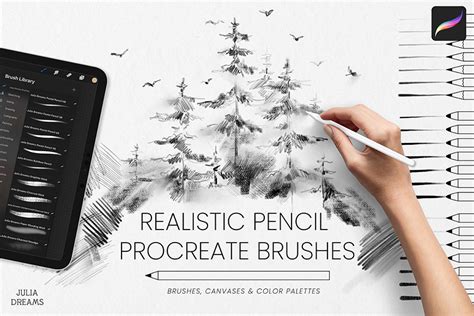
Finally, a reference guide is an indispensable resource. This typically showcases the unique texture and behavior of each brush within the set, providing a visual key for artists to understand the capabilities of every tool at their disposal.
Procreate brushes for colored pencil technique
Technical Considerations and Compatibility
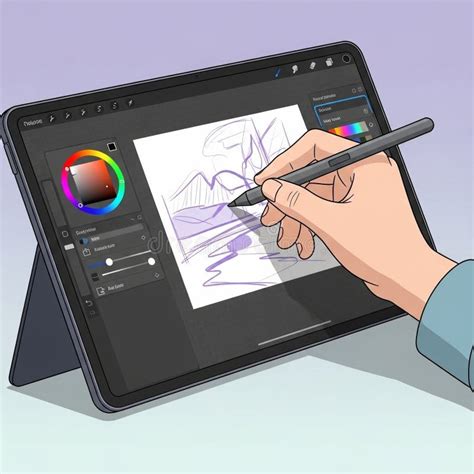
To fully leverage the capabilities of these advanced Procreate colored pencil brushes, understanding the technical requirements is paramount. These brushes are developed specifically for Procreate 5 and later versions running on an iPad.
Crucially, they require a pressure-sensitive stylus, with the Apple Pencil being the primary intended input device. The brushes are engineered to respond to variations in pressure, allowing for control over line weight, opacity, and color intensity. This pressure sensitivity is the cornerstone of achieving realistic and expressive strokes.
It is important to note that these brushes are not compatible with other software such as Adobe Photoshop, Affinity Designer, or any other digital art application. Furthermore, they are not designed for Procreate Pocket, the iPhone version of the app, nor are they intended for use with fingers. The functionality relies on the sophisticated pressure and tilt sensitivity offered by the Apple Pencil on an iPad.
A specific point of clarification often arises regarding the latest Apple Pencil (USB-C). While this stylus offers a seamless connection, it lacks built-in pressure sensitivity. Therefore, it will not function correctly with these specialized Procreate brushes that depend on pressure input for their nuanced behavior. Artists must ensure they are using a pressure-sensitive Apple Pencil model to unlock the full potential of the colored pencil brush set.
The Artist's Perspective and Creative Philosophy
The creation of high-quality digital art tools is often driven by the passion and expertise of working artists. Many of these Procreate colored pencil brush sets are developed by illustrators who use them in their own professional projects, ensuring that the tools are not only aesthetically pleasing but also highly functional and artist-friendly.
The philosophy behind these sets often emphasizes authenticity and inspiration. The brushes are described as being made "with care," with months spent on their creation and testing. The aim is to provide artists with tools that feel genuine, inspire creativity, and help them produce art that they truly love. The textures and behaviors are not derived from generic procedural generation but are rooted in the artist's direct experience with real art supplies.
The license for such digital products typically restricts users from selling, sharing, or transferring the set to others. The license is generally for a single end-user, ensuring that the creator's work is protected and that each user has exclusive access to their carefully crafted digital toolkit. This approach fosters a community of artists who invest in and utilize these specialized tools while respecting the intellectual property of their creators.
The ultimate goal is to bridge the gap between the tactile satisfaction of traditional art and the convenience and power of digital mediums. By providing tools that accurately emulate the look and feel of colored pencils, Procreate brush sets empower artists to explore new creative avenues, refine their techniques, and produce stunning digital artwork that possesses the warmth, depth, and character of traditional media.