The landscape of productivity software has been dominated by a few key players for decades, yet one name that consistently evokes a sense of history and enduring functionality is WordPerfect. While its market share may have shifted over the years, the Corel WordPerfect Suite has maintained a dedicated user base and continued to evolve, offering a robust set of tools for document creation, management, and publishing. This article delves into the rich history of WordPerfect, tracing its journey from its origins to its modern iterations, and explores the comprehensive features that define its enduring appeal.
The Genesis of a Word Processing Powerhouse
The story of WordPerfect begins not with Corel, but with its original creators, Bruce Bastian and Alan Ashton. In 1979, these Brigham Young University graduates developed word processing software for a Data General minicomputer system owned by the city of Orem, Utah. Retaining the rights to their creation, they formed Satellite Software International (SSI) to market the program, which first appeared as SSI*WP in March 1980. A pivotal moment arrived in 1982 with the move to the MS-DOS operating system, by which time the name "WordPerfect" was firmly established. The application's feature set significantly outpaced its main competitor, WordStar, earning praise for its "look of sparseness" and clean display. By version 5.1 in 1989, WordPerfect had become the undisputed standard in the DOS market, a dominant position it held for years.
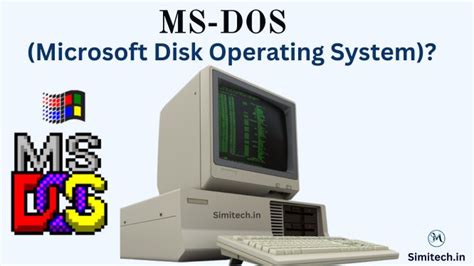
The transition to Microsoft Windows presented new challenges. The initial WordPerfect for Windows application suffered from performance issues, partly due to Microsoft not initially sharing its Windows Application Programming Interface (API) specifications. Once these APIs were made available, a significant reprogramming effort was required. Meanwhile, Microsoft Word, introduced around the same time, gained traction due to its faster performance, aggressive corporate sales strategies, and strategic bundling within the burgeoning Microsoft Office suite. WordPerfect Corporation was acquired by Novell in 1994, and subsequently, the product found a new home with Corel in 1996. Despite no longer being the market leader, WordPerfect continued to be developed and refined by Corel, focusing on its strengths and catering to its loyal user base.
Evolution of the WordPerfect Suite: From Version 8 to Modern Iterations
Corel's stewardship of the WordPerfect brand saw a continuous stream of updates and new versions. In a notable branding shift, Corel began to phase out the word "Office" from the suite's name. For instance, the suite shipping in late May or early June of a particular year was named WordPerfect Suite 8, available in standard and professional editions. The standard edition was priced at $375, with upgrades at $150, while pricing for the professional version, due later, was not yet available.
The market for office suites was, and largely remains, dominated by Microsoft Office, which commanded approximately 87% of the market in 1996, according to DataQuest figures. Corel's WordPerfect suite held a 6% share, even trailing Lotus's 7% share at that time. Despite this market dynamic, Corel continued to innovate and differentiate its product.
Over the years, various iterations of the WordPerfect Office suite have been released, each building upon the previous one with new features and enhancements. For example, WordPerfect Office X7, released in April 2014 and fully patched to at least Service Pack 2 (build number 17.0.0.366 in May 2015), was certified by Corel to work with Windows 10. This version, like many others, offered a Standard Edition and a Professional Edition, with the latter typically including additional features such as the WordPerfect eBook Publisher. A consistent capability across these editions was the ability to create PDFs, although importing them for editing was sometimes a feature exclusive to higher-tier versions. A significant aspect of licensing across multiple versions, such as WPO2020 (May 2020), WPOX9 (May 2018), WPOX8 (April 2016), and WPOX7 (April 2014), allowed for legal installation on up to three computers within a single household.
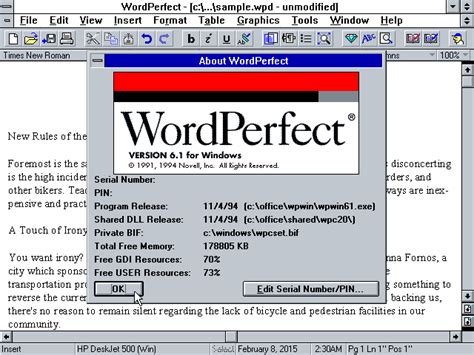
The suite's development has consistently focused on improving user experience and expanding functionality. Enhancements to compatibility, including support for high-resolution screens and Windows font scaling (DPI), ensured that the software could adapt to modern display technologies. Features like the ability to tile or cascade multiple open documents, accessible via the Window menu, and the integration of web search capabilities directly within the Reference Center, streamlined workflows.
The introduction of new macro capabilities, such as "Numbered Save.wcm" for versioned file saving, "PrintAll.wcm" for printing all open documents, and "Macro Manager.wcm" for organizing and running macros, further empowered users to automate repetitive tasks. The "Lorem Ipsum.wcm" macro, for instance, provided a quick way to generate placeholder text for design and layout purposes. The "ReplaceInFolder.wcm" macro offered powerful batch text replacement across multiple files.
Core Features and Functionality Across Generations
WordPerfect's enduring appeal lies in its comprehensive feature set, which has been refined and expanded over decades. One of its most celebrated and unique features is Reveal Codes. This powerful tool displays all formatting codes applied to a document, offering unparalleled transparency and control. Unlike many other word processors that abstract formatting, Reveal Codes shows users exactly how their document is structured, allowing for precise editing and troubleshooting. This feature has been instrumental in maintaining backward and forward compatibility, as users can see and understand the underlying codes that define document structure and formatting. The Reveal Codes window has evolved, with later versions displaying codes for font attributes and text alignment within table cells, rows, and columns, and even indicating cell and row codes before table text for clearer formatting insights.
PDF Integration and Publishing has been a consistent area of development. Modern versions of WordPerfect Office allow users to create, edit, and share PDF files directly from the desktop. The ability to create fillable PDF forms with various form controls (text fields, check boxes, drop-down lists) has made interactive data collection more accessible. Suite-wide PDF publishing options, including password protection for restricting access and editing, ensure secure document sharing.
eBook Creation has also been a significant focus. The WordPerfect eBook Publisher supports formats like EPUB, ensuring compatibility with popular eBook devices such as Kobo, Nook, and Sony Reader. Features like relative font and graphic sizing, and automatic conversion of footnotes to cross-linked endnotes, simplify the eBook creation process. Users can craft eBooks with dedications, copyrights, title pages, and tables of contents, with options to alter font and graphic sizing for a professional presentation.
Macro Management and Automation is another cornerstone of WordPerfect's power. The Macro Manager provides a centralized dialog box to view, manage, run, and edit all WordPerfect macros. This allows users to leverage the extensive macro capabilities for automating repetitive tasks, from simple text insertions to complex document manipulations. The development of new macros like "Save to Multiple Formats" demonstrates the suite's commitment to streamlining output processes, enabling users to save documents to WPD, PDF, and HTML5 simultaneously.
Compatibility and File Handling remain strong suits. WordPerfect Office is renowned for its ability to open, edit, and save a wide array of file formats, including the latest Microsoft Office formats (DOC, DOCX). Support for over 60 file formats ensures seamless collaboration and data exchange. The suite also offers advanced features for managing document integrity and security. The Save Without Metadata feature allows users to strip confidential information like undo/redo history, reviewers' notes, and hidden text from files. Redaction capabilities enable users to black out sensitive or confidential information, ensuring that text cannot be retrieved or revealed, with the option to search for and automatically apply redaction to specific words or phrases.
Bates Numbering, a critical feature for legal and medical professionals, is efficiently handled within WordPerfect, allowing for the easy insertion of unique, incremental numbers on documents for quick identification and tracking.
The suite also provides robust tools for document creation and formatting. This includes a vast library of over 150 free templates, catering to a wide range of projects from letters and labels to flyers and banners. The Template Viewer feature offers an intuitive way to browse installed or created templates for faster selection. Features like QuickWords (for text expansion), QuickCorrect (for automatic error correction), and advanced spell checking and grammar tools enhance writing efficiency and accuracy.
Table and Graphics Handling have also seen continuous improvement. Dedicated toolbars for table editing and graphics editing are readily available on the Property Bar, providing immediate access to formatting options. The suite supports advanced charting tools for data visualization and enables users to create and edit original drawings and pictures.
Internet Publishing capabilities are integrated throughout the suite. The Publish to HTML option supports various HTML standards, including HTML5, allowing users to easily create web-ready documents. The QuickLinks feature automatically converts URLs to Internet links and can be customized to display more meaningful terms. The ability to add form fields to web documents further enhances online interactivity.
The Keystroke Menu offers quick access to settings and commands, further simplifying workflow. For legal professionals, specialized tools like Corel® Perfect Authority assist in locating, sorting, and creating Tables of Authorities, saving significant time and effort.
Licensing and Installation have also been refined. The ability to legally install the software on up to three computers in a home environment provides flexibility for individual users. Enhanced compatibility with operating systems, such as WordPerfect Office X7 being certified for Windows 10, ensures smooth operation on modern platforms.
WordPerfect's architecture, with its streaming code structure, has been compared to HTML and Cascading Style Sheets, where text is interspersed with "codes" that dictate formatting until a corresponding closing code is encountered. This approach, combined with features like styles and style libraries, provides immense power and flexibility in document formatting, while maintaining backward compatibility. The integration with CorelDRAW Graphics suite has also enriched its graphic styling capabilities.
The introduction of PerfectScript, an interpreted token-based macro language, offered a more powerful and flexible way to automate tasks compared to the earlier keystroke-based macros. A key advantage of WordPerfect's macro system is that macros are not embedded in documents, making it less susceptible to macro viruses and malware compared to some competing products.
The Enduring Legacy and Future Outlook
While the office suite market has been largely defined by Microsoft's dominance, Corel WordPerfect Suite has carved out a significant niche by focusing on its core strengths: unparalleled control over document formatting through Reveal Codes, robust PDF capabilities, advanced automation through macros, and exceptional file compatibility. Its historical significance as a pioneer in word processing and its continuous evolution under Corel ensure its relevance for professionals who value precision, power, and a deep understanding of document structure. The ongoing development, evident in features like enhanced eBook creation, streamlined macro management, and sophisticated PDF tools, indicates a commitment to adapting to modern computing needs while preserving the core functionalities that have made WordPerfect a legendary name in productivity software.
tags: #corel #wordperfect #suite